View Full Version : Temperature thread
loneshark
Jul 13, 2007, 08:06 PM
check this screen shot of my widget bar and the temps
I am a little concerned, this baby is smoking hot, but shows no signs of failure, no crashes, no shutdowns, all systems GO.
at the time of the screen shot I was zipping 30 GB worth of movie clips
is this normal, at what point does the MBP shutdown ? the processor is only degrees away from boiling.
http://img.photobucket.com/albums/v160/loneshark/Picture1.png
Sdao
Jul 13, 2007, 08:25 PM
I dont know anything useful about the temps and what is a dangerous range to be at, but I wanted to ask... what widget are you using to see your temp and processes?
rhagen
Jul 13, 2007, 08:30 PM
That Widget is iStat.
My MacBook gets to those temps when I use Handbreak while watching some youtube and itunes... I wouldn't be concerned.
Papajohn56
Jul 13, 2007, 08:37 PM
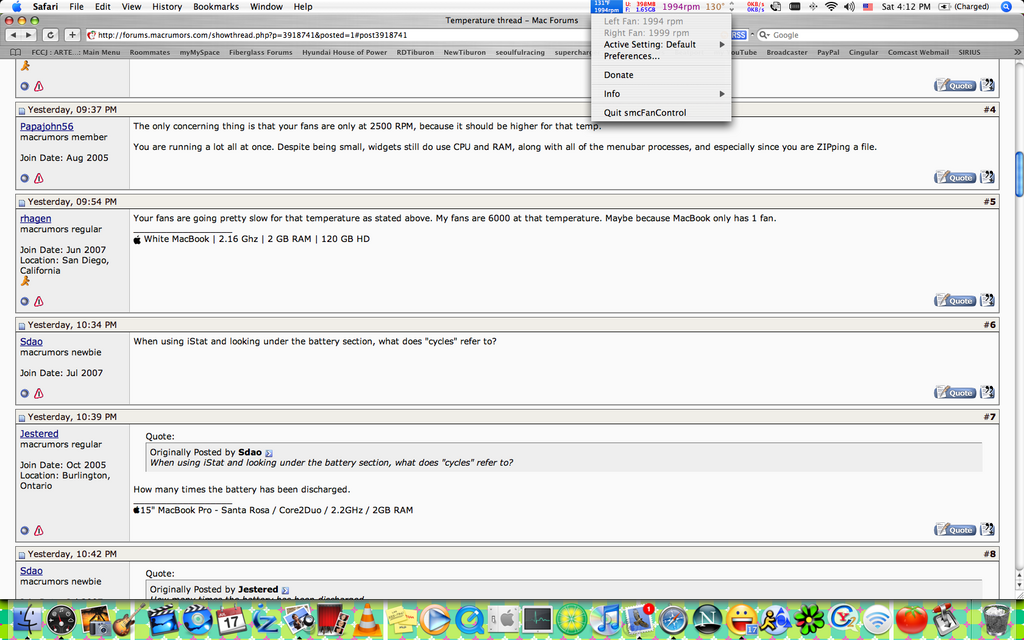
The only concerning thing is that your fans are only at 2500 RPM, because it should be higher for that temp.
You are running a lot all at once. Despite being small, widgets still do use CPU and RAM, along with all of the menubar processes, and especially since you are ZIPping a file.
rhagen
Jul 13, 2007, 08:54 PM
Your fans are going pretty slow for that temperature as stated above. My fans are 6000 at that temperature. Maybe because MacBook only has 1 fan.
Sdao
Jul 13, 2007, 09:34 PM
When using iStat and looking under the battery section, what does "cycles" refer to?
Jestered
Jul 13, 2007, 09:39 PM
When using iStat and looking under the battery section, what does "cycles" refer to?
How many times the battery has been discharged.
Sdao
Jul 13, 2007, 09:42 PM
How many times the battery has been discharged.
does this reflect the health of your battery at all? my battery is at 98% health according to iStat and it says 3 under "cycles"...
Jestered
Jul 13, 2007, 09:44 PM
does this reflect the health of your battery at all? my battery is at 98% health according to iStat and it says 3 under "cycles"...
Yes. The more times your battery is discharged, the less battery life you will have. They don't last forever. The more you use them, the less they last.
Sdao
Jul 13, 2007, 09:53 PM
Yes. The more times your battery is discharged, the less battery life you will have. They don't last forever. The more you use them, the less they last.
alright, that's quite an easy connection to make... luckily it seems like spare mbp batteries are available everywhere now, even at best buy and future shop...
you live in burlington? i live like 15 minutes away, just north of oakville...
Jestered
Jul 13, 2007, 09:56 PM
alright, that's quite an easy connection to make... luckily it seems like spare mbp batteries are available everywhere now, even at best buy and future shop...
you live in burlington? i live like 15 minutes away, just north of oakville...
You will know when it is time to start looking for a new battery. iStat is a good tool to check your battery, but don't get concerned if it drops to 85%... that is normal.
I am actually right on the Burlington/Oakville line (Appleby & QEW). Nice to see another "local" around here!
Sdao
Jul 13, 2007, 10:02 PM
You will know when it is time to start looking for a new battery. iStat is a good tool to check your battery, but don't get concerned if it drops to 85%... that is normal.
I am actually right on the Burlington/Oakville line (Appleby & QEW). Nice to see another "local" around here!
definitely, im going to calibrate my battery tonight, as per apple's instructions...
ah so you're pretty close to me... did you buy your mac at the yorkdale or eaton's center store?
jensepollense
Jul 13, 2007, 10:03 PM
On my Powerbook G4, when I use iStat, under fans, it just says "Rear Enclosure" and 0rpm. Every other computer I've seen, the fans show up correctly. Any one know why mine's like that?
keenkreations
Jul 13, 2007, 10:04 PM
The "health" of the battery is determined by the original maximum capacity of the battery from manufacturer to what the current maximum is on the battery. You can see this in CoconutBattery. As previous poster said, the more cycles you go through, the lower your health is. To keep battery health a high as possible, make sure you do not fully discharge the battery. One cycle is considered from full to empty. So if you go down to 50%, then charge back to 100%, that is considered .5 cycle. It adds up, so doing that twice would get you one cycle. Same with fully discharging (0%) and fully charging it up. That counts as one cycle.
noway
Jul 13, 2007, 10:36 PM
what is that wireless widget... does someone knows?
noway
Jul 14, 2007, 10:47 AM
What do you recommend to someone (me) that use their MBP on their lap and would like to run it cooler... smcFanControl (http://homepage.mac.com/holtmann/eidac/software/smcfancontrol2/index.html) or Fan Control (http://www.lobotomo.com/products/FanControl/) ?!?
I have a SR MBP 2.2 OS X 10.4.10 with the lastest firmware (1.3 i believe) installed
Thank you
trlnlty
Jul 14, 2007, 11:09 AM
my problem is my fans ARE always running ... my cpu is usually at a 45-50C but my fans are always at least at 4000 rpms
i've tried dailing the min to 2000 with smc but it still wouldnt go down .. even when nothing is running it still runs loudly :confused:
oh and anyone out there using amsn?
when i use the webcam.. holy smokes the cpu usage according to teh activity monitor is 140% ++ and my cpu temp goes up to almost 80c at times..
is this normal?
trlnlty
Jul 14, 2007, 11:09 AM
my problem is my fans ARE always running ... my cpu is usually at a 45-50C but my fans are always at least at 4000 rpms
i've tried dailing the min to 2000 with smc but it still wouldnt go down .. even when nothing is running it still runs loudly :confused:
oh and anyone out there using amsn?
when i use the webcam.. holy smokes the cpu usage according to teh activity monitor is 140% ++ and my cpu temp goes up to almost 80c at times..
is this normal?
edit: mine is the 2.16 c2d mbp
Arkanok
Jul 14, 2007, 01:48 PM
To the OP i'm not too sure why your temp is that high when the fans are so low...
Maybe you wanna get that checked out at an Apple store or something.
Mine will get to 80c (176f) when playing World of Warcraft but the fans are maxed at 6000rpm...
loneshark
Jul 14, 2007, 02:15 PM
When using iStat and looking under the battery section, what does "cycles" refer to?
How many times the battery has been discharged.
does this reflect the health of your battery at all? my battery is at 98% health according to iStat and it says 3 under "cycles"...
Yes. The more times your battery is discharged, the less battery life you will have. They don't last forever. The more you use them, the less they last.
alright, that's quite an easy connection to make... luckily it seems like spare mbp batteries are available everywhere now, even at best buy and future shop...
you live in burlington? i live like 15 minutes away, just north of oakville...
You will know when it is time to start looking for a new battery. iStat is a good tool to check your battery, but don't get concerned if it drops to 85%... that is normal.
I am actually right on the Burlington/Oakville line (Appleby & QEW). Nice to see another "local" around here!
definitely, im going to calibrate my battery tonight, as per apple's instructions...
ah so you're pretty close to me... did you buy your mac at the yorkdale or eaton's center store?
all off topic, make your own thread for battery stuff, thanks
On my Powerbook G4, when I use iStat, under fans, it just says "Rear Enclosure" and 0rpm. Every other computer I've seen, the fans show up correctly. Any one know why mine's like that?
make your own topic about your powerbook, this thread is for macbook pros
The "health" of the battery is determined by the original maximum capacity of the battery from manufacturer to what the current maximum is on the battery. You can see this in CoconutBattery. As previous poster said, the more cycles you go through, the lower your health is. To keep battery health a high as possible, make sure you do not fully discharge the battery. One cycle is considered from full to empty. So if you go down to 50%, then charge back to 100%, that is considered .5 cycle. It adds up, so doing that twice would get you one cycle. Same with fully discharging (0%) and fully charging it up. That counts as one cycle.
off topic !!!!!!!!!!!
what is that wireless widget... does someone knows?
off topic, make another thread for this question. !!!!
What do you recommend to someone (me) that use their MBP on their lap and would like to run it cooler... smcFanControl (http://homepage.mac.com/holtmann/eidac/software/smcfancontrol2/index.html) or Fan Control (http://www.lobotomo.com/products/FanControl/) ?!?
I have a SR MBP 2.2 OS X 10.4.10 with the lastest firmware (1.3 i believe) installed
Thank you
so you can manually adjust fan speeds ???
my problem is my fans ARE always running ... my cpu is usually at a 45-50C but my fans are always at least at 4000 rpms
i've tried dailing the min to 2000 with smc but it still wouldnt go down .. even when nothing is running it still runs loudly :confused:
oh and anyone out there using amsn?
when i use the webcam.. holy smokes the cpu usage according to teh activity monitor is 140% ++ and my cpu temp goes up to almost 80c at times..
is this normal?
what system do you have ? a macbook pro ??????
To the OP i'm not too sure why your temp is that high when the fans are so low...
Maybe you wanna get that checked out at an Apple store or something.
Mine will get to 80c (176f) when playing World of Warcraft but the fans are maxed at 6000rpm...
and when i installed the firmware, and the MBP was rebooting, the fans were screamin loud !! and since then Ive never heard them get that loud again. sounded like 10,000 RPM or better during the reboot.
STAY ON TOPIC PEOPLE, where is the thread etiquette ?? quit hijacking threads, make your own !
noway
Jul 14, 2007, 02:25 PM
off topic, make another thread for this question. !!!!
so you can manually adjust fan speeds ???
answering my question would have been shorter than being a jerk... i found it anywayz
and second, OFF TOPIC. MAKE ANOTHER THREAD FOR THIS QUESTION.
you are takin here about fan control programs and the initial thread was about temps...
That was an example of you. Now here's how i see it.
1. dont be a jerk. (in other words: since you're new here, try to be nice)
2. battery,temps,fans, apps.... its all related to the start post since every factor counts when you're dealing with temps in a laptop...
Have a nice day!:D
loneshark
Jul 14, 2007, 02:25 PM
What do you recommend to someone (me) that use their MBP on their lap and would like to run it cooler... smcFanControl (http://homepage.mac.com/holtmann/eidac/software/smcfancontrol2/index.html) or Fan Control (http://www.lobotomo.com/products/FanControl/) ?!?
I have a SR MBP 2.2 OS X 10.4.10 with the lastest firmware (1.3 i believe) installed
Thank you
oooo i like smc fan control !!!
so what is the stock fans max speed ?? 6000 ??? or is this just the apps top speed ??
edit:
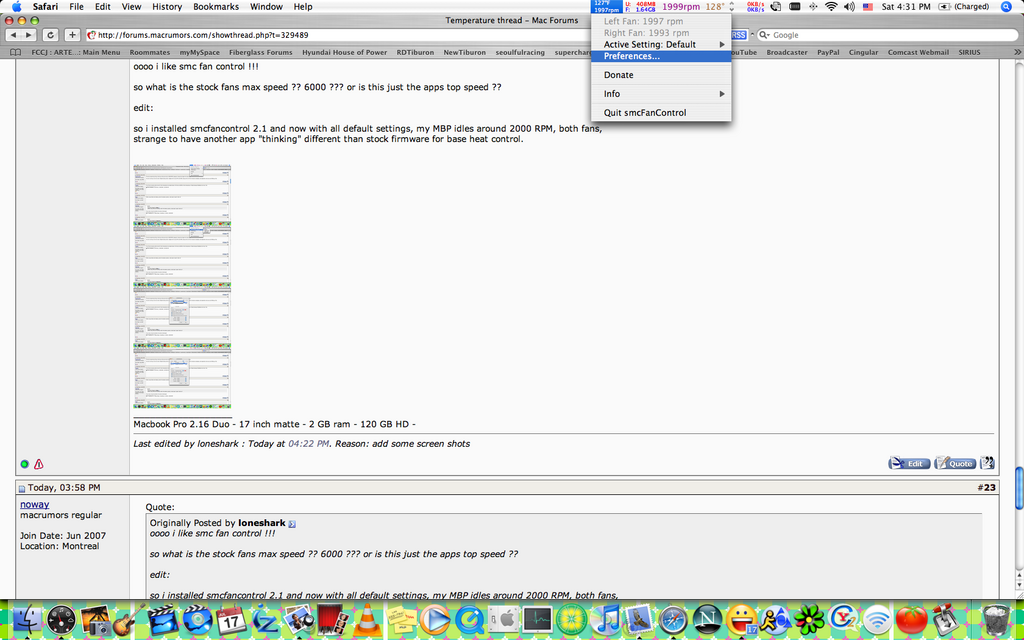
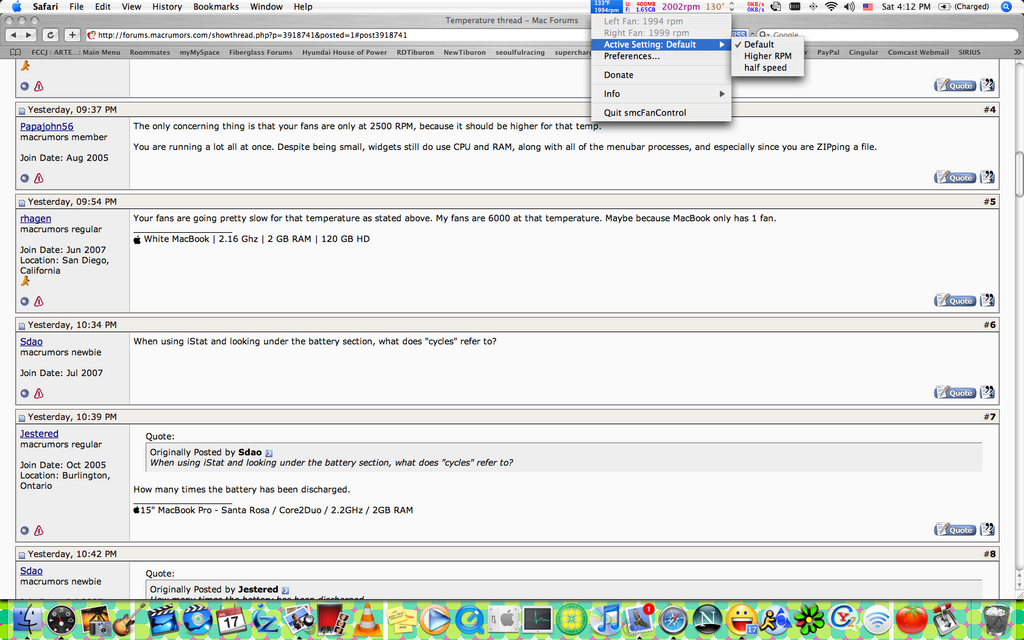
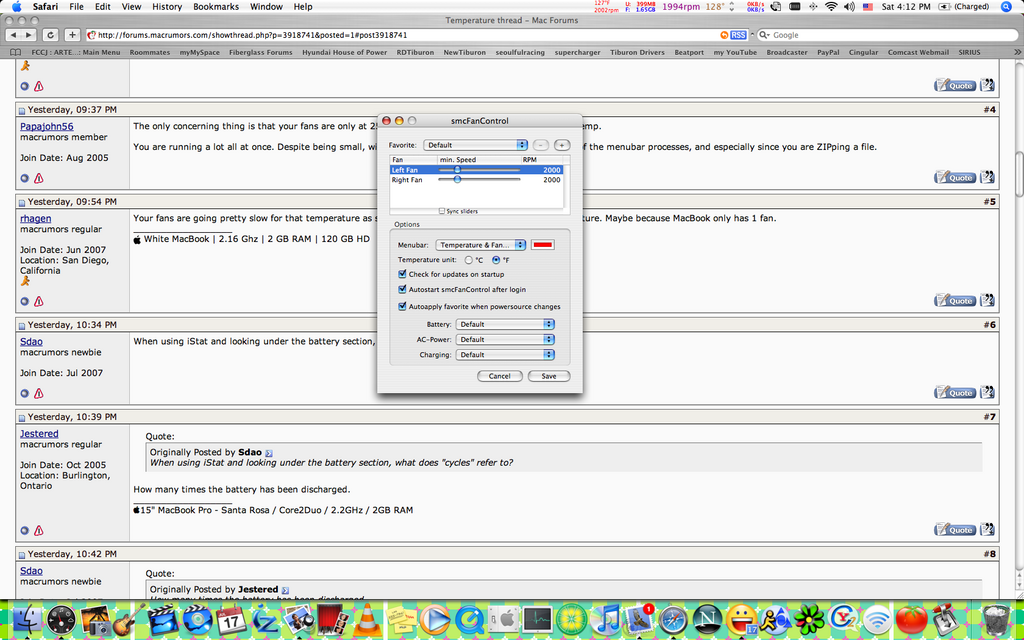
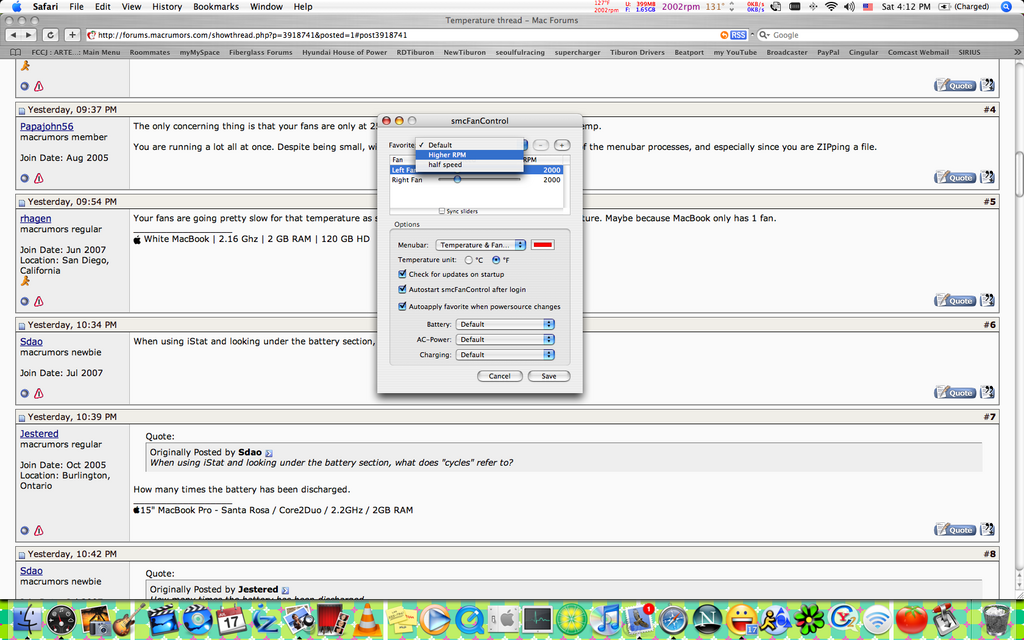
so i installed smcfancontrol 2.1 and now with all default settings, my MBP idles around 2000 RPM, both fans,
strange to have another app "thinking" different than stock firmware for base heat control.
http://img.photobucket.com/albums/v160/loneshark/macbook%20pro%20stuff/th_Picture2.png (http://img.photobucket.com/albums/v160/loneshark/macbook%20pro%20stuff/Picture2.png)
preferences
http://img.photobucket.com/albums/v160/loneshark/macbook%20pro%20stuff/th_Picture6.png (http://img.photobucket.com/albums/v160/loneshark/macbook%20pro%20stuff/Picture6.png)
http://img.photobucket.com/albums/v160/loneshark/macbook%20pro%20stuff/th_Picture5.png (http://img.photobucket.com/albums/v160/loneshark/macbook%20pro%20stuff/Picture5.png)
http://img.photobucket.com/albums/v160/loneshark/macbook%20pro%20stuff/th_Picture3.png (http://img.photobucket.com/albums/v160/loneshark/macbook%20pro%20stuff/Picture3.png)
http://img.photobucket.com/albums/v160/loneshark/macbook%20pro%20stuff/th_Picture4.png (http://img.photobucket.com/albums/v160/loneshark/macbook%20pro%20stuff/Picture4.png)
noway
Jul 14, 2007, 02:58 PM
oooo i like smc fan control !!!
so what is the stock fans max speed ?? 6000 ??? or is this just the apps top speed ??
edit:
so i installed smcfancontrol 2.1 and now with all default settings, my MBP idles around 2000 RPM, both fans,
strange to have another app "thinking" different than stock firmware for base heat control.
you're right, max fan RPM is 6000. idle is at 2000 RPM.
Have you augmented the default RPM to something faster than 2000... or did someone did in order to decrease their MBP temps?!?
loneshark
Jul 14, 2007, 03:09 PM
anways mon ami, you were asking about a wireless widget in a temp thread, and the other guys were talking battery cycles.
dont sweat it, im not. so...
2000 ? my MBP Rev. A idled at 1000 both fans.
Jblack4083
Jul 14, 2007, 03:37 PM
For some reason my fans don't adjust themselves when I dont have SMC on. Or maybe it's because I havent even gotten my usage over 20% yet or something. But i've reached 140 degrees and though that they would adjust
noway
Jul 14, 2007, 04:00 PM
For some reason my fans don't adjust themselves when I dont have SMC on. Or maybe it's because I havent even gotten my usage over 20% yet or something. But i've reached 140 degrees and though that they would adjust
That's exactly why i fear installing this app. Try to push your mac at the max so that the fans would normally kick in. (something well over 20%)
I found a solution for you if (i hope not) the fans stay at 2000 RPM all the time. It's called resetting the SMC (http://docs.info.apple.com/article.html?artnum=303319).
Let me know if it helped you...
EDIT: Just found this... However in order not to damage your machine scFanControl let's you not set minimum speed to a rate under Apple's defaults. In addition to that fans are still in automatic mode, so the speed of your fans will increase, if CPU load gets higher. (http://www.conscius.de/~eidac/software/smcfancontrol2/index.html) I think this is what you're dealing with right? Did you use smc fancontrol 2.1 (or 2.1.2) or an earlier version?
noway
Jul 14, 2007, 04:03 PM
2000 ? my MBP Rev. A idled at 1000 both fans.
It's probably bc Core duo was at 1000 and Core2Duo at 2000 RPM...
I dunno i have the SR C2D and it runs at 2000 RPM all the time. I'll see if Jblack4083 can solve his problem and then download this app
noway
Jul 14, 2007, 05:09 PM
smcFanControl installed. both fan at 2500 RPM and 3000 when charging.
No Noise, no problems, a lot cooler. Great app. I have the version 2.1.2
Recommended!!!
benzslrpee
Jul 15, 2007, 12:21 PM
all off topic, make your own thread for battery stuff, thanks
make your own topic about your powerbook, this thread is for macbook pros
off topic !!!!!!!!!!!
off topic, make another thread for this question. !!!!
so you can manually adjust fan speeds ???
what system do you have ? a macbook pro ??????
and when i installed the firmware, and the MBP was rebooting, the fans were screamin loud !! and since then Ive never heard them get that loud again. sounded like 10,000 RPM or better during the reboot.
STAY ON TOPIC PEOPLE, where is the thread etiquette ?? quit hijacking threads, make your own !
dude...relax. sounds like you're gonna work yourself into a coronary over there :cool:
Jblack4083
Jul 18, 2007, 12:07 AM
That's exactly why i fear installing this app. Try to push your mac at the max so that the fans would normally kick in. (something well over 20%)
I found a solution for you if (i hope not) the fans stay at 2000 RPM all the time. It's called resetting the SMC (http://docs.info.apple.com/article.html?artnum=303319).
Let me know if it helped you...
EDIT: Just found this... However in order not to damage your machine scFanControl let's you not set minimum speed to a rate under Apple's defaults. In addition to that fans are still in automatic mode, so the speed of your fans will increase, if CPU load gets higher. (http://www.conscius.de/~eidac/software/smcfancontrol2/index.html) I think this is what you're dealing with right? Did you use smc fancontrol 2.1 (or 2.1.2) or an earlier version?
Thanks for that. I don't know if I'll do that SMC thing yet but I'll definitely look into the second link you posted. Thanks a lot
edit: I guess I'm just not pushing it. But it reaches like 128 F or 54 C and the fans dont go up. That 128 scares me though so i crank up my smcFanControl anyway lol
vBulletin® v3.8.6, Copyright ©2000-2012, Jelsoft Enterprises Ltd.