
PDA

View Full Version : Losing My Wireless Network - everytime!


liamski
Oct 30, 2007, 06:30 PM
Hey

I own an MBP which is - as of yesterday - running Leopard. I have also installed all the updates Apple issued in the last couple of days

My wireless network is provided by a Netgear router - bog standard 108mbp model

A few weeks ago - while running Tiger - I started experiencing issues with my wireless connection. Everything had been fine until I tried connecting my MBP to the router via ethernet cable. It didnt seem to work, so I disconnected
Perhaps this is just a co-incidence, but worth raising.

Since this point, nearly everytime I close the laptop's lid and then re-open, it 'loses' the connection to my wireless network - no automatic reconnection occurs. It works occasionally, but not often

To remedy this, I have to go into System Prefs --> Network --> Assist Me --> Diagnostics --> then I look for my closed network (which uses WEP 40/128-bit hex). I am then able to reconnect to the network - the Airport signal guage at the top of the screen activates as normal.

Since installing Leopard, the issue seems to have gotten 'weirder'. Instead of just failing to connect, OSX now brings up a 'network chooser' box asking me if I want to join one of the networks it has detected. I've tried connecting to my closed network... but then it says 'Connection Timeout'. I'm unsure why I'm able to reconnect via System Prefs, but not via this 'network chooser'

Hopefully this has made sense. It's certainly a pain in a backside.
Note that I've checked the router and it works ok with my ethernet wired PCs and my crappy Dell laptop

Cheers


TheStu
Oct 30, 2007, 06:43 PM
Hey

I own an MBP which is - as of yesterday - running Leopard. I have also installed all the updates Apple issued in the last couple of days

My wireless network is provided by a Netgear router - bog standard 108mbp model

A few weeks ago - while running Tiger - I started experiencing issues with my wireless connection. Everything had been fine until I tried connecting my MBP to the router via ethernet cable. It didnt seem to work, so I disconnected
Perhaps this is just a co-incidence, but worth raising.

Since this point, nearly everytime I close the laptop's lid and then re-open, it 'loses' the connection to my wireless network - no automatic reconnection occurs. It works occasionally, but not often

To remedy this, I have to go into System Prefs --> Network --> Assist Me --> Diagnostics --> then I look for my closed network (which uses WEP 40/128-bit hex). I am then able to reconnect to the network - the Airport signal guage at the top of the screen activates as normal.

Since installing Leopard, the issue seems to have gotten 'weirder'. Instead of just failing to connect, OSX now brings up a 'network chooser' box asking me if I want to join one of the networks it has detected. I've tried connecting to my closed network... but then it says 'Connection Timeout'. I'm unsure why I'm able to reconnect via System Prefs, but not via this 'network chooser'

Hopefully this has made sense. It's certainly a pain in a backside.
Note that I've checked the router and it works ok with my ethernet wired PCs and my crappy Dell laptop

Cheers
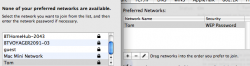
That is strange. I know that my friend has started experiencing the same thing on his DLink router. He stopped SSID broadcasting, and then added WPA-PSK encryption to the network. Well, everything was going swimmingly, but then, once he took his laptop out of his apartment, and used it at Panera, it now asks him every time it wakes up or restarts for the network information. This is on Leopard by the way.

Unmasking the SSID seemed to fix the problem for him. Are you broadcasting the SSID for your router?

liamski
Oct 30, 2007, 06:44 PM
That is strange. I know that my friend has started experiencing the same thing on his DLink router. He stopped SSID broadcasting, and then added WPA-PSK encryption to the network. Well, everything was going swimmingly, but then, once he took his laptop out of his apartment, and used it at Panera, it now asks him every time it wakes up or restarts for the network information. This is on Leopard by the way.

Unmasking the SSID seemed to fix the problem for him. Are you broadcasting the SSID for your router?

hey dude

no, I'm not broadcasting - always been advised not to for security reasons (maybe that's cr*p advice tho!)

i'll try broadcasting, connecting, closing the lid and then opening again - let's see

cheers

xUKHCx
Oct 30, 2007, 06:47 PM
Its a Leopard thing, happens to me. It also is a bit weird see the pic below.

89523

liamski
Oct 30, 2007, 07:15 PM
Still no luck

Network SSID is now broadcasting, closed lid, opened lid.... 'Network Chooser' appears. I tried to connect to the broadcasting network - let's call it 'Liamski' - but get the "Connection Timeout" message after a few seconds

I also found an article on the apple site about deleting an old airport file but that didnt work either

very very annoying!

xUKHCx
Oct 30, 2007, 07:21 PM
I also found an article on the apple site about deleting an old airport file but that didnt work either


Link please.


I hate the "Connection Timeout" it happens after about 3 seconds, hardly trying. If i give incorrect password details it'll tell me but connection timeout, what is that about.

liamski
Oct 30, 2007, 07:41 PM
Link please.


I hate the "Connection Timeout" it happens after about 3 seconds, hardly trying. If i give incorrect password details it'll tell me but connection timeout, what is that about.

here you go fella.... look for the poster called Pete H

http://discussions.apple.com/message.jspa?messageID=5661752#5661752

CarpetMonster
Oct 31, 2007, 04:36 AM
It happens to me too since upgrading to Leopard on my SR MBP. Turning the wireless off and on again a few times sorts it out, or in some cases I need to reboot.

liamski
Oct 31, 2007, 06:12 AM
It happens to me too since upgrading to Leopard on my SR MBP. Turning the wireless off and on again a few times sorts it out, or in some cases I need to reboot.


Yeah, that's a workaround but ultimately we shouldnt need to do this should we?

illmaticone
Oct 31, 2007, 07:58 AM
I have the same problem, in fact i registered to post about it!

i have a MB, and everything i close the lid and open it back up i dont have access to my network... it IS connected to the AP, but safari says i have no internet connection, i cant access my shared drives.. etc. in tiger this would happen sometimes, but not to this extent. if i disable the AirPort and enable it again to reconnect to my Access Point, i still have limited functionality....

another example.. lets say im connected and everything is fine, if i manually turn off the Air Port, and reconnect. i will have limited connectivity.

This is very annoying because i never shut my MB off... i just close the lid.

another note..

Broadcasting, WPA2 Personal, Linksys WRT350N and Leopard.

Consultant
Oct 31, 2007, 08:08 AM
I am assuming everybody's updated their router to latest firmware? Older firmware can sometimes be the problem.

liamski
Oct 31, 2007, 08:11 AM
I am assuming everybody's updated their router to latest firmware? Older firmware can sometimes be the problem.


yes, ran the update yesterday but to no avail :(

illmaticone
Oct 31, 2007, 08:17 AM
I am assuming everybody's updated their router to latest firmware? Older firmware can sometimes be the problem.

yea, my router is somewhat new to the market, and shipped with latest firmware

illmaticone
Oct 31, 2007, 01:22 PM
anyone using the 802.11N enabler? (i am) i am doing a fresh install (AGAIN) today. this is very annoyting

xUKHCx
Oct 31, 2007, 01:25 PM
anyone using the 802.11N enabler? (i am) i am doing a fresh install (AGAIN) today. this is very annoyting

The enabler doesn't run on Leopard.

jeffgtr
Oct 31, 2007, 01:48 PM
I think this is a MBP on Leopard bug. My son just puchased a new MBP an he's losing his wireless connection often. I imagine Apple will release an Leopard update soon.

xUKHCx
Oct 31, 2007, 01:50 PM
I think this is a MBP on Leopard bug. My son just puchased a new MBP an he's losing his wireless connection often. I imagine Apple will release an Leopard update soon.

I have an iMac BTW.

illmaticone
Oct 31, 2007, 03:05 PM
The enabler doesn't run on Leopard.

maybe thats why?

xUKHCx
Oct 31, 2007, 05:51 PM
maybe thats why?

Don't think so as it is reporting to be a/b/g/n in network utility.

noodle654
Oct 31, 2007, 09:05 PM
Exact same problem with my MB. I close the lid and open it and I cannot get on at all! I have to restart every time.

mdntcallr
Oct 31, 2007, 11:21 PM
i am having some wireless problems on this as well.

MY MBP was upgraded to Leopard, and i have had some problems staying connected at times.

I also have major problems using the Verizon Wireless card, which doesnt work stable as well

dap1215
Nov 1, 2007, 12:47 AM
I was having sorta the same issue, I would loose connection to my network every day or so.. Normally after I woke my MBP up after sleepy time. I updated my firmware on my Linksys router and all has been fine since on tiger and leapard. Give that a try and see what happens. i know that you dont have a linksys, but give it a shot.. Only takes a min..

Peace

Dave

liamski
Nov 1, 2007, 03:40 AM
I was having sorta the same issue, I would loose connection to my network every day or so.. Normally after I woke my MBP up after sleepy time. I updated my firmware on my Linksys router and all has been fine since on tiger and leapard. Give that a try and see what happens. i know that you dont have a linksys, but give it a shot.. Only takes a min..

Peace

Dave

hey dave

i'm using a netgear router and upgraded the firmware last night. Alas, no luck... very annoying

I'm going to take the plunge and head to the nearest Apple Store using Applecare - wish me luck!

CarpetMonster
Nov 1, 2007, 05:26 AM
Yeah, that's a workaround but ultimately we shouldnt need to do this should we?

I agree completely. It's annoying, and also the no keyboard (and even rarer no mouse) response from waking from deep sleep too.

liamski
Nov 1, 2007, 07:51 AM
I agree completely. It's annoying, and also the no keyboard (and even rarer no mouse) response from waking from deep sleep too.

I've had that aswell.. you practically have to chunk the macbook out of the window to get a response

meagain
Nov 1, 2007, 10:48 AM
I am assuming everybody's updated their router to latest firmware? Older firmware can sometimes be the problem.

It's the other way around for many. Downgrading the firmware seems to fix it for many. I downgraded my Gigabit N Extreme from 7.2.1 to 7.2 and have yet to experience a blowout.

tmp0404
Nov 1, 2007, 01:30 PM
All,

I've been reading all the responses, but for me, they do not seem to be applicable. For my wireless setup, the only thing I do is not broadcast my SSID. So when I set up wireless on my Mac mini, I enter the SSID, and indicate that I want to save the settings. If I let the Mac sit idle for a while (30 minutes or so), I lose my connection, and have to click on the wireless icon at the top of the screen to set it up again. It does the same thing when I turn the Mac off and then on again, it's not a big deal, but annoying.

Any suggestions would be appreciated. Previously this was not the case (10.4), and I must mention that my wireless connection is not as good as it was on the previous release.

Thanks all for any suggestions.

killerrobot
Nov 1, 2007, 02:26 PM
I've actually been having this problem since 10.4.10 - was hoping Leopard was the answer to it, but left the computer alone for 15 minutes (sleep mode) and it died. It's also died just as randomly as before as well when I'm not sitting idle.
Apple has known about this for a long time, and we'll see when they actually get around to fixing it.

liamski
Nov 2, 2007, 10:20 AM
Still no joy

Taking the damn thing to the Apple store tomorrow... wish me luck. I'll post about how it goes

Spliff
Nov 3, 2007, 05:38 PM
I just started having this problem, and it started ever since upgrading to Leopard. I have a Linksys WRT54GS router, and have SSID broadcast off as well.

Everytime I open the macbook, I have to either turn airport off/on or re-enter my SSID/WPA password to get back on. Major PITA! :(

rosh325
Nov 4, 2007, 01:17 AM
I had the same problem after I upgraded my MBP to Leopard. I would constantly lose my connection when the laptop slept. In fact, my MBP couldn't even find my network on startup. I ended up having to use iStumbler to manually connect.

I ended up doing two things which seem to have solved my problem, though who knows which one did it:

1)Re-installed Leopard, this time from scratch (originally did an archive and install)
2)In Sys Prefs under Network>Advanced I unchecked the "Disconnect from wireless network at log out"
3)Also in Sys prefs under network, unchecked the "ask me to join other networks" option.

After doing these things, I no longer get that pop-up, and Leopard connects instantly to my network. I really think #3 contributed, but who knows

WannaGoMac
Nov 4, 2007, 09:18 AM
Just curious why people think turning off the SSID broadcast does anything to secure your wireless? I believe I am able to connect to networks without an SSID listed on my Thinkpad as the IBM utility still lists the networks, just without the name.

If you want to secure access just turn on WPA or WPA2 in your wireless settings. It's really simple.

liamski
Nov 5, 2007, 11:50 AM
I had the same problem after I upgraded my MBP to Leopard. I would constantly lose my connection when the laptop slept. In fact, my MBP couldn't even find my network on startup. I ended up having to use iStumbler to manually connect.

I ended up doing two things which seem to have solved my problem, though who knows which one did it:

1)Re-installed Leopard, this time from scratch (originally did an archive and install)
2)In Sys Prefs under Network>Advanced I unchecked the "Disconnect from wireless network at log out"
3)Also in Sys prefs under network, unchecked the "ask me to join other networks" option.

After doing these things, I no longer get that pop-up, and Leopard connects instantly to my network. I really think #3 contributed, but who knows


Cheers dude... I'll try 2) and 3) before I have a crack at 1)

I didnt go to the Apple store in the end - too hungover - but I'm sceptical that would have helped anyway

I popped to a friends place and connected to his wireless network - I think he uses a Linksys. Once I entered the WEP info, the connection was cool
I closed the lid of the machine, opened it again, and it found the network again automatically - none of this crap with having to re-enter login details

Soooo.... I'm thinking it's the Netgear that's causing the problem.

The search goes on....

cloudnine
Nov 10, 2007, 02:34 PM
Cheers dude... I'll try 2) and 3) before I have a crack at 1)

I popped to a friends place and connected to his wireless network - I think he uses a Linksys. Once I entered the WEP info, the connection was cool
I closed the lid of the machine, opened it again, and it found the network again automatically - none of this crap with having to re-enter login details

Soooo.... I'm thinking it's the Netgear that's causing the problem.

I dunno about that... 'cause I'm having the same problem. I'm running my network from an Airport Express, and I just started having the same problem as of yesterday. Everything was fine, and then last night after I closed my PowerBook's lid and reopened it, it didn't recognize my wifi network.

Since then, I've done everything I can possibly think of... deleted the network info from system preferences, from the keychain tool, from the network preferences... re-installed the keychain updater that was released last week... checked for airport updates... and nothing.

EVERY SINGLE TIME I turn on my computer, I have to reinput my network information... grrrrr.

xUKHCx
Nov 10, 2007, 02:39 PM
Soooo.... I'm thinking it's the Netgear that's causing the problem.

The search goes on....

On my uni network it works fine, WPA enterprise.

On my home network which i can no longer get on (spent 45 minutes trying) this is with WEP on a Netgear.

Hawkeye411
Nov 10, 2007, 03:11 PM
Found this on the Apple website.

http://docs.info.apple.com/article.html?artnum=106653

xUKHCx
Nov 10, 2007, 03:15 PM
Found this on the Apple website.

http://docs.info.apple.com/article.html?artnum=106653

But how does that help?

Weaselboy
Nov 10, 2007, 04:11 PM
http://docs.info.apple.com/article.html?artnum=306879

This has worked for me so far (24 hours).

xUKHCx
Nov 10, 2007, 05:38 PM
I have tried everything to get this sorted.

It is odd because i was on it this morning and then it disconnected and ever since then both of my macs can no longer connect.

MidiMonk
Nov 10, 2007, 06:10 PM
I have this issue as well, using an Apple Airport extreme base station the net just drops out whenever it wants.Fed up to to the point of just wanting to sell this crap(15" 2.4 GHZ SR MBP), my 12"powerbook beaten to death right next to it, never has this issue:mad:

Short of a complete re-install(which should not be needed this is not windows), i have done all the band aid fixes to no avail.Apple has lost my respect as of late, i was initially really happy with this purchase too.

xUKHCx
Nov 11, 2007, 06:06 AM
I have this issue as well, using an Apple Airport extreme base station the net just drops out whenever it wants.Fed up to to the point of just wanting to sell this crap(15" 2.4 GHZ SR MBP), my 12"powerbook beaten to death right next to it, never has this issue:mad:

Short of a complete re-install(which should not be needed this is not windows), i have done all the band aid fixes to no avail.Apple has lost my respect as of late, i was initially really happy with this purchase too.

Don't bother with a complete reinstall because it won't fix it. It is an issue with Leopard not your particular mac and should be resolved via an update soon.

xUKHCx
Nov 12, 2007, 12:57 PM
OK after 2 days without being able to connect at all with either my Macbook and iMac and after updating the firmware with no results, my iMac suddenly connects and so far, touch wood, hasn't had any problems with connecting. The Macbook however still won't connect.

Hawkeye411
Nov 19, 2007, 06:24 PM
Have you tried a fresh install? I was having major problems and finally did a fresh install and everything has been working great all evening.

Cheers.
:):apple:

Spliff
Nov 19, 2007, 06:31 PM
I also performed a fresh install (since I originally had this problem after upgrading from Tiger to Leopard) and this problem seems to have gone away.

xUKHCx
Nov 19, 2007, 06:36 PM
Have you tried a fresh install? I was having major problems and finally did a fresh install and everything has been working great all evening.

Cheers.
:):apple:

I'm actually on my third fresh install and the problem is still there.

xUKHCx
Nov 19, 2007, 07:26 PM
That last post of mine was done while hacking through the wireless settings to test if the network was working I bought up forum spy and there was this thread so I quickly posted.

After finally convincing my housemates to abandon WEP and use an access control list and then getting all of their MAC address, has taken a couple of days to track them all down (I live with 6 other guys). We have a working/stable wireless connection. Horray. This will of course be monitored over the next couple of days but there is something funky with Leopard and the WEP setup and remembering favourite networks. Even still ion my iMac even though it has remebered the network it says can't find preferred network which is only slightly annoying as this time when I click on the network it connects.

Solution Abandon WEP and use something else, in my case MAC address filtering.

Spliff
Nov 19, 2007, 08:50 PM
FWIW, I used WPA and still had that problem before my fresh install.

It seems like nobody can pinpoint the actual cause of this problem other than their upgrade to Leopard, although it doesn't seem to be happening with all upgrades.

kaiwai
Nov 20, 2007, 04:44 AM
hey dude

no, I'm not broadcasting - always been advised not to for security reasons (maybe that's cr*p advice tho!)

i'll try broadcasting, connecting, closing the lid and then opening again - let's see

cheers

Its only advised if you're using crap like WEP - why aren't you using WPA/WPA2?

xUKHCx
Nov 20, 2007, 05:04 AM
Its only advised if you're using crap like WEP - why aren't you using WPA/WPA2?

I wasn't using anything more because there are other computers in the house that can't seem to handle it and also the network was setup before I got here.

kaiwai
Nov 20, 2007, 07:02 AM
I wasn't using anything more because there are other computers in the house that can't seem to handle it and also the network was setup before I got here.

What are the other machines? Windows XP has a WPA2 update, and Windows Vista supports it 'out of the box'.

kaiwai
Nov 20, 2007, 07:08 AM
FWIW, I used WPA and still had that problem before my fresh install.

It seems like nobody can pinpoint the actual cause of this problem other than their upgrade to Leopard, although it doesn't seem to be happening with all upgrades.

Most seem to have issues if they're using a non-Apple router; then again, I haven't had any any problems with my Linksys. Maybe the question should actually be 'is my router crap - was the older operating system willing to tolerate its crappiness'.

I had problems with a Belkin one - solution, took it back, demanded a refund, chucked up a stink, and now I have one that works beautifully with all my machines - PC's and Mac's.

liamski
Nov 20, 2007, 09:34 AM
Its only advised if you're using crap like WEP - why aren't you using WPA/WPA2?

I'm going to switch over to WPA tonite and see how that goes

Btw... the latest apple update has done sod all for me.

One other thing..... as already mentioned, the issue started within Tiger.

I was attempting to use my ethernet connection with my mac, and that's when the airport problems started

Is it possible that my network settings have been completed screwed because of the ethernet thing? Everytime I open up my macbook, is it trying to find the ethernet connection instead of the airport wireless?
Note that within my Network diagnostics, the connection order shows Airport before Ethernet

Cheers

xUKHCx
Nov 20, 2007, 09:57 AM
What are the other machines? Windows XP has a WPA2 update, and Windows Vista supports it 'out of the box'.

There is a 98 machine on the network and we ouldn't find a way of getting it to work, not that we tried very hard.

Also what wasn't helping is the fact that the router would change the password or security system, i.e. it would jump from WEP to WPA enterprise for no reason. the router is locked down with only myself knowing the password so no-one was changing it. It is literally a piece of poo. I will never buy a netgear router. My X-station is some much better.

Most seem to have issues if they're using a non-Apple router; then again, I haven't had any any problems with my Linksys. Maybe the question should actually be 'is my router crap - was the older operating system willing to tolerate its crappiness'.

Netgear here (actually the second one tried under Leopard as the first one died) and the router is pure crap to say the least and I think you hit the nail on the head there.

kaiwai
Nov 20, 2007, 10:37 AM
I'm going to switch over to WPA tonite and see how that goes

Btw... the latest apple update has done sod all for me.

One other thing..... as already mentioned, the issue started within Tiger.

I was attempting to use my ethernet connection with my mac, and that's when the airport problems started

Is it possible that my network settings have been completed screwed because of the ethernet thing? Everytime I open up my macbook, is it trying to find the ethernet connection instead of the airport wireless?
Note that within my Network diagnostics, the connection order shows Airport before Ethernet

Cheers

Hmm, would be really strange if they did; then again, I disabled my airport then plugged in my Ethernet cable. Mind you, it should have affected the reliability - once you've pulled your ethernet cable is out, it should go back to wireless/detecting what ever network is available.

If it started with Tiger, it sounds rather strange; the last tiger I ran was 10.4.10, never went to 10.4.11 given that I had Leopard.

kaiwai
Nov 20, 2007, 10:40 AM
There is a 98 machine on the network and we ouldn't find a way of getting it to work, not that we tried very hard.

Move him to Linux *evil smile*

Also what wasn't helping is the fact that the router would change the password or security system, i.e. it would jump from WEP to WPA enterprise for no reason. the router is locked down with only myself knowing the password so no-one was changing it. It is literally a piece of poo. I will never buy a netgear router. My X-station is some much better.

All Netgear I've found is absolutely crap; from their PCMICA wireless cards to their routers; their shittiness ranks right up there with d-link routers, which are the crappest of the crappiest.

Netgear here (actually the second one tried under Leopard as the first one died) and the router is pure crap to say the least and I think you hit the nail on the head there.

Hence my golden rule; NEVER buy anything from; Netgear, Belkin or D-Link - especially D-Link.

liamski
Nov 20, 2007, 12:33 PM
Quick update.... switched to using WPA.... and IT WORKS!

Thanks to everyone for your input... looks like a combination of WEP and my ****** Netgear were the problem

cheers

Hawkeye411
Nov 20, 2007, 04:34 PM
Quick update.... switched to using WPA.... and IT WORKS!

Thanks to everyone for your input... looks like a combination of WEP and my ****** Netgear were the problem

cheers

Great to hear that it's working!! Troubleshooting wireless can be a real pain!!

Spliff
Nov 20, 2007, 05:07 PM
Most seem to have issues if they're using a non-Apple router; then again, I haven't had any any problems with my Linksys.

And I have a Linksys, go figure :p

kaiwai
Nov 20, 2007, 05:44 PM
And I have a Linksys, go figure :p

lol, well, the 'broadcasting' station is the AEBS :)

d-link - it truly sucks; there is a reason why ISPs give the away; they're cheap, crappy, unreliable and a nice way to get people to 'upgrade' to the ISPs 'deluxe model' which is suspiciously a different brand :D