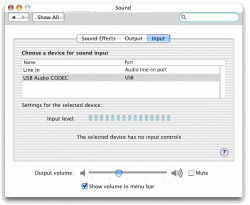
Hi there. I'm a new Mac user and a new member- but I'm hoping someone out there can help me out! I have recently bought a Project Debut III turntable wih a USB connection so I can convert my vinyl to digital. The trouble is I can't find any sign of a device when I plug it in. I've downloaded Audacity as an audio driver but still nothing. The manufacturer isn't much help when it comes to Macs but says it is compatible. Any suggestions? Your advice would be much appreciated. Thanks, Will.

Got a tip for us?
Let us know
Become a MacRumors Supporter for $50/year with no ads, ability to filter front page stories, and private forums.
Where is my USB turntable?
- Thread starter willg
- Start date
- Sort by reaction score