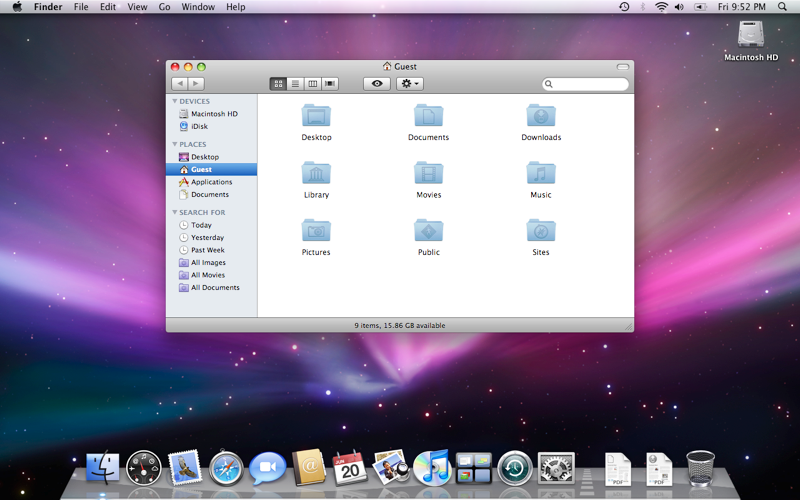
T thesdx macrumors 6502a Original poster Apr 13, 2008 #1 Is there any way I can make my menu bar in Leopard to look the way it did when it was announced at WWDC 07? (without that new gradient). I think it looks better that way, as the gradient makes some of my images look weird.
Is there any way I can make my menu bar in Leopard to look the way it did when it was announced at WWDC 07? (without that new gradient). I think it looks better that way, as the gradient makes some of my images look weird.
M myuserid08 macrumors 6502 Apr 13, 2008 #2 Not sure what you mean by gradient, isn't it translucent? Anyway you can make it solid (tiger style) by going to: System preferences > Desktop & screensaver > Desktop tab > Uncheck Translucent menu bar.
Not sure what you mean by gradient, isn't it translucent? Anyway you can make it solid (tiger style) by going to: System preferences > Desktop & screensaver > Desktop tab > Uncheck Translucent menu bar.
T thesdx macrumors 6502a Original poster Apr 13, 2008 #3 In 9a527, Apple made it less translucent by adding a slight gradient to the bar. Old one: New one: