
PDA

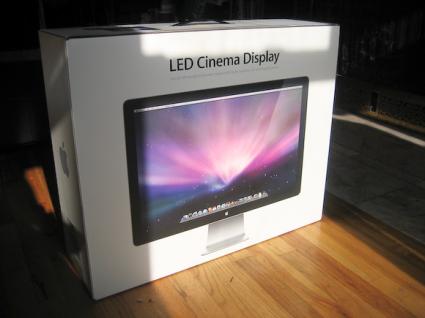
View Full Version : First 24" LED Cinema Displays Arrive


Pages : [1] 2

MacRumors
Nov 26, 2008, 04:16 PM
http://www.macrumors.com/images/macrumorsthreadlogo.gif (http://www.macrumors.com/2008/11/26/first-24-led-cinema-displays-arrive/)


http://images.macrumors.com/article/2008/11/26/160900-24-inch-led-screen-1-2_425.jpg

Image from Arstechnica
Arstechnica provides (http://arstechnica.com/journals/apple.ars/2008/11/26/first-impressions-apple-24-inch-led-cinema-display) some first impressions on their newly delivered 24" LED Apple Cinema display. While Apple introduced the new display back in October, actual delivery of the new monitors have only just begun. Ars reminds readers that the displays are only meant for use with the new notebooks which house a mini DisplayPort. Apple has said they will start shipping the mini-DisplayPort on all future products.

The display contains an iSight camera, built-in speakers, and a USB hub. This configuration allows the Monitor to act as a very simple dock for your laptop, as it will enable/disable functionality appropriately: The real nicety of the display is that Mac OS X knows when you have attached the display to use its integrated devices. That is, when you've hooked it all up, it will use the iSight in the display instead of the notebook's, and it will use the USB audio on the display and disable the output on the notebook. That is, until you plug a set of headphones into the port on the notebook, at which time the display's speakers will disable and route the audio directly to your ears automatically.

Article Link: First 24" LED Cinema Displays Arrive (http://www.macrumors.com/2008/11/26/first-24-led-cinema-displays-arrive/)


NC MacGuy
Nov 26, 2008, 04:17 PM
Okay - a new toy.:) Hopefully the stores get them soon.

jmann
Nov 26, 2008, 04:18 PM
ooh pretty. I can't wait to see these things in person.:D

Chaszmyr
Nov 26, 2008, 04:18 PM
The Apple Stores have had display models for a while now, about time they finally make it to customers' hands.

stephengiem
Nov 26, 2008, 04:18 PM
oh nice indeed. i hope this time my post doesn't disappear.

orpheus1120
Nov 26, 2008, 04:19 PM
Not impressed.:D

Small White Car
Nov 26, 2008, 04:19 PM
ooh pretty. I can't wait to see these things in person.:D

I saw one a few weeks ago in the store. They look nice.

I need my Mac Pro, so this isn't for me. But if I were the kind of person who could live off a laptop, I'd be all over this. It looks great.

ltldrummerboy
Nov 26, 2008, 04:21 PM
Just to clear something up for me, this display is currently compatible with only two computer models in the entire world?

edit: Just read page 14. I meant three computers. Forgot about the MacBook Air.

manu chao
Nov 26, 2008, 04:21 PM
Just to clear something up for me, this display is currently compatible with only two computer models in the entire world?
Yes.

Bevz
Nov 26, 2008, 04:23 PM
Oh, they're nice.... All i need now is to win the lottery so i can get one of the new macbook pros and this baby and i'm all set to go...! Or i could just hit the credit card! mmmm, there's a thought ;)

Plymouthbreezer
Nov 26, 2008, 04:23 PM
I played with one of these last month at the Boylston Street Apple Store... Very impressive, but, as always, too expensive!

jongriff
Nov 26, 2008, 04:24 PM
There's no headphone jack on the screen as far as I can tell. This seems like a silly omission considering the audio functionality of this screen as part of it's pseudo-docking role. It would be nice to leave a nice set of speakers attached to the screen for when you come back to your desk.

Hemingray
Nov 26, 2008, 04:24 PM
...and still we have to rely on 3rd party solutions like BookEndz in order to actually DOCK our laptops. :rolleyes:

h.21
Nov 26, 2008, 04:25 PM
Yes.

NO. FAIL.

Let's try counting.


1. MacBook
2. MacBook Pro
3. MacBook Air

Porco
Nov 26, 2008, 04:26 PM
So is Apple going to release some sort of a mini displayport to DVI adapter so that people with older/other computers can use this thing? Seems a very tiny thing to do to open up a lot of potential customers.

Bevz
Nov 26, 2008, 04:26 PM
Just to clear something up for me, this display is currently compatible with only two computer models in the entire world?

LOL!

Although if you're in the market to update your mac pro when they get mini display ports you could use it with that too...

ilfn143
Nov 26, 2008, 04:27 PM
Just to clear something up for me, this display is currently compatible with only two computer models in the entire world?

No, it's the entire universe...

budward
Nov 26, 2008, 04:37 PM
love it! (http://gallery.mac.com/mikeisgreat#100144&bgcolor=black&view=grid)

bmcgrath
Nov 26, 2008, 04:37 PM
Niiiiiiiice!!!

I want I want I want!! :D

ChrisN
Nov 26, 2008, 04:38 PM
NO. FAIL.

Let's try counting.


1. MacBook
2. MacBook Pro
3. MacBook Air

lol nice one and I gotta see this in person when I pickup my new macbook on friday :)

ChrisN

wrldwzrd89
Nov 26, 2008, 04:41 PM
I must admit, though I think the LED cinema display is a great idea, and environmentally friendly to boot, I have to wonder why the 23" Cinema was discontinued. It seems odd to me to remove that product when demand exists for that size screen and its replacement won't work with any of the desktop Macs as of now.

That said, I'm glad I purchased my 23" Cinema when I did - I love the thing, and it looks great next to my iMac. :D

Soma 115
Nov 26, 2008, 04:42 PM
those really look tight. cant wait to actually check one out in person

NC MacGuy
Nov 26, 2008, 04:44 PM
There's no headphone jack on the screen as far as I can tell. This seems like a silly omission considering the audio functionality of this screen as part of it's pseudo-docking role. It would be nice to leave a nice set of speakers attached to the screen for when you come back to your desk.

Well, don't need it. Just plug headphones into laptop like article says. Much more convenient in my opinion since that is much more moveable.

jeffy.dee-lux
Nov 26, 2008, 04:50 PM
There's no headphone jack on the screen as far as I can tell. This seems like a silly omission considering the audio functionality of this screen as part of it's pseudo-docking role. It would be nice to leave a nice set of speakers attached to the screen for when you come back to your desk.

ya seriously, that's a huge mistake. It would have been so simple to include, there's gotta be plenty of space on this thing. You could work around it i suppose by running the audio wire to the jack in your lap top, but that kinda defeats the purpose of having this "docking" functionality.

fleshman03
Nov 26, 2008, 04:50 PM
I want it, I want it, I want it.


Did I mention I want it?

I just don't want to spend $900.


Any word yet on the panel? I'm almost positive that it's an IPS, but conformation would be nice.

rosenkrieger
Nov 26, 2008, 04:51 PM
People that are saying that this 24" is too expensive are obviously forgetting that this is an LED BACKLIT Display, which most "cheap" LCDs are not. So that, next to the Apple Tax, also adds to the price.

I got a new MacBook 2.4Ghz and I am really tempted getting one of the new Displays.

Small White Car
Nov 26, 2008, 04:53 PM
People that are saying that this 24" is too expensive are obviously forgetting that this is an LED BACKLIT Display, which most "cheap" LCDs are not. So that, next to the Apple Tax, also adds to the price.

I got a new MacBook 2.4Ghz and I am really tempted getting one of the new Displays.

Yes, it really is stunning in person. It's not just a monitor with an iSight. When you see it across the Apple store you can tell it's not the same as the regular LCD monitors.

HaGG
Nov 26, 2008, 04:54 PM
love it! (http://gallery.mac.com/mikeisgreat#100144&bgcolor=black&view=grid)

How does it compare to your dell?

Kilamite
Nov 26, 2008, 04:57 PM
love it! (http://gallery.mac.com/mikeisgreat#100144&bgcolor=black&view=grid)

Nice.

Reflections as bad as the MacBook Pro?

rtheb
Nov 26, 2008, 04:59 PM
Nice.

Reflections as bad as the MacBook Pro?

http://media.arstechnica.com/journals/apple.media/24-inch-led-screen-6-20081126-135523.jpg

Kilamite
Nov 26, 2008, 05:02 PM
Woa!

Brightness up full though, I'd like to see the same angle on that with a white background.

phrehdd
Nov 26, 2008, 05:04 PM
I had an opportunity to see this monitor at an Apple Store.

For those that like the look of the iMac alum models, they'll find this screen to be part of the family. This includes the glass screen front. For me, the screen appeared to excellent and sharp.

Only negative comment (beyond the usual bite your tongue on Apple Tax) is it was very warm to the point of being hot. I am unsure why a 24" monitor would run much warmer than say my iMac 20" 2ghrz that includes a processor and hard drive.

If you live in a colder area, this monitor might be a good way to stay warm while working <g>.

- Phrehdd

NC MacGuy
Nov 26, 2008, 05:07 PM
If you live in a colder area, this monitor might be a good way to stay warm while working <g>.

- Phrehdd

Even more of a reason to get it - it's getting cold and my office is freezing!:D

MGLXP
Nov 26, 2008, 05:09 PM
Can someone with the LED Cinema display load SwitchResX and generate a DDC block report, which will identify the model of the panel?

8CoreWhore
Nov 26, 2008, 05:09 PM
I'd be willing to pay extra for an ACD as they are nice and unique... but twice as much as others with same or better specs? No way, Jose. :cool: EDIT: Ok... LED BLU is worth some money, too....

8CoreWhore
Nov 26, 2008, 05:10 PM
http://media.arstechnica.com/journals/apple.media/24-inch-led-screen-6-20081126-135523.jpg

Notice the photos of glare is always taken at extreme angles... I have a glossy MBP and NEVER have a glare issue! Also - With the screen actually ON it reflects much less...

rushmere
Nov 26, 2008, 05:13 PM
I'd be willing to pay extra for an ACD as they are nice and unique... but twice as much as others with same or better specs? No way, Jose. :cool:

What other model has the same or better specs for half the price?

I'm not saying you're wrong, I'm just genuinely interested to know!

jessica.
Nov 26, 2008, 05:14 PM
Not happy about the glossy myself, but then again I have a 30" that doesn't need a partner yet. ;)

This is a fine extension to all those who use a notebook as a desktop. I do dig that for sure.

Guess I'm gonna head over to the Apple store next week to check these things out as well as pick up a new toy. :)

grue
Nov 26, 2008, 05:15 PM
I must admit, though I think the LED cinema display is a great idea, and environmentally friendly to boot, I have to wonder why the 23" Cinema was discontinued. It seems odd to me to remove that product when demand exists for that size screen and its replacement won't work with any of the desktop Macs as of now.

That said, I'm glad I purchased my 23" Cinema when I did - I love the thing, and it looks great next to my iMac. :D

Not to mention very, very very very few professional users would buy the new one.

jongriff
Nov 26, 2008, 05:15 PM
Well, don't need it. Just plug headphones into laptop like article says. Much more convenient in my opinion since that is much more moveable.

Well yes you can do this, certainly more convenient for headphones. If you have a nice stereo system however it's just another cable that you now have to reach for and find every time you dock. Just would be nice to leave it plugged in along with you're ipod dock, printer, HDD etc and then just grab the display cable with nothing else to fiddle around with.

MGLXP
Nov 26, 2008, 05:17 PM
What other model has the same or better specs for half the price?

I'm not saying you're wrong, I'm just genuinely interested to know!

If this display has a H-IPS panel, then it is a bargain since the displays most people compare this to don't have LED backlighting (more expensive, brighter, more even backlighting) and have a cheaper TN or *VA panel. Displays with super fast response times are cheap TN panels with narrow viewing angles, and have colour and contrast shifts.

grue
Nov 26, 2008, 05:20 PM
Notice the photos of glare is always taken at extreme angles... I have a glossy MBP and NEVER have a glare issue! Also - With the screen actually ON it reflects much less...

Maybe he doesn't want his face to be shown all over the internet

lgoodlove
Nov 26, 2008, 05:21 PM
i wish apple would sell these so they could be used on more than notebooks. they could make a nice amount if they even included software to run the isight camera on windows.

ik steve wouldn never be about that but imagine the cash that could be made

grue
Nov 26, 2008, 05:23 PM
Incidentally, I hope the rest of the cinema display line doesn't go this way. The godforsaken glass and proprietary connector is bad enough, but a lot of workplaces won't allow cameras, so a display with one built in would be a no-go.

weing
Nov 26, 2008, 05:32 PM
The Black border on all the current Mac stuff is beyond fugly.

jonG
Nov 26, 2008, 05:33 PM
Hey guys thinking of picking up this new monitor from Vizio looks like a killer deal. 26" monitor with glass screen but has a more matte finish over the screen to help cut down on glare. full 1080P resolutiion and its only 399.99 at sams club and costco. Did i mention 3 HDMi inputs and tons others, seems like steal over apples at half the price, plus 2 inches.

check it out.
http://www.samsclub.com/shopping/navigate.do?dest=5&item=408720

Stike
Nov 26, 2008, 05:34 PM
Welcome to a world of glass :rolleyes:

Any matte display would be a step forward, thank you.

grue
Nov 26, 2008, 05:38 PM
Hey guys thinking of picking up this new monitor from Vizio looks like a killer deal. 26" monitor with glass screen but has a more matte finish over the screen to help cut down on glare. full 1080P resolutiion and its only 399.99 at sams club and costco. Did i mention 3 HDMi inputs and tons others, seems like steal over apples at half the price, plus 2 inches.

check it out.
http://www.samsclub.com/shopping/navigate.do?dest=5&item=408720

I'm sure it's a veritable cornucopia of accurate colour and display quality. Vizio being a huge player in the computer display market, after all.

NC MacGuy
Nov 26, 2008, 05:38 PM
Well yes you can do this, certainly more convenient for headphones. If you have a nice stereo system however it's just another cable that you now have to reach for and find every time you dock. Just would be nice to leave it plugged in along with you're ipod dock, printer, HDD etc and then just grab the display cable with nothing else to fiddle around with.

Understood. I myself like to sprawl out. BT keyboard in lap, BT mouse on sideboard and far enough away from the display that plugging into the laptop would be choice.
I can see how it would have been a no brainer and a convenience to stick one in the display - especially as I watch my son play WOW on our iMac.

nick9191
Nov 26, 2008, 05:39 PM
I love how the glossy haters always seem to place the glossy display directly behind a light source, and take the photo at an extreme angle. Or take the photo in an Apple Store with extreme overhead lights.

FUD
FUD
FUD

Its nothing like that at all, do you think it would be possible to use if it were really like that?

CRT's, much better than LCD's for colour work, all glossy glass.

nick9191
Nov 26, 2008, 05:41 PM
Hey guys thinking of picking up this new monitor from Vizio looks like a killer deal. 26" monitor with glass screen but has a more matte finish over the screen to help cut down on glare. full 1080P resolutiion and its only 399.99 at sams club and costco. Did i mention 3 HDMi inputs and tons others, seems like steal over apples at half the price, plus 2 inches.

check it out.
http://www.samsclub.com/shopping/navigate.do?dest=5&item=408720
Yeah I'm sure that piss poor TN panel will compare well.

Why not compare it to a $5000 EIZO whilst you're there.

apple2E
Nov 26, 2008, 05:41 PM
Hey guys thinking of picking up this new monitor from Vizio looks like a killer deal. 26" monitor with glass screen but has a more matte finish over the screen to help cut down on glare. full 1080P resolutiion and its only 399.99 at sams club and costco. Did i mention 3 HDMi inputs and tons others, seems like steal over apples at half the price, plus 2 inches.

check it out.
http://www.samsclub.com/shopping/navigate.do?dest=5&item=408720

http://photos-g.ak.fbcdn.net/photos-ak-snc1/v368/247/40/717182137/n717182137_1002806_918.jpg

I run those monitors on my mac pro. After a Spyder color calibration they work out fine. I'm still getting used to the semi gloss though.

grue
Nov 26, 2008, 05:43 PM
I love how the glossy haters always seem to place the glossy display directly behind a light source, and take the photo at an extreme angle. Or take the photo in an Apple Store with extreme overhead lights.

FUD
FUD
FUD

Its nothing like that at all, do you think it would be possible to use if it were really like that?

CRT's, much better than LCD's for colour work, all glossy glass.

There's a reason professional CRTs tended to ship with hoods… to block the god damned glare. I've taken a 15" MacBook Pro home to have a play and was happy to bring it back the next day.

It's Apple's way of appealing more to the college kids and trendtards, and forgetting about the people who kept them in business when they weren't the "cool" computer to have: The media professionals.

nick9191
Nov 26, 2008, 05:46 PM
There's a reason professional CRTs tended to ship with hoods… to block the god damned glare.

It's Apple's way of appealing more to the college kids and trendtards, and forgetting about the people who kept them in business when they weren't the "cool" computer to have: The media professionals.
I agree, but with a Mac Pro, you can use whichever monitor you like. The Macbook Pro screen? Well notebook screens are notoriously crap for any kind of color work, matte or glossy.

brywalker
Nov 26, 2008, 05:47 PM
You guys know there will be dongles available that are for different display connectors. right?

grue
Nov 26, 2008, 05:49 PM
I agree, but with a Mac Pro, you can use whichever monitor you like. The Macbook Pro screen? Well notebook screens are notoriously crap for any kind of color work, matte or glossy.

Sure, but Apple used to be a go-to for high quality desktop displays, and it really screws over people who need to have their POs issued to one supplier.

As for MBP screen, yeah the old one sucks in terms of color work, but I mean just using it on the couch on stuff it was annoying as hell.

MacOldTimer!
Nov 26, 2008, 05:50 PM
I'm sure it's a veritable cornucopia of accurate colour and display quality. Vizio being a huge player in the computer display market, after all.

Apple hasn't had the best of luck with Displays or even their new notebooks that these are only compatible with.

So don't rip on a person without looking at the big picture OR in this case the wavy and black screen of death on new displays.

Apple investigating graphics issues on new MacBook lines
http://www.appleinsider.com/articles/08/11/26/apple_investigating_graphics_issues_on_new_macbook_lines.html


Beta testers all over again...

grue
Nov 26, 2008, 05:50 PM
You guys know there will be dongles available that are for different display connectors. right?

Not really dongles. Converter boxes. DVI can't just be pin-adapted to DisplayPort. They'll be stupidly expensive and annoying to use.

Go go gadget proprietary engineering!

grue
Nov 26, 2008, 05:52 PM
Apple hasn't had the best of luck with Displays or even their new notebooks that these are only compatible with.

So don't rip on a person without looking at the big picture OR in this case the wavy and black screen of death on new displays.

Apple investigating graphics issues on new MacBook lines
http://www.appleinsider.com/articles/08/11/26/apple_investigating_graphics_issues_on_new_macbook_lines.html


Beta testers all over again...

ANyone buying a brand new product from Apple is kinda nuts, in my opinion. I learned the hard way when I was young, naïve, and thought Apple could do no wrong. I'm told that there's a damned good reason these displays took so long to ship, and it wasn't because they couldn't buy enough pixels from Pixels R Us.

Tourist
Nov 26, 2008, 05:53 PM
ya seriously, that's a huge mistake. It would have been so simple to include, there's gotta be plenty of space on this thing. You could work around it i suppose by running the audio wire to the jack in your lap top, but that kinda defeats the purpose of having this "docking" functionality.

It has 3 USB ports so you could use a USB-Audio adapter and leave your headphones plugged into that

jessica.
Nov 26, 2008, 05:55 PM
If this display has a H-IPS panel, then it is a bargain since the displays most people compare this to don't have LED backlighting (more expensive, brighter, more even backlighting) and have a cheaper TN or *VA panel. Displays with super fast response times are cheap TN panels with narrow viewing angles, and have colour and contrast shifts.

I couldn't agree with you more. This is a great buy so long as it is an H-IPS panel.

akm3
Nov 26, 2008, 05:55 PM
There's a reason professional CRTs tended to ship with hoods… to block the god damned glare. I've taken a 15" MacBook Pro home to have a play and was happy to bring it back the next day.

It's Apple's way of appealing more to the college kids and trendtards, and forgetting about the people who kept them in business when they weren't the "cool" computer to have: The media professionals.

Hey hey hey, us trendtards are a more significant portion of Apple's income now.

grue
Nov 26, 2008, 05:57 PM
Hey hey hey, us trendtards are a more significant portion of Apple's income now.

I've noticed.

The preponderance of mediocre yet appealing products from Apple make it pretty clear that users like myself are no longer a priority. Hopefully they don't do something stupid with the Mac Pro and thereby screw up the last remaining product I'd buy from Apple (except for the iPod touch and/or nano, I suppose)

Big-TDI-Guy
Nov 26, 2008, 05:57 PM
I couldn't agree with you more. This is a great buy so long as it is an H-IPS panel.

Well, if you find you lack the space for that 30" after this, I'll help you out! :cool:

SimonTheSoundMa
Nov 26, 2008, 05:58 PM
It has 3 USB ports so you could use a USB-Audio adapter and leave your headphones plugged into that

Just a shame almost all these audio interfaces use Firewire, unless you want something utterly crap, or maybe an M-Box.

Firewire is missing on the new displays. As a professional the Firewire port in the screen is always used for something, most people I know use it also.

rjheys
Nov 26, 2008, 06:01 PM
Am I right in thinking that this new LED Screen connects to the new Macbook's with a detachable cable?, There is no ports on the screen apart from the USB. is there anything stopping Apple from releasing a different cable with the power+USB+DVI connector on it to use with older MacBook Pro?? Would the cable from an older Cinema display work?? if so I would definitely buy one straight away.

FreeState
Nov 26, 2008, 06:01 PM
Incidentally, I hope the rest of the cinema display line doesn't go this way. The godforsaken glass and proprietary connector is bad enough, but a lot of workplaces won't allow cameras, so a display with one built in would be a no-go.


If you work somewhere that does not allow cameras they are not going to allow a MacBook/MacBook Pro anyway - they all have one built in as well - this monitor is designed as a companion to the MacBook line.

grue
Nov 26, 2008, 06:02 PM
If you work somewhere that does not allow cameras they are not going to allow a MacBook/MacBook Pro anyway - they all have one built in as well - this monitor is designed as a companion to the MacBook line.

Hence the first sentence of my post. "… I hope the rest of the cinema display line doesn't go this way."

grue
Nov 26, 2008, 06:03 PM
Just a shame almost all these audio interfaces use Firewire, unless you want something utterly crap, or maybe an M-Box.

Firewire is missing on the new displays. As a professional the Firewire port in the screen is always used for something, most people I know use it also.


Apple hates professionals now. We don't matter because we don't buy a new machine every time they get bumped, just to make sure we're still cool.

grue
Nov 26, 2008, 06:04 PM
Am I right in thinking that this new LED Screen connects to the new Macbook's with a detachable cable?, There is no ports on the screen apart from the USB. is there anything stopping Apple from releasing a different cable with the power+USB+DVI connector on it to use with older MacBook Pro?? Would the cable from an older Cinema display work?? if so I would definitely buy one straight away.

The older ACD cables are built in to the display, and cannot be removed.

PinkyMacGodess
Nov 26, 2008, 06:04 PM
What makes it a MacBook only device? Yeah, it's got the cool charger cord but if they disco'ed the older ones (haven't looked) then why come out with one for the notebooks only.

ZMacintosh
Nov 26, 2008, 06:07 PM
I wonder if these new LED Displays were suppose to be the whole Display-Docking Station:
http://www.macrumors.com/2008/01/03/apple-creating-imac-like-docking-station/

http://media.arstechnica.com/journals/apple.media/24-inch-led-screen-6-20081126-135523.jpg

it wouldnt be sooo glossy if you removed the protective film.
and if it wasnt as such an obscene angle.
i like hte new glass enclosed displays, i have never had a single issue doing graphic work on them.

Actually they look richer on the glossy display and when i view them on matte displays they look perfect. so i think they actually help with accuracy.

PinkyMacGodess
Nov 26, 2008, 06:07 PM
So Apple still sells the older 20 and 30 inch but for the folks that have the 24 inch, denied?

The main reasont hat I swollowed hard and bought the 20 inch display is because it perfectly matched the existing display in my iMac...

Interesting...

SimonTheSoundMa
Nov 26, 2008, 06:08 PM
Older models have been discontinued and cannot be bought, you'll be pressed to find a refurb now too,

PinkyMacGodess
Nov 26, 2008, 06:10 PM
The glossy displays can show finger prints and smudges easily... They can get distracting which makes me wonder how filthy my old display was before I cleaned it... :eek: Like owning a tan or silver car hides a lot of road grime...

grue
Nov 26, 2008, 06:10 PM
What makes it a MacBook only device? Yeah, it's got the cool charger cord but if they disco'ed the older ones (haven't looked) then why come out with one for the notebooks only.

The stupid made-up-out-of-Apple's-idea-hole connector.

Phil A.
Nov 26, 2008, 06:10 PM
Am I right in thinking that this new LED Screen connects to the new Macbook's with a detachable cable?, There is no ports on the screen apart from the USB. is there anything stopping Apple from releasing a different cable with the power+USB+DVI connector on it to use with older MacBook Pro?? Would the cable from an older Cinema display work?? if so I would definitely buy one straight away.

No, it wouldn't work (even if the cable was removable on the cinema displays, which it isn't on my 23" one) - if the monitor is a DirectDrive DisplayPort monitor (which I suspect it probably is due to it's lack of thickness), there is no way to drive it from a DVI output as it simply won't have the electronics on board to understand the DVI signal.

The only option would be a DVI to DisplayPort active converter (which don't even exist at the moment).

The new Macs can drive a DVI monitor because they are DisplayPort multimode outputs, which include DVI signalling, not because of any cross compatibility between DVI and DisplayPort.

In short, a DisplayPort multimode computer can drive a DisplayPort and DVI monitor, but a DisplayPort DirectDrive monitor only works from a DisplayPort connection.

See The Display Port (www.displayport.org) site for more information

SimonTheSoundMa
Nov 26, 2008, 06:10 PM
Actually they look richer on the glossy display and when i view them on matte displays they look perfect. so i think they actually help with accuracy.

Name me a calibrator that will work correctly with a glossy screen.

PinkyMacGodess
Nov 26, 2008, 06:10 PM
Older models have been discontinued and cannot be bought, you'll be pressed to find a refurb now too,

Did they ever do a 24" in the older model?

I just saw the 20 and 30 on Apple's website.

lalaw
Nov 26, 2008, 06:12 PM
I'm by no means an expert, but perhaps someone on the board can help decipher the following comments that come from the original article:

Clintology
Hey guys, I dumped the EDID info on the panel using SwitchResX and it looks like Apple has taken some pains to make it difficult to find out the manufactuerer of the panel.

It looks like lots of stuff is 0'd out in the EDID of this display:

New LED Display:

IODisplayEDID" = <00ffffffffffff00061036920138d9022f120104a5342078266ea1a7554c9d250e5054000000
d1000101010101010101010101010101283c80a070b023403020360006442100001a000000ff0
03241383437303851304b300a20000000fc004c45442043696e656d610a202000000000000000
0000000000000000000000014f400102000000007e2401a500ffff031a1aa8010000000000400
00000000000000000000000000000000000000000000000000000000000000000000000000000
00000000000000000000000000000000000000000000000000000000000000000000000000000
000000000000000000000000000000000000000000000000057>

24-inch iMac:

"IODisplayEDID" = <00ffffffffffff0006106c9c0101010100110103803420780ac774a3574a9d25115054000010
01010101010101010101010101010101f03c80a070b02d403020360006441100001e000000010
006103011010000000000000a20000000fe004c4d3234305755322d534c4231000000fc00436f
6c6f72204c43440a2020200066>

Running this:

ioreg -lw0 | grep IODisplayEDID | sed "/[^<]*</s///" | xxd -p -r | strings -6


On the iMac gives me:

LM240WU2-SLB1
Color LCD


Obviously an LG Phillips panel and probably an IPS panel.

----

And on the new LED Display:

2A84708Q0K0
LED Cinema


That serial number doesn't correspond to anything I can find online, and I think it's just the serial number for the monitor itself, not the panel.

========================

Checked out the color profile in ColorSync and looked in the 'mmod' tag and got this:

Manufacturer: 00000610
Model: 00009236
Serial #: 02D93801
Manufacture Date: C547B600

=========================

Clintology
Looks like this a Samsung part and is probably a S-PVA panel.

SimonTheSoundMa
Nov 26, 2008, 06:13 PM
Did they ever do a 24" in the older model?

I just saw the 20 and 30 on Apple's website.
They had a 20, 23 and 30 inch models.

PinkyMacGodess
Nov 26, 2008, 06:15 PM
The stupid made-up-out-of-Apple's-idea-hole connector.

OHHHH!!!! It's a bit thicker than just a 19.95 adapter...

Hmmm...

The video signal is not compatible with DVI or HDMI, but a DisplayPort connector can pass these signals through. While DVI and HDMI require separate clock signals, DisplayPort embeds the clock in the data signal. The data transmission protocol in DisplayPort is based on micro packets and is extensible for future feature additions, whereas DVI/HDMI transmission protocol is a Serial Data Stream at 10x pixel clock rate. Finally, unlike the separate DVI/HDMI and LVDS standards, DisplayPort supports both external (box-to-box) and internal (laptop LCD panel) display connections.

Ok. So it's better to wait for the DisplayPort endowed iMacs to emerge, when ever they do emerge. Well, and then it must be a big trick to get the new MB and MBP to work a projector, right?

On edit: "Mini-DisplayPort video out-put with support for DVI, dual-Link DVI, and VGA video output via adapters (sold separately)" So someone in Apple consciously designed the new display so that it only took in DisplayPort standard input. How freaking rude. I imagine it wouldn't have been a horrible hardship on them to support two input connectors on the bottom/back of the thing. I've got monitors that support both VGA and DVI through separate connectors and yet Apple decides to shut out the entire iMac market by denying connectivity. It doesn't seem to have been a stellar decision to me.

MacFly123
Nov 26, 2008, 06:29 PM
I saw one a few weeks ago in the store. They look nice.

I need my Mac Pro, so this isn't for me. But if I were the kind of person who could live off a laptop, I'd be all over this. It looks great.

Same here, which is why I will be waiting for the new Mac Pro at Mac World which they will surely put the Mini Display port on because Steve flat out said they are putting it on every product as the industry standard. So then I will have a new Mac Pro with new dual LED Cinema Displays which is what I have been waiting for for the last 3 years they didn't update the &$*#&$& ACDs :( About time Apple!

grue
Nov 26, 2008, 06:29 PM
OHHHH!!!! It's a bit thicker than just a 19.95 adapter...

Hmmm...


Ok. So it's better to wait for the DisplayPort endowed iMacs to emerge, when ever they do emerge. Well, and then it must be a big trick to get the new MB and MBP to work a projector, right?

On edit: "Mini-DisplayPort video out-put with support for DVI, dual-Link DVI, and VGA video output via adapters (sold separately)" So someone in Apple consciously designed the new display so that it only took in DisplayPort standard input. How freaking rude. I imagine it wouldn't have been a horrible hardship on them to support two input connectors on the bottom/back of the thing. I've got monitors that support both VGA and DVI through separate connectors and yet Apple decides to shut out the entire iMac market by denying connectivity. It doesn't seem to have been a stellar decision to me.

Dell displays currently have both DisplayPort and DVI… and HDMI… and component… and svideo…

grue
Nov 26, 2008, 06:30 PM
Same here, which is why I will be waiting for the new Mac Pro at Mac World which they will surely put the Mini Display port on because Steve flat out said they are putting it on every product as the industry standard. So then I will have a new Mac Pro with new dual LED Cinema Displays which is what I have been waiting for for the last 3 years they didn't update the &$*#&$& ACDs :( About time Apple!

Industry standard my ass. Macintosh manufacturing industry, perhaps.

akac
Nov 26, 2008, 06:32 PM
Go go gadget proprietary engineering!

You have a funny definition of proprietary:

http://www.displayport.org/

more interesting reading:
http://www.pcworld.com/article/142270/dells_displayport_folly.html

akac
Nov 26, 2008, 06:33 PM
ANyone buying a brand new product from Apple is kinda nuts, in my opinion. I learned the hard way when I was young, naïve, and thought Apple could do no wrong. I'm told that there's a damned good reason these displays took so long to ship, and it wasn't because they couldn't buy enough pixels from Pixels R Us.

I've found that no matter what Gen of Apple equipment you buy, something will have an issue. My last gen 2008 MBP had several that its gone back to Apple for (and fixed very well). I have a new MB unibody that I *love*. Once they fixed the trackpad issue, honestly its perfect.

akac
Nov 26, 2008, 06:34 PM
The stupid made-up-out-of-Apple's-idea-hole connector.

Ugh - http://displayport.org

PinkyMacGodess
Nov 26, 2008, 06:34 PM
Yeah, worth the crap it would take to bury them.

I remember Microsoft decided that mini DIN keyboards and mice were passé and look how long that took...

Maybe Steve thinks that he sets the standards now... Would be a good idea but the 'standard' isn't standard when it doesn't fit all their products, with or without adapters...

grue
Nov 26, 2008, 06:36 PM
You have a funny definition of proprietary:

http://www.displayport.org/

more interesting reading:
http://www.pcworld.com/article/142270/dells_displayport_folly.html

DisplayPort is a standard. Mini DisplayPort is typical Apple connectivity retardation.

Hydroxs
Nov 26, 2008, 06:39 PM
Is it a PVA monitor? If so you can get the 2408 for about $400 less with more features.

grue
Nov 26, 2008, 06:42 PM
I've found that no matter what Gen of Apple equipment you buy, something will have an issue. My last gen 2008 MBP had several that its gone back to Apple for (and fixed very well). I have a new MB unibody that I *love*. Once they fixed the trackpad issue, honestly its perfect.

Don't get me wrong, no Apple products are perfectly engineered. However, Rev A products tend to have a lot more stupid crap going on with them.

Ti_Poussin
Nov 26, 2008, 06:43 PM
Apple will not sold me a separated display any time soon, they are overprice, lack connectivity, why make a 24" display that can only be use with a laptop, when you can have the same quality that can hook to any computer or other device?!?
really, I use to own a 20" cinema display with DVI port back in the days, but now, I don't even see the point of this display, ok it's beautiful, but no rotation, no connectivity, wow an isight, but you have to hook to a computer that already have an isight.

People buying this are sheep.

rtheb
Nov 26, 2008, 06:52 PM
DisplayPort is a standard. Mini DisplayPort is typical Apple connectivity retardation.

It is futile to attempt to reason with "Fanboys" as reason is not a valid argument!

Amazingly most of the posters are not even aware that this display can only be used on three notebook lines (new MB, MBP, and MBA) so if you do not have a new notebook you are SOL!

Will be interesting to see the be-atching and moaning by those that don't read the specs before purchasing this turkey...

Happy Thanksgiving to all!

RTiii320
Nov 26, 2008, 06:55 PM
I Want!

ZMacintosh
Nov 26, 2008, 07:00 PM
The glossy displays can show finger prints and smudges easily... They can get distracting which makes me wonder how filthy my old display was before I cleaned it... :eek: Like owning a tan or silver car hides a lot of road grime...

they seem easier to clean actually, since its just glass, and not the actual LCD itself. which to me would be better to clean instead of putting pressure or force and even chemicals directly in contact with the LCD.

sizzle
Nov 26, 2008, 07:01 PM
I want to see this in a 30 inch. Even if I can't afford it now, its fun to wish.

iriejedi
Nov 26, 2008, 07:04 PM
Not impressed.:D

So I got a brand new Mac Pro with an new-est 23inch screen - I have one back light out (4+years old). and they don't sell iSights anymore. - I feel like I lost out.

Anyone know options. I like the Dell 24inch - but it kills me to say that.

Plus all this talk of some security embedded in the cable that seems a bit of overloard stuff.

When will the Mac Pros benefit from new monitors and iSight like products from Apple?

Umbongo
Nov 26, 2008, 07:04 PM
Is it a PVA monitor? If so you can get the 2408 for about $400 less with more features.

No and the 2408 isn't LED Backlit.

grue
Nov 26, 2008, 07:06 PM
So I got a brand new Mac Pro with an new-est 23inch screen - I have one back light out (4+years old). and they don't sell iSights anymore. - I feel like I lost out.

Anyone know options. I like the Dell 24inch - but it kills me to say that.

Plus all this talk of some security embedded in the cable that seems a bit of overloard stuff.

When will the Mac Pros benefit from new monitors and iSight like products from Apple?

The Logitech Vision Pro USB webcam is actually a bit better than the original iSight in a lot of respects, for what it's worth.

grue
Nov 26, 2008, 07:07 PM
I want to see this in a 30 inch. Even if I can't afford it now, its fun to wish.

Ick. Leave the 30" alone, just add more inputs.

synth3tik
Nov 26, 2008, 07:12 PM
Apple needs to stop it with this thick black bezel thing. It looks like cheap plastic. God awful!:mad:

Umbongo
Nov 26, 2008, 07:15 PM
When will the Mac Pros benefit from new monitors and iSight like products from Apple?

The next Mac Pros will likely have video cards with both D-DVI and DisplayPort connections on as I find it unlikely Apple will foot the bill for custom graphics cards when there is no need to. While I get the impression (no one seems to have confirmed it) that it won't be possible to go from D-DVI or DVI to Mini DisplayPort it should be perfectly possible to go from DisplayPort to Mini. This would allow connection of new Mac Pros to this display via an adapter. Theoretically it should also allow current Mac Pro owners to connect by getting a new graphics card. So you may be waiting until April or later unless they do come out with an adapter that goes from DVI to Mini DisplayPort, I guess they might do that if they release a 30" before new Mac Pros.

ZMacintosh
Nov 26, 2008, 07:25 PM
Is it a PVA monitor? If so you can get the 2408 for about $400 less with more features.

http://www.dell.com/content/products/compare.aspx/wideflatpanel?c=us&l=en&s=dfo

bobbleheadbob
Nov 26, 2008, 07:26 PM
Looks like :apple: has another hit on its hands. Let's hope they keep coming and the stock price gets back up there. Can't wait for MWSF! :D

137489
Nov 26, 2008, 07:31 PM
love it! (http://gallery.mac.com/mikeisgreat#100144&bgcolor=black&view=grid)


um, question? With your pictures and the pictures on the Ars article... Is the glare off that glossy screen really that bad? I mean it almost looks like a mirror, in your and ARS pictures.

But seriously folks, this was the setup I wanted (outside of a real dock)., but since I have an older macbook I can't. So I opted for a 19-inch LG, 7 port USB hub (I need more than just 2), and I already had amplified creative speakers. Not eloquent, but it only cost me $300 total.. instead of 3, I have to plug and unplug 5 cables (magsafe, usb, dvi, mic, speakers) - I have my speakers routed on a y cable back into my mic jack so I can record webstreams using audacity. Works good.

I was going to opt for bookendz, but they appeared to be nothing more than port replicators, and most of the reviews put them at dying within a few months to a year.

Another question - for us with older white macbooks, anyway to run that in clamshell? when I close the lid, it goes to sleep. *edit -> Never mind I found an article from 2006 by googling.... Once it goes to sleep, it a key or click the mouse and it will wake back up with the lid closed. 7 months later and I am still such a newbie....

ImageWrangler
Nov 26, 2008, 07:31 PM
http://www.dell.com/content/products/compare.aspx/wideflatpanel?c=us&l=en&s=dfo

Um, dude, that's an LCD, not an LED. Nice try though. If/when Dell comes out with a comparable LED monitor, then you can compare apples to, well, you know. Even then, had three Dull monitors, they stank up the place, cheap plastics, weird smell, and sub-par Walmarty parts probably from some sweat shop. A literal "you get what you pay for." Dull Chumput0rs are the GM autos of the computer industry, junk, utter junk.

And before some Dull fanboy flames me as an Apple fanboy I use HP monitors, which fall in quality somewhere between Apple and Dull, decent, but the quality of the actual displays and casings of Apple > others.

grue
Nov 26, 2008, 07:39 PM
Um, dude, that's an LCD, not an LED. Nice try though. If/when Dell comes out with a comparable LED monitor, then you can compare apples to, well, you know. Even then, had three Dull monitors, they stank up the place, cheap plastics, weird smell, and sub-par Walmarty parts probably from some sweat shop. A literal "you get what you pay for." Dull Chumput0rs are the GM autos of the computer industry, junk, utter junk.

And before some Dull fanboy flames me as an Apple fanboy I use HP monitors, which fall in quality somewhere between Apple and Dull, decent, but the quality of the actual displays and casings of Apple > others.

First off, you might want to actually learn what LED refers to in the context of the ACD24. Both it and the Dells are LCDs. The Apple, however, uses an LED backlight system instead of a CCFL.

As for quality? Nevermind that Dell does use PVA and IPS panels in some of their products, and Apple uses crappy TN panels in some of theirs (case in point: iMac 20", which is shocking).

Calling them "Dull" instead of "Dell" is a masterstroke of creativity though, I'll give you credit there. :rolleyes: Do you type "Micro$oft" as well?

Drag'nGT
Nov 26, 2008, 07:44 PM
Apple needs to stop it with this thick black bezel thing. It looks like cheap plastic. God awful!:mad:

?? I like it, it takes away the mono tone look.

bobertoq
Nov 26, 2008, 07:55 PM
um, question? With your pictures and the pictures on the Ars article... Is the glare off that glossy screen really that bad? I mean it almost looks like a mirror, in your and ARS pictures.Honestly, I have used, and still use, various glossy screens and have no problem with any of them. Turn up the brightness, the reflections are harder to see. Anyway, you really do not notice them unless you look for them. Glossy screens color pops! out of the screen, the contrast is incredible, and they are incredibly bright.

Um, dude, that's an LCD, not an LED. Nice try though. If/when Dell comes out with a comparable LED monitorhaha you silly willy walnut head. Apple doesn't have an LED display, either. Their displays are all LCD's. The cinema display, however, is an LCD screen with an LED backlight. LCD's work with a solid white backlight. Then liquid crystals and other things filter the solid white light to create a display. The backlight just happens to be LED vs fluorescent - which is slightly less efficient and contains Hg a toxicant.


On ars pictures, what is censored ars? haha

GenNovE
Nov 26, 2008, 08:00 PM
Exactly what I expected to read in a mac forum.


Apple is the federal reserve of technology. SAD

VoR
Nov 26, 2008, 08:04 PM
Ignoring the dubious features/price argument, I'm not a fan of the new design - I like the minimalist matte black look.

Freis968
Nov 26, 2008, 08:08 PM
I hope the Mac Pro version of this is identical. Everything this monitor has it everything that I need in an Apple monitor for my Mac Pro.

I just hope it is about $400 less in price.

137489
Nov 26, 2008, 08:13 PM
Honestly, I have used, and still use, various glossy screens and have no problem with any of them. Turn up the brightness, the reflections are harder to see. Anyway, you really do not notice them unless you look for them. Glossy screens color pops! out of the screen, the contrast is incredible, and they are incredibly bright.


ok, I just saw your posted pictures and what was on ARS and I said WOW - like a mirror and worse than any glossy screens I ever seen.

Guess when I get out next time, I will pop by the Apple Store and see what they really look like (don't laugh at the way I wrote that.... My nearest Apple store is an hr away).

blizaine
Nov 26, 2008, 08:22 PM
love it! (http://gallery.mac.com/mikeisgreat#100144&bgcolor=black&view=grid)

wow I really love the way the new macbooks and displays look together. very nice :)

n00b-1
Nov 26, 2008, 08:48 PM
So the mini-dvi on the iMacs won't work with this display? Mini DisplayPort /= mini-dvi?

Lame. Why design a product that omits a large portion of the market. There should at least be an adapter.

137489
Nov 26, 2008, 08:51 PM
Another question - for us with older white macbooks, anyway to run that in clamshell? when I close the lid, it goes to sleep. *edit -> Never mind I found an article from 2006 by googling.... Once it goes to sleep, it a key or click the mouse and it will wake back up with the lid closed. 7 months later and I am still such a newbie....

:eek:2nd thought, don't ever do this.... the white macbook hinge blocks the vent - talk about a HOT macbook after only 10 minutes of playing music videos (was not even rendering).

137489
Nov 26, 2008, 08:58 PM
So the mini-dvi on the iMacs won't work with this display? Mini DisplayPort /= mini-dvi?

Lame. Why design a product that omits a large portion of the market. There should at least be an adapter.

unless, knowing apple - all new products will have the mini display port, and they never look backwards to existing users.....

mobi
Nov 26, 2008, 09:21 PM
Anyone confirm the panel type yet?

phrehdd
Nov 26, 2008, 09:39 PM
I love how the glossy haters always seem to place the glossy display directly behind a light source, and take the photo at an extreme angle. Or take the photo in an Apple Store with extreme overhead lights.

FUD
FUD
FUD

Its nothing like that at all, do you think it would be possible to use if it were really like that?

CRT's, much better than LCD's for colour work, all glossy glass.

I use daily a Wacom 21" tablet with a Mac Pro and also an iMac 20" GLASS screen. Candidly I have zero problems with the glass screen. While the iMac screen isn't "tops" on accuracy of colour for profiling purposes, for me it is great looking and 'appears' sharper than a typical LCD screen.

For laptop users the glossy screen is more likely to be a problem as they will have to be careful where the laptop is situated. I can see this as an issue. The 20" screen works well with the glass and the 24" works fairly well with glass but due to the larger area covered, one's line of view can impact the amount of glare/reflection. The 20 to 24" glass finish is reasonable, I would be hesitant to see it on a 30" as the angle of view from each side would produce more reflection/glare.

- Phrehdd

PinkyMacGodess
Nov 26, 2008, 09:45 PM
they seem easier to clean actually, since its just glass, and not the actual LCD itself. which to me would be better to clean instead of putting pressure or force and even chemicals directly in contact with the LCD.

Easy to clean, yes. My SO is a 'toucher', a person who for some unknown reason likes to touch the monitor. She comes in and practically fondles my 20" Apple monitor and I have to clean it a lot. Well, plus sneezing and soda bubbles make for funky pixelations...

I seem to go through more cleaner then I ever did before...

jessica.
Nov 26, 2008, 09:49 PM
Anyone confirm the panel type yet?

Seems to be a giant mystery.

PinkyMacGodess
Nov 26, 2008, 09:57 PM
Anyone confirm the panel type yet?

Why does it matter? Is this like the old 'tube V digital' amplifier war? It's a monitor, does it matter? Why?

But then, why would Apple go to such lengths to hide the panel type (brand)???

grue
Nov 26, 2008, 10:01 PM
Why does it matter? Is this like the old 'tube V digital' amplifier war? It's a monitor, does it matter? Why?

But then, why would Apple go to such lengths to hide the panel type (brand)???

It matters because IPS panels are more colour accurate than PVA panels, which are more accurate than TN panels.

Apple goes to such lengths because they know most of their users are trendwhore idiots who'll buy a fecal brick in a box if Steve Jobs said if it's good. I don't think they actively try and conceal it, they just don't care about pro users anymore.

mobi
Nov 26, 2008, 10:03 PM
Why does it matter? Is this like the old 'tube V digital' amplifier war? It's a monitor, does it matter? Why?

But then, why would Apple go to such lengths to hide the panel type (brand)???

I would like to know what model/type of lcd panel Apple is putting in this new 24" ACD...just as important as a CPU to a laptop. It does matter, and it is 100% relevant!

eXan
Nov 26, 2008, 10:09 PM
Why does it matter? Is this like the old 'tube V digital' amplifier war? It's a monitor, does it matter? Why?

But then, why would Apple go to such lengths to hide the panel type (brand)???

LOL, its like the most important thing to know about a certain display........

winterspan
Nov 26, 2008, 10:15 PM
I know this point probably gets brought up a lot, but does anyone else feel as if Apple is sort of like a brilliant but flawed and difficult to work with genius? I mean, they do so many things incredibly well but at the same time make so many boneheaded moves! Here is some examples of what I am referring to:

iPhone
Good: The iPhone is a beautiful device, it's multi-touch user interface is innovative, and it's operating system and built-in software is extraordinary.

Bad: Yet, despite being a high-end multimedia convergence device(and even after a hardware revision), it still has a poor quality, limited resolution camera sensor without autofocus, flash, or the ability to record video. Additionally, for some unfathomable reason, Apple has chose not to implement the popular and universal MMS picture messaging standard, instead relying on email attachments which most other cellphone users are unable to send and receive.

Macbook (and Pro)
Good: The new Macbook is an incredible feat of engineering. It's aluminum "uni-body" hardware design is innovative and allows for a very strong, but incredibly thin laptop. It utilizes an advanced one-chip chipset design with a (relatively) powerful integrated nVidia GPU, low-power Intel Core 2 processors, 1066Mhz DDR3 SDRAM, Gigabit ethernet/802.11N (only recently available on Intel-based PC laptops), an innovative multi-touch enabled trackpad, and a new Mini-displayport connector capable of supporting 2560x1600 external displays, and all of this in a sleek, thin, 13" package.

Bad: Despite all it's great new features, they completely drop the ball by leaving out IEEE134/firewire. Although USB is more popular in the PC world, Firewire is still absolutely crucial in many professional industries, used for external harddrives, nearly all professional audio equipment, nearly all professional video equipment, scientific instrumentation and sensory applications, machine vision, data collection, engineering and physics equipment, etc etc.

Secondly, they also fail to include an expresscard slot. This cardslot could not only be used to negate the lack of built-in firewire, but can be as an expansion slot for adding e-SATA, next-generation USB 3.0, video capture equipment, or for more convenient 3G cellular broadband without having to usean obtrusive and fragile USB dongle.

They also refuse to offer a matte-display option which is not only preferred by many because of the distracting reflections cast by glossy displays, but also is important for graphic professionals as the glossy panels cannot be properly color calibrated. Although they do include Firewire and an expresscard slot on the more expensive Macbook Pro, they only offer Glossy displays on that device as well. lastly, they actually increase the price of the cheapest (new) Macbook by $200+ in a troubled economic time as the world goes into recession.

24" LED Display
Good: Beautiful aluminum and glass construction, full next-generation LED backlighting, Full 1920x1200 pixel resolution, Built-in iSight camera and USB hub that works directly with a Macbook or Macbook Pro.

Bad: Even with many existing customers lining up to buy this display, they actually have the nerve (or incredulous stupidity) to remove *ALL* existing display connector standards including dual-link DVI, HDMI, VGA, and even standard Displayport so that one can ONLY use the monitor with the proprietary, Apple-only mini-displayport connector that is on the newest laptops. Even many individuals who own new Apple laptops may wish to connect other devices such as DVD/Blu-ray players to the display, or perhaps may someday need to connect another computer to the display when the laptop is broken or being repaired. I find it very unusual for Apple to pull this crazy move, when it could very easily have just added a DVI port to this display.

Mac Mini
Good: The Mac Mini is wonderfully designed, still widely popular in many niche markets and the only entry-level, very affordable Mac.

Bad: They have not updated the Mac Mini at all for almost a year and a half and it is built with hardware components that are seen as almost ancient in the fast-moving computer retail market. No matter what is going on behind the scenes, there is no legitimate reason why Apple wouldn't at least upgrade some of the internal components to keep it competitive with other new products.

cocky jeremy
Nov 26, 2008, 10:19 PM
Does this mean the new iMacs will have the mini display port to be able to accept the new displays? 48 inches of iMac screen.. mmmm.

grue
Nov 26, 2008, 10:34 PM
I know this point probably gets brought up a lot, but does anyone else feel as if Apple is sort of like a brilliant but flawed and difficult to work with genius? I mean, they do so many things incredibly well but at the same time make so many boneheaded moves! Here is some examples of what I am referring to:

<snip>


Pretty new to life with Apple, I'm guessing? If it makes sense, Apple isn't likely to do it. :D

AidenShaw
Nov 26, 2008, 10:34 PM
Um, dude, that's an LCD, not an LED. Nice try though.

Hey Dudess - the Apple display is an LCD too....

http://store.apple.com/us/product/MB382LL/A?fnode=MTY1NDA5OQ&mco=Mjc5MTYwMQ

Technical Specifications
Screen size: 24 inches (diagonal viewable)
Screen type: TFT active-matrix LCD

It's a shame, however, that the marketing drones at Apple repeatedly call it an "LED Display" - that's simply wrong and confusing.

840quadra
Nov 26, 2008, 10:39 PM
Anyone have a link to a site discussing what type of panel these new displays use? Meaning, is it TN, or more in line with IPS technology?


http://forums.macrumors.com/image.php?u=47064&dateline=1165206282&type=profile

grue
Nov 26, 2008, 10:40 PM
Apple needs to stop it with this thick black bezel thing. It looks like cheap plastic. God awful!:mad:

It didn't look good when HP did it, I don't know why Apple chose to.

BenRoethig
Nov 26, 2008, 11:19 PM
Just to clear something up for me, this display is currently compatible with only two computer models in the entire world?

Totally and completely false. It's three.

Hey hey hey, us trendtards are a more significant portion of Apple's income now.

Lets see how long that lasts.

wheelhot
Nov 26, 2008, 11:19 PM
I don't know, maybe its because they use Glass? So it looks slightly different. You know sometime when you do edit your photos, you play with the settings and it never got right but some people when they adjust the photos, each of the settings look just right. So I guess that what Apple is going for?

Anyway, yeah all of us can whine about the new black border Apple look but hey, they need to change their product image after such a long time sticking to a conventional silver design. Look at how old IBM/Lenovo notebook look. Last time it looks nice, now after years of not changing the looks, many people is getting sick at how it looks (the keyboard and construction is still good though).

Demigod Mac
Nov 26, 2008, 11:21 PM
While we're still not sure of the exact panel type yet, there are a few things to consider.

I can personally attest to the following, having examined this monitor several times in Apple's store:

- 178 degree viewing angle most likely indicates IPS
- No output lag (a common flaw of PVA panels)
- Definitely not a TN panel. It exhibits none of the obvious flaws
- It looks very similar (slightly better) than the 24" iMac screen, which is an H-IPS panel

JSmoove05
Nov 26, 2008, 11:28 PM
Is the imac screen as wide as these New LCD screens I have a new generation IMAC and it seems these screens are wider then the Imac's screen can anyone confirm or deny this thanks.

BlueRevolution
Nov 26, 2008, 11:36 PM
Anyone remember the ADC? I thought Apple had learned their lesson...

Is the imac screen as wide as these New LCD screens I have a new generation IMAC and it seems these screens are wider then the Imac's screen can anyone confirm or deny this thanks.

iMac: 22.4" (http://www.apple.com/imac/specs/)
LED Cinema Display: 22.57" (http://www.apple.com/displays/specs.html)

You are quite right, it is wider.

brendaem
Nov 26, 2008, 11:45 PM
I don't care for glossy screens.

D*I*S_Frontman
Nov 27, 2008, 12:29 AM
I hear the constant complaints against glossy screens. I understand that glare is a problem for professionals.

But as mentioned earlier in this thread, doesn't EVERY pro-level CRT display have a glass screen? Don't pros tend to use hoods to cut glare when doing sensitive graphic design/color work?

Which begs the question:

How many aftermarket companies are going to offer sleek, custom-fitted hoods for the new line of glass/LED displays that Apple will be offering in the future (beginning now with the "24)? Won't this satisfy all concerned? If color calibrators can be made to work on glossy CRTs, can't they perform (or be modified to perform) the same function on a hooded glass/LED ACD?

Angry graphic designers--won't a hood solve these problems? Or would the aesthetics of an aftermarket hood blow the coolness vibe of the ACD for you?


(I don't have a dog in this hunt--I do very basic web stuff and focus mainly on pro audio. So don't get me started on the demise of FW!!)

Hydroxs
Nov 27, 2008, 12:29 AM
While we're still not sure of the exact panel type yet, there are a few things to consider.

I can personally attest to the following, having examined this monitor several times in Apple's store:

- 178 degree viewing angle most likely indicates IPS
- No output lag (a common flaw of PVA panels)
- Definitely not a TN panel. It exhibits none of the obvious flaws
- It looks very similar (slightly better) than the 24" iMac screen, which is an H-IPS panel

PVA monitors also have a 178 degree viewing angle

JSmoove05
Nov 27, 2008, 12:58 AM
Anyone remember the ADC? I thought Apple had learned their lesson...


iMac: 22.4" (http://www.apple.com/imac/specs/)
LED Cinema Display: 22.57" (http://www.apple.com/displays/specs.html)

You are quite right, it is wider.

It just seems like the Imac itself is like box 4:3 or so like and this new lcd led 24 inch screen is like wide screen 16:9 anyone have information on this?

grue
Nov 27, 2008, 01:05 AM
I hear the constant complaints against glossy screens. I understand that glare is a problem for professionals.

But as mentioned earlier in this thread, doesn't EVERY pro-level CRT display have a glass screen? Don't pros tend to use hoods to cut glare when doing sensitive graphic design/color work?

Which begs the question:

How many aftermarket companies are going to offer sleek, custom-fitted hoods for the new line of glass/LED displays that Apple will be offering in the future (beginning now with the "24)? Won't this satisfy all concerned? If color calibrators can be made to work on glossy CRTs, can't they perform (or be modified to perform) the same function on a hooded glass/LED ACD?

Angry graphic designers--won't a hood solve these problems? Or would the aesthetics of an aftermarket hood blow the coolness vibe of the ACD for you?


(I don't have a dog in this hunt--I do very basic web stuff and focus mainly on pro audio. So don't get me started on the demise of FW!!)

Or how about they stop being dumbasses and slapping useless sheets of glass on there?

Evangelion
Nov 27, 2008, 01:05 AM
There's a reason professional CRTs tended to ship with hoods… to block the god damned glare. I've taken a 15" MacBook Pro home to have a play and was happy to bring it back the next day.

It's Apple's way of appealing more to the college kids and trendtards, and forgetting about the people who kept them in business when they weren't the "cool" computer to have: The media professionals.

It's quite dumb to assume that all "media professionals" demand matte displays. Some of them do, some of them don't. It depends what their work involves.

grue
Nov 27, 2008, 01:22 AM
It's quite dumb to assume that all "media professionals" demand matte displays. Some of them do, some of them don't. It depends what their work involves.

I'm not saying they all do. I'm simply saying that of late, Apple's actions seem to indicate they would rather appeal to the people who want a flashy toy. They're removing useful functionality (FireWire) and adding what many people would consider pointless fluff (glossy displays with no alternatives)

heads up
Nov 27, 2008, 01:27 AM
not impressed. last april i bought a 24" samsung monitor for $300 (from best buy), and the specs of this monitor are higher than that of this new $900 apple monitor. for that price, i could buy 3 24" samsung monitors for the same price of one apple monitor.

apple can justify selling their computers for a lot of money... but not a monitor. especially since it's possible that apple is actually using samsung lcd monitors in their own displays (i know this was true about some of the older displays).

eXan
Nov 27, 2008, 01:30 AM
It just seems like the Imac itself is like box 4:3 or so like and this new lcd led 24 inch screen is like wide screen 16:9 anyone have information on this?

The info is on Apple specs page. Both iMac and LED ACD are 16:10, just like any other computer/screen Apple has been selling for the last 3 years.

Mad Mac Maniac
Nov 27, 2008, 01:39 AM
so ridiculous... why would you create a display that ONLY works on laptops... and ONLY on 3 specific laptop models which have only been out for a month... seems absurd to me... :confused:

grue
Nov 27, 2008, 01:42 AM
not impressed. last april i bought a 24" samsung monitor for $300 (from best buy), and the specs of this monitor are higher than that of this new $900 apple monitor. for that price, i could buy 3 24" samsung monitors for the same price of one apple monitor.

apple can justify selling their computers for a lot of money... but not a monitor. especially since it's possible that apple is actually using samsung lcd monitors in their own displays (i know this was true about some of the older displays).

If you're comparing brightness, contrast and response rates… the Apple won't win.

Unfortunately, that's not a valid comparison. For example, compare the horsepower on a Lotus Exige vs a Hummer H3. Want to bet which is faster?

The specs don't tell the full story, as usual. The Samsung display will NOT be an IPS panel. It will NOT have a camera built in. It will NOT charge your laptop.

Cole Slaw
Nov 27, 2008, 01:45 AM
so ridiculous... why would you create a display that ONLY works on laptops... and ONLY on 3 specific laptop models which have only been out for a month... seems absurd to me... :confused:

Haha, so right.
I am really having a hard time understanding the decisions Apple has been making lately with their computers.
If it weren't for OS/X, I'd be so done with this company.

shoopaman
Nov 27, 2008, 01:47 AM
so ridiculous... why would you create a display that ONLY works on laptops... and ONLY on 3 specific laptop models which have only been out for a month... seems absurd to me... :confused:

why would someone create new ipods every year that only works with new cases?
why would someone buy new pants that only matches with their fluorescent green wife beater tang-tops?
...:D

MGLXP
Nov 27, 2008, 01:51 AM
If you're comparing brightness, contrast and response rates… the Apple won't win.

Unfortunately, that's not a valid comparison. For example, compare the horsepower on a Lotus Exige vs a Hummer H3. Want to bet which is faster?

The specs don't tell the full story, as usual. The Samsung display will NOT be an IPS panel. It will NOT have a camera built in. It will NOT charge your laptop.

Exactly. Also, the Samsung display specs probably look higher because it has a cheap TN panel which has fast response times (response time is not an advantage of IPS or PVA panels). However, TN panels have narrow viewing angles and has massive colour and contrast shift. Also, the Samsung display will not be LED backlit. However, nobody has yet to show that the panel in the LED cinema display is indeed H-IPS and not *VA.

macklos
Nov 27, 2008, 01:54 AM
...and still we have to rely on 3rd party solutions like BookEndz in order to actually DOCK our laptops. :rolleyes:

think it might have to do with a patent they hold that holds until 2013!!! :mad:

http://www.google.com/patents?vid=USPAT5186646

shoopaman
Nov 27, 2008, 01:57 AM
CINEMA DISPLAY is gorgeous, it looks good to me, I'm sold.:D

deadkenny
Nov 27, 2008, 02:01 AM
I'd be willing to pay extra for an ACD as they are nice and unique... but twice as much as others with same or better specs? No way, Jose. :cool: EDIT: Ok... LED BLU is worth some money, too....

1.) No others have LED (even though this is the reason why they are this hot, LEDs have a pretty bad efficiency compared to fluorescend light bulbs).
2.) There is no cheaper monitor in the market with better specs. All cheaper ones are TN panels which suffer from 6bit colour/per channel (ergo 3x6bit = 18bit colour).

deadkenny
Nov 27, 2008, 02:21 AM
:eek:2nd thought, don't ever do this.... the white macbook hinge blocks the vent - talk about a HOT macbook after only 10 minutes of playing music videos (was not even rendering).

If it gets hurt by that, why does it support this modus of operation anyway? It worked perfectly fine fo my blackbook, which I used to put in a vertical position right behind my black Samsung 24" LCD. Placed between the display and it's stand, revealing the white :apple: logo to me when I looked at it. It worked perfectly for 3 years! Watch the temperature though!

However I stopped doing that with the silver MacBook because the colour doesn't match and it looks awful. I was hoping to buy a 24" LED cinema display to re-establish that nice setup but I don't know wether there is enough space between display and stand of the cinema display to do so.

synth3tik
Nov 27, 2008, 02:24 AM
why would someone create new ipods every year that only works with new cases?
why would someone buy new pants that only matches with their fluorescent green wife beater tang-tops?
...:D

I don't know that Apple was the one making all those cases!:rolleyes:

I have never seen a fluorescent green wife beater.

Sorry, your examples are just terrible.

chocolate
Nov 27, 2008, 02:42 AM
After hovering in front of the new LED backlit display at the Apple store and fiddling with the attached Adobe CS version, I established that I could enjoy the brightness, but not seeing my ugly face reflecting back at me despite the ambient lighting. Oh, and then there's the connection issue w/ my early 08 MBP.

Intent on seeking options, I find that Eizo offers a new LED backlit matte-screened 24" monitor that has the same specs as the Apple unit.

http://www.eizo.com/products/lcd/ev2411w/index.asp

Perhaps this PVA screen is the same as lurking in Apple guise. They both even have little speakers in the same orientation. It has a 5 year warranty and is supposed to cost about $780 US

Nik
Nov 27, 2008, 02:46 AM
http://www.eizo.com/products/lcd/ev2411w/index.asp

Perhaps this PVA screen is the same as lurking in Apple guise. They both even have little speakers in the same orientation. It has a 5 year warranty and is supposed to cost about $780 US


Actually, the Eizo has a TN-Panel build in and not a PVA.

shoopaman
Nov 27, 2008, 03:04 AM
I don't know that Apple was the one making all those cases!:rolleyes:

I have never seen a fluorescent green wife beater.

Sorry, your examples are just terrible.

Don't have to be sorry, because it was a sarcasm:rolleyes:
you can probably BTO the FGWB...

jabingla2810
Nov 27, 2008, 03:14 AM
Dont flame my ignorance

But some things I dont understand.

Can you close the lid of the macbook while using this?

If not, would it not get annoying having two displays showing the same thing?

Is this literally, just a monitor? :confused:

Big-TDI-Guy
Nov 27, 2008, 03:16 AM
Dont flame my ignorance

But some things I dont understand.

Can you close the lid of the macbook while using this?

If not, would it not get annoying having two displays showing the same thing?

Is this literally, just a monitor? :confused:

you can close the lid, and they can work as seperate displays (increasing the desktop space)

This has a higher resolution than the laptop offers. (1920 x 1200) and yes, it's just a monitor.

synth3tik
Nov 27, 2008, 03:18 AM
Dont flame my ignorance

But some things I dont understand.

Can you close the lid of the macbook while using this?

If not, would it not get annoying having two displays showing the same thing?

Is this literally, just a monitor? :confused:

It is just a monitor, but you can run the laptop in clamshell mode. You can also set up dual displays if you want.

shoopaman
Nov 27, 2008, 03:22 AM
Dont flame my ignorance

But some things I dont understand.

Can you close the lid of the macbook while using this?

If not, would it not get annoying having two displays showing the same thing?

Is this literally, just a monitor? :confused:

http://arstechnica.com/journals/apple.ars/2008/11/26/first-impressions-apple-24-inch-led-cinema-display

the article confirms that you can run it both ways

darijoe
Nov 27, 2008, 03:48 AM
New LED Display = Best (future) Mac Pro Display ever!

deanshu
Nov 27, 2008, 03:55 AM
I have never seen a fluorescent green wife beater.


http://cgi.ebay.com/NWT-Hurley-Lime-Green-Wife-Beater-Tank-Top-M_W0QQitemZ120315736793QQcmdZViewItem

Evangelion
Nov 27, 2008, 04:05 AM
so ridiculous... why would you create a display that ONLY works on laptops... and ONLY on 3 specific laptop models which have only been out for a month... seems absurd to me... :confused:

It does work with other machines as well, if you have an adapter. And that adapter is on it's way. This isn't really that much of a problem, really.

Gee4orce
Nov 27, 2008, 04:09 AM
How well does this work with the new Air ? Specifically, the magsafe connector on the Air is on the opposite side of the computer from the USB and display ports - is the multi-headed cable long enough to reach around to BOTH sides of the Air ?

If not, this would be a crazy design error, but so far I've not heard anything saying it does work Ok.

amoebaruler
Nov 27, 2008, 04:15 AM
While i have not read all the comments so dont get mad I repeat something but this monitor is sooooo stupid. And that thought that They would one day add a mini display port on a mac pro is even more ridiculous. with all the products that apple is making it seems really that they are moving away from performance desktops and into general products (like iphone as some kind of mobile gaming device). by changing to some kind of port that is not the standard it forces people to uses there products and just as bad add adaptors.

It was clear how well this worked with the first iphone where u had to have an adaptor to uses any other head phones besides the apple one (never understood how that got past some kind of test group) as well as how well this worked when they used to have that mini DVI ****.

When you have mac pro u want to be able to plug it into any monitor or even a TV, and now you need a **** load of adaptors. on the article about this site some one said that it was great because u also get an extra power cord, well who care about that and they are so over priced, its not really a doc if u still have to put in 3 plugs and the speakers on that are not even key.

Sorry for this angry rant but Apple really is pissing me off with **** they do like this (as well as that issue for playing bought videos from itunes on not the new display from the new mac pro) people asked for HDMI but iv never heard of these problems from displays that have HDMI imputes. it seems like the sensible thing to do would be to make the code either what is is or a secondary one that is dvi with a speaker and USB pug as well for everyone else in the world

shoopaman
Nov 27, 2008, 04:16 AM
http://cgi.ebay.com/NWT-Hurley-Lime-Green-Wife-Beater-Tank-Top-M_W0QQitemZ120315736793QQcmdZViewItem

haha, i knew it! :D

shoopaman
Nov 27, 2008, 04:21 AM
How well does this work with the new Air ? Specifically, the magsafe connector on the Air is on the opposite side of the computer from the USB and display ports - is the multi-headed cable long enough to reach around to BOTH sides of the Air ?

If not, this would be a crazy design error, but so far I've not heard anything saying it does work Ok.

that is a good q. but :apple: isn't that stoe-pid. ...but they do have :apple:TV still.

i'm sure the cable would be long enough.

shoopaman
Nov 27, 2008, 04:27 AM
New LED Display = Best (future) Mac Pro Display ever!

30" Led CINEMA Display will give me bloody nose!:D

ps. shoot! I have to get use to the "+ option - sorry...:o

sam10685
Nov 27, 2008, 04:43 AM
Or i could just hit the credit card!

Just what the economy needs. More people spending money they DON'T HAVE...

Edit; ...on stuff they DON'T NEED.

TheNorthWaves
Nov 27, 2008, 05:26 AM
Fail - apple is smoking crack. I'm supposed to pay that much for a monitor that will have no functionality if I decided to stop using it with my macbook and let my GF use it on her mac mini? (oh wait, my 2-month-old white macbook doesn't work with it, and neither does my 1-year-old mac mini.) And it's glossy, so all the sun that shines in my huge windows in the morning will result in a great mirror image of my messed-up morning hair. How stupid. My 22" samsung (read: MATTE) LCD has been fantastic, and I spent what, $275 on it two years ago? haha... apple puh-leeezeeee. I'm a fanboy but I have limits.

jabingla2810
Nov 27, 2008, 05:50 AM
For that money, I must be missing something

I'd like to watch movies ive downloaded on a big screen, does this have any advantages over just conecting my macbook to my 32" HD TV via HDMI?

eXan
Nov 27, 2008, 05:56 AM
For that money, I must be missing something

I'd like to watch movies ive downloaded on a big screen, does this have any advantages over just conecting my macbook to my 32" HD TV via HDMI?

What resolution does your TV have?

jabingla2810
Nov 27, 2008, 06:05 AM
What resolution does your TV have?

I have no idea.... the 360 looks great on it though, hehe

Anyhow, apart from possibly upgrading the picture quality from amazingly clear to a "bit more" amazingly clear...... functionality (is that a word?) wise, does this monitor do anything that my current set up wont?

synth3tik
Nov 27, 2008, 06:08 AM
I have no idea.... the 360 looks great on it though, hehe

Anyhow, apart from possibly upgrading the picture quality from amazingly clear to a "bit more" amazingly clear...... functionality (is that a word?) wise, does this monitor do anything that my current set up wont?

If your getting good image quality from your HDTV I would not bother looking at the ADC. If your TV is going to do what you want there is no reason to downgrade to a smaller display, unless that is what you want.

JoeG4
Nov 27, 2008, 06:22 AM
love it! (http://gallery.mac.com/mikeisgreat#100144&bgcolor=black&view=grid)


I totally dig it, but after seeing your 30"er the only thing you did was make me want a 30"er even more. XD

JMP
Nov 27, 2008, 06:28 AM
This display is really not for me. It's more of a gadget than a serious tool to work with.
Is apple going to replace the late 23" ACD? Or those with a Mac Pro are only left with the 30" and 20"?
There is no way I'm gonna use this PoS with a Mac Pro even if I had the mini display port. I don't need the iSight, don't need the USB hub, don't need the low-end speakers (not with Pro Tools HD3 and several monitors ;) )

I wouldn't use it with my white macbook either.

The lack of a FW hub despite the fact that it is supposed to be made for the latest (worthless) laptops (one of which has FW).

I've been a mac fan and user for 20+ years. But all the latest products are extremely disappointing, no exceptions whatsoever.

To Steve Jobs: "Either it's really time you retire, or you seriously need to get it together. No more FW, WTF ? And your excuse is that digital cameras are all using USB. For one thing, people don't particularly want to buy a new camera when buying a new laptop, and second, mind you, cameras ARE NOT the only devices you can connect to a laptop. Think of a RME sound card, or any other serious pro sound card for example.
I doubt the owner of a DIGI 003 or and Mbox Pro, is gonna buy one of your new laptops, ever...
Start taking your pills again dude, you'll see, you'll feel better. :p "

Sorry for the OT.

dcbo89
Nov 27, 2008, 06:36 AM
what a waste of money and time. A 24inch screen only mac laptops can use. Did I say waste of time and money, of`course all macs are, but I mean come on who in their right mind is going to spend money on this?

There are better cheaper screens out there, sure its got the apple brand but thats over priced as it is. I mean it might be worth something to some people if it could at least be used with real computers but no... only with mac laptops. Ofcourse they will sell like hotcakes to people who either think they are buying a mac or to people who are in love with the brand. There are no other reasons to buy it.

Michael CM1
Nov 27, 2008, 06:39 AM
Does Apple ever read advertisements where I can buy a Samsung 24" LCD monitor for $400? I like the computers, iPods, iPhones, etc., but these monitors are a complete waste of money. Must be nice to pay twice the price to get something that uses a port so new that probably 99 percent of the public doesn't even know exists.

JMP
Nov 27, 2008, 06:49 AM
Does Apple ever read advertisements where I can buy a Samsung 24" LCD monitor for $400? I like the computers, iPods, iPhones, etc., but these monitors are a complete waste of money. Must be nice to pay twice the price to get something that uses a port so new that probably 99 percent of the public doesn't even know exists.

I actually just replaced my 23" ACD's with 24" Samsung. Will never turn back!!! :D

Apple Displays are overpriced PoS.:eek:

manu chao
Nov 27, 2008, 06:54 AM
NO. FAIL.

Let's try counting.


1. MacBook
2. MacBook Pro
3. MacBook Air
I stand corrected.

manu chao
Nov 27, 2008, 06:55 AM
Does Apple ever read advertisements where I can buy a Samsung 24" LCD monitor for $400? I like the computers, iPods, iPhones, etc., but these monitors are a complete waste of money. Must be nice to pay twice the price to get something that uses a port so new that probably 99 percent of the public doesn't even know exists.
Do the Samsungs have LED backlighting?

thedonga
Nov 27, 2008, 06:56 AM
Clintology
Looks like this a Samsung part and is probably a S-PVA panel.

My guess is this is the panel
Samsung PVA LTM240W1-L04 1920x1200 12ms G2G 1000 : 1 300 178/178 16.7m

Closet specs to what Apple is listing on their specification page:
# Display colors (maximum): 16.7 million
# Viewing angle: 178° horizontal; 178° vertical
# Brightness (typical): 330 cd/m2
# Contrast ratio (typical): 1000:1
# Response time (typical): 14 ms

JMP
Nov 27, 2008, 07:00 AM
Do the Samsungs have LED backlighting?
Who cares about LED backlighting?
Get real. :)

Umbongo
Nov 27, 2008, 07:09 AM
Does Apple ever read advertisements where I can buy a Samsung 24" LCD monitor for $400? I like the computers, iPods, iPhones, etc., but these monitors are a complete waste of money. Must be nice to pay twice the price to get something that uses a port so new that probably 99 percent of the public doesn't even know exists.

I would think Apple are well aware of prices in the display market and that is why we have this display. Apple aren't a competitior in the display market, how would they ever compete with Samsung, when Samsung make their own panels? Or with Dell or HP who are selling in huge volume way beyond Apple. Apple only sell two systems that need a display. One of which is all but dead and the other has a very small volume of sales.

Apple's displays are there to complement their other products and that is what this does, infact I'd say that although it has a couple of issues (glossy, cost) it is perfectly suited to it's intended aim. Which appears to be to extend the current Mac notebooks with a desk display. Maybe with the volume of notebooks sold and the way this is marketed it will actually work out well for Apple or maybe it'll be shunned and they will try a different approach next time, but they aren't going to be trying to grab a share of the display market with cheap prices and crappy panels.

phrehdd
Nov 27, 2008, 07:24 AM
It matters because IPS panels are more colour accurate than PVA panels, which are more accurate than TN panels.

Apple goes to such lengths because they know most of their users are trendwhore idiots who'll buy a fecal brick in a box if Steve Jobs said if it's good. I don't think they actively try and conceal it, they just don't care about pro users anymore.

Okay - you made me laugh."Trendwhore idiots" is a good quotable.

IPS is tops for profiling and is 2nd for movie playback. This is where PVA is a fair compromise. PVA type screens for most non commercial users are a fair compromise on colour accuracy and 'animated playback' of movie files. This is assuming you don't buy the "el cheapo" junk thats out there and get a decent LCD. It is close enough for non-press work.

If Apple would use quality PVA screens and hardware, that would be more than fine for typical users.

Most folks who want a monitor for graphics don't even bother with Cinema Displays they jump over to Eizo, NEC and the like. What would be nice is if Apple did create a "professional" monitor that fall within what you stated with respect to IPS and included 24/30 inch sizes. For me, the Wacom 21 inch tablet is impressively accurate for profiling purposes. I deal with photo restoration/retouch and it does well against print profiling.

- Phrehdd

JMP
Nov 27, 2008, 07:49 AM
My guess is this is the panel
Samsung PVA LTM240W1-L04 1920x1200 12ms G2G 1000 : 1 300 178/178 16.7m

Closet specs to what Apple is listing on their specification page:
# Display colors (maximum): 16.7 million
# Viewing angle: 178° horizontal; 178° vertical
# Brightness (typical): 330 cd/m2
# Contrast ratio (typical): 1000:1
# Response time (typical): 14 ms

This is what I have:

2433BW

#24"
# Display colors (maximum): 16.7 million
# Brightness (typical): 300/m2
# Contrast Ratio: DC 20 000:1 (Static 1000:1)
# 1920 x 1200
# Response time: 5 (GTG)
# Viewing angle: 170° H /160° V

PinkyMacGodess
Nov 27, 2008, 07:59 AM
iPhone
Good: The iPhone is a beautiful device, it's multi-touch user interface is innovative, and it's operating system and built-in software is extraordinary.

Bad: Yet, despite being a high-end multimedia convergence device(and even after a hardware revision), it still has a poor quality, limited resolution camera sensor without autofocus, flash, or the ability to record video. Additionally, for some unfathomable reason, Apple has chose not to implement the popular and universal MMS picture messaging standard, instead relying on email attachments which most other cellphone users are unable to send and receive.

Most phones have crappy cameras but the iPhone camera is significantly better than my Treo was and the specs are similar from what I remember. Sending MMS and doing video could be limits from AT&T and not directly from Apple. Well, and it is, in the end, a phone.

Macbook (and Pro)
Good: The new Macbook is an incredible feat of engineering. It's aluminum "uni-body" hardware design is innovative and allows for a very strong, but incredibly thin laptop. It utilizes an advanced one-chip chipset design with a (relatively) powerful integrated nVidia GPU, low-power Intel Core 2 processors, 1066Mhz DDR3 SDRAM, Gigabit ethernet/802.11N (only recently available on Intel-based PC laptops), an innovative multi-touch enabled trackpad, and a new Mini-displayport connector capable of supporting 2560x1600 external displays, and all of this in a sleek, thin, 13" package.

Bad: Despite all it's great new features, they completely drop the ball by leaving out IEEE134/firewire. Although USB is more popular in the PC world, Firewire is still absolutely crucial in many professional industries, used for external harddrives, nearly all professional audio equipment, nearly all professional video equipment, scientific instrumentation and sensory applications, machine vision, data collection, engineering and physics equipment, etc etc.

Secondly, they also fail to include an expresscard slot. This cardslot could not only be used to negate the lack of built-in firewire, but can be as an expansion slot for adding e-SATA, next-generation USB 3.0, video capture equipment, or for more convenient 3G cellular broadband without having to usean obtrusive and fragile USB dongle.

They also refuse to offer a matte-display option which is not only preferred by many because of the distracting reflections cast by glossy displays, but also is important for graphic professionals as the glossy panels cannot be properly color calibrated. Although they do include Firewire and an expresscard slot on the more expensive Macbook Pro, they only offer Glossy displays on that device as well. lastly, they actually increase the price of the cheapest (new) Macbook by $200+ in a troubled economic time as the world goes into recession.

You describe the MacBook. Face it, matte is so passé now. Heck, glossy is bleeding over into peecee notebooks. I've seen 11n in peecee notebooks for years. Try finding a firewire hard drive today. Apple is doing what it has to to maintain market. The MacBook was probably eating into MacBook Pro sales so making the 'pro' more pro is actually a fair call. For the 'average' Joe Six pack (I'm so tired of that term) they won't use half of the stuff on the MacBook anyway. Seriously. In the peecee world, look at the difference between XP Home and XP Pro.

24" LED Display
Good: Beautiful aluminum and glass construction, full next-generation LED backlighting, Full 1920x1200 pixel resolution, Built-in iSight camera and USB hub that works directly with a Macbook or Macbook Pro.

Bad: Even with many existing customers lining up to buy this display, they actually have the nerve (or incredulous stupidity) to remove *ALL* existing display connector standards including dual-link DVI, HDMI, VGA, and even standard Displayport so that one can ONLY use the monitor with the proprietary, Apple-only mini-displayport connector that is on the newest laptops. Even many individuals who own new Apple laptops may wish to connect other devices such as DVD/Blu-ray players to the display, or perhaps may someday need to connect another computer to the display when the laptop is broken or being repaired. I find it very unusual for Apple to pull this crazy move, when it could very easily have just added a DVI port to this display.

Supporting fullsized DisplayPort connectors is a physical thing where supporting DVI and such will require a 'smart adapter' that can juggle the signals and keep coherent output. Blu-ray? I'm happier that it isn't on the notebooks. It'll raise the price and introduce another licensing elephant in the tent, plus I can't imagine it being very usable on say a subway or bumpy car/air plane. Besides, if you need to write Blu-ray, you aren't using a notebook properly or have obscene amounts of money to burn looking 'all that',

Mac Mini
Good: The Mac Mini is wonderfully designed, still widely popular in many niche markets and the only entry-level, very affordable Mac.

Bad: They have not updated the Mac Mini at all for almost a year and a half and it is built with hardware components that are seen as almost ancient in the fast-moving computer retail market. No matter what is going on behind the scenes, there is no legitimate reason why Apple wouldn't at least upgrade some of the internal components to keep it competitive with other new products.

The Mac Mini is a bitch to upgrade. They don't have to put 'Warranty Void' stickers on the damn things, I can't open one without leaving marks that scream 'I've been violated'. They are cool but run hot. I am convinced that the Mini could be converted into a car model that would own the extremely small and evolving nascent car-computer market. Imagine a car with a wireless network (a 'CAN' - Car area network?) and a replaceable hard drive and the ability to play computer games, do internet and work with the iPhone, and your notebook, all in your car! Do a satellite (or cellular) add-on for constant communications and the possibilities are endless... Video capture of people harassing your wheels too... In car video. Podcasting from your road trip to the local store. Imagine the inane things that people could do...

PinkyMacGodess
Nov 27, 2008, 08:16 AM
In defense of the black 'toilet ring' around the monitors: I like it. It's got that near-retro-black-and-chrome look thing going on...

And seriously, the iMac is so damn close to perfect that tossing the design because people want 'the next big look' is crazy. Heck, from a manufacturing standpoint the iMac is a notebook turned on end with a damn good display for a heater. Glossy or matte doesn't matter to most people. I personally think that the glossy looks 'cleaner' and brighter. Crisper, minus the fingerprints.

I do like the idea of a matte finish notebook however. Aren't there aftermarket screen covers for glare and privacy? Like from 3M?

After sucking up to the iPhone (FINALLY!!!) I'm set for a while. I've got two years left on my Apple Care agreements so I have at least that long to live with my current crop of machines. I'm happy. Maybe in two years I'll be able to buy the next big thing from Apple. Hell, the way it's looking there might not be anyone to afford what Apple makes in two years.

And people, remember the Apple III, the Lisa, the Cube case, the endless line of Performa and Quadra systems that glutted the market. The choice of Jukebox over a better alternative for the iPod. Apple has proven themselves to be their own worst enemy in the past. Yet they somehow still manages to wow us and keep us coming back for more... Battered customer syndrome?

I like where Apple is. Yeah, the iMac had better have a DisplayPort connector on it and the Mini better be updated/upgraded (and upgradeable) in january but in the end, Apple will come out OK...

AaronRC
Nov 27, 2008, 08:17 AM
I'm imagining these things. I worry.

My order (MBP + display) is currently prepared for shipment. Hopefully they'll throw it out of the door today so I don't have to wait all weekend for the thing.

brucebrendon
Nov 27, 2008, 09:22 AM
an LED 'for Pro' will come...
this is for consumers, professionals i think should wait for macworld...
(remember that 30" coming up on stage...?)

Detlev
Nov 27, 2008, 09:35 AM
Who cares about LED backlighting?


Anyone who is 'Eco-Conscious"
Environmentalist
The Federal Government
Parents
Your electric company
The computer manufacturing industry
The list goes on.

Take stock in the fact that there is a "green revolution" going on whether we like it or not.

AppleMatt
Nov 27, 2008, 09:46 AM
Anyone who is 'Eco-Conscious"
Environmentalist
The Federal Government
Parents
Your electric company
The computer manufacturing industry
The list goes on.

Take stock in the fact that there is a "green revolution" going on whether we like it or not.

Well, and the people who buy them. If I can choose between a backlight that doesn't loose power over time (LED), lasts much longer (LED) and achieves full brightness instantly (LED) or the existing tubes which will I take?

AppleMatt

137489
Nov 27, 2008, 09:52 AM
For that money, I must be missing something

I'd like to watch movies ive downloaded on a big screen, does this have any advantages over just conecting my macbook to my 32" HD TV via HDMI?

Advantage:

magsafe to power/charge your macbook

1 cable coming out the back that octopusses into 3 cables (rather than 1 cable for magsafe, one cable for miniport display, one cable for speakers) - hence less wire clutter (I pretty much built the same setup kinda, and my desk is cluttered with cables). so the setup is cleaner and neater.

Integrated speakers though USB (do not have to plug separate cable into the headphone jack).

Disadvantage:

Costs as much (or more, considering price drops) as your 32" TV.

No TV tuner for when you want to watch something on regular TV (although with Hulu.com and other websites - which give you pretty much what you want to watch on demand - becoming a mute point).

Due to the proprietary port, cannot connect to a regular DVD/BluRay player (hurry up Apple with the connectors - or a third party company to make one).

If your macbook is an older one - you cannot use this monitor (yet).

Things I am not sure of:

1. Integrated speakers - will it sound good? also, for those who want surround sound - your gonna have to plug it into the headphone jack anyway.

2. Display: I have not seen one of these monitors yet, so begs to question, which will give you more high-def. this monitor or your TV? also with the gloss - will you have trouble viewing your movie. In my home, I have a traditional TV in the living room (have not upgraded yet - only upgraded the bedroom so far and put my wife's mini in there) - we have to close the curtains to keep the light from hitting the screen and not being able to see the picture. My TV is not as glossy as this thing appears to be (from the pictures people are posting). If you are only watching at night with the lights off, may not be a big deal.


I think it has trade off both ways, but if I was looking for entertainment only? and especially if I had a bunch of people over - I would consider the TV, theatre sound system system. I mean could you picture a bunch of people crowded around a 24 inch monitor :rolleyes: Now for my office, where it is just me - this might work.

manu chao
Nov 27, 2008, 09:53 AM
Anyone who is 'Eco-Conscious"
Environmentalist
The Federal Government
Parents
Your electric company
The computer manufacturing industry
The list goes on.

Take stock in the fact that there is a "green revolution" going on whether we like it or not.
Plus LED backlights are at full brightness right after switching on (no slow increase in brightness during the first few minutes, no colour shifts during this warmup). And they don't have a colour drift over time, and thus need much less re-calibration and they last much longer. Most conventional backlights have developed such a noticeable colour shift after three to five years that they are unsuitable for colour-critical work.

mariov
Nov 27, 2008, 09:59 AM
So what? I can buy a 24 ´dell for a third of the price. 1920 x 1080, works with HDCP. I know, we all love to pay a premium for apple, but this one is not cool enought. It should be 27 inches IMHO. (a 27´dell is also less expensive) Same display, same price, but 27´ and now that will be interesting again. 24 is not big enought right know.

Kebabselector
Nov 27, 2008, 10:00 AM
Electric company?

Don't these 24" monitor use more power (excluding the charging of a macbook).

Apple led display: when charging macbook pro - 212 watts (-85 watts) 127watts

Samsung SM2463 LCD - 55 Watts

So it would seem your electric company would rather people use the new LED display

Who cares about LED backlighting?
Get real. :)

We all must, because Steve said so

MGLXP
Nov 27, 2008, 10:07 AM
Electric company?

Don't these 24" monitor use more power (excluding the charging of a macbook).

Apple led display: when charging macbook pro - 212 watts (-85 watts) 127watts

Samsung SM2463 LCD - 55 Watts

So it would seem your electric company would rather people use the new LED display


We all must, because Steve said so

The Samsung is most likely using a TN panel, which uses less power than IPS or *VA panels that is most likely in the Apple LED Cinema Display. This is just a characteristic of IPS or *VA panels.

137489
Nov 27, 2008, 10:08 AM
Maybe with the volume of notebooks sold and the way this is marketed it will actually work out well for Apple


IF they come out with an adapter for those of us with older macbooks and macbook pros. As it stands now, we are left in the cold and my white macbook is only 7 months old. I will not (not that I can afford to right now; especially since my laptop works, and this economy) be upgrading or buying another laptop for 2-3 years; maybe longer.

also what about the people who are still using their PPC laptops (powerbook, ibook - I still see and hear those floating around). Yeah, they do not have a magsafe, but they probably could benefit from the USB and display.

I say Apple needs to come out with the adapter, or come out with a similar monitor for us who still use the mini-dvi (and for less money).

Vulcan
Nov 27, 2008, 10:12 AM
If it worked with my WhiteBook, I would have already have one ordered.

137489
Nov 27, 2008, 10:14 AM
I do have an question about external monitors. On the white macbook, if you run it in clamshell mode, does it divert more quality to the external monitor, or change the resolution settings?

I am not sure if it is my eyes being distracted by the mirroring, but it seems when the macbook is in clamshell mode, the external monitor looks crisper (especially text) than if I have the macbook open. With it open, the external monitor appears more fuzzy.

EmSeta
Nov 27, 2008, 10:24 AM
This thing is WAY too expensive. Throw in a couple of hundred more, and you have an iMac. WTF? :mad:

namdnalsiroj
Nov 27, 2008, 10:24 AM
But as mentioned earlier in this thread, doesn't EVERY pro-level CRT display have a glass screen? Don't pros tend to use hoods to cut glare when doing sensitive graphic design/color work

The graphics industry adopted Macs as a working standard around 1991/2/3. I think that this was mainly based on software (like QuarkXPress) but the cool-factor of Macs had something to do with it as well.
Back then, these Pros (never specifying what type of professional) would bitch about the same things.

Apple has a strong consumer-oriented history, in fact, think of their work in user-interface and things like the one-button mouse.
Another pillar of Apple's company is the hardware/software connection. They were never a pure hardware company to begin with.

I'm not a hardcore color-pro, but I still do some professional print work and I find that my color accuracy always depended on my relation with my printer—their willingness to make test prints, me knowing their equipment—more then on the hardcore-ness of my own set up (or the endless exchange of color profiles and pantone codes, for that matter).


Some observations on my MacBook's display, that I think also go for the Studio Displays:
My LED-backlit MacBook is very evenly lit compared to my Powerbook, which balances out (outweighs?) the gloss to me.
This type of glass (plastic?) covered display feels MUCH less fragile than the uncovered matte ones I've had.

137489
Nov 27, 2008, 10:27 AM
If it gets hurt by that, why does it support this modus of operation anyway? It worked perfectly fine fo my blackbook, which I used to put in a vertical position right behind my black Samsung 24" LCD. Placed between the display and it's stand, revealing the white :apple: logo to me when I looked at it. It worked perfectly for 3 years! Watch the temperature though!

However I stopped doing that with the silver MacBook because the colour doesn't match and it looks awful. I was hoping to buy a 24" LED cinema display to re-establish that nice setup but I don't know wether there is enough space between display and stand of the cinema display to do so.

I do not have all the answers, but here is what I noticed...

The vent on my white macbook is behind the hinge (your blackbook may be the same). It appears to have 2-3 rows for the vent. With the lid closed, the hinge pretty much blocks the top row. with the lid closed, all I can see is the bottom row, and there is not much space to allow airflow.

I have my macbook on a cool pad (may consider reversing the fans, so that it blows cool air on the laptop; rather than drawing heat away [the cool pad has feet, so there is space between the macbook and the pad, so I do not think that it is drawing away that much heat]).

What I noticed with it in clamshell mode, the keyboard area is hotter and that made the LCD warmer. i am worried about damage to the LCD also. I had a Dell laptop that the LCD cracked on. I also ready many articles (especially Dells), where it seemed the LCD cracked after closing the lid. Most people are attributing it to the heat.

I am wondering - are the new macbooks the same, with the hinge restricting the vent? I hate to say go the route of PC's (and the MBA is too thin to allow this). But there seems to be a lot of wasted space on the sides of the laptops - can't they do like PC's and put a large exhaust fan on the side? I mean it is ugly, but it would fix the airflow issue. especially for clamshell usage.

Dagless
Nov 27, 2008, 10:32 AM
They do look awfully purdy, it's just the whole mess of cables and adapters that's putting me off.

dwl017
Nov 27, 2008, 10:37 AM
This thing is WAY too expensive. Throw in a couple of hundred more, and you have an iMac. WTF? :mad:

I agree this is sheer stupidity! Mac Book Pro = $1999
24" Display = $900
Total after taxes and shipping well over $3000!

* 24" 3.06Ghz iMac sells for only $2199 and how many people really need a 24" iMac other the those who just want the bragging rights. Apples current pricing is simply mind blowing to me.

Airforcekid
Nov 27, 2008, 10:47 AM
I cant really find the point to buying one a few hundred more and you have a new iMac the same monitors cost 100-300 at walmart.

colonels1020
Nov 27, 2008, 10:56 AM
I'd get one if I could hook it up to my Mac Pro. :(

137489
Nov 27, 2008, 11:00 AM
They do look awfully purdy, it's just the whole mess of cables and adapters that's putting me off.

Well, I posted enough about my setup that cost me about $300 to put together. It works, but when you talk about the cables - consider that over these pictures. Hopefully it will not be like the last time upload pictures (the display was huge)... Because my USB cable is black and the LAN cable is blue, they do not show well in the picture (because I work alot on the internet, I have my lan hardwired for faster speed over airport).
Ignore the unplugged VGA cable - I switched to to DVI, just did not disconnect it from the monitor yet)

And yes, this is the reason why I need a true dock...

Grimace
Nov 27, 2008, 11:01 AM
I agree this is sheer stupidity! Mac Book Pro = $1999
24" Display = $900
Total after taxes and shipping well over $3000!

* 24" 3.06Ghz iMac sells for only $2199 and how many people really need a 24" iMac other the those who just want the bragging rights. Apples current pricing is simply mind blowing to me.

Again, the price is due to the fact that it is an LED LCD display. Find another manufacturer that has one much below this price range - Apple has uncharacteristically placed it at a very competitive price point. The iMac does NOT use an LED screen. That is why it is cheaper.

Prices for LEDs will come down in time, but for now, this is actually a great price for this technology. If you don't feel that it is worth it, the 23" Cinema Displays are all still readily available and still work wonderfully.

the same monitors cost 100-300 at walmart.

No they don't. Walmart doesn't sell monitors anywhere near this caliber. You may find 24" monitors, but the LCD screen technology is not LED-based, and they aren't even close to the IPS standard of better screens.

Saladinos
Nov 27, 2008, 11:04 AM
The UK price of these things is just beyond crazy. Now that the pound's fallen the dollar equivalent is close to $1000, but it used to be $1300. That's when we were paid, and that's what the price feels like to UK shoppers.

I understand the technological/design reason behind displayport, but I feel Apple should have created an active HDCP-compliant convertor.

Still, this is clearly aimed at consumers rather than as a replacement for the pro ACDs. I think a proper replacement for those is still coming.

Kebabselector
Nov 27, 2008, 11:19 AM
The Samsung is most likely using a TN panel, which uses less power than IPS or *VA panels that is most likely in the Apple LED Cinema Display. This is just a characteristic of IPS or *VA panels.

Makes a mockery of those pointing out it's more environmentally friendly then.

Maybe more environmentally friendly once it's destroyed.

thejadedmonkey
Nov 27, 2008, 11:35 AM
Ugh - http://displayport.org

http://displayport.org/certified-devices/default.htm#laptop

Check it out. Seriously. Then tell me that the mac has a standard displayport output.

137489
Nov 27, 2008, 11:39 AM
I agree this is sheer stupidity! Mac Book Pro = $1999
24" Display = $900
Total after taxes and shipping well over $3000!

* 24" 3.06Ghz iMac sells for only $2199 and how many people really need a 24" iMac other the those who just want the bragging rights. Apples current pricing is simply mind blowing to me.

Yikes - for that price, get a mac pro and a lower cost monitor from walmart. You don't have the portability with a MBP, so you would have to transfer your data. But yep, if I was up upgrade (and this is not even a MBP, this is just to get me close (CPU-same, more memory, hard drive-same to what I have now in my MB white):

MacBook, 13-inch, Aluminum
Part Number: Z0FV
2.4GHz Intel Core 2 Duo
4GB 1066MHz DDR3 SDRAM - 2x2GB
250GB Serial ATA Drive @ 5400 rpm
SuperDrive 8x (DVD±R DL/DVD±RW/CD-RW)
Backlit Keyboard (English) / User's Guide
Accessory kit

Apple LED Cinema Display (24" flat panel)
Part Number: MB382LL/A
$899.00

AppleCare Protection Plan for MacBook Air/MacBook - Auto-enroll
Part Number: S3136LL/A $249.00
Estimated Ship: Within 24 hours

Free Shipping: $0.00
Estimated Tax*: $195.55

--------------------------------------------------------------------------------

Estimated Total: $3,092.55

Sorry, I cannot see the logic in this.....

manu chao
Nov 27, 2008, 11:41 AM
Makes a mockery of those pointing out it's more environmentally friendly then.
Maybe more environmentally friendly once it's destroyed.
TN panels produce a lower-quality image. If Apple used TN panels everybody would complain about that (it actually does in the 20" iMac).

If Apple uses TN panels, people complain about low quality (eg, narrow viewing angle).
If Apple uses PVA panels, people complain that they cost more and consume more energy than TN panels.
If Apple uses CCFL (Cold cathode fluorescent lamps) backlights, people complain about energy consumption and mercury.
If Apple uses LED backlights, people complain about higher cost.

Doctor Q
Nov 27, 2008, 11:44 AM
The real nicety of the display is that Mac OS X knows when you have attached the display to use its integrated devices. That is, when you've hooked it all up, it will use the iSight in the display instead of the notebook's...
When I tried this with a MacBook Pro and the LED display in an Apple Store, it wasn't so simple. iChat AV gave me a choice of which camera to use, but Photo Booth did not. Two Apple employees tried to help me switch Photo Booth to the LED's camera, but we could not find a way to do it. Maybe there's a nonintuitive trick, maybe only certain applications support both cameras, or maybe a Mac OS X software update is required, but as of 2 weeks ago it didn't change cameras automatically as this implies.

deannnnn
Nov 27, 2008, 12:21 PM
love it! (http://gallery.mac.com/mikeisgreat#100144&bgcolor=black&view=grid)

Man! I want to do some video editing with your set up!!

137489
Nov 27, 2008, 12:22 PM
If you don't feel that it is worth it, the 23" Cinema Displays are all still readily available and still work wonderfully.

No, the 23" has been discontinued and are no longer on the web site. If you can find them in stock somewhere, then you can get it.

Grimace
Nov 27, 2008, 12:30 PM
No, the 23" has been discontinued and are no longer on the web site. If you can find them in stock somewhere, then you can get it.

True that, but on Apple's web site. They are in good supply from most resellers.

flottenheimer
Nov 27, 2008, 12:47 PM
Beautiful display.
I love the new foot/stand. Even better looking than the old one.

SMGreenfield
Nov 27, 2008, 12:51 PM
Is there really no way to connect a 17" DVI MacBook Pro to the new mini-Displayport 24" Cinema Display? We mistakenly ordered one on our developer account to go with a new 17" laptop. Rather like to adapt it if that is even a possibility...

michaelvoigt
Nov 27, 2008, 12:53 PM
Does this new monitor show more colors for the money?

Does it do the Adobe RGB color-space like lower priced Dell monitors do?

Showing more colors is definitely the Apple thing to do !

137489
Nov 27, 2008, 01:00 PM
Man! I want to do some video editing with your set up!!

;) - you read my mind....

1 screen for imove/finalcut
1 screen for iphoto/aperature and finder with the folder to my vid clips open
1 screen to display the final output on.

I have 3 19-inch monitors for work on my work supplied Dell (no I do not do video editing for work, but we have that many apps open). I love it. Imagine what I can do with his setup and expose on a Apple... As it is now (see pictures in other posts) I am stuck mirroring to get the larger screen, or stuck with a small screen and then the 19-inch.

Is there really no way to connect a 17" DVI MacBook Pro to the new mini-Displayport 24" Cinema Display? We mistakenly ordered one on our developer account to go with a new 17" laptop. Rather like to adapt it if that is even a possibility...

Not yet, that I can find. I wanted one of thede for my older whitebook. I can probably upgrade the monitor then the macbook seperately over time and that would ease the sticker shock, but bothtogether put it over $3000 with tax.

anyone find an adapter yet for the 99% of Apple users who still have older models?

BenRoethig
Nov 27, 2008, 01:08 PM
http://displayport.org/certified-devices/default.htm#laptop

Check it out. Seriously. Then tell me that the mac has a standard displayport output.

There's not even an adapter to standard displayport.

zer0tails
Nov 27, 2008, 01:17 PM
looking forward to the updated Apple Cinema Displays PRO.

Demigod Mac
Nov 27, 2008, 01:59 PM
People *still* trying to claim you can get monitors like this from Dell/Walmart.

Um, no. You can't.

heads up
Nov 27, 2008, 02:18 PM
If you're comparing brightness, contrast and response rates… the Apple won't win.

Unfortunately, that's not a valid comparison. For example, compare the horsepower on a Lotus Exige vs a Hummer H3. Want to bet which is faster?

The specs don't tell the full story, as usual. The Samsung display will NOT be an IPS panel. It will NOT have a camera built in. It will NOT charge your laptop.

i have a built in camera in my laptop, and my laptop came with a power supply. to me those features don't cost $600.

and i had the pleasure to see the new apple cinema display at the apple store, and i still think my $300 monitor looks nicer than that. my monitor has higher contrast ratio, brighter backlight, faster response time, and i don't have to deal with the glare of a glossy screen.

Veri
Nov 27, 2008, 02:29 PM
Around mid-2007, LED backlit displays afaicr still consumed more power than CCFL. Any comparisons of current with previous generation Macs on the screen alone? Does local dimming occur?

docpsycho
Nov 27, 2008, 02:46 PM
NO. FAIL.

Let's try counting.


1. MacBook
2. MacBook Pro
3. MacBook Air

Sound like a marketing scheme to force upgrades (smells of Microsoft here don't it) and generate a crap load of e-waste. Damn I got competition at carbon use thats worse than my 60's musclecar. (not I'm not a tree hugger, cause I cut it down and made my house)

James17
Nov 27, 2008, 02:48 PM
I want one but if I'm being honest it's way overpriced for what it actually is.

dcwckd
Nov 27, 2008, 02:53 PM
Don't know if this has already been mentioned.

If you just want a reasonably priced monitor that matches the aesthetic of the new MB/MBPs, get the SP2309W.

Its 80,000:1 dynamic contrast and 2048 x 1152, which is much crazier than the new ACD.

Oh, did I mention its $379

http://www.engadget.com/2008/11/18/dell-sp2309w-hits-for-379-your-old-display-is-marked-for-death/

Rondue
Nov 27, 2008, 03:01 PM
All the new laptop models and the new displays = FAIL. ugly raccoon eyes

zer0tails
Nov 27, 2008, 03:16 PM
Don't know if this has already been mentioned.

If you just want a reasonably priced monitor that matches the aesthetic of the new MB/MBPs, get the SP2309W.

Its 80,000:1 dynamic contrast and 2048 x 1152, which is much crazier than the new ACD.

Oh, did I mention its $379

http://www.engadget.com/2008/11/18/dell-sp2309w-hits-for-379-your-old-display-is-marked-for-death/

hate to say this, but that DELL actually looks pretty good. The rounded edges, and uniform look.

@Rondue: i'm not a fan of the black border thing as well. It's not ugly, but it's not Apple design i.e. unique and distinctly theirs. I've seen the whole black border thing done on PC monitors and laptops before and I think that's the reason why the new designs don't wow me.

manu chao
Nov 27, 2008, 03:20 PM
Don't know if this has already been mentioned.

If you just want a reasonably priced monitor that matches the aesthetic of the new MB/MBPs, get the SP2309W.

Its 80,000:1 dynamic contrast and 2048 x 1152, which is much crazier than the new ACD.

Oh, did I mention its $379

http://www.engadget.com/2008/11/18/dell-sp2309w-hits-for-379-your-old-display-is-marked-for-death/
Sure but it is a TN panel with a CCFL backlight. That is two levels below Apple's offering.

(Which just confirms the fact that with almost all Apple products they don't compete in the lowest sectors, ie, they don't offer a standalone TN panel display.)

JonJ
Nov 27, 2008, 03:21 PM
looking forward to the updated Apple Cinema Displays PRO.

You think there'll be more updates to the monitors? I was considering getting myself a 23" Cinema now, but if there's upgrades around the corner, maybe I'll hold out.

hayesk
Nov 27, 2008, 03:53 PM
Hey guys thinking of picking up this new monitor from Vizio looks like a killer deal. 26" monitor with glass screen but has a more matte finish over the screen to help cut down on glare. full 1080P resolutiion and its only 399.99 at sams club and costco. Did i mention 3 HDMi inputs and tons others, seems like steal over apples at half the price, plus 2 inches.

HDMI? 1080p? Do you want a TV or a computer monitor? Seriously, 1080p only means it has a vertical resolution of 1080 pixels. My iMac has 1200. 1080p is not a selling point.

When someone mentions HD and/or 1080p when describing a computer monitor, I stop listening to them, because I know they only learned it from marketing.

hayesk
Nov 27, 2008, 04:09 PM
If you work somewhere that does not allow cameras they are not going to allow a MacBook/MacBook Pro anyway - they all have one built in as well - this monitor is designed as a companion to the MacBook line.

*sigh* - not that I don't disagree, but anyone who thinks barring webcams will make one bit of difference in security at their office is kidding themselves. Tiny cameras are easily concealable and can be brought into any office. Banning a camera on the computer is not going to change that.

Umbongo
Nov 27, 2008, 04:12 PM
You think there'll be more updates to the monitors? I was considering getting myself a 23" Cinema now, but if there's upgrades around the corner, maybe I'll hold out.

They will probably do something with the 30" and drop the 24". Some people think Apple will have a seperate "Pro" display line, but the chances of Apple having two 24" displays seems remote to me.

chocolate
Nov 27, 2008, 04:14 PM
Seeking info.

There is conjecture as to panel-type (PVA, IPS etc) used in the new Apple LED screen.

What is the panel type, factually speaking?

Are the white LED's providing 'edge' or 'array' lighting?

hayesk
Nov 27, 2008, 04:15 PM
This thing is WAY too expensive. Throw in a couple of hundred more, and you have an iMac. WTF? :mad:

So what? A high end monitor is a couple hundred less than an iMac medium quality monitor. Are you saying the screens in the iMac and this display are the same?

hayesk
Nov 27, 2008, 04:17 PM
I agree this is sheer stupidity! Mac Book Pro = $1999
24" Display = $900
Total after taxes and shipping well over $3000!

* 24" 3.06Ghz iMac sells for only $2199 and how many people really need a 24" iMac other the those who just want the bragging rights. Apples current pricing is simply mind blowing to me.

Not sure I follow here. A laptop with external screen with superior quality to the iMac costs more than the iMac. Do you think a high end portable should cost less than a consumer desktop?

trip1ex
Nov 27, 2008, 04:32 PM
Very nice and very expensive.

zer0tails
Nov 27, 2008, 04:39 PM
You think there'll be more updates to the monitors? I was considering getting myself a 23" Cinema now, but if there's upgrades around the corner, maybe I'll hold out.

I can't say for certain since I don't work for Apple. But I'm hoping Apple comes out with some PRO displays for the mac pro/professional crowd.

no one knows for certain when the upgrades will be. Also, i'm afraid that the updates will probably have the same black border and glass screen.

If you don't like the glass screen, maybe you should get the 23" before they all run out.

zer0tails
Nov 27, 2008, 04:41 PM
They will probably do something with the 30" and drop the 24". Some people think Apple will have a seperate "Pro" display line, but the chances of Apple having two 24" displays seems remote to me.

a 30" LED would be crazy expensive, but why not? All their stuff is expensive.

I agree with you though that Apple will NOT have two separate lines. It's very unlike them and goes against their philosophy.

budward
Nov 27, 2008, 05:31 PM
What a bummer..

First my new macbook pro has a stip of 4 dead pixels on the bottom right corner.. have to send it back..

THEN..

My new Apple LED display has a dead pixel almost directly in the center of the screen ...

Anyone know if there is anything I can do? Other than send them back..

really disappointed.. but to look at the positive, if I am sending my macbook pro back I can't use the display anyway, might as well send them both back..

boy does this stink.

macUser2007
Nov 27, 2008, 06:01 PM
I love the design, although I do think it's a bit overpriced.

BUT, the idiotic non-standard Mini DisplayPort, which doesn't fit anything but the very latest Apple products, is plain idiotic, and makes this a no-go. What's the point of it, really, other than forcing you to buy a $30 adapter?

So, overall, thumbs down.

(The Dell is a big improvement over the old Dells, which never had image quality as good as the Apples, but that UGLY, HUGE, BRIGHT Dell logo is still there, and overall the Dells still feel cheap and pedestrian compared to the Apples.)

zer0tails
Nov 27, 2008, 06:17 PM
What a bummer..

First my new macbook pro has a stip of 4 dead pixels on the bottom right corner.. have to send it back..

THEN..

My new Apple LED display has a dead pixel almost directly in the center of the screen ...

Anyone know if there is anything I can do? Other than send them back..

really disappointed.. but to look at the positive, if I am sending my macbook pro back I can't use the display anyway, might as well send them both back..

boy does this stink.

yeah, it's always an issue with ACDs. Send it back, and get a new one. You could always try massaging it etc. or use one of those stuck pixel programs but otherwise just exchange it.

Jiten
Nov 27, 2008, 06:35 PM
Like the majority of the folks here I'm not very found of the glass screen but I'm pretty sure Apple will sell truck loads of these.