PDA

View Full Version : The- I Just Got a New iMac and It's PERFECT - thread


iMJustAGuy
Feb 11, 2010, 01:57 PM
Last night my friend and I drove to the nearest Apple store which was 200 miles away and both got our 27 inch i5's. I am ECSTATIC to say that both of our machines are PERFECT.

Things I have tested:

*Yellow Tinge (the white background test and the grey bars test) - PASSED
*Dead Pixels - PASSED
*iSight Pixels - PASSED
*Sound in upper corner (or anywhere AND when turning brightness down) - PASSED


Both of our machines are PERFECT however I don't know what week they are. I did a quick google and couldn't find it.

I wanted to bring some positive into this forum and give others who may be first time mac buyers such as myself hope. I feel like only the people who have problems are the ones who post and people don't come on here talking about how perfect their machine is. Hopefully this thread will fill up with positives. Thanks! Will post pics momentarily.


stridemat
Feb 11, 2010, 02:02 PM
Good Job!

To find what week your iMac's are take a look at your serial number. For example: W8940xxxxxx was built in 2009, week 40.

JimKirk
Feb 11, 2010, 02:05 PM
Now if they can fix the other 98% of bad ones.

stridemat
Feb 11, 2010, 02:07 PM
Now if they can fix the other 98% of bad ones.

I see it this way, that if you get a damaged one you get 15% of your money back. No problem.

iMJustAGuy
Feb 11, 2010, 02:12 PM
PICS ARE UP!
BTW on the bottom right of one of the pics I thought from the pic it looks like it has it slightly, It was just the angle because I quickly set my background back to white and checked VERY thoroughly.

Jaro65
Feb 11, 2010, 02:15 PM
Did you check the serial number yet to determine when were your machines built?

TMRaven
Feb 11, 2010, 02:17 PM
I'm hoping that's a week 7!

iMJustAGuy
Feb 11, 2010, 02:20 PM
Did you check the serial number yet to determine when were your machines built?


Ah, another quick google and I've found it. Week 5. I am actually glad it's a week 5 to prove that not all are like this. The way I see it is that the problem can only get better from here.

W8005***5PJ

Right?


I see it this way, that if you get a damaged one you get 15% of your money back. No problem.

I'd rather them keep the 15% and me not have to go through any extra work to get a good one right off.

Buzz Bumble
Feb 11, 2010, 02:23 PM
Some machines are fine, some have problems, some develop problems with use days / weeks later. The problems seem to be showing up more in the i7 iMacs, but that could simply because more people are buying those or it could point to something wrong in the build-to-order process.

AdamA9
Feb 11, 2010, 03:39 PM
You know, when I had my initial problems with my 21.5" I made sure they opened the new one in store before I took it away, so I could check.

But the more I look at this screen, and the more I read, the more I think I might have the yellow issue. I've not attepted to edit any pictures yet, so not looked in too much detail, what do you guys think? My screen is alright yeah? I'm not going crazy?

http://img96.imageshack.us/img96/2654/sam0424.th.jpg (http://img96.imageshack.us/i/sam0424.jpg/)

2contagious
Feb 11, 2010, 03:59 PM
Congratulations on your perfect iMac :)
I went through 2 yellow tinge ones, then got a refund and I think I won't be buying a new one when they are all fixed. For my use (graphic design, photography, video) I just didn't think they are appropriate. Main reason being the glossy glass screen and also it seemed that even the i5 model was 'too powerful' for that kind of design, always making it run extremely hot and noisy (from the fans). I think I wiill go for an Arrandale MBP with a matte screen + 30" ACD or a 6core/12core Mac Pro + 30" ACD when they come out

MMM.PWR
Feb 11, 2010, 04:04 PM
Congrats on getting a good one. Could we have a view straight from the front? Also, there is one thing you forgot to check: the backlight bleeding. If you could please dim the lights in your room / turn them off, turn up the brightness and have a completely black screen so we can see how good or bad the backlight bleeding (if any) is? Thanks!

You know, when I had my initial problems with my 21.5" I made sure they opened the new one in store before I took it away, so I could check.

But the more I look at this screen, and the more I read, the more I think I might have the yellow issue. I've not attepted to edit any pictures yet, so not looked in too much detail, what do you guys think? My screen is alright yeah? I'm not going crazy?

http://img96.imageshack.us/img96/2654/sam0424.th.jpg (http://img96.imageshack.us/i/sam0424.jpg/)

Your machine is good! Now, get outta this section before you return it. :p

andothfc
Feb 11, 2010, 04:11 PM
I got my week 6 iMac on Monday and it is spot on. It's my third machine (1st was yellow, 2nd was noisy). Really pleased I didn't settle for one of the earlier ones. Also managed to get a £100 back from Apple as an apology for all the hassle I've been through.

gospel9
Feb 11, 2010, 04:26 PM
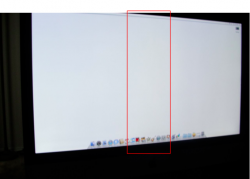
OP, can you please take a further look at the center of the screen and see if there is a veritical yellow stripe there? It seems to me there is (though not too obvious at first sight), from your photos. It isn't something the yellow test here was designed to test I think.

But then again, photos are hard to judge by. So let me know if there's such a thing.

I am talking about this part:

214518

cerote
Feb 11, 2010, 04:42 PM
I too just picked up my 27in i5 at the Mall of America Apple store today. I only got about an hour to play with before coming to work. I will try more things later but from looking at it for the hour and adjusting the brightness I did not have any issues. I believe I saw my mine was a week 6.


BTW carrying a 40+ pound iMac through Mall of America sucks. If you never been there anywhere you go in that mall is a long walk to the parking areas.

MMM.PWR
Feb 11, 2010, 04:43 PM
I think that is being too critical. If a picture from the front shows what is supposedly yellow, then it is yellow. Otherwise, from that photo it seems ok.

The bigger issue here is whether the screen has backlight bleeding or not. A SLIGHT yellow one can live with, nobody here uses a plain white background. But if the backlight is defective and letting light in, it'll be a nightmare using a dark / black background.

HLdan
Feb 11, 2010, 05:06 PM
I too just picked up my 27in i5 at the Mall of America Apple store today. I only got about an hour to play with before coming to work. I will try more things later but from looking at it for the hour and adjusting the brightness I did not have any issues. I believe I saw my mine was a week 6.


BTW carrying a 40+ pound iMac through Mall of America sucks. If you never been there anywhere you go in that mall is a long walk to the parking areas.

All of the Apple stores I live nearby wheel the big boxed Mac purchases to your car. It's odd that they would have you carry something that heavy out of the store without offering help.

MMM.PWR
Feb 11, 2010, 05:17 PM
All of the Apple stores I live nearby wheel the big boxed Mac purchases to your car. It's odd that they would have you carry something that heavy out of the store without offering help.

They didn't offer me any help either. I do find that it is easier to carry the box with two hands rather than by the handle.

cerote
Feb 11, 2010, 05:17 PM
All of the Apple stores I live nearby wheel the big boxed Mac purchases to your car. It's odd that they would have you carry something that heavy out of the store without offering help.

Kinda thought so too, he didn't offer. Oh well it is over now lol. Never hurts to get the workout. I am not fully sure they do as the Mall of America is massive and seems like they would be away from the store for a decent amount of time depending on where you parked.

bombwithrobots
Feb 11, 2010, 05:34 PM
Nice one!

I ordered an i5 27" last weekend, so hopefully will be good too.

andothfc
Feb 11, 2010, 05:55 PM
ALso worth noting that is was clear that my iMac had been opened and tested before delivery. Wraps, covers and boxes were scuffed and messy. Not bothered by that - guaranteed me a good iMac. Apple rep confirmed that it had been opened and tested. Don't know if they're doing this for all of them.

BelowTheBelt
Feb 11, 2010, 06:17 PM
Now if they can fix the other 98% of bad ones.

Care to throw some statistics behind your obtuse thought patter ?

pukifloyd
Feb 11, 2010, 06:37 PM
Congrats OP...now my friend who has been waiting for too long can finally buy one...i heard that the situation is improving...great!

MMM.PWR
Feb 11, 2010, 08:51 PM
Care to throw some statistics behind your obtuse thought patter ?

Jim is clearly upset. Just look at his history with iMacs.. cut him some slack. His statement wasn't supposed to be taken so serious :)

The General
Feb 11, 2010, 09:17 PM
Now if they can fix the other 98% of bad ones.

shouldnt they fix 100% of bad ones? why leave 2% defective?

Icaras
Feb 11, 2010, 09:28 PM
Last night my friend and I drove to the nearest Apple store which was 200 miles away and both got our 27 inch i5's.

200 miles? Christ, ever heard of the Apple Online Store (http://store.apple.com)?

iMJustAGuy
Feb 12, 2010, 12:38 AM
200 miles? Christ, ever heard of the Apple Online Store (http://store.apple.com)?

You don't understand. When I want something I have to have it. I would become obsessive checking it's shipping status all day every day for 2 weeks. Even if I knew it wouldn't come for a few more days I would watch how far it has traveled. Yeah, I have issues. haha. This way I get there and back in 6 hours AND have my iMac. :D

cocky jeremy
Feb 12, 2010, 01:12 AM
You don't understand. When I want something I have to have it. I would become obsessive checking it's shipping status all day every day for 2 weeks. Even if I knew it wouldn't come for a few more days I would watch how far it has traveled. Yeah, I have issues. haha. This way I get there and back in 6 hours AND have my iMac. :D

I know how you feel. It sucks having no Apple stores. Closest ones to me are in Cincy and Columbus, Ohio. About two hours. They're within one mile of distance. Kinda weird. One is something like 181 miles away and the other is 180. lol. I'd rather drive 4 hours round trip than wait for something in the mail. Especially the way FedEx and UPS are with boxes. YouTube "UPS" and watch how they toss deliver stuff.. no thanks.

cerote
Feb 12, 2010, 05:05 AM
It also helps that he didn't just go there for 1, he mentioned him and his friend got 1 each. So not to bad and I would feel the same way about having to wait on it to ship and waiting everyday for it to come because you never know with our delivery service here.

ajohnson253
Feb 12, 2010, 06:02 AM
Well I didn't just get my iMac about 2 weeks ago but it still feels brand new because I don't often use it since I have a 3GS and a unibody MBP so I have multiple things to browse the web on since that's mainly all I do.

At first I thought I had yellow tinging from reading all the complaints people had since that was an issue. As time went on I realized I don't think I have any yellowing at all. Not anything I can notice or anyone else that uses the iMac can notice. So all in all, I believe I have a perfect new iMac. No deed pixels, no overheating, keyboard and mouse are on point and no visibile yellowing on the screen.

I'm pretty psyched even though I know I should expect a product to come without flaw especially with a company like Apple.

AdamA9
Feb 12, 2010, 06:15 AM
Your machine is good! Now, get outta this section before you return it. :p

Thanks for the validation! I'm sure the more you look at these things, and the more you look for a problem, the more likely you are to find it. And after seeing all these yellow screens, just makes your mind believe yours is too. :rolleyes:

rmg007
Feb 12, 2010, 06:09 PM
You don't understand. When I want something I have to have it. I would become obsessive checking it's shipping status all day every day for 2 weeks. Even if I knew it wouldn't come for a few more days I would watch how far it has traveled. Yeah, I have issues. haha. This way I get there and back in 6 hours AND have my iMac. :D

There's an app, I mean thread, for that :D

xokimwhiteox
Feb 12, 2010, 10:52 PM
Just got my 21.5 and I haven't noticed a yellow tinge, I did the test, and even if I do have it, I don't notice it at all, so im happy. :)

No buzzing noises, no flickering, seems like a perfect mac! I am glad I didn't get the 27", only because its taking some getting used to going from a 15 inch laptop screen to a 21.5 inch.

sirN
Feb 12, 2010, 11:59 PM
What's your opinion on the new 27 inch iMacs running Final Cut Studio? Particularly Motion & Color?

cerote
Feb 13, 2010, 12:01 AM
I went from a 15in also but to the 27in. It is for sure an eyefull. It will take some getting used to but I love it.

HLdan
Feb 13, 2010, 12:02 AM
What's your opinion on the new 27 inch iMacs running Final Cut Studio? Particularly Motion & Color?

You should start a new thread, you're highjacking this thread. This is only about people receiving perfect iMacs.

kernkraft
Feb 13, 2010, 12:05 AM
27"? Well...... I don't know...


But I am confident that the current 21.5" entry level one is one of the best, if not the best value-for-money computer that Apple is offering.

C2x954
Feb 13, 2010, 12:11 AM
Just picked up my new 27" iMac from Best Buy, I settled for the base model 27". Serial # starts with W8003. Does that mean mine was a week 3 model? The guy said he just unloaded it off the truck this morning. Not seeing any yellow tint or flickering, how do I test it? Sorry for the n00b questions, I'm sure this has been answered a thousand times, but I can't find it.

mrsir2009
Feb 13, 2010, 12:57 AM
w00t congratzz

HLdan
Feb 13, 2010, 01:19 AM
Just picked up my new 27" iMac from Best Buy, I settled for the base model 27". Serial # starts with W8003. Does that mean mine was a week 3 model? The guy said he just unloaded it off the truck this morning. Not seeing any yellow tint or flickering, how do I test it? Sorry for the n00b questions, I'm sure this has been answered a thousand times, but I can't find it.

Yep, that's week 3.

mrsir2009
Feb 13, 2010, 01:45 AM
I know how you feel. It sucks having no Apple stores. Closest ones to me are in Cincy and Columbus, Ohio. About two hours. They're within one mile of distance. Kinda weird. One is something like 181 miles away and the other is 180. lol. I'd rather drive 4 hours round trip than wait for something in the mail. Especially the way FedEx and UPS are with boxes. YouTube "UPS" and watch how they toss deliver stuff.. no thanks.

There are no Apple stores in my country, though there's an Apple reseller down the road from me :D

tombb
Feb 13, 2010, 08:53 AM
After 2 weeks with our 27 inch iMacs from MacMall, my wife and I are thrilled. No problems that I can find--just quiet speed and super-bright, pixel-perfect screens. (Weeks 2 and 51.)

Of course I gave her the faster one (3.06 GHz) and made do with the slower one (2.8 GHz) because, hey, that's just the kind of guy I am. :)

cerote
Feb 13, 2010, 09:21 AM
Seems everyones serial is starting with a w8. Mine starts with a qp006.

stridemat
Feb 13, 2010, 09:24 AM
In addition to "W8" for China (Shanghai), other manufacturing location codes include:

F, FC, XA, XB, QP, G8 (USA)
RN (Mexico)
CK (Ireland)
SG, E (Singapore)
MB (Malaysia)
PT, CY (Korea)
EE, QT, UV (Taiwan)
1C, 4H, W8, YM, VM, WQ, 7J (China)
RM (Refurbished/Remanufactured)

Sambo110
Feb 13, 2010, 09:29 AM
After 2 weeks with our 27 inch iMacs from MacMall, my wife and I are thrilled. No problems that I can find--just quiet speed and super-bright, pixel-perfect screens. (Weeks 2 and 51.)

Of course I gave her the faster one (3.06 GHz) and made do with the slower one (2.8 GHz) because, hey, that's just the kind of guy I am. :)

Um, joking? Isn't the 2.8 ghz an i7, while the 3.06 a Core2Duo :p

BrunoMac
Feb 13, 2010, 10:43 AM
You are lucky, now I'm sad. Hahah how funny is that you come on here and tell people OMG my Mac is perfect, like it's the anomaly!! We all should have gotten perfect iMacs for the price.

I'm still sad.:(

C2x954
Feb 13, 2010, 11:57 AM
Yep, that's week 3.

Have there been any issues with the week 3 machines?

SaSaSushi
Feb 13, 2010, 07:06 PM
You are lucky, now I'm sad. Hahah how funny is that you come on here and tell people OMG my Mac is perfect, like it's the anomaly!! We all should have gotten perfect iMacs for the price.

How many people with no problems would ever think to come to a user forum to post about it? ;) The forum is where people with issues go.

I think that was the whole point of his thread.

I'm still sad.:(

I hope you get happy soon. :)

mmomega
Feb 14, 2010, 11:55 AM
I took delivery of my 27 i5 3 days ago and so far everything has been "perfect" zero screen issues that I can tell, no sound problems, etc.

It is also a 2010 model, damn thing is practically brand brand new.
I just pop in the serial at appleserialnumberinfo.com.

Model: - iMac (27-inch Late 2009) (CTO)

Codename: - ?

Build Country: - Your Mac was built in the USA.

Build Year: - Your Mac was built in 2010.

Build Week - Your Mac was built in week 6 of that year (February).

Production Nr.: - Your Mac was number 1324 to be built that week.

Source: AppleSerialNumberInfo.com

Sincerely hope that everyone elses iMacs ship perfectly or are replaced with ones that work properly. I'm not sure if I could deal with replacing it 4-5 times in a row like some. GL fellas.

BrunoMac
Feb 14, 2010, 12:26 PM
How many people with no problems would ever think to come to a user forum to post about it? ;) The forum is where people with issues go.

I think that was the whole point of his thread.


I hope you get happy soon. :)

Oh sorry. I missed the intent. Dang internet.

HLdan
Feb 14, 2010, 12:30 PM
I took delivery of my 27 i5 3 days ago and so far everything has been "perfect" zero screen issues that I can tell, no sound problems, etc.

It is also a 2010 model, damn thing is practically brand brand new.
I just pop in the serial at appleserialnumberinfo.com.

Model: - iMac (27-inch Late 2009) (CTO)

Codename: - ?

Build Country: - Your Mac was built in the USA.

Build Year: - Your Mac was built in 2010.

Build Week - Your Mac was built in week 6 of that year (February).

Production Nr.: - Your Mac was number 1324 to be built that week.

Source: AppleSerialNumberInfo.com

Sincerely hope that everyone elses iMacs ship perfectly or are replaced with ones that work properly. I'm not sure if I could deal with replacing it 4-5 times in a row like some. GL fellas.

That's interesting that some people are getting USA built Macs. I live in the U.S., I would prefer a USA built iMac rather than China. I don't like that it ships all the way from China to the U.S.

tombb
Feb 14, 2010, 01:16 PM
That's interesting that some people are getting USA built Macs. I live in the U.S., I would prefer a USA built iMac rather than China. I don't like that it ships all the way from China to the U.S.

I think all the BTO's were built in China, right? (Seems I read that on MacRumors somewhere.) Our USA-built stock 3.06 and our chicom-BTO 2.8 look the same to my hyper-critical eye.

I, too, would be willing to pay a little more for USA-built equipment, but how many others would do the same? The iMac already gets slammed by the illiterati for being "too expensive." (Sheyeah right, I spent more on my Apple ][+.)

ledzeppelin
Feb 14, 2010, 04:57 PM
I took delivery of my 27 i5 3 days ago and so far everything has been "perfect" zero screen issues that I can tell, no sound problems, etc.

It is also a 2010 model, damn thing is practically brand brand new.
I just pop in the serial at appleserialnumberinfo.com.

Model: - iMac (27-inch Late 2009) (CTO)

Codename: - ?

Build Country: - Your Mac was built in the USA.

Build Year: - Your Mac was built in 2010.

Build Week - Your Mac was built in week 6 of that year (February).

Production Nr.: - Your Mac was number 1324 to be built that week.

Source: AppleSerialNumberInfo.com

Sincerely hope that everyone elses iMacs ship perfectly or are replaced with ones that work properly. I'm not sure if I could deal with replacing it 4-5 times in a row like some. GL fellas.

Is this what I think I am seeing ? Some iMac late 2009 models are being built in USA?

SaSaSushi
Feb 14, 2010, 05:12 PM
I think all the BTO's were built in China, right? (Seems I read that on MacRumors somewhere.) Our USA-built stock 3.06 and our chicom-BTO 2.8 look the same to my hyper-critical eye.

I'm glad to hear you say that because of course they all use the exact same panels and parts and are assembled in the exact same way. There is no evidence that Chinese-assembled Macs are any lesser than their American-assembled counterparts, despite what the more bigoted in here might say.

That said, I do wish Apple would build everything in the USA too but of course they like being able to pay the workers dirt poor wages.

One advantage for me presently is that the trip from Shanghai is a lot shorter than from California.

Is this what I think I am seeing ? Some iMac late 2009 models are being built in USA?

Serial numbers that begin with QP are built in the states. Those that start with W8 are assembled in Shanghai.

Yes, some late 2009 iMacs are assembled in the states (with mostly Asia-produced components, LOL)

miki66
Feb 14, 2010, 05:27 PM
congrats on your purchase:)

SaSaSushi
Feb 14, 2010, 06:08 PM
In addition to "W8" for China (Shanghai), other manufacturing location codes include:

F, FC, XA, XB, QP, G8 (USA)
RN (Mexico)
CK (Ireland)
SG, E (Singapore)
MB (Malaysia)
PT, CY (Korea)
EE, QT, UV (Taiwan)
1C, 4H, W8, YM, VM, WQ, 7J (China)
RM (Refurbished/Remanufactured)

Sorry for rehashing above, stridemat. I must have missed where you initially posted this to the thread.

ttopp
Feb 14, 2010, 06:41 PM
had to replace mine twice so 3rd one due on tue fingers crossed all is well:rolleyes:

moneyman118
Feb 16, 2010, 09:47 AM
I ordered my 27" iMac a few days after they went to 3 weeks shipping, i got it in 3 days, check my post. Mine is amazing, no flickering, no yellow tint(I did the test) and is super quiet.

This Thread is to let all of the potential buyers know that there are 27" iMacs out there that are problem free!

FSTR
Feb 16, 2010, 10:47 AM
I just picked up my I5 yesterday after much hurry up and wait, trepidation and all. So far, so good, it is pretty much perfect, I am in the process of loading everything up. It is a fair amount larger than my 23 inch cinema display. Likin it a lot.

Stonefly
Feb 16, 2010, 11:37 AM
I'm glad to hear you say that because of course they all use the exact same panels and parts and are assembled in the exact same way. There is no evidence that Chinese-assembled Macs are any lesser than their American-assembled counterparts, despite what the more bigoted in here might say.

That said, I do wish Apple would build everything in the USA too but of course they like being able to pay the workers dirt poor wages.

One advantage for me presently is that the trip from Shanghai is a lot shorter than from California.


Yep same here, I would like to see some built on this side of the world, jobs are certainly needed but the extra cost would be passed down the the consumer. I all boils down the the mighty dollar, it's cheaper for them and at the end for us as well to have them built there. I wouldn't mind paying a little extra if it meant that somebody could have a job but not everybody would or even could. Mine was built in Shanghai and traveled all the way to Nova Scotia and it's perfect, am very happy with it.

Sir Cecil
Feb 17, 2010, 04:06 AM
After six weeks, my i7 continues to be fault-free and easily the best Mac (of eight over the years) that I've owned.
Beautiful screen, exceptionally quiet drive and super-fast in everything I do. Couldn't be happier with it.

ttopp
Feb 17, 2010, 04:25 AM
After six weeks, my i7 continues to be fault-free and easily the best Mac (of eight over the years) that I've owned.
Beautiful screen, exceptionally quiet drive and super-fast in everything I do. Couldn't be happier with it.

my i7 is good too just the damm picture.. another one with backlight issues :(

sending a 3rd one back this ping pong game has been on going since november 11th 2009. i hope to not achieve a world record.. :(

Michaelgtrusa
Feb 17, 2010, 06:42 AM
I think all the BTO's were built in China, right? (Seems I read that on MacRumors somewhere.) Our USA-built stock 3.06 and our chicom-BTO 2.8 look the same to my hyper-critical eye.

I, too, would be willing to pay a little more for USA-built equipment, but how many others would do the same? The iMac already gets slammed by the illiterati for being "too expensive." (Sheyeah right, I spent more on my Apple ][+.)

I would and the money that would generate for this country.

iamthedudeman
Feb 17, 2010, 07:10 AM
I took delivery of my 27 i5 3 days ago and so far everything has been "perfect" zero screen issues that I can tell, no sound problems, etc.

It is also a 2010 model, damn thing is practically brand brand new.
I just pop in the serial at appleserialnumberinfo.com.

Model: - iMac (27-inch Late 2009) (CTO)

Codename: - ?

Build Country: - Your Mac was built in the USA.

Build Year: - Your Mac was built in 2010.

Build Week - Your Mac was built in week 6 of that year (February).

Production Nr.: - Your Mac was number 1324 to be built that week.

Source: AppleSerialNumberInfo.com

Sincerely hope that everyone elses iMacs ship perfectly or are replaced with ones that work properly. I'm not sure if I could deal with replacing it 4-5 times in a row like some. GL fellas.

How about doing everyone that is going to buy a 27 inch imac a favor and tell the rest of us where you bought yours? That might be helpful. Usually when a reseller gets a batch in it is of the same make and model. Or did you get it straight from apple?:)

iMJustAGuy
Feb 18, 2010, 01:01 PM
I don't care where it's built or shipped from as long as it is flawless (AND IT IS :D) Apple knows what they are doing.

Skip Paris
Feb 18, 2010, 03:41 PM
I also received a week 6 27" i5 built in the US and it is flawless.
Apple store in Tyson's Corner the manager went in the store room and went through the stock for Serial Numbers and found me one. This was my third and final.:D

cwwilson
Feb 18, 2010, 04:02 PM
I also bought mine two weeks ago. Seems damn near perfect to me.

2009, week 52 here.

ttopp
Feb 18, 2010, 05:34 PM
I don't care where it's built or shipped from as long as it is flawless (AND IT IS :D) Apple knows what they are doing.

im on my 3rd i7 to go back and about to be sent my 4th ive asked them to deliver it to quality control or there tech experts to check it b4 it comes to me.. i thought my second one was great till i tried to watch a film and it couldnt display a uniform black.. a bit crap when i was watching starwars lol it went too the shop and they couldnt fix it :( 3rd one had the same issue :( and yellowing..

cerote
Feb 18, 2010, 06:44 PM
Are the screen issues seen across all serial numbers, ones built in other places, or compared to see if ones built elsewhere has the issues more than others?

QP week 6 27in i5 no issues here after a week of use, so far.

SaSaSushi
Feb 18, 2010, 06:58 PM
Are the screen issues seen across all serial numbers, ones built in other places, or compared to see if ones built elsewhere has the issues more than others?

I've read some reports of yellow tinge on iMacs from every manufacturing plant and every production week thus far. My own week 47 i7 has no issues to speak of and I've had no replacements.

QP week 6 27in i5 no issues here after a week of use, so far.

Glad to hear it! :)

RyanTheGeneral
Feb 18, 2010, 07:32 PM
Congrats on the machine. I cannot wait to get one and glad to hear the problem is slowly getting fixed by the time I get it it should be 100% safe to. I have faith it will be fixed

d_and_n5000
Feb 18, 2010, 08:30 PM
I have a Week 5 iMac, and its absolutely fabulous. Its my first experience on Mac that wasn't at school and even I, who knew how easy it was to set up Macs from setting up a ton of iMacs at school a few years ago, was simply blown away at how easy everything is. I literally plugged in my printer and it worked. After years of XP and working forever to get things to play nicely(to the day I got the iMac I wasn't able to sync my iPod if the printer was turned on), to just be able to have things just work is an unbelievable joy. It took maybe 20 minutes to get all my files over and everything installed and working.

No screen issues, no weird noises, just computing joy.

ttopp
Feb 19, 2010, 02:46 AM
I'm sorry to hear that but I think you've got the wrong thread. This is the "I Just Got a New iMac and It's Perfect" thread. :p

im hopping to join this club soon :)

SaSaSushi
Feb 19, 2010, 06:58 AM
im hopping to join this club soon :)

Well, I hope you join our club soon too. I'm looking forward to it. :)

Keep in mind that the members of this club are a far less often heard voice in here because most of them are too busy enjoying their machines to have any reason to be posting to user forums.

nickdelvecchio
Feb 19, 2010, 07:58 AM
Finally! I got my i5 replaced and this new one is PERFECT! my old one had a really bad back light bleed. nice and easy. this is an amazing machine.

SaSaSushi
Feb 19, 2010, 08:36 AM
Finally! I got my i5 replaced and this new one is PERFECT! my old one had a really bad back light bleed. nice and easy. this is an amazing machine.

I am VERY glad to hear it, Nick! Welcome to the club. :)

nickdelvecchio
Feb 19, 2010, 08:40 AM
I am VERY glad to hear it, Nick! Welcome to the club. :)

Ha. Thanks. my wife thought I was "trying to see things" when we took the bad one to the apple store but right when they ran the tests you could CLEARLY see the back-light issue. I showed her! I'm glad they just flat out replaced it instead of fixing the screen. this one is more than perfect!

mullman
Feb 19, 2010, 09:00 AM
Picked up my i5 yesterday afternoon.
Absolutely perfect so far.

ouimetnick
Feb 19, 2010, 09:06 AM
Sorry for rehashing above, stridemat. I must have missed where you initially posted this to the thread.

In addition to "W8" for China (Shanghai), other manufacturing location codes include:

F, FC, XA, XB, QP, G8 (USA)
RN (Mexico)
CK (Ireland)
SG, E (Singapore)
MB (Malaysia)
PT, CY (Korea)
EE, QT, UV (Taiwan)
1C, 4H, W8, YM, VM, WQ, 7J (China)
RM (Refurbished/Remanufactured)

What about others like 9E, 5K 8K, 88? Or are the ones above for computers only. In the iPhone/.iPod world,
5K and (E, and 8K are refurbished. All my Apple iPhone, 3G,3GS replacements have a serial number of 5K. One 3GS replacement had an 88 at the beginning, so I'm guessing it was a brand new. Every single iPod touch replacement had a serial number of 9E though

After 2 weeks with our 27 inch iMacs from MacMall, my wife and I are thrilled. No problems that I can find--just quiet speed and super-bright, pixel-perfect screens. (Weeks 2 and 51.)

Of course I gave her the faster one (3.06 GHz) and made do with the slower one (2.8 GHz) because, hey, that's just the kind of guy I am. :)

You scammed your wife. :eek: The 2008 Intel i7 @ 2.8 GHz is way faster than the 2006 Intel Core Duo @ 3.06 GHz

MovieCutter
Feb 19, 2010, 01:18 PM
Now if they can fix the other 98% of bad ones.

:rolleyes:

You scammed your wife. :eek: The 2008 Intel i7 @ 2.8 GHz is way faster than the 2006 Intel Core Duo @ 3.06 GHz

Pretty sure the poster knows this...

Johnlikesmac
Feb 19, 2010, 02:17 PM
Just got my "QP005" yesterday and I love it. No issues whatsoever. Looking at all these forums had me quite paranoid for no reason.

pug1
Feb 20, 2010, 12:21 AM
My first iMac (week 6), about 10 days ago, had yellow tinge and an optical drive that was just "off" enough to cause scratching DVDs even easier. I bought it an an Apple Store and returned it. The replaced unit (also week 6 but about 400 units later) was perfect. Beautiful screen, no yellow and smoother optical drive. I was just lucky. Thankfully I didn't have to pay that unfair 10% restock charge. It is a QP006...

iMJustAGuy
Feb 20, 2010, 01:13 AM
my wife thought I was "trying to see things"

I feel this is what about 50% of the people in these forums who "have issues" are doing. :rolleyes:

Kabir8
Feb 22, 2010, 05:04 PM
I got a week 8!

Model: - iMac (27-inch Late 2009) (CTO)

Codename: - ?

Build Country: - Your Mac was built in Changhai, China.

Build Year: - Your Mac was built in 2010.

Build Week - Your Mac was built in week 8 of that year (February).

Production Nr.: - Your Mac was number 483 to be built that week.

No buzz, Isight looks fine, I may be imagining a tiny hue of yellow on the bottom, but its not bothering me at all.

So far so good. Sweet!:D

Yakuza
Feb 23, 2010, 05:31 AM
I got a week 8!

Model: - iMac (27-inch Late 2009) (CTO)

Codename: - ?

Build Country: - Your Mac was built in Changhai, China.

Build Year: - Your Mac was built in 2010.

Build Week - Your Mac was built in week 8 of that year (February).

Production Nr.: - Your Mac was number 483 to be built that week.

No buzz, Isight looks fine, I may be imagining a tiny hue of yellow on the bottom, but its not bothering me at all.

So far so good. Sweet!:D


Got a good one here too :D after a faulty noisy week 4

Finally i have my laaaaaaate birthday / X-Mas present lololol

Mine is a week 7 (specs in the signature) it must have been one of the last line of production of week 7 lolol.

SaSaSushi
Feb 23, 2010, 06:04 AM
Got a good one here too :D after a faulty noisy week 4

Finally i have my laaaaaaate birthday / X-Mas present lololol.

I am really glad to hear you finally got a keeper, Yakuza! That's great, enjoy it.

By the way, I live in Japan and I hope you're not really Yakuza. LOL

slint
Feb 23, 2010, 06:08 AM
I order mine from cdw last thursday received it on friday. Played on it all weekend.

Haven't had any problems yet hopefully nothing comes up.

27" imac with 4gb memory 1tb drive.

Ordered 4gig memory upgrade from cdw yesterday along with mini display to dvi to hook up 2nd monitor.

I should have that today.

Yakuza
Feb 23, 2010, 09:40 AM
I am really glad to hear you finally got a keeper, Yakuza! That's great, enjoy it.

By the way, I live in Japan and I hope you're not really Yakuza. LOL

Thanks :D

llllllolll, don't worry i'm not. i live thousands of km from japan, i'm not affiliated with any kind of mafia....anndd don't like flying, specially that faaar :eek::D eheh.

But love the country/culture though.

to speak the truth, i have a hard time to come up with nicknames lol

But the important thing here is, we have perfect iMacs :D

Xtremehkr
Feb 23, 2010, 04:32 PM
It turns out there was nothing wrong with it. Apple claims that running OnyX occasionally causes problems like that. Thankfully it was temporary.

pionata
Feb 23, 2010, 04:58 PM
I Just Got a New iMac and It's PERFECT

BulletToothTony
Feb 23, 2010, 05:13 PM
after a flickering screen on a 21.5 imac and given a $75 discount i upgraded to a 27" imac and it came PERFECT..

Sorry if i exaggerate but holy crap this baby it's gorgeous.. goodness this screes it's ridiculously beautiful.. it's the Salma Hayek of Screens..

i couldn't be happier

BryanA
Feb 23, 2010, 06:12 PM
Good Job!

To find what week your iMac's are take a look at your serial number. For example: W8940xxxxxx was built in 2009, week 40.

W89504 is the start of me serial number. Purchased direct with Apple Ireland using their E.P.P system on Black Friday. Received and up and running late 16 Dec 09.

iMac i7 4Gb Mem 1tb HD and it is 100% A OK. No hardware problems, no software problems that weren't solvable and as a first time owner of a Mac machine a bit of a learning curve, but an enjoyable one. It keeps my very old brain working. How old? My first computer task was converting manual accounts (millions of items) to a punch-card system, so yes I suppose old is a good word :) Always built my windows computers, even before Windows, and it feels a bit strange being unable to get inside and sort it when needed so have the Apple Cover for 3 years.

ladysman
Feb 23, 2010, 08:58 PM
Always built my windows computers, even before Windows, and it feels a bit strange being unable to get inside and sort it when needed so have the Apple Cover for 3 years.

Same boat as you BryanA. Always built them and still support them for thousands of people. (including my job at work and side work) However I setup a business a few months ago all on Macs and it works so well, they want me to support them. They paid me well so I purchased an i7 jsut like your except I bought an extra 4gb of RAM from newegg. It finally is getting delivered tomorrow! :cool:

ccwoolf
Feb 23, 2010, 09:19 PM
So how long should it take to get from Anchorage to Lethbridge in southern Alberta? I want my 27" iMac already.

studiosonic
Feb 24, 2010, 08:29 AM
I don't want to tempt fate and say my iMac 27" i5 is perfect, as I've only had it a few days but no yellowing, flickering, dead pixels or whining noises so it's looking like a winner! :D

Tweak3D
Feb 24, 2010, 08:51 AM
Since i've been reading here a lot I know you all appreciate someone posting when they don't have any issues. I ordered a 27in i7 from Powermax, just got it yesterday fresh from apple. It is mint with no problems, no humminh, no buzzing, no lagging, no yellow or grid patterns or even bad backlight bleed.

ewm3
Feb 24, 2010, 09:17 PM
Finally got my i7 - ordered in early December. It is GREAT! No problems so far, love the clarity/contrast of the screen.

Liffey
Feb 24, 2010, 09:57 PM
My week 6 i5 arrived today and seems to be perfect, although I haven't had a chance to test it with any heavy lifting. :)

HLdan
Feb 24, 2010, 10:43 PM
Just got my replacement i7 1TB week 8. Screen looks amazing, color uniformity is very good, no dead or stuck pixels and it's very quiet.

ByteHawk
Feb 25, 2010, 08:03 AM
I just got my week 7 I7 and everything seems to be just fine
no noise, no tinge
maybe its the lucky number 7?

I just installed CS4 and firefox on it, will do a real test tonight when I get back home

KevKaos
Feb 25, 2010, 02:42 PM
For what it's worth, this user really appreciates this thread. My 21.5 iMac is due to arrive tomorrow. Good to here that there are people getting perfect iMacs. It helps to offset the nerves that are tingling after reading of all the problem iMacs.

DisneySMAX
Feb 25, 2010, 02:44 PM
2 Week 8 i7's arrived today and they are spot on perfect. No yellow, no noise, no dead pixels. Just a lovely pair of machines.

JacquieH
Feb 26, 2010, 08:49 AM
How is everyone checking their screens? Taking photos, boosting the colours? My screen looks "perfect until I pop the colours"
I read the following in another thread and it makes sense. It also will change the look of your screen and let you see the real colours come through.

When you pop this shot in photoshop and tweak the saturation, and curves (separately) you can clearly see more yellow emerge on the right vertical edge of your screen. It creeps in slightly.


This "test" to boost saturation/levels/curves is not useless by any means.
Digital cameras have sensors that capture light at specific wavelengths to reproduce a specific color.
Upping saturation and messing with curves just helps you see what you couldn't see CLEARLY without editing it. It's harder to see 40px wide of yellowing on a screen with such a high resolution like this one especially when that yellow is surrounded by white, for example. Our eyes need the added contrast to confirm what we thought was there all along.

It would be interesting to see some of these screen photos saturated.

ByteHawk
Feb 26, 2010, 09:32 AM
This "test" to boost saturation/levels/curves is not useless by any means.
Digital cameras have sensors that capture light at specific wavelengths to reproduce a specific color.
Upping saturation and messing with curves just helps you see what you couldn't see CLEARLY without editing it. It's harder to see 40px wide of yellowing on a screen with such a high resolution like this one especially when that yellow is surrounded by white, for example. Our eyes need the added contrast to confirm what we thought was there all along.

It would be interesting to see some of these screen photos saturated.

That's exactly what I did, boost saturation to the max in Photoshop
I also use the color picker and compare color values

there's always going to be a minor interference, even in a dark enviroment because of the reflection of objects illuminated by the screen, perfect photo's are hard to make :) .

JacquieH
Feb 26, 2010, 10:11 AM
When I look at my screen it looks great when I boost it I see very very minor yellow far left.
When I look at my 2008 24" it does not look as good as my 27" and when I take a photo of it, and boost it even its off.
I don't think there is a perfect screen.
I'm going to check my dell.

Meant to add mine is w800 got it yesterday

eelpout
Feb 26, 2010, 02:25 PM
2 Week 8 i7's arrived today and they are spot on perfect. No yellow, no noise, no dead pixels. Just a lovely pair of machines.OK, I've yet to see a photo posted here of a "perfect" screen, with the colors boosted (like people are doing in the yellow tinge thread to exaggerate the effect).

Would you (or anyone else with a "perfect" screen for that matter) mind taking some photos using the yellow tinge test gray patches (http://forums.macrumors.com/showpost.php?p=8857770&postcount=1) from that thread, boosting the color saturation to 100% and posting them here? I'm really curious.

FearlessFreep
Feb 26, 2010, 02:30 PM
OK, I've yet to see a photo posted here of a "perfect" screen, with the colors boosted (like people are doing in the yellow tinge thread to exaggerate the effect).

Would you (or anyone else with a "prefect" screen for that matter) mind taking some photos using the yellow tinge test gray patches (http://forums.macrumors.com/showpost.php?p=8857770&postcount=1) from that thread, boosting the color saturation to 100% and posting them here? I'm really curious.

Yes, let's radically exaggerate what the human eye can perceive and *make* an imperfection where one may not be present. :rolleyes:

ccwoolf
Feb 26, 2010, 06:57 PM
Well add me to the list. Jeepers this thing is beautiful.

DarwinOSX
Feb 26, 2010, 08:04 PM
I just got a new iMac i5 from Mac Connection and it's perfect. Did the screen test and the whole deal. Could not be happier. $1849 after $100 rebate.

Yakuza
Feb 26, 2010, 08:53 PM
Com'n people, just be happy with the iMacs, now even after you see there is no yellow tinge, you go after it, its like you really really want the iMac to have it.

Let it be.

U don't see, leave it!

Use it, don't make experiment's!

For goodness sake people.

When i opened mine, even though i didn't make no kind of tests to it, when making the first boot i immediately saw that this screen was waaaayyyyyyyyyyyy better then the previous, and in normal circumstances of using the iMac i DON'T see no yellow tinge, and (correct me if i am wrong), you don't see it too, but in some way, someone has came up with a new yellow tinge test....for the iMacs that don't have the yellow tinge (at least not in the same way like someone has spilled a bucket of yellow tint on the monitor). Can't you just be happy with the one you have right now?

Do you make your "new girlfriend/boyfriend" run a list of tests?

"well, she got glasses, i guess i got a bad one with dead pixels in the iSight"

For real people, do you make the same serious of tests of everything you buy?

I think that this kind of stuff is getting out of proportion.

But hey, this is humble opinion.

SaSaSushi
Feb 27, 2010, 05:36 AM
Com'n people, just be happy with the iMacs, now even after you see there is no yellow tinge, you go after it, its like you really really want the iMac to have it.

Right on, Yakuza!

And if you MUST complain about a yellow tinge at least have the common sense and courtesy not to do so in a thread entitled The- I Just Got a New iMac and It's PERFECT - thread. :D (http://forums.macrumors.com/showthread.php?p=9348574#post9348574)

stridemat
Feb 27, 2010, 05:48 AM
Looking at all these positive reports today is the day I finally order my i5 iMac :). I for one can't wait to get my grubby hands on it.

Yakuza
Feb 27, 2010, 07:40 AM
I had the same point of view until I got a yellow screen

When I buy a product that is close to $3,000, YES, I do inspect it in and out for the slightest defect, because there is a better machine, and I want value for my hard earned money.

(Some of us rely on screens with complete color unformity when your job depends on it.)

But hey, I guess I better chill out, and let it be right? :rolleyes:

No. Replace the damn thing. Hope for better, and if its not, refund.

Ok, if you have it, it's better to replace it.

But when you have your iMac in front of you, and you clearly don't see nothing, but even thought you go after it...why?

that's what i'm saying

If i'm not sick i don't do to be sick (the comparison is tricky but it shows my point of view lololol)

Acid Raindrops
Feb 27, 2010, 02:45 PM
My first 21.5 imac was yellow, with two dead pixels. My replacement is perfect, no yellowing or dead pixels.:)

banya95
Feb 27, 2010, 09:59 PM
Picked mine up at the Apple Store today and it's perfect. I told them I wanted the latest of the stock they had. It's an i5.

Did all of the tests, etc....

Serial Number: W8009******

swee5420
Feb 27, 2010, 10:43 PM
Can you post some pictures to prove that there are actually perfect imac exits?

unixfool
Feb 27, 2010, 11:47 PM
I see I have a bad pixel...stuck on red. I've attempted to use JScreenFix unsuccessfully.

Will I take the iMac back for replacement? NO! I can't see any others and will NOT actively seek them. I may discover more over time but as I've said before, I'd much rather not go looking for issues unless I've a driving need. If I see a bunch more pop up over time, I'll know I've an issue that needs to be resolved.

I still view my iMac as "without issues."

As a quick note, I noticed that an iMac owner won't be able to massage a stuck pixel (unless she dismantles the LCD from the outlying glass panel).

Kabir8
Feb 28, 2010, 02:17 AM
Ok, if you have it, it's better to replace it.

But when you have your iMac in front of you, and you clearly don't see nothing, but even thought you go after it...why?

that's what i'm saying

If i'm not sick i don't do to be sick (the comparison is tricky but it shows my point of view lololol)

Something is getting lost in translation, I think.


I see yellow every time I look at the screen. Its in the middle of the screen. Center stage. I can ignore it for a couple days until FedEx comes to pick it up so I can get it replaced, but that's all.

I, among many other users online, have this problem with varying degrees. Some of these people are casual computer users, while others are graphic designers, photographers, filmmakers, etc. etc.

You go into any professional setting where those above type of people work, put a yellow iMac in front of them, and see if nobody says anything.

I can only speak for myself, but a yellow screen is something I notice (especially since most websites/windows have WHITE backgrounds) and something I don't choose to tolerate.

A large reason for this uproar is the quality people have come to expect from this company, and the words used to advertise this specific product.

Obviously something went very wrong along the way.

From Apple.com
"
The iMac display is designed to look great from almost any angle(I see gray banding if looking at the screen from the side). A technology called in-plane switching (IPS) makes this possible. Whether you’re sitting in front of the display or standing off to the side, you’ll get a perfect picture with superb color consistency (60% of my screen looks consistent, the rest is tinted yellow and calibration can't eliminate that. That may be a passing grade, but its still pretty much a failure) and no loss of detail.
"

SaSaSushi
Feb 28, 2010, 05:47 AM
I can only speak for myself,

Yes, indeed, and your own machine.

but a yellow screen is something I notice (especially since most websites/windows have WHITE backgrounds) and something I don't choose to tolerate.

I'd notice that too nor would I tolerate it. Fortunately, mine doesn't have this problem and I suspect, since Yakuza returned one machine for the issue that his new one doesn't have it either.

This thread was created for those with problem-free iMacs to post about them. There are plenty of threads to choose from for reporting problems.

Obviously something went very wrong along the way.

On your iMac, and I hope it gets sorted soon. Best of luck to you. :)

mystikjoe
Feb 28, 2010, 07:04 AM
just delivered yesterday and wall mounted today upgraded the ram to 8gb, put in an intel 160gb ssd gen 2 and this baby rocks. no yellow tint here, very slight banding that i would've never noticed if the ocd people on here found. enjoy your new mac and at 2k it's one of the best values i seen from apple in a long time.

JacquieH
Feb 28, 2010, 10:58 AM
I would love to see photos of all these perfect screens, I'm not trying to be mean I really would like to see how they are looking in comparison to mine.

WilliamG
Feb 28, 2010, 11:08 AM
I would love to see photos of all these perfect screens, I'm not trying to be mean I really would like to see how they are looking in comparison to mine.

Here's one I took of my week 2 iMac a few weeks ago:

http://i10.photobucket.com/albums/a127/wgrose/IMG_0257.jpg

Tweak3D
Feb 28, 2010, 03:13 PM
ill add to the collection of perfect screens.

ncfuser
Feb 28, 2010, 04:08 PM
Got my i7 the other day (Week 8).
No dead pixels (Camera or Screen).
I don't hear anything HDD or fans.
If the screen is yellow, it is VERY slight.
May have a slight gray band on the bottom.

My graphic design wife doesn't see the yellow and the gray band you really have to look for.

Think I am going to keep as is.:)
And I love it!!!

SXR
Feb 28, 2010, 04:32 PM
well I got an iMac a few months back and love it aswell :) I also love the nice Magic mouse and wireless keyboard. smoooooth typing.

and yes, its nice to see other people buy macs and enjoy them :)

eelpout
Feb 28, 2010, 04:45 PM
I would love to see photos of all these perfect screens, I'm not trying to be mean I really would like to see how they are looking in comparison to mine.agreed. people with "perfect" screens. please take a photo of both grey patches (http://forums.macrumors.com/showpost.php?p=8857770&postcount=1) and solid white (blank tab in Safari for example) across the entire screen, preferably the shots should be done with a dSLR in RAW. I've yet to see any photo of a screen (that has been properly exposed) without some variation of any kind. Especially at the 27" size.

eelpout
Feb 28, 2010, 04:48 PM
ill add to the collection of perfect screens.Appreciate the photo, but its "blown out" and overexposed. :(

The peak of the histogram should be around the middle of the graph, yours is clipped at the extremes.

InfoKill
Feb 28, 2010, 06:11 PM
Went to the store here in Tokyo and picked up an i5 and CARRIED it home.:eek: my arms are still sore haha.
But I'd like to add to this post by saying mine is perfecto.
not a thing wrong with it.
And im an art director so colors are something i definetly pay close attention to.

This board makes people too paranoid though:rolleyes:

unixfool
Feb 28, 2010, 08:02 PM
agreed. people with "perfect" screens. please take a photo of both grey patches (http://forums.macrumors.com/showpost.php?p=8857770&postcount=1) and solid white (blank tab in Safari for example) across the entire screen, preferably the shots should be done with a dSLR in RAW. I've yet to see any photo of a screen (that has been properly exposed) without some variation of any kind. Especially at the 27" size.

To the average user, what you just said would sound like Japanese. Also, not everyone is going to have digital SLR camera. You might also want to define 'properly exposed'. I could use some industry speak related to my job and you wouldn't know anything of the terms. Plain-speak, please.

I'm not going to follow that referenced link above. I can tell you now that there's no yellow that I see in my digital pic of the screen. I do see blue though, when looking a digital snapshot. Blue on the left of the screen (pretty bad) and a grey band on the bottom where the dock should be. I had to see this via the digital pic...I can't see any of the blue in normal use of the screen and just a hint of the grey band at the bottom. None of this alarms me, because if I had to go through those steps just to see the blue and grey areas, it's obviously not going to bother me in regular usage.

MMM.PWR
Feb 28, 2010, 08:24 PM
Appreciate the photo, but its "blown out" and overexposed. :(

The peak of the histogram should be around the middle of the graph, yours is clipped at the extremes.

I really doubt people are going to take properly exposed images for you guys. The last two that have been posted are both overexposed. That doesn't mean they aren't perfect, though. However, I am SURE they have uneven backlight.

I think the yellow issue has been eliminated for the most part, or at least it is not as bad and tolerable.

These forums WILL ruin the computer for you. I've noticed some backlight bleeding on my 40" Samsung 650 series, and that was only after visiting this section and obsessing over "perfection." I still will not tolerate the uneven backlight bleed spots on the 27", as my MBP is fine, but that's just an example of what forums can do to you.

edit: for those who are not familiar:

Overexposed - too light
Underexposed - too dark

unixfool
Feb 28, 2010, 09:11 PM
Overexposed - too light
Underexposed - too dark

Understood.

But is there a hard measurement of both? For instance, how am I supposed to know what is over or under? And if I feel that I've balanced the exposure perfectly, someone would still say it was over or under, no? Is this a user-perception thing?

InfoKill
Feb 28, 2010, 09:20 PM
Is this a user-perception thing?

No its done by the camera.
All cameras have a light meter the should tell you if your over or underexposed and should help you bring the exposure up or down to get it just right. May have to read the manual to your camera if this is new to you.
I wouldnt bother though, if your happy with your computer let it be.
Let everyone else deal with their own.

SaSaSushi
Feb 28, 2010, 09:50 PM
agreed. people with "perfect" screens. please take a photo of both grey patches (http://forums.macrumors.com/showpost.php?p=8857770&postcount=1) and solid white (blank tab in Safari for example) across the entire screen, preferably the shots should be done with a dSLR in RAW. I've yet to see any photo of a screen (that has been properly exposed) without some variation of any kind. Especially at the 27" size.

This is getting tired. There is no such a thing as an LCD panel with absolute perfect color uniformity, period, end-of-sentence. That is not just for the 27" panels in iMacs but for any panel made by any maker at any price.

roguepink
Feb 28, 2010, 10:03 PM
I'm sitting here with my shiny new i5. She's a real beauty. The glass panel may be shifted slightly to the left by ~0.5 mm. I think there's a speck of dust under the glass on the right side. Its not a pixel, it is above the pixel plane. I only noticed it when I was wiping the glass with my Apple monogrammed microfiber cleaning cloth (nice touch, there!).

Its quiet.

Its big.

It is FAST.

I do not see any discoloration or banding. I am a graphic designer, illustrator, photographer, painter, and all-around artist.

Its a keeper.

I have no intention of submitting photos of the screen. I have other things to do. Thanks.

jphealy
Mar 1, 2010, 06:20 AM
I ordered my i7 on Saturday morning after Gizmodo concluded their iMac saga. I expected not to have it for a few weeks (I'm in Ireland and the European Apple Stores are still saying 2 weeks shipping). Got an email this morning (Monday) to say it's shipped - I should have it by the end of the week!

It's a week 9. I hope I'll be able to add it to this post as a perfect machine.

SteveBe
Mar 1, 2010, 07:44 AM
I was feeling quite happy with my new iMac 27" Quad Core i5. Until Saturday - exactly 16 days after my purchase - the Superdrive doesnt read CD media AT ALL. Not retail CD's, not software CD's, not CD-R's.

It does however read dvds perfectly.

Have tried everything and nothing works. Lets see if when I go for my genius bar appointment if they will just do a straight swap just outside of the 14 days period.

Yakuza
Mar 1, 2010, 07:54 AM
I was feeling quite happy with my new iMac 27" Quad Core i5. Until Saturday - exactly 16 days after my purchase - the Superdrive doesnt read CD media AT ALL. Not retail CD's, not software CD's, not CD-R's.

It does however read dvds perfectly.

Have tried everything and nothing works. Lets see if when I go for my genius bar appointment if they will just do a straight swap just outside of the 14 days period.

that's pretty wiered :confused:

does the superdrive have 2 kind of laser's, each one for cd's/dvd's?? i never heard nothing like that before.

don't you have at least 1/2 years warranty?

JimKirk
Mar 1, 2010, 01:31 PM
Mine does.

hummer28
Mar 1, 2010, 04:38 PM
This morning I received an iMac (week 8) i7 with no issues whatsoever. I ran the yellow screen test as well as the pixel test. Everything looks to be 100% defect free.

nicroma
Mar 1, 2010, 04:42 PM
I just unboxed my replacement i7 iMac and it is perfect. It's a week 9.


I am looking at them side by side, not only does my old iMac have a yellow tinge in the bottom right, but the ENTIRE screen is yellow. I've been through multiple screen replacements but I didn't realize how much difference there was until I got them size by side. I could only notice areas with tinge on my old iMac, but this new screen looks phenomenal. It is brighter and more natural.

PeggyLarner
Mar 5, 2010, 12:11 AM
So I actually ordered a refurb 21" iMac...and it's amazing! I was reading all the horror stories about the yellow tint, and I thought I was asking for it by getting a refurb, but this machine really seems perfect.

Don't want to jinx it...but mine is free of the issues that seem to be plaguing so many others...

aphxtwinin
Mar 5, 2010, 01:06 AM
i have had my 27in i7 for a couple days now and its so amazing. i have had a macbook for 2 years and this is my first mac desktop and the first desktop i have gotten in like 4years. I am loving every second of it

Sir Cecil
Mar 5, 2010, 01:39 AM
Appreciate the photo, but its "blown out" and overexposed. :(

The peak of the histogram should be around the middle of the graph, yours is clipped at the extremes.


Why waste people's time? Perhaps 1 person in 100,000 (at best!) has the professional-level tools and controlled environment to take a photo of their screen that is acceptable for any kind of critical analysis. If you request such a thing from people who are only too happy to help but are unaware of the required technicalities, your own judgment must be questioned.

Mike Macintosh
Mar 5, 2010, 07:06 PM
The lighting in my room is horrid for taking a pic of this thing without glare, but this is the best pic I got with lights on and no flash.

Ran the yellow test it passed, no apparent dead pixels, no display probs, no iSight dead pixels, everything is running like a dream and it is dead quiet, sometimes i hear the HDD, but very rarely.

This machines perfect in my opinion, I love it, the first picture is taken on my piece of junk Kodak, the 2nd is taken on my iPhone.

This is a Week 7

http://i2.photobucket.com/albums/y37/zeldanator/000_0007.jpg
http://i2.photobucket.com/albums/y37/zeldanator/IMG_0097.jpg

nnokey
Mar 5, 2010, 10:25 PM
The lighting in my room is horrid for taking a pic of this thing without glare, but this is the best pic I got with lights on and no flash.

Ran the yellow test it passed, no apparent dead pixels, no display probs, no iSight dead pixels, everything is running like a dream and it is dead quiet, sometimes i hear the HDD, but very rarely.

This machines perfect in my opinion, I love it, the first picture is taken on my piece of junk Kodak, the 2nd is taken on my iPhone.

This is a Week 7

http://i2.photobucket.com/albums/y37/zeldanator/000_0007.jpg
http://i2.photobucket.com/albums/y37/zeldanator/IMG_0097.jpg


Umm I see yellow tinge on your top picture. the bottom bar is yellower and darker than the top one.

trjwv
Mar 5, 2010, 10:43 PM
Umm I see yellow tinge on your top picture. the bottom bar is yellower and darker than the top one.


picture looks great, i think there are people posting who don't want any of the imac's to look good, jealousy maybe, windows user, maybe it's the pc guy in the apple commercials....but this pic looks perfect...in my opinion....

Mike Macintosh
Mar 5, 2010, 10:46 PM
Umm I see yellow tinge on your top picture. the bottom bar is yellower and darker than the top one.it's probably my camera and bad lighting, but I see what you mean according to that pic, I have sat in front of it for a good half hour when I first did the test and noticed nothing, they are actually looking the same color to me, but nothing like that picture appeared, hmmm.... odd that I see a tinge in that pic but not iRL sitting right next to it.

Anyways I am not denying the fact that I may have a tinge, but I am just not noticing it first hand, so I am not going to waste my breath to replace something I am not noticing firsthand, but thanks for pointing it out to me anyways.

picture looks great, i think there are people posting who don't want any of the imac's to look good, jealousy maybe, windows user, maybe it's the pc guy in the apple commercials....but this pic looks perfect...in my opinion....thanks mate, but I see where he may be getting at in the pic, I retook another this time on lowest brightness and I do see a little yellow in the pic, but I noticed my bare knee has been appearing on some shots to, so lol.

I retook another 2 screens, both in the dark on lowest to semi lower brightness and I see a little yellow in the pic for the test, but looking at it firsthand I notice notta... which has me confuzzled.

But like I said earlier, if I am not noticing it firsthand I am not even going to waste my breath to return someshing i am not noticing just sitting right of me.

**Edit** I retook these with a tad better camera, I don't see much difference at eye level and mid brightness, so it had to have been my iPhone and the lighting in my room.

http://i2.photobucket.com/albums/y37/zeldanator/000_0002.jpg*I don't notice anything at this view and with this camera*
http://i2.photobucket.com/albums/y37/zeldanator/IMG_0104.jpg
Last but not least White
http://i2.photobucket.com/albums/y37/zeldanator/000_0001.jpg

Now with this camera, this is more of what I am seeing.

ttopp
Mar 10, 2010, 07:17 PM
hey link :)

i have bad back light bleeding on the last 3 i7s ive had.. the zelda pic looks like is has the same thing where blacks are grey at the bottom corners. was this taken with the brightness down?? do you see grey corners when the brightness is full on a dark screen???

coolmacguy
Mar 10, 2010, 09:22 PM
Those pics look fine to me.

Dino1956
Mar 10, 2010, 10:23 PM
Hey Man, we are Neighbors. I Live in Navarre! I did a copy of the bottom bar & pasted it right under the top bar in your photo. Although your screen looks good, I still don't see perfection. I'm not trying to burst your bubble or ruin your thread. I have an iMac that only shows Color Variance in the Grey Bar Test. Everywhere else it's perfect. So I'm keeping mine also. If you care, take a photo straight on of your Grey Bars & do a Copy & Paste in Preview. Copying the bottom Grey Bar right under the bottom grey bar.
I did one on your photo already.
http://imgur.com/BjNMF.jpg

coolmacguy
Mar 10, 2010, 11:22 PM
ok I do see the variance there, however with that subtle of a difference it's not going to matter for 99.9% of users. Unless you work in print production or some area where color accuracy is paramount you're probably never going to notice that.

jjahshik32
Mar 10, 2010, 11:32 PM
thanks mate, but I see where he may be getting at in the pic, I retook another this time on lowest brightness and I do see a little yellow in the pic, but I noticed my bare knee has been appearing on some shots to, so lol.

I retook another 2 screens, both in the dark on lowest to semi lower brightness and I see a little yellow in the pic for the test, but looking at it firsthand I notice notta... which has me confuzzled.

But like I said earlier, if I am not noticing it firsthand I am not even going to waste my breath to return someshing i am not noticing just sitting right of me.

**Edit** I retook these with a tad better camera, I don't see much difference at eye level and mid brightness, so it had to have been my iPhone and the lighting in my room.

http://i2.photobucket.com/albums/y37/zeldanator/000_0002.jpg*I don't notice anything at this view and with this camera*
http://i2.photobucket.com/albums/y37/zeldanator/IMG_0104.jpg
Last but not least White
http://i2.photobucket.com/albums/y37/zeldanator/000_0001.jpg

Now with this camera, this is more of what I am seeing.

I see a slight SLIGHT pinkish hue in the center but I believe its the norm. Looks great!!

Dino1956
Mar 10, 2010, 11:57 PM
coolmacguy, You are right! That's why I'm keeping mine. If you can't see any difference in Safari at Full Screen, you got a good one & this one does look good. Now a Pro Photographer or a Graphic Artist, like you said, could have a problem with accepting it.

roguepink
Mar 11, 2010, 06:53 AM
My 27" i5 is a beauty. No complaints.

roguepink
Mar 11, 2010, 06:55 AM
coolmacguy, You are right! That's why I'm keeping mine. If you can't see any difference in Safari at Full Screen, you got a good one & this one does look good. Now a Pro Photographer or a Graphic Artist, like you said, could have a problem with accepting it.

I'm a graphic artist. Looks good to me. If you are worried about color matching, get a high-end CRT like the print shops use.

iSee
Mar 11, 2010, 12:59 PM
4th iMac i7 is... good!!!!!!!

Finally! I can't believe it!
No yellow tint. No deal pixels. iSight camera is fine. No buzzing. No fuzzy black line... hard drive is quiet (well, I never had that problem though this HD is the quietest -- I guess because they bumped me to the 2TB).

I am so happy!

I'm not quite ready to forgive and forget, but Apple did come through in the end. Despite some unpleasant support calls. I eventually got in touch with an executive relations person at Apple who was very helpful and nice.

ansabakhan
Mar 11, 2010, 01:38 PM
4th iMac i7 is... good!!!!!!!

Finally! I can't believe it!
No yellow tint. No deal pixels. iSight camera is fine. No buzzing. No fuzzy black line... hard drive is quiet (well, I never had that problem though this HD is the quietest -- I guess because they bumped me to the 2TB).

I am so happy!

I'm not quite ready to forgive and forget, but Apple did come through in the end. Despite some unpleasant support calls. I eventually got in touch with an executive relations person at Apple who was very helpful and nice.


unpleasant support calls ? i hve no experience with apple customer service .. but i am waiting for imac to be delivered ... if there is a problem are they usually not that helpful ? (some thing like dell customer service i guess)

Breezy2000uk
Mar 11, 2010, 07:43 PM
4th iMac i7 is... good!!!!!!!

I'm quite pleased to have seen this. I was starting to lose heart, having just received a third dodgy screen (i7). I was starting to wonder if, having seen the problem once, I was always going to "see" it on replacements. But reading that other people have received something they consider "perfect" after previously seeing a screen fault makes me think there's hope for me yet!

Oh well, I'll be ringing apple this weekend then! Wish me luck!

iSee
Mar 12, 2010, 01:18 PM
unpleasant support calls ? i hve no experience with apple customer service .. but i am waiting for imac to be delivered ... if there is a problem are they usually not that helpful ? (some thing like dell customer service i guess)

They are usually good, but on iMac #2 the "senior" guy I spoke to insisted that my screen was normal. We went back and forth for a while because it obviously was not normal. For one thing how could he say the screen is normal when he hadn't seen it? I offered to send pictures, but he ignored that. After the fact I saw the infamous internal Apple memo, which explained why he was being so unreasonable -- but doesn't excuse him being so unpleasant. Eventually, he decided to "transfer" me and we somehow got disconnected. :rolleyes:

If you do need to call Apple Care and get someone bad, stick to your guns, remain polite, and ask to speak to someone else.

DisneySMAX
Mar 12, 2010, 01:53 PM
I am pleased to say that after 2 weeks of excessive use my wk8 i7 is still running perfectly. as a graphic designer and programmer I sit in front of it 16 hours per day and it is still pleasing me. although after a while you do wish you had even more screen area. It replaced a 4 year old PC with 2 x 22" monitors. But I do love the mac OS even though I sometimes want a second screen. The issue there is I would want a second screen to match exactly which is not going to happen.

SaSaSushi
Mar 12, 2010, 04:57 PM
I am pleased to say that after 2 weeks of excessive use my wk8 i7 is still running perfectly.

Glad to hear it. As for me, four months of heavy use for me on my week 47 i7 and the same. ;)

Yamcha
Mar 12, 2010, 05:50 PM
lucky you, I got mines yesterday, although theres no yellow tinting, I did end up with one stuck pixel ;p

milk242
Mar 12, 2010, 05:57 PM
lucky you, I got mines yesterday, although theres no yellow tinting, I did end up with one stuck pixel ;p

that's NOT perfect, get that crap out of this perfect imac thread...


/s
:p

RasterScan
Mar 13, 2010, 12:20 PM
I'm on week 2 with my i7 iMac and all is well.

avihappy
Mar 13, 2010, 08:47 PM
I'm quite pleased to have seen this. I was starting to lose heart, having just received a third dodgy screen (i7). I was starting to wonder if, having seen the problem once, I was always going to "see" it on replacements. But reading that other people have received something they consider "perfect" after previously seeing a screen fault makes me think there's hope for me yet!

Oh well, I'll be ringing apple this weekend then! Wish me luck!

Exactly, that is the kind of feedback I really want to see. When people who had faulty screens and knew it get screens they consider to not be faulty, then I am confident. That implies that they really don't have a yellow screen, as opposed to those who have never gotten a bad screen proclaiming them perfect when in fact their screen might be yellow.

Mike Macintosh
Mar 13, 2010, 09:15 PM
I see a slight SLIGHT pinkish hue in the center but I believe its the norm. Looks great!!could be my reflection, I have noticed my knee has appeared in some shots, as well as if I use flash in which I can get semi better pics of my mac, but sometimes in darker settings I get my reflection or a beam of light, and non flash pics turn out blurry and crappy, I really need to consider a new camera, but money doesn't grow on trees.

unixfool
Mar 13, 2010, 09:19 PM
Exactly, that is the kind of feedback I really want to see. When people who had faulty screens and knew it get screens they consider to not be faulty, then I am confident. That implies that they really don't have a yellow screen, as opposed to those who have never gotten a bad screen proclaiming them perfect when in fact their screen might be yellow.

I think the better reasoning is that some people don't care as much about the screen. Some people have bad eyes and may not notice yellow tint. Some people want a Mac but don't want to return 4-5 times. I suspect some people may have little to no yellow tint but see it anyways.

To those that see yellow and don't want it, they've options: 1) return it and try your luck (even if you go through 4-5 systems), 2) return it and don't try your luck...either wait or go PC.

To those that don't see yellow and want to see it, they've options too: 1) try the gray bars solution, 2) try the gray bar solution but if you can't see it, post to the forums and attempt to have someone else to spot yellow

To those that don't care, they just flat out don't care. I think they've every right to consider their screen perfect...its their system and they're happy. If someone wants to be in the 'ignorance is bliss' scenario, there's nothing wrong with that. My system probably has yellowing, but I don't care...if it gets bad or if my eyes start working better and I see it a year later, I'm pretty sure I can return it (if the Geniuses can see it). I know for a fact that I've the bar at the bottom where the dock normally is...it doesn't bother me or the work that I do on my Mac. I've had a crack in my Macbook going on a year and it hasn't bothered me enough to have Apple fix it.

I think what bothers me most is that when people don't care, they are labeled as fanboys or stupid. Not everyone is OCD in these forums. Not everyone is a graphic artist. Not everyone has good eyes (mine are good, BTW). Even worse, someone states that there's nothing wrong with their Mac or opens up a thread dedicated to posts who report they've no issues...people with issues invade the thread to kill it, seemingly for spite (what other reason would they do this if not for spite?).

Oh yeah, I've a locked pixel (red) that won't go awayon the iMac. It's in the lower left quadrant of the screen but the screen is soooo big, that I have to really hunt to see it. Sometimes it is very apparent, but only when I'm typing/working in that specific area of the screen. It doesn't bother me enough to try to get it fixed and it is only one pixel of millions...yeah, I know there may be more but I'm not going to actively hunt them down.

So, I've a bad pixel and gray barring on the lower part of the screen. Those issues don't rock me enough to return the system. Do I think there's a huge QC issue with Apple? I've seen far worse in the PC world...seriously...same with my wife and my mom's PCs. So yeah, there are some issues, but I think the people who are complaining or praising share different viewpoints due to their previous experiences...and some flat-out just don't see what others see. Nothing wrong with that, IMO.

Bitwise
Mar 13, 2010, 09:24 PM
The lighting in my room is horrid for taking a pic of this thing without glare, but this is the best pic I got with lights on and no flash.

Ran the yellow test it passed, no apparent dead pixels, no display probs, no iSight dead pixels, everything is running like a dream and it is dead quiet, sometimes i hear the HDD, but very rarely.

This machines perfect in my opinion, I love it, the first picture is taken on my piece of junk Kodak, the 2nd is taken on my iPhone.

This is a Week 7

http://i2.photobucket.com/albums/y37/zeldanator/000_0007.jpg
http://i2.photobucket.com/albums/y37/zeldanator/IMG_0097.jpg

Just out of curiosity, is your HDD a Western Digital or a Seagate? I've had several replacements until I finally got a good one and I've noticed that the 3 I had with WD drives had a louder hard drive fan.

qweac
Mar 13, 2010, 10:10 PM
I got my iMac i5 a couple of days ago. This is my first Mac, and I'm really loving it so far. I was pretty worried that my screen was going to have the yellow tint issue that everyone seems to have, but I'm pleased to say that it seems perfectly fine to me. My gf can't see anything wrong with it either. I think I have a very weak grey band issue at the bottom center of the screen, but I can only see it if I really try to. Don't know if my screen is perfect, but all I really care about is that it is perfect in my eyes, and it is.

My iMac got kernel panic the day I got it. It kept kernel panicking on boot until I reset the PRAM. Not seen it since... I really hope it was a one time issue. Oh, I know this is the perfect iMac thread, but I just had to mention it. Do you guys think it was a one time thing? Would be really sad to send in my awesome screen because of a hardware problem...

Sorry if my English sucks. I rarely write in English, and it's extremely late... My great iMac keeps me awake! :P

rbmanian75
Mar 13, 2010, 10:48 PM
Guys,

this is my display. Do you see any yellow. For me it seems to be acceptable although it is not perfect.

Mike Macintosh
Mar 13, 2010, 11:05 PM
Just out of curiosity, is your HDD a Western Digital or a Seagate? I've had several replacements until I finally got a good one and I've noticed that the 3 I had with WD drives had a louder hard drive fan.it's a Seagate, and it's not quiet :p but I don't care my external is not really quiet during Time Machine Backups anyways so I can't really tell anyways. :D

SaSaSushi
Mar 13, 2010, 11:12 PM
Exactly, that is the kind of feedback I really want to see. When people who had faulty screens and knew it get screens they consider to not be faulty, then I am confident. That implies that they really don't have a yellow screen, as opposed to those who have never gotten a bad screen proclaiming them perfect when in fact their screen might be yellow.

With all due respect to your confidence, so you're saying that only those who returned one for a yellow tinge and then got a new one are qualified to recognize such problems!? I just want to make sure I have this theory of yours correct.

As for myself, I am quite sensitive to issues of color uniformity and I know what a yellow tinge looks like. If my week 47 i7 had even the slightest hint of one I would have sent it back the minute I powered it on.

I think what bothers me most is that when people don't care, they are labeled as fanboys or stupid. Not everyone is OCD in these forums. Not everyone is a graphic artist. Not everyone has good eyes (mine are good, BTW).

Of course, those who have a minor gradient and it doesn't bother them are a different story. That is the prerogative of the individual iMac owner and noone else's business but their own.

What bothers ME the most are the pundits that imply that all 27" iMacs are yellow-tinged and that those who say theirs isn't just aren't visually perceptive enough to recognize it.

unixfool
Mar 14, 2010, 12:08 AM
What bothers ME the most are the pundits that imply that all 27" iMacs are yellow-tinged and that those who say theirs isn't just aren't visually perceptive enough to recognize it.

Well, think about that...does it really matter what they think? Remember that movie Roadhouse where the bouncer asked Patrick Swayze's character, "what if someone calls my mother a whore," and Swayze goes, "is she?" Well, what he meant is, if it ain't true, don't worry about it.

Being pushy or berating someone because that someone doesn't recognize yellowing won't change their situation any, either. I'm my own person and I decide if I do the yellow tint test. I decide if I go complain to Apple about a bad screen. I'm competent enough to know what I'm looking at...I don't need anyone telling me what I'm missing...if I don't see it, convincing me that I should be seeing it ain't gonna work...sorry...that's just me. Being dicks about such situations won't change those situations, either.

Yeah, I see what you mean, though. Just remind yourself that not everyone that's returned their machines multiple times are being OCD...there are legit concerns, for the most part. I'm pretty sure there's some extreme abuse going on too.

bajee
Mar 14, 2010, 01:08 AM
Guys, from the picture, Mike Macintosh and rbmanian75, looks yellow isn't it? Though not that much but i can see that its not fully grey in the middle?

But rbmanian75 has the more grey screen

R.Perez
Mar 14, 2010, 03:17 AM
Mine is about 4 weeks old, no problems.

SaSaSushi
Mar 14, 2010, 03:31 AM
Well, think about that...does it really matter what they think?

Not particularly. It's an excellent point.

Yeah, I see what you mean, though. Just remind yourself that not everyone that's returned their machines multiple times are being OCD...there are legit concerns,

Oh let me make it perfectly clear I'm not on here denying the existence of a yellow tinge issue on some 27" iMacs. Since Apple themselves have done so that would be fairly foolish of me. I've seen it in pictures, for what they're worth.

avihappy
Mar 14, 2010, 03:40 AM
With all due respect to your confidence, so you're saying that only those who returned one for a yellow tinge and then got a new one are qualified to recognize such problems!? I just want to make sure I have this theory of yours correct.

As for myself, I am quite sensitive to issues of color uniformity and I know what a yellow tinge looks like. If my week 47 i7 had even the slightest hint of one I would have sent it back the minute I powered it on.

I'm not saying that they the only ones qualified, but I feel they are MORE qualified. That is because they know exactly what to look for. They have already demonstrated that they are perceptive to a particular problem, and so when they are unable to perceive it, then chances are good that their problem has been resolved. People who have (in person) noticed a tinge on any iMac (whether theirs of another's) all fall into this "more qualified" category. iSee's latest posts are giving me a lot of confidence that Apple is resolving this issue slowly but surely.

I'm not saying that the opinion of someone who hasn't noticed a problem is invalid, just that I am more confident in the judgement of those who are verified in being perceptive to the problem.

Personally, I have been through 5 iMacs. All with a definite color gradient (highlighted when comparing with my 2006 MBP), as well as various other issues (flickering on machine 1, huge speck of dust under glass in machine 3, and borked WiFi on machine 5). But this isn't the thread for complaining! ;)

TronPlayer
Mar 15, 2010, 11:43 AM
Hi,
I Just received my week 10 27" iMac i7 and it is virtually problem free. The screen is dang near perfect with no yellowing at all. There is also no grey band at the bottom of the screen. My temps for almost all operations are actually lower than my iMac 24" C2D. No scratched CD's or DVDs. The only small issue I can see is that I can hear the 1tb seagate drive in this machine. It is very slight, but I rarely hear the drive at all in my 24. I am super picky with this machine and was expecting problems. I think apple may have revamped the backlighting as I can dim this machine far more down than the earlier ones in the apple store. No matter the brightness, there is also no hum at all. I am extremely happy!

splatt
Mar 15, 2010, 12:52 PM
I got my 27" i5 on friday. The screen looks fantastic, but the hard drive makes it sound like there is a pot of boiling water inside the case. I'm just going to live with it though because I'll probably swap out the drive for 2+ TB one in a year or so.

trjwv
Mar 15, 2010, 01:29 PM
I just received my iMac 27" i7

Model: - iMac (27-inch Late 2009) (CTO)

Codename: - ?

Build Country: - We have no clue where your Mac was built.

Build Year: - We could not verify the build year of this machine.

Build Week - Your Mac was built in week 10 of that year (March).

Production Nr.: - Your Mac was number 821 to be built that week.

Source: AppleSerialNumberInfo.com

i'm not sure whats up with build country or year because serial number begins with W08

I will check it out once I get home from work and let all know......

coolmacguy
Mar 15, 2010, 02:27 PM
got my week 11 today. Not perfect but from what I've seen in this thread, it's as close to perfect as it's gonna get. Posted the screen test in the other thread.

ansabakhan
Mar 15, 2010, 02:50 PM
got my week 11 today. Not perfect but from what I've seen in this thread, it's as close to perfect as it's gonna get. Posted the screen test in the other thread.

how do you tell what week your imac is ?

coolmacguy
Mar 15, 2010, 02:52 PM
how do you tell what week your imac is ?

go to the apple menu click about this mac, click more info, get the serial number.

paste the serial number into appleserialnumberinfo.com

SaSaSushi
Mar 15, 2010, 08:51 PM
I just received my iMac 27" i7

Model: - iMac (27-inch Late 2009) (CTO)

Codename: - ?

Build Country: - We have no clue where your Mac was built.

Build Year: - We could not verify the build year of this machine.

Build Week - Your Mac was built in week 10 of that year (March).

Production Nr.: - Your Mac was number 821 to be built that week.

Source: AppleSerialNumberInfo.com

i'm not sure whats up with build country or year because serial number begins with W08

I will check it out once I get home from work and let all know......

I think you may be inserting an extra 0 in your serial number. W8 is the factory code for the Shanghai plant. I suspect if you remove that 0 from between the W and 8 you will find all your details will magically appear. ;)

trjwv
Mar 15, 2010, 11:50 PM
tried serial number again and got correct info...thanks...
checked screen and it looks great, i see no yellowing or gray bar....yeah.....
now if only steve would release mbp update tomorrow.....

jphealy
Mar 16, 2010, 04:06 AM
I have a week 9 i7 and it seems perfect to me. There is no constant hard drive noise, but the machine is not completely silent. The fan seems to be running all the time. It's far from loud, but you can hear when the machine is on. This is probably totally normal, it's just that I see people here talking about completely silent iMacs, and I wonder does that mean a complete lack of any fan noise...?

TronPlayer
Mar 17, 2010, 09:15 AM
Hi,
I Just received my week 10 27" iMac i7 and it is virtually problem free. The screen is dang near perfect with no yellowing at all. There is also no grey band at the bottom of the screen. My temps for almost all operations are actually lower than my iMac 24" C2D. No scratched CD's or DVDs. The only small issue I can see is that I can hear the 1tb seagate drive in this machine. It is very slight, but I rarely hear the drive at all in my 24. I am super picky with this machine and was expecting problems. I think apple may have revamped the backlighting as I can dim this machine far more down than the earlier ones in the apple store. No matter the brightness, there is also no hum at all. I am extremely happy!

I take it back ... My hard drive crashed and the machine is going back to apple after two full days of restoring my system. What a PITA.

turbineseaplane
Mar 17, 2010, 09:18 AM
Yep. That seems to be the story. A lot of "my iMac is perfect" posts turn into "my iMac died for XXX reasons today"...

My latest attempt at an i7 refurb arrives this morning.

I'll give it a go, but I won't be jumping for joy anytime soon as these 2009/2010 iMacs are very very hard to trust.

That's so frustrating. I haven't felt this untrustworthy of my computer since back when I was a PC user in the late 90's.

Even having to mention a comparison of a Mac to a PC in terms of reliability is truly truly discouraging. These types of problems are why I left PC's and what I'd always loved about Macs.

Mac'nCheese
Mar 20, 2010, 11:29 AM
I have a week 9 i7 and it seems perfect to me. There is no constant hard drive noise, but the machine is not completely silent. The fan seems to be running all the time. It's far from loud, but you can hear when the machine is on. This is probably totally normal, it's just that I see people here talking about completely silent iMacs, and I wonder does that mean a complete lack of any fan noise...?


I don't know if we can compare your new imac to my older one, but I don't hear anything from my imac (unless its booting up or starting a program, I hear the hard drive then). And I'm pretty sensitive to noise, I hate the whirl I hear on my dvr and its across the room and behind glass.

PowerGamerX
Mar 20, 2010, 01:12 PM
Though I have seem some bad ones, I think a huge amount of the complaints are there simply because one person noticed and caused all the rest too look for even the slightest tinge of yellow, dead pixels, etc. that they wouldn't have noticed if they had just not read about it somewhere else or some nit-picky person had pointed it out to them.

Anyway, I'm glad you like your new iMac. I'm still rocking an old G5 :cool:

SaSaSushi
Mar 20, 2010, 06:56 PM
Yep. That seems to be the story. A lot of "my iMac is perfect" posts turn into "my iMac died for XXX reasons today"...

My latest attempt at an i7 refurb arrives this morning.

I'll give it a go, but I won't be jumping for joy anytime soon as these 2009/2010 iMacs are very very hard to trust.

That's so frustrating. I haven't felt this untrustworthy of my computer since back when I was a PC user in the late 90's.

Even having to mention a comparison of a Mac to a PC in terms of reliability is truly truly discouraging. These types of problems are why I left PC's and what I'd always loved about Macs.

And you're posting all this to the I Just Got a New iMac and It's PERFECT thread for what reason exactly?

Why not wait until your new refurb arrives and then hopefully you'll have something to post on-topic about. In the meantime, there are plenty of threads for complaining about your iMac on here. ;)

IndustrialSpace
Mar 20, 2010, 07:01 PM
Though I have seem some bad ones, I think a huge amount of the complaints are there simply because one person noticed and caused all the rest too look for even the slightest tinge of yellow, dead pixels, etc. that they wouldn't have noticed if they had just not read about it somewhere else or some nit-picky person had pointed it out to them.


Had it not been for a muckraker like Upton Sinclair who wrote The Jungle, think about how much illness may have come out of the slaughter houses.

SaSaSushi
Mar 20, 2010, 07:18 PM
Though I have seem some bad ones, I think a huge amount of the complaints are there simply because one person noticed and caused all the rest too look for even the slightest tinge of yellow, dead pixels, etc. that they wouldn't have noticed if they had just not read about it somewhere else or some nit-picky person had pointed it out to them.

You do tend to see the same names over and over and over again, posting to every thread, on-topic or off, to nitpick. In fact, a considerable portion of this nitpicking community, believe it or not, doesn't even own an iMac.

At any rate, it's just plain bad manners to nitpick in a thread devoted to those with problem-free machines.

Jakobben
Mar 21, 2010, 05:02 PM
I have used my iMac for 3 months now, and I LOVE IT! The first one had a speck of dust on the inside of the glass, so I got that one replaced. This one has almost no issues (other than that wierd boot camp issue, where you have to pull the audio plug out a bit to get the CPU to relax ;-).

Rsrchr123
Mar 21, 2010, 05:17 PM
Are those of you who have had bad iMacs upset enough to leave the brand? I currently have a Mini and I'm contemplating a Pro. But it really troubles me that they are even having these problems, for, as I said before, a company that prides its computers on working flawlessly out of the box. I've already decided on a PC for a notebook because of too many issues/concerns to list here. I just don't trust their notebooks. My opinion of the brand has definitely taken a hit. It just seems to me that there shouldn't be issues like this at all. For example, HP makes an all in one and I can't find anything on it that mirrors the imac issues. Not trying to start something here, and yes I realize that only issues tend to make it to these boards but this is a real issue. And for someone like me who is trying to decide if I should go deeper into the brand, I have serious concerns.

covrc
Mar 21, 2010, 05:28 PM
Are those of you who have had bad iMacs upset enough to leave the brand? I currently have a Mini and I'm contemplating a Pro. But it really troubles me that they are even having these problems, for, as I said before, a company that prides its computers on working flawlessly out of the box. I've already decided on a PC for a notebook because of too many issues/concerns to list here. I just don't trust their notebooks. My opinion of the brand has definitely taken a hit. It just seems to me that there shouldn't be issues like this at all. For example, HP makes an all in one and I can't find anything on it that mirrors the imac issues. Not trying to start something here, and yes I realize that only issues tend to make it to these boards but this is a real issue. And for someone like me who is trying to decide if I should go deeper into the brand, I have serious concerns.

I am very very happy for those who have received perfect iMacs and to those who are just plain happy with theirs regardless. Though I am really feeling the pain of several issues with regards to this iMac, I will sit tight and wait til it appears that I will be happy owning again. I had my money since Christmas and waited til 2/19 to buy, hoping that the glitches would have been worked out. Alas, it didn't work out yet. I cannot afford a MacPro so I will wait to see what happens and buy my i7 eventually. I guess the silver lining in Apple's onerous refund policy that makes me wait to at least 4-6 weeks to get my money refunded is I cannot buy for at least another month or so. I am not happy to have had $2200 tied up for 2months, but I have accepted it.

Good Luck and keep posting the success stories. :o

covrc

KopThat
Mar 21, 2010, 08:59 PM
Received a week 9 27" i5 a week ago, and it is perfect

Haven't really noticed it being any faster than my Core 2 Duo 27" (which is also perfect week 48)
but then again I haven't really done anything to push it yet.

annk
Mar 22, 2010, 02:24 AM
MOD NOTE:

Please stay on topic from now on. The majority of off-topic posts have been removed. Several cases of consecutive posting are also taken care of - PLEASE use the multi-quote function (you'll find instructions on how to use it in the FAQ (http://guides.macrumors.com/Help:MacRumors_FAQ) ;)).

Carry on...

NiuFengLe
Mar 22, 2010, 02:37 AM
Received a week 11 last week and everything was perfect as far as the screen goes. Only problem was the hard drive died after installing all the OS updates. Have to wait five more days now for Apple to send a new drive from Shang Hai.

I have learned to just go with the flow. We'll see what happens. I'll be a happy camper when I can get it and start doing all the installs :)

WilliamG
Mar 22, 2010, 02:39 AM
Had it not been for a muckraker like Upton Sinclair who wrote The Jungle, think about how much illness may have come out of the slaughter houses.

Great analogy. Not.

rocknr66
Mar 22, 2010, 06:46 PM
We had been planning on ordering a 21" iMac with our tax return. I had only initially heard about the problems with the 27" model, so I though we were in the clear. Then, I started reading that they were both problematic and I started worrying. Keep in mind, we just bought 2 brand new Toyotas in the fall, and i don't have to tell you what's happening there! I started to panic.

I didn't notice any problems and, after doing the grey bar tests, I think I'm still good. Hard to tell, though. It feels like one of those optical illusions after awhile.

Anyway, no noises here. That's for sure. If there is a tint issue, it's obviously not enough to bother me. There seems to be a lot of "not sure" responses. The color test could be a little more conclusive, I think.

Week 8 (QP)
Base model 21" iMac
8gb RAM

SXR
Mar 26, 2010, 02:51 PM
I'm gladd that i dont have problems with my iMac 21.5 inch. :)

iMJustAGuy
May 7, 2010, 08:03 PM
We had been planning on ordering a 21" iMac with our tax return. I had only initially heard about the problems with the 27" model, so I though we were in the clear. Then, I started reading that they were both problematic and I started worrying. Keep in mind, we just bought 2 brand new Toyotas in the fall, and i don't have to tell you what's happening there! I started to panic.

I didn't notice any problems and, after doing the grey bar tests, I think I'm still good. Hard to tell, though. It feels like one of those optical illusions after awhile.

Anyway, no noises here. That's for sure. If there is a tint issue, it's obviously not enough to bother me. There seems to be a lot of "not sure" responses. The color test could be a little more conclusive, I think.

Week 8 (QP)
Base model 21" iMac
8gb RAM

I really wish that wouldn't have persuaded you. I couldn't imagine a smaller screen. When walking into the store I was having my doubts but, when seeing the 21 next to the 27 that was it, I knew I had to have it. But congrats on the good system!!! Welcome to the club :)