I've had my MacBook (2007 White 2.16 GHz Core 2 Duo) for nearly 3 years and had next to no problems with it... Until recently. I was wondering if any of you could shed any light on my problems?
1) Video Playback. In the last few weeks my mac has started stuttering video playback fairly often. This is happening with downloaded movies (in itunes), streaming movies (youtube, hulu, etc), and DVDs. Sometimes the stuttering gets so bad that my speakers freak out and the sound gets extremely crackly unless i mute the computer for a few minutes.
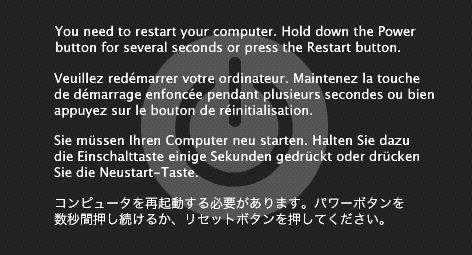
2) Crashes. My computer has started crashing a one or two times a week... But in a way I've never seen before. The screen dims a bit, and a grey/black box appears in the center that says something along the lines of "You need to restart your computer, to do this please hold down the power button until your computer shuts down. Press the button again to restart." The message is repeated in a few languages.
Any thoughts? Any help much appreciated!
1) Video Playback. In the last few weeks my mac has started stuttering video playback fairly often. This is happening with downloaded movies (in itunes), streaming movies (youtube, hulu, etc), and DVDs. Sometimes the stuttering gets so bad that my speakers freak out and the sound gets extremely crackly unless i mute the computer for a few minutes.
2) Crashes. My computer has started crashing a one or two times a week... But in a way I've never seen before. The screen dims a bit, and a grey/black box appears in the center that says something along the lines of "You need to restart your computer, to do this please hold down the power button until your computer shuts down. Press the button again to restart." The message is repeated in a few languages.
Any thoughts? Any help much appreciated!