
Ok, so here goes.
I have a 24" aluminum iMac. Since I've had the iMac, it has been on a wall mount via the Apple VESA mount adapter. As those of you who have installed this know, that part of the installation process includes sticking a card in the back of the iMac to release and lock the bracket that the mount screws into.
Well today I decided I want to put my iMac back on its original stand. I will be buying a 2nd monitor which will now be put on the articulating wall mount that the iMac has been on.
So I unscrew the wall mount from the iMac, and lay the iMac face down on the desk to take off the Apple VESA mount. After that comes off is where the fun starts...
So after I take off the VESA adapter, just the bracket where the original stand screws into is visible. I remember something with that plastic card, so I take my credit card, (and stupidly) insert it into the back of the iMac, and BAM! To my disbelief, the mount where the stand screws into in now locked, recessed inside the iMac, making it impossible to now attach the stand.
So now I'm flipping out. There is seemingly no feasible way to bring the mount back outside of the iMac. I try sicking a card inside, and prying it out with a screwdriver, to no avail.
After about 20 more minutes of brainstorming and flipping out, and thinking I am going to have to completely disassemble the iMac, I come up with this solution. Involving art style pipe cleaners.
Here are the pics (clickable thumbnails):
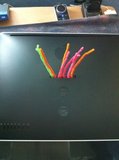
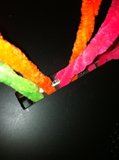
-Bracket still recessed:
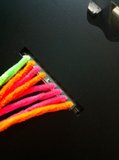
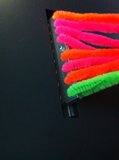
-After pulling up (with A LOT of force) while holding the card inside the iMac, the bracket is finally out and in its locked position:
-Stand reattached:
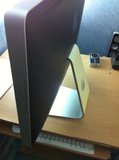
I had to snake a pipe cleaner into each one of the 8 screw holes using very pointy needle nose pliers. At first I used only 4 pipe cleaners, but they all broke after a little to the the immense force. I can't believe how much upward force it took to bring the mount mount back out. Does anyone know if there is a spring in there, or something like a piston?
Well, tomorrow I will be going to but a 24" monitor to use as a second monitor with my iMac.
Thanks for enjoying my stupidity 😀
I have a 24" aluminum iMac. Since I've had the iMac, it has been on a wall mount via the Apple VESA mount adapter. As those of you who have installed this know, that part of the installation process includes sticking a card in the back of the iMac to release and lock the bracket that the mount screws into.
Well today I decided I want to put my iMac back on its original stand. I will be buying a 2nd monitor which will now be put on the articulating wall mount that the iMac has been on.
So I unscrew the wall mount from the iMac, and lay the iMac face down on the desk to take off the Apple VESA mount. After that comes off is where the fun starts...
So after I take off the VESA adapter, just the bracket where the original stand screws into is visible. I remember something with that plastic card, so I take my credit card, (and stupidly) insert it into the back of the iMac, and BAM! To my disbelief, the mount where the stand screws into in now locked, recessed inside the iMac, making it impossible to now attach the stand.
So now I'm flipping out. There is seemingly no feasible way to bring the mount back outside of the iMac. I try sicking a card inside, and prying it out with a screwdriver, to no avail.
After about 20 more minutes of brainstorming and flipping out, and thinking I am going to have to completely disassemble the iMac, I come up with this solution. Involving art style pipe cleaners.
Here are the pics (clickable thumbnails):
-Bracket still recessed:


-After pulling up (with A LOT of force) while holding the card inside the iMac, the bracket is finally out and in its locked position:


-Stand reattached:

I had to snake a pipe cleaner into each one of the 8 screw holes using very pointy needle nose pliers. At first I used only 4 pipe cleaners, but they all broke after a little to the the immense force. I can't believe how much upward force it took to bring the mount mount back out. Does anyone know if there is a spring in there, or something like a piston?
Well, tomorrow I will be going to but a 24" monitor to use as a second monitor with my iMac.
Thanks for enjoying my stupidity 😀


