

Got a tip for us?
Let us know
Become a MacRumors Supporter for $50/year with no ads, ability to filter front page stories, and private forums.
iPad mini Post your iPad Mini home screen!
- Thread starter Jessica Lares
- Start date
- Sort by reaction score
You are using an out of date browser. It may not display this or other websites correctly.
You should upgrade or use an alternative browser.
You should upgrade or use an alternative browser.

Jacoblee23
macrumors 68000


Che Castro
macrumors 603


GeorgieAcevedo
macrumors 6502a

wolfpackfan
macrumors 68000

GeorgieAcevedo
macrumors 6502a
Well I would post my screen, but I have absolutely no idea how to do it. I put the picture on Flickr but I can't figure out how to go any further.
Lmfao
Edit - aw man you deleted the hilarious html you posted
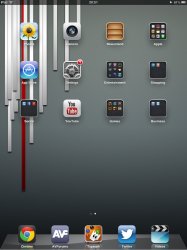

Jimbo Asprilla
macrumors regular


BadaBing!!
macrumors 6502


peacenfunk
macrumors member


