

|
|
#1 | |
|
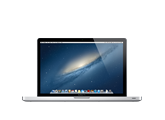
Apple Releases MacBook Air and MacBook Pro Update 2.0
![]() ![]() Apple is nonspecific about the exact issues the update fixes, but mentions graphics performance and compatibility with USB devices: Quote:
Installing the update also changes the build number of OS X 10.8.2 from 12C60 to 12C3006. Article Link: Apple Releases MacBook Air and MacBook Pro Update 2.0 |
||
|
|
0
|
|
|
#2 |
|
Ohh, I wonder if this will fix certain issues like heavy throttling of the rMBP.
|
|
|
|
4
|
|
|
#3 |
|
Download link is not working for me.
EDIT: Showed up in App Store updates.
__________________
Retina Macbook Pro 64GB iPhone 5 AT&T iPad mini
Last edited by penajmz; Nov 8, 2012 at 05:23 PM. |
|
|
|
0
|
|
|
#4 |
|
|
0
|
|
|
#5 |
|
In process.
|
|
|
|
0
|
|
|
#6 | |
|
Quote:
I hope this will fix the rMBP lagging issue on zoomed in websites.
__________________
Mac: rMBP'12, iMac'08/24", Mini'09 (dead), MBP'10/15", MBA'11/13"/256. iPhone: 5/64B, 4S/64W, 4/32B, 3GS/16. iPT: 3G,1G. iPad: 3/4G/64 2/3G/32, 1/WiFi/16. ATV'12,'11 AEBS'09 |
||
|
|
1
|
|
|
#7 |
|
Updated through the app store, so far so good.
|
|
|
|
0
|
|
|
#8 |
|
|
0
|
|
|
#9 |
|
For a few moments I thought this would be an actual hardware upgrade.
|
|
|
|
8
|
|
|
#10 |
|
I hope this fixes MBPr lag is some places..
|
|
|
|
3
|
|
|
#11 |
|
shows up in the app store for me now
|
|
|
|
0
|
|
|
#12 |
|
Last edited by komodrone; Nov 8, 2012 at 05:34 PM. |
|
|
|
4
|
|
|
#13 |
|
|
1
|
|
|
#14 |
|
133 mb! It better fix something.
__________________
Apple //c, 1 MHz, 128k RAM, 5.25" floppy drive, 1-button mouse |
|
|
|
0
|
|
|
#15 |
|
The size of the updates actually matter for the MBA 64GB
|
|
|
|
0
|
|
|
#16 |
|
hopefully this fixes the screen tearing in Safari that has made it virtually unusable on my 15" MacBook Pro with Retina display.
|
|
|
|
1
|
|
|
#17 |
|
All the same for me. MBPr. Good one Apple. "Do nothing" Update
|
|
|
|
2
|
|
|
#18 |
|
After the update, Safari performs better. Scrolling with verge.com can finally reach more than 35 fps with the iGPU.
__________________
|
|
|
|
0
|
|
|
#19 |
|
Can anyone give more feedback on the update? like games etc
|
|
|
|
0
|
|
|
#20 | |
|
Quote:
|
||
|
|
0
|
|
|
#21 |
|
Would you kindly mind posting a video of scrolling on The Verge or whatever graphics heavy website that was previously laggy, for us? I know it's too little a change and trivial to do something like a video, but.. would really appreciate it.
__________________
iPhone 5, 13" Macbook Pro, iPad 3 |
|
|
|
0
|
|
|
#22 |
|
|
6
|
|
|
#23 |
|
here's how to reproduce it:
attach external display goto display settings in sys prefs set it to more space: ![]() set arrangement: external display directly on top, laptop screen on bottom. MAKE SURE THE WHITE BAR IS IN THE EXTERNAL DISPLAY ON TOP ![]() move a large window around in the retina macbook screen see this video: http://www.youtube.com/watch?v=V3ZpE...ature=youtu.be it's a known issue with OSX confirmed and reproduced it at a Genius Bar with their own retina macbooks. ---------- fixed. now you can see it http://www.youtube.com/watch?v=V3ZpE...ature=youtu.be |
|
|
|
3
|
|
|
#24 |
|
I wonder if this patch fixes the problems with games, which makes you having to reset your SMC.
|
|
|
|
3
|
|
|
#25 |
|
Resizing Safari windows are smoother.
Not noticing any gaming performance at the moment. Is there a way to see frames per second on Modern Combat Domination? EDIT: Safari window resizing is NOT smoother .
__________________
Santa Rosa Macbook pro 2.4Ghz 4gb RAM Retina Macbook Pro 15 inch 2,6ghz 16gb ram iPhone 4 - AppleTV 2 - iPad 2 Last edited by beestigbeestje; Nov 8, 2012 at 06:29 PM. |
|
|
|
1
|
![]() |
|
«
Previous Thread
|
Next Thread
»
| Thread Tools | Search this Thread |
| Display Modes | |
|
|
All times are GMT -5. The time now is 04:12 AM.


64GB iPhone 5 AT&T 


.
Linear Mode
