|
|
#1 |
|
QuickLookSatellite - legacy?
__________________
![]() |
|
|
|
0
|
|
|
#2 |
|
I was having the same problem today. i am reinstalling the system and will see how it goes. if you find what is causing the problem please post.
|
|
|
|
0
|
|
|
#3 | |
|
Apparently it has to do with Quick Look and the generating of the previews in Finder. If you have something like a corrupted/incomplete file, it'll just keep trying to regenerate whatever it is until you either write over it, or delete it.
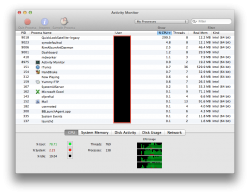
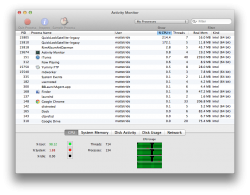
You might want to inspect it in Activity Monitor: Quote:
__________________
Have You Hugged Your Mac Today?
Daily Expressions | Power Mac G5 | Late 2011 13" MacBook Pro | iPod Nano (7G) | iPod Shuffle (2012) | iPad Mini |
||
|
|
1
|
|
|
#4 |
|
^^^^ Thanks!
When I am back in front of my Mac and I will take a look.
__________________
![]() |
|
|
|
0
|
|
|
#5 |
|
Took a look, it' still happening....
Dump from the inspect file: Code:
/ /System/Library/Frameworks/QuickLook.framework/Versions/A/Resources/quicklookd.app/Contents/XPCServices/QuickLookSatellite.xpc/Contents/MacOS/QuickLookSatellite /System/Library/Frameworks/Security.framework/PlugIns/csparser.bundle/Contents/MacOS/csparser /Applications/DraftSight.app/Contents/Library/QuickLook/FxQuickLookDrawing.qlgenerator/Contents/MacOS/FxQuickLookDrawing /private/var/folders/n1/4ssvhrtj29n43w7yfvvc_dr40000gn/C/com.apple.LaunchServices-036501.csstore /usr/lib/dyld /private/var/db/dyld/dyld_shared_cache_x86_64 /dev/null /dev/null /dev/null count=1, state=0x2 /private/var/db/DetachedSignatures ->0xa662148efe789143 Don't try to force quite. Now I have two! I have a very expensive room heater at the moment!
__________________
![]() |
|
|
|
0
|
|
|
#6 |
|
If you open that file, then try to save, is there an option (or maybe in preferences) to save with/without a preview? A la iLife/CS apps?
__________________
Questions? MRoogle it! I support the MacRumors Blood Drive! ![]() MR Scavenger Score: 1 |
|
|
|
0
|
|
|
#7 |
|
Yeah, it's DraftSight, on page two of that Apple Support discussion I posted, it says that deleting the qlgenerator will do the trick.
__________________
Have You Hugged Your Mac Today?
Daily Expressions | Power Mac G5 | Late 2011 13" MacBook Pro | iPod Nano (7G) | iPod Shuffle (2012) | iPad Mini |
|
|
|
0
|
|
|
#8 |
|
Wow. Thanks for your help. All sorted now.
__________________
![]() |
|
|
|
1
|
|
|
#9 |
|
Problem solved
I had the same problem and it appears to be the DraftSight QL generator. I wasn't sure how to find/delete it, but was able to do so: navigate to the DraftSight application (in the applications folder), hold down "control" key and click on the DraftSight application, select "show package contents", look in Contents?Library>QuickLook, and drag the FxQuickLookDrawing.qlgenerator file to the trash, log out or restart, then you'll be off and running.
|
|
|
|
1
|
![]() |
|
«
Previous Thread
|
Next Thread
»
| Thread Tools | Search this Thread |
| Display Modes | |
|
|
All times are GMT -5. The time now is 08:22 AM.


I support the 
Linear Mode