
I was wondering if there is any way to change which album artwork is show in the sidebar when I am in the sort by artists mode. The album that shows along with the artist's name seems to be totally random. I have art work associated with every album, and would like to be able to change which album I see next to the artist.
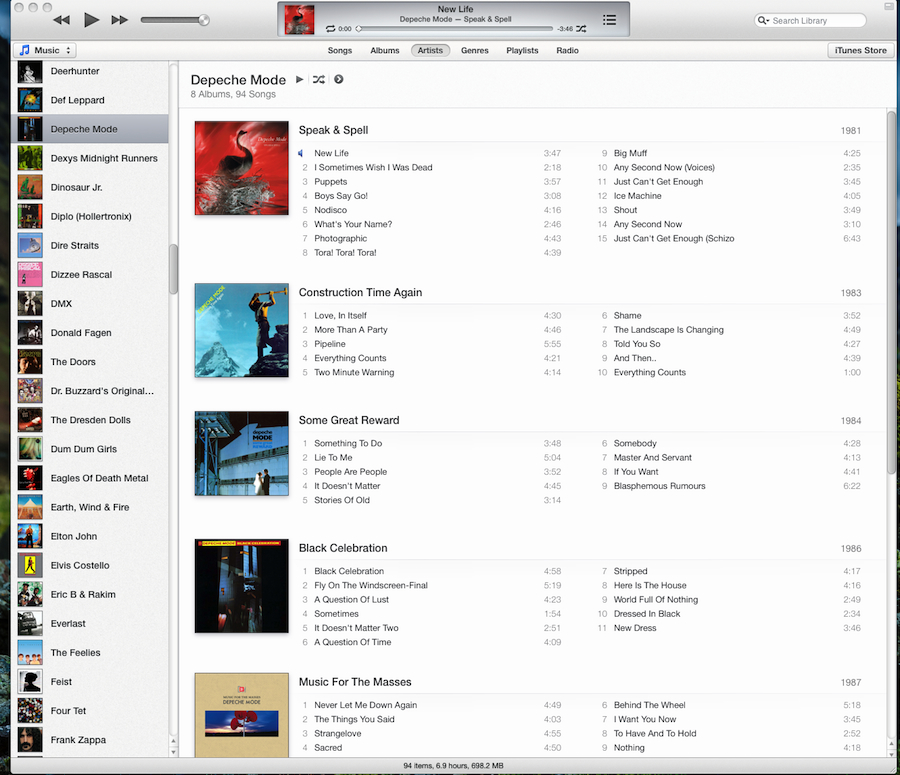
As shown in the example below, Depeche Mode has a thumbnail image of Black Celebration from 1986 in the artist view. I can change the way the album are sorted, either by Year, Genre, Rating or Title. While the album the order of albums in the main window change based on sorting setting the image next to the artist's name never changes. Can anyone offer advice on how to customize what album cover is shown next to the artist's name.
As shown in the example below, Depeche Mode has a thumbnail image of Black Celebration from 1986 in the artist view. I can change the way the album are sorted, either by Year, Genre, Rating or Title. While the album the order of albums in the main window change based on sorting setting the image next to the artist's name never changes. Can anyone offer advice on how to customize what album cover is shown next to the artist's name.

