|
|
#1 |
|
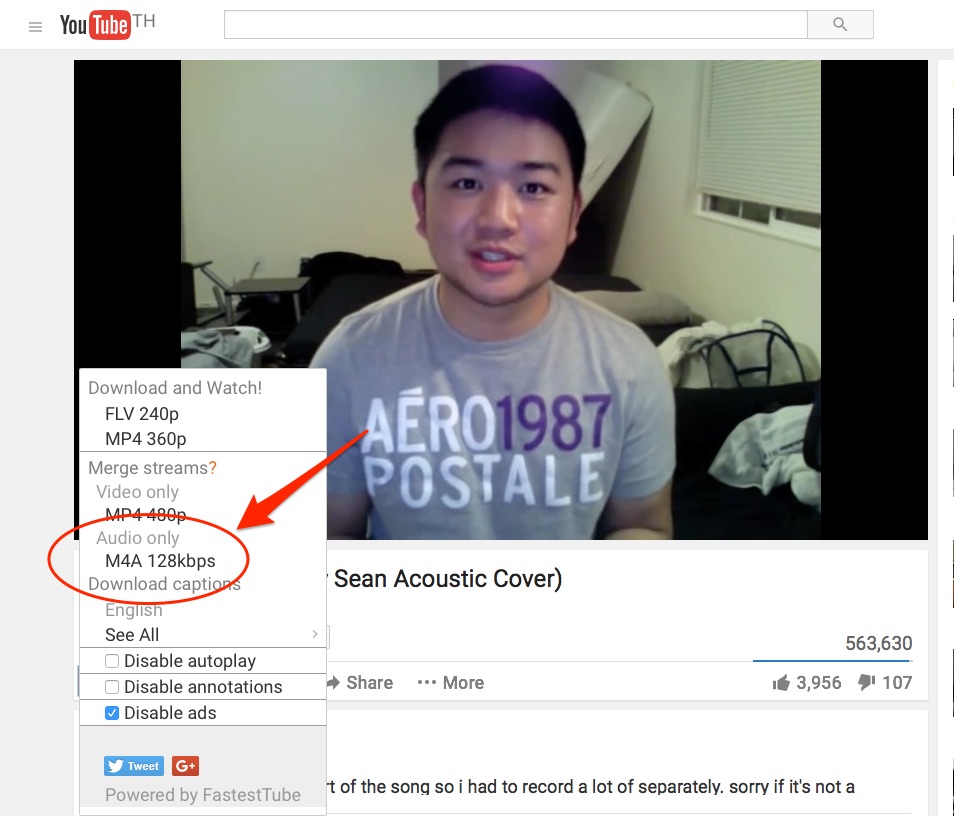
Capture audio only from youtube
I'm trying to capture the singing portion of this youtube video, audio only:
http://www.youtube.com/watch?v=GJX9NV7NuQc Any suggestions? |

|
|
|
0
|
|
|
#3 |
|
|
0
|
|
|
#4 |
|
I use www.keepvid.com and it gives you the option to download the video as an MP4.
__________________
Come to my Twitter, it's warm and has chairs. |
|
|
|
1
|
|
|
#5 |
|
Thanks!
|
|
|
|
0
|
|
|
#6 |
|
__________________
Free guitar lessons |
|
|
|
0
|
|
|
#7 |
|
If you want decent quality, the video should be downloaded straight from YouTube (note *no re-ecnoded*, use a tool like jDownloader for this), then demux the resultant mp4 to acquire the aac file inside. This eliminates a whole generation of loss, which is desperately need.
All this does is rip the audio from the video, there's no conversion and therefor loss of quality from the original YouTube video.
__________________
Windows 8 Ultrabook ~ Windows Phone 7.8 ~ 16GB iPod mini Last edited by annk; Apr 15, 2011 at 06:11 AM. Reason: Removed quote of deleted post; clean-up in response |
|
|
|
0
|
|
|
#8 |
|
Hey, if you just want the audio from the youtube video, you can use some youtube converter to help you. The one I used can help me extract audio from youtube videos online with high quality, and you can also use it to help you get audio from downloaded youtube videos on your computer. I got many music in this way.
|
|
|
|
0
|
|
|
#9 |
|
Another option, although sometimes it might take a bit longer, is to record the streaming audio in realtime using Soundflower.
http://cycling74.com/products/soundflower/ Once you have Soundflower installed, open your DAW (Garageband, Ableton, Logic, whatever) and choose Soundflower as your input audio device. In System Preferences, choose Soundflower as your output device. Now arm a stereo track in your DAW, then press play on the YouTube video. You should see and hear the audio streaming directly into your channel in the DAW. Now just record that audio, and edit however you need. This gives you a clean recording with no added compression. This works for any audio in your browser, or any system sounds, you can record any audio the system is playing, YouTube videos, anything in the browser, etc. |
|
|
|
2
|
|
|
#10 |
|
I have read this and other posts and I am still a bit confused. I need to extract audio only from a few clips to then edit in garageband. I believe I want to use .wav since the application I am going to eventually use them in works with wav best. There were many suggestions here, but I was hoping someone could give me one or two for my use.
THANKS! |
|
|
|
0
|
|
|
#11 | ||
|
Howto "download" audio only from Youtube vids:
Code:
> youtube-dl -t --extract-audio https://www.youtube.com/watch?v=CdXesX6mYUE [youtube] Setting language [youtube] CdXesX6mYUE: Downloading video webpage [youtube] CdXesX6mYUE: Downloading video info webpage [youtube] CdXesX6mYUE: Extracting video information [download] Destination: Pitbull_-_International_Love_ft_Chris_Brown-CdXesX6mYUE.mp4 [download] 100.0% of 79.12M at 2.09M/s ETA 00:00 [ffmpeg] Destination: Pitbull_-_International_Love_ft_Chris_Brown-CdXesX6mYUE.aac Quote:
It's included in homebrew (http://mxcl.github.com/homebrew) Quote:
|
|||
|
|
1
|
|
|
#12 |
|
|
0
|
|
|
#13 |
|
Or use Audio Hijack.
__________________
2.8 GHz Quad Mac Pro (10GB, 4TB), 23" Cinema Display ; 13" 1.8 GHz MacBook Air (8GB, 128GB) ; iPad 2 64GB 3G; iPad 32GB 3G ; iPhone 4s 64GB ; 2x Apple TV 2. |
|
|
|
0
|
![]() |
|
«
Previous Thread
|
Next Thread
»
| Thread Tools | Search this Thread |
| Display Modes | |
|
|
Similar Threads
|
||||
| thread | Thread Starter | Forum | Replies | Last Post |
| Stream audio only from a film? | PhazonUK | Apple TV and Home Theater | 2 | Nov 28, 2010 05:38 PM |
| capture audio straight from Safari Browser? | bdaul | Digital Audio | 5 | Nov 22, 2008 09:16 PM |
| Audio only from two speakers | Jazzimac | Mac Peripherals | 23 | May 17, 2008 10:46 PM |
| ripping audio only from a DVD | petercw2 | iPod | 4 | Jun 18, 2005 12:38 AM |
| Exporting the audio only from mpeg 1 ? | DangerDiabolik | General Mac Discussion | 8 | Nov 24, 2003 07:34 AM |
All times are GMT -5. The time now is 11:04 PM.


Linear Mode