|
|
#1 |
|
Unable to repair Disk
Hi All
I generally fix any technical issues myself by Googling symptoms etc but this one has me stumped. When verifying my disk I get the attached error. If I try and boot from my Snow Leopard Install disk It just sits at the grey screen with the apple logo (I have waited for about 30 minutes). I can't remember off hand the exact commands but I have tried booting into command prompt which also would not let me repair, if needed I will re-do this step to find the error. Is there another way for me to repair the disk? OSX 10.6.3 Hardware Overview: Model Name: MacBook Pro Model Identifier: MacBookPro6,2 Processor Name: Intel Core i5 Processor Speed: 2,4 GHz Number Of Processors: 1 Total Number Of Cores: 2 L2 Cache (per core): 256 KB L3 Cache: 3 MB Memory: 8 GB Processor Interconnect Speed: 4.8 GT/s Boot ROM Version: MBP61.0057.B0C SMC Version (system): 1.58f17 Thanks! |
|
|
|
0
|
|
|
#2 | |
|
Quote:
Independent review of Spinrite (not me) |
||
|
|
0
|
|
|
#3 |
|
Thanks for the feedback SandboxGeneral.
I was afraid it would come to something like this. I will give this a shot tonight and report back. Thanks! |
|
|
|
0
|
|
|
#4 |
|
Yeah, I hope it can help you. Let me know.
|
|
|
|
0
|
|
|
#5 |
|
"Is there another way for me to repair the disk?"
Easy. Boot from your backup clone. Launch Disk Utility, "aim it" at the internal drive, click "repair". If DU can't do the repair, RE-INITIALIZE the internal drive. Then, "re-clone" the contents of your backup clone BACK TO the internal drive. Problem solved. |
|
|
|
0
|
|
|
#6 | |
|
Quote:
|
||
|
|
0
|
|
|
#7 | ||
|
Quote:
Then there's this from the Apple's support site... Quote:
|
|||
|
|
0
|
|
|
#8 | ||
|
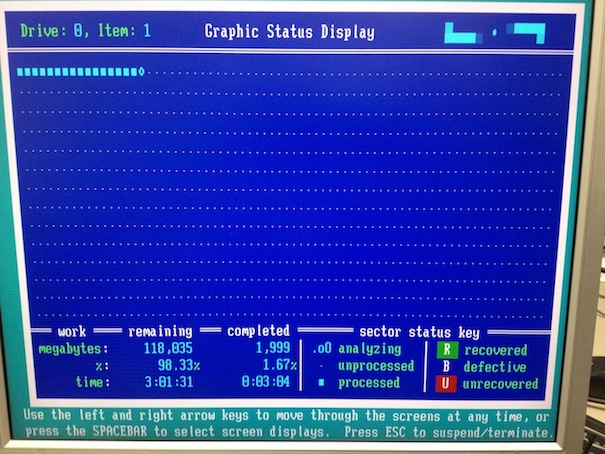
Ran Spinrite overnight and no bad sectors found.
Seems the problem must be with the OS. I will research the above mentioned methods (google some of the terms I have never heard of before lol) and get back to you guys. Thanks EDIT Quote:
Quote:
Ok, I do not have lion so I do not have a recovery partition (If I understand correctly) I have tried booting from my install media (SL) but as mentioned above, that does not go anywhere. I do weekly time machine backups, by "re-initialize" my HD do you mean format and reinstall the OS? Last edited by M3mPh1z; Feb 20, 2013 at 11:15 PM. |
|||
|
|
0
|
|
|
#9 |
|
|
0
|
|
|
#10 |
|
I have tried with my install DVD as well as a flash drive install which was made long ago from a different DVD, both give the same problem.
Surely getting new install media will give the same problem? |
|
|
|
0
|
|
|
#11 |
|
You could also try booting into Single User Mode and run fsck to try and repair the startup disk.
If repairing the disk fails, use DiskWarrior. |
|
|
|
0
|
|
|
#12 |
|
Single user mode and fsck is what I was referring to in my 1st post.
I will try this again now to get the actual error/problem. Thanks! |
|
|
|
0
|
|
|
#13 |
|
Please read blueroom's post. The part where he quotes Apple support.
|
|
|
|
0
|
|
|
#14 |
|
Single user mode which did not boot last time now worked. (upgraded firmware since 1st attempt)
I ran fsck twice 1st time with modifications 2nd time everything is fine. Verified the disk now and all is good. Thanks for the help guys! |
|
|
|
0
|
|
|
#15 | |
|
Quote:
Now make a bootable clone of your hard drive. Or at least order a SL Install disk that is capable of booting your MBP 6,2. |
||
|
|
0
|
|
|
#16 |
|
Even though Spinrite didn't detect any errors, if you ran it on level 4, it still ensured that every sector was in tip-top shape. So your HDD ought to be in great running condition for a while. I run it on my HDD's periodically even when they seem to be running fine.
Glad you got it running too! |
|
|
|
0
|
|
|
#17 |
|
"I do weekly time machine backups, by "re-initialize" my HD do you mean format and reinstall the OS?"
The problem with doing Time Machine backups is that you can't boot from them. They also tend to grow very large and unwieldy -- full of copy after copy after copy after copy of what is essentially the same thing. If you create a "bootable clone drive" using CarbonCopyCloner (or SuperDuper), it's VERY easy to just connect the backup, boot from it, and then use Disk Utility (running on your backup drive) to repair the internal drive. CCC can even re-create the recovery partition (on your backup) AND it can also archive older "versions" of files (as T.M. would do), without the extra clutter. |
|
|
|
0
|
![]() |
|
«
Previous Thread
|
Next Thread
»
| Thread Tools | Search this Thread |
| Display Modes | |
|
|
All times are GMT -5. The time now is 06:55 AM.


Linear Mode