|
|
#76 |
|
Whenever I use my TBD with the ethernet cable the computer fan is loud. However with wifi on, it's around 2k rpm. Might want to try that if your having loud fan noise.
__________________
2011 13" MacBook Air | iPhone 4S | The New iPad | Apple TV 3 | Mine 2011 13" MacBook Air | iPhone 4S | The New iPad | Hers |
|
|
|
0
|
|
|
#77 | |
|
Quote:
My company gives a rather nice discount on Apple products. Not the highest, but still nice. I think I got my Display for around $890 with tax - I had expected $930. Does not apply to refurb or used products - only new. The thing about Thunderbolt, and someone please correct me if I'm wrong, is that if your MacBook Pro or Air is 2011, then you can use Thunderbolt as a single passthrough for Ethernet, Firewire, and USB. I don't believe the old Cinema Display had this full capability. IN my case the monitor is persistently connected hardwire to my work network, and then my MacBook Pro connects via Thunderbolt, so I don't have to keep plugging and unplugging the Ethernet cable. We do have a corporate wireless that I'm attached to, but obviously it's not nearly as fast as a hardwire network. I don't get any elevated fans when connecting in this manner - but then again, it operates closed in a BookArc for what it's worth. The other benefit of this monitor is that I can use it as a switch for high speed file transfers to or from my personal MacBook Pro or Air, which are both 2011. So you connect an Ethernet cable between the Display and one machine - thus creating a Gigabit LAN - and then connect the Display's Thunderbolt cable to the other machine. Works a treat. Or if you have a standard switch you could connect Ethernet to the switch, connect a NAS or something on another port, then your computer to the Thunderbolt, all with only using the Thunderbolt port on the MacBook Pro. I'm not upgrading any of my machines to Lion (the Air was forced to have it, so it's already done, I use it to assess progress of fixes) until (A) the bugs are worked out and (B) they fix silly things like the icon colors and whatnot, so I don't use AirDrop. For audio I really don't understand the issue because you can configure your computer to send audio wherever you want it. So just redirect the output to the MacBook rather than to the monitor, and use its headphone jack. Or get USB headphones and/or speakers which bypass the problem entirely. Am I missing something? For the whole "older computers" argument, I get it. Some people still have their 2008 MacBook Pros. My question to them is why they're just now getting around to buying a Display. They're crazy expensive...but financially Apple is positioning them to be bought at roughly the same time. Worst case you could probably just buy a used 27" iMac and set it to Target Display and get the same benefit for the same or less price.
__________________
True Stories of a Common Man |
||
|
|
0
|
|
|
#78 |
|
A question to those using the Thunderbolt display with the new Mac mini, particularly those with the discrete graphics model. Does the AMD Radeon HD 6630M handle graphics ok when hooked up? i.e any slow downs or stuff like that when watching 1080p video or doing any video/photo editing? Is it smooth in general all round use?
I am looking to get a Mac mini and Thunderbolt display but I was concerned that the graphics card might be bit underpowered to run such a high resolution display. I am deciding between a Mac mini or Macbook Pro 15 inch to use with a Thunderbolt Display. |
|
|
|
0
|
|
|
#79 | |
|
Quote:
if not, then get the mac mini and cinema display if so, get the macbook pro. i say personally get the MBP, they have clever graphics switching between the 512mb AMD graphics card and the intel HD 3000, and you could get a TBD with it as well. ive seen that if you close the lid of the MBP the interface comes up on the thunderbolt display, and all else you need is a keyboard and mouse! |
||
|
|
0
|
|
|
#80 | |
|
Quote:
I not fussed on portability, I am planning on getting an iPad for portable use. Basically I was looking for a new desktop setup. I initially bought the iMac 27" to replace my 2007 iMac. But I have had to return a lot of these because every single one has had some sort of issue, buzzing power supply, yellow screens etc and one even bricked itself after installing an update! lol. Mac mini would be good but at the price to make it half decent along with the TBD it would cost more than a top of the range iMac. On the other hand I would be more willing to pay for the MBP because I am getting a hell of a lot more power. I am also looking at the Mac Pro but updates are coming early next year. So I see it as I will buy the TBD now and hookup a Mac mini or MBP. Then when the new Mac Pros are released early next year I'll get that and hook it up to the TBD if its compatible, can't see why it wouldn't be lol
|
||
|
|
0
|
|
|
#81 |
|
|
0
|
|
|
#82 | |
|
Quote:
I understand why people get annoyed about the audio, using a USB->3.5mm is annoying when you've spent $1000 on a display, it would've been good if apple could've just added a headphone jack off the speaker loop and maybe even a line in. That would make everything so much easier and wouldn't waste a USB port. Maybe they'll release an updated TB display at some point?
__________________
iPhone 5, iPhone 4, iPhone 3GS, iPhone 3G, iPad 2, MacBook Air i7 13" 2011, MacBook Pro 13" GTX World: http://www.gtxworld.com |
||
|
|
0
|
|
|
#83 | ||
|
Quote:
Quote:
__________________
True Stories of a Common Man |
|||
|
|
-2
|
|
|
#84 |
|
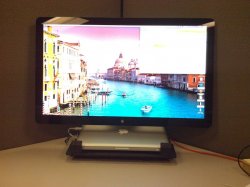
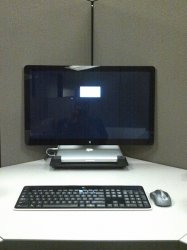
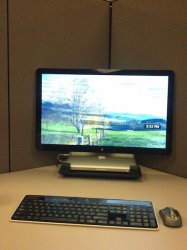
This is my new setup with the Thunderbolt Display and Macbook Air. This got rid of a lot of cables I had with my old 30" Dell and Macbook Pro and really makes my desktop look better.
I've got the MacBook Air sitting on top of a ZM-NC 1000 notebook cooler... probably not required, but I already had it. On the base of the display is the Superdrive and the controller for my Bose sound system. Speakers below the display and subwoofer under the desk. I relocated my USB hub on a shelf under my desk, along with a firewire drive I have partitioned for Time Machine, SuperDuper, and Photoshop Scratch. Under the credenza behind my desk are a couple of NAS boxes, a switch, VOIP boxes, Airport, Netgear router, etc.. Front: Back:
__________________
13" MacBook Air (Mid 2011) - 1.8Ghz, 4G RAM, 250G SSD, w/ 27" TB Display, Bluetooth Keyboard, Magic Trackpad iPad Mini - 16G, Wifi, Black, iPhone 4s - 32G, Black Apple TV 2 w/Firecore |
|
|
|
4
|
|
|
#85 |
|
Does anyone have a thunderbolt iMac, 27 cinema display and thunderbolt display for triple monitors? Would that work? I have the iMac and the cinema...
|
|
|
|
0
|
|
|
#86 | |
|
Quote:
If you currently have the 27" Cinema Display and the 27" iMac with Thunderbolt ports, then yes you can buy an additional 27" Thunderbolt Display and have both the Cinema and Thunderbolt Display plugged into the 27" iMac ![]() The Cinema Display will plug into one Thunderbolt port on the iMac, and the Thunderbolt Display will plug into the other Thunderbolt port |
||
|
|
1
|
|
|
#87 | |
|
Quote:
And actually the high end Mini technically has both the integrated and discrete, so you can connect 2 or more monitors to it. A 2nd monitor through the HDMI and the Thunderbolt display through the Thunderbolt connector and if you want, chain another monitor through the Thunderbolt display for 3 displays.
|
||
|
|
0
|
|
|
#88 |
|
The government no longer gives out Pell grants due to "spending cuts". Its great to that they are ok spending millions of dollars on services so people can sleep in a park and "protest" the American way but they can't help out kids who want to go to college and end up with massive debt. I think that if you want to go to college and prove that you were accepted and would be attending you get $20,000 and then get any need based aid. They keep pushing education and that American kids are behind but there not doing anything to help it.
|
|
|
|
0
|
|
|
#90 | ||||
|
I would not be surprised if there are no Mac Pro's after the current models.
Quote:
---------- Those spending cuts have a lot more to do with corporate welfare and illegal wars than anything else. You should be in the parks with the people who have been smart enough to figure that out. Quote:
---------- Zap the pram and reset the SMC. ---------- You are rolling the dice buying a Dell display. Consider the new HP 27-inch even though it doesn't have as many inputs. Quote:
---------- Really? The TB feature is one thin cable connected to a display that has many connectors. This should be obvious. Quote:
---------- Not yet but there will be.
__________________
Mac user since 1984. |
|||||
|
|
1
|
|
|
#91 |
|
|
0
|
|
|
#92 |
|
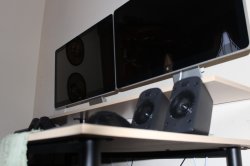
Here's mine!
__________________
15" MacBook Pro (Late 2011), 2.2GHz Core i7, 16GB RAM, 750GB & 500GB 7200 RPM HD's, 27" Thunderbolt Display iPhone 3G 8GB Black, 3GS 32GB Black (Old Bootrom), 4 32GB Black, 4S 16GB AppleTV 2G |
|
|
|
1
|
|
|
#93 |
|
very clean ! love it
|
|
|
|
0
|
|
|
#94 |
|
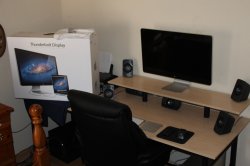
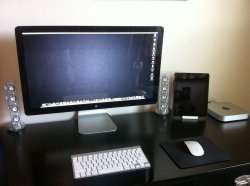
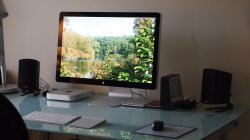
Here's mine
|
|
|
|
7
|
|
|
#97 |
|
Yeah it's a Lacie external Drive
The desk itself is from ikea, but it's been fairly heavily customised. Orginally it wasn't black. There is more info on what I did and how I did it on my blog here: http://www.gordyhand.co.uk/ |
|
|
|
1
|
|
|
#98 |
|
supernice, can you post some more?
I just sold my ACD 24inch to get the new thunderbolt display... but Im also thinking of getting iMac |
|
|
|
0
|
|
|
#100 | ||
|
Quote:
---------- Quote:
-gigabit ethernet -less cables I kind of wish it had a superdrive
__________________
Macrumors Scavenger Hunt Part 1 Score: 7 Macrumors Scavenger Hunt Part 2 Score: 3 Macrumors Scavenger Hunt Part 3 Score: 1 |
|||
|
|
1
|
![]() |
|
«
Previous Thread
|
Next Thread
»
| Thread Tools | Search this Thread |
| Display Modes | |
|
|
Similar Threads
|
||||
| thread | Thread Starter | Forum | Replies | Last Post |
| Is there any monitor that is comparable to the 27" Cinema Display? | alexreich | Buying Tips and Advice | 24 | Feb 8, 2013 11:32 AM |
| 2011 Cinema Displays | -BigMac- | Mac Peripherals | 40 | Jul 14, 2011 05:21 AM |
| 2 Apple Cinema Displays on 13" MPB Unibody | itsxtian | Mac Peripherals | 0 | Nov 29, 2010 02:20 AM |
| Cinema Display brightness sync with MacBook brightness? | itsxtian | Mac Peripherals | 1 | Nov 20, 2010 07:43 AM |
| Using a 27" Cinema Display with Macbook Pro 15" | ItsMattLive | Mac Peripherals | 7 | Nov 16, 2010 08:24 PM |
All times are GMT -5. The time now is 01:16 PM.


lol


Linear Mode