

Here is my take on what WWDC 2013 could look like:

June 10-14
WWDC 2013
Banners:
OS X Lynx, iOS 7, iCloud, Siri
Announced products:
-iMac with Retina Display
-MacBook Air with Retina Display
-Spec Update to MacBook Pro
New iMac (Mid 2013)
(iMac with Retina Display)
The ultimate next-generation device.
-MultiTouch display
-Display pivots to horizontal for touch and vertical for mouse/trackpad
-Extended stand allows display to come close to user for touch
-Runs iOS when horizontal and OS X when vertical
-New file management system called iDocuments keeps documents in sync between OSes
-Retina Display: (3840 by 2160) 21.5"
-6-core i7 for OS X
-Quad-core A6X for iOS
-12 GB RAM (expandable up to 32 GB)
-512 to 1024 GB of flash storage
-Available in mid August with OS X Lynx and iOS 7
Apple's patent sketch:

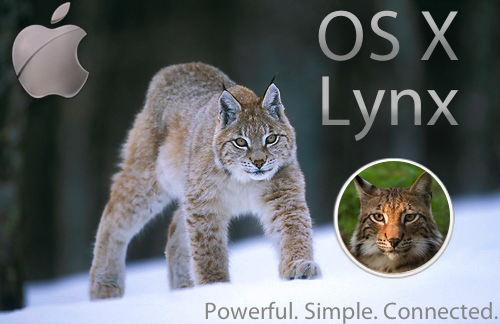
OS X Lynx (10.9)
Powerful. Simple. Connected.
OS X Lynx is the next generation of desktop operating systems.
-Siri:
_Set up computer by voice, control almost anything by voice
-Maps:
_Very simple and powerful directions and world exploration app using Apple's new database (includes Drive View)
-LinkedIn Integration:
_Keep track of work contacts
-ZFS File System:
_No fragmentation
-New Multitasking System:
_Apps "freeze" their state instead of quitting
_Allows for apps that are in the foreground to use more resources
_Cmd-Tab brings up recent app list
_Switching apps automatically freezes the current app
_Cmd-Q: Switch apps
_Cmd-Tab: Bring up recent app list
_Cmd-H: Run app in background (don't freeze)
_Automatic termination quits apps when system needs resources and auto save takes care of documents
_Dashboard conserves resources by freezing when not in use
_New multitasking system is optional
-Push Notifications:
_Now available in any app
-Graphics System Overhaul:
_OpenGL 4.2
_AppleGL (supports OpenGL, but allows for more direct integration with OS X, converts DirectX to allow for easier porting of Windows games)
_Smooth scrolling architecture
_Core animation is very smooth
-Recent document list on desktop (mouseover apps in dock)
-Mission Control groups windows by application, but never overlaps windows (like a hybrid between Mission Control and all window expose)
-Still an option for all window expose
-Return of spaces to Mission Control (button switches view to "classic" spaces view with expose)
-iMessage Voice (Leave recorded message on contact's Mac)
-iDocuments view in Finder (replaces All My Files)
-Better autocorrect suggestion system
-Music app
-Video app
-iBooks app
-iTunes Store app
-iSync wirelessly syncs iOS devices to Mac (manages ringtones and apps)
-Revamp of all these iTunes-related apps
-Mac App Store renamed to OS X App Store
-Face-based accounts
-Face Unlock
-iCloud document management improvements
-Pull to refresh (Mail, Safari, third party apps with feeds)
-Notification center also available in dashboard (and always showing in dashboard)
-Tabs and Dual-pane in Finder
-Apps that don't utilize more than one monitor don't take up other monitors when full screen
-More gesture customization
-Redesigned iWork '13
-Synced iOS notifications to OS X notification center
-Airplay mirror individual apps (button next to full screen button)
-Safari password syncing over iCloud
-System preferences and keychain syncing over iCloud
-Periodic trash emptying
-Black menu bar
-System Preferences renamed to Settings
-Access preferences of any application in Settings
-Delete non-OS X App Store apps in Launchpad
-Option for Spotlight to search anywhere
-Support for 802.11ac WiFi
-Putting a .dmg image in the trash automatically ejects it
Features in bold are ones that would be demoed or talked about at WWDC.
Available for $19.99 on the OS X App Store in early August.
Minimum System Requirements:
-2008 iMac
-2008 MacBook Pro
-2008 Mac Mini
-2008 Mac Pro
-2010 Xserve
-2010 MacBook Air
-2010 MacBook
iOS 7
Improvements throughout the whole OS. Get information quickly. And with style.
And now available for the iMac.
iOS 7 is a major release, bringing 15 amazing new features to your favorite mobile operating system.
-Dynamic icons, optimized for battery life
-App Previews: Zoom in on home screen to get bigger icons with widgets inside. Swipe between icons to see different widgets. (http://janmichaelcart.com/wp/portfolio-items/ios-5-concept-—-dynamic-icons/)
-Phone app now uses VoIP when connected to the internet. (Works with Wifi + Cellular, so calls don't drop when the phone disconnects from the internet.)
-LinkedIn integration
-Face-based accounts on iPad
-Face Unlock on iPhone and iPad
-AirDrop
-Folders can contain up to 50 apps (scrollable)
-Vimeo app
-Custom EQ
-Set song directly as ringtone, text, or alarm
-New additional search services: Ask.com, DuckDuckGo
-iPhoto editing built into photos app (brightness, saturation)
-Digital zoom during video recording
-Brightness slider in multitasking bar iPhone
-Swipe up from bottom for multitasking bar on iPhone
-Quick Switches: Wifi, Bluetooth, hotspot, location services switches in notification center
-Mission Control for iPad (new multitasking interface)
-Download songs and apps without typing in password if pass code/face authentication is set
-Radar in weather app
-Shared photo stream integration with Flickr
-Many improvements to Siri
-Hide native apps (including Newsstand)
-Settings and Safari password syncing over iCloud
-Place images into Notes
-Text formatting in Notes
-New App Store and iTunes icons
-Automatic updating of apps
-Better autocorrect suggestion system
-iDocuments (document manager that lists all your documents in any of your apps)
-iMessage Voice (Leaves a recorded message on the contact's voicemail)
-Group FaceTime
-Drive View: Get a great view of buildings from the street
Features in bold are ones that would be demoed at WWDC.
System Requirements:
-iPhone 4 (not all features), iPhone 4s, iPhone 5
-iPad 2 (not all features), iPad 3, iPad 4
-iPod Touch (4th generation) (not all features), iPod Touch (5th generation)
-iMac with Retina Display
Available in early August as an OTA update.
And for a bonus, here is my predicted Apple roadmap:
2013 Announcements/Releases:
iVision (TV Set-Top Box): February '13
Mac Pro Redesign: April '13
iPad 5: May '13
Apple TV 4: May '13
MacBook Air with Retina Display: June '13
MacBook Pro Spec Update: June '13
iMac with Retina Display: August '13
OS X Lynx: August '13
iOS 7: August '13
iPhone 5s (Tall with Speed Improvements): October '13
iPod Touch (6th generation): December '13
I know, some of the things on here are unlikely, but I hope this is the way the next year turns out for Apple. Let me know what you think. Feel free to ask questions about things that are confusing. I quickly typed most of this into the notes app on my iPhone, so some things may not be explained very well.
June 10-14
WWDC 2013
Banners:
OS X Lynx, iOS 7, iCloud, Siri
Announced products:
-iMac with Retina Display
-MacBook Air with Retina Display
-Spec Update to MacBook Pro
New iMac (Mid 2013)
(iMac with Retina Display)
The ultimate next-generation device.
-MultiTouch display
-Display pivots to horizontal for touch and vertical for mouse/trackpad
-Extended stand allows display to come close to user for touch
-Runs iOS when horizontal and OS X when vertical
-New file management system called iDocuments keeps documents in sync between OSes
-Retina Display: (3840 by 2160) 21.5"
-6-core i7 for OS X
-Quad-core A6X for iOS
-12 GB RAM (expandable up to 32 GB)
-512 to 1024 GB of flash storage
-Available in mid August with OS X Lynx and iOS 7
Apple's patent sketch:
OS X Lynx (10.9)
Powerful. Simple. Connected.
OS X Lynx is the next generation of desktop operating systems.
-Siri:
_Set up computer by voice, control almost anything by voice
-Maps:
_Very simple and powerful directions and world exploration app using Apple's new database (includes Drive View)
-LinkedIn Integration:
_Keep track of work contacts
-ZFS File System:
_No fragmentation
-New Multitasking System:
_Apps "freeze" their state instead of quitting
_Allows for apps that are in the foreground to use more resources
_Cmd-Tab brings up recent app list
_Switching apps automatically freezes the current app
_Cmd-Q: Switch apps
_Cmd-Tab: Bring up recent app list
_Cmd-H: Run app in background (don't freeze)
_Automatic termination quits apps when system needs resources and auto save takes care of documents
_Dashboard conserves resources by freezing when not in use
_New multitasking system is optional
-Push Notifications:
_Now available in any app
-Graphics System Overhaul:
_OpenGL 4.2
_AppleGL (supports OpenGL, but allows for more direct integration with OS X, converts DirectX to allow for easier porting of Windows games)
_Smooth scrolling architecture
_Core animation is very smooth
-Recent document list on desktop (mouseover apps in dock)
-Mission Control groups windows by application, but never overlaps windows (like a hybrid between Mission Control and all window expose)
-Still an option for all window expose
-Return of spaces to Mission Control (button switches view to "classic" spaces view with expose)
-iMessage Voice (Leave recorded message on contact's Mac)
-iDocuments view in Finder (replaces All My Files)
-Better autocorrect suggestion system
-Music app
-Video app
-iBooks app
-iTunes Store app
-iSync wirelessly syncs iOS devices to Mac (manages ringtones and apps)
-Revamp of all these iTunes-related apps
-Mac App Store renamed to OS X App Store
-Face-based accounts
-Face Unlock
-iCloud document management improvements
-Pull to refresh (Mail, Safari, third party apps with feeds)
-Notification center also available in dashboard (and always showing in dashboard)
-Tabs and Dual-pane in Finder
-Apps that don't utilize more than one monitor don't take up other monitors when full screen
-More gesture customization
-Redesigned iWork '13
-Synced iOS notifications to OS X notification center
-Airplay mirror individual apps (button next to full screen button)
-Safari password syncing over iCloud
-System preferences and keychain syncing over iCloud
-Periodic trash emptying
-Black menu bar
-System Preferences renamed to Settings
-Access preferences of any application in Settings
-Delete non-OS X App Store apps in Launchpad
-Option for Spotlight to search anywhere
-Support for 802.11ac WiFi
-Putting a .dmg image in the trash automatically ejects it
Features in bold are ones that would be demoed or talked about at WWDC.
Available for $19.99 on the OS X App Store in early August.
Minimum System Requirements:
-2008 iMac
-2008 MacBook Pro
-2008 Mac Mini
-2008 Mac Pro
-2010 Xserve
-2010 MacBook Air
-2010 MacBook
iOS 7
Improvements throughout the whole OS. Get information quickly. And with style.
And now available for the iMac.
iOS 7 is a major release, bringing 15 amazing new features to your favorite mobile operating system.
-Dynamic icons, optimized for battery life
-App Previews: Zoom in on home screen to get bigger icons with widgets inside. Swipe between icons to see different widgets. (http://janmichaelcart.com/wp/portfolio-items/ios-5-concept-—-dynamic-icons/)
-Phone app now uses VoIP when connected to the internet. (Works with Wifi + Cellular, so calls don't drop when the phone disconnects from the internet.)
-LinkedIn integration
-Face-based accounts on iPad
-Face Unlock on iPhone and iPad
-AirDrop
-Folders can contain up to 50 apps (scrollable)
-Vimeo app
-Custom EQ
-Set song directly as ringtone, text, or alarm
-New additional search services: Ask.com, DuckDuckGo
-iPhoto editing built into photos app (brightness, saturation)
-Digital zoom during video recording
-Brightness slider in multitasking bar iPhone
-Swipe up from bottom for multitasking bar on iPhone
-Quick Switches: Wifi, Bluetooth, hotspot, location services switches in notification center
-Mission Control for iPad (new multitasking interface)
-Download songs and apps without typing in password if pass code/face authentication is set
-Radar in weather app
-Shared photo stream integration with Flickr
-Many improvements to Siri
-Hide native apps (including Newsstand)
-Settings and Safari password syncing over iCloud
-Place images into Notes
-Text formatting in Notes
-New App Store and iTunes icons
-Automatic updating of apps
-Better autocorrect suggestion system
-iDocuments (document manager that lists all your documents in any of your apps)
-iMessage Voice (Leaves a recorded message on the contact's voicemail)
-Group FaceTime
-Drive View: Get a great view of buildings from the street
Features in bold are ones that would be demoed at WWDC.
System Requirements:
-iPhone 4 (not all features), iPhone 4s, iPhone 5
-iPad 2 (not all features), iPad 3, iPad 4
-iPod Touch (4th generation) (not all features), iPod Touch (5th generation)
-iMac with Retina Display
Available in early August as an OTA update.
And for a bonus, here is my predicted Apple roadmap:
2013 Announcements/Releases:
iVision (TV Set-Top Box): February '13
Mac Pro Redesign: April '13
iPad 5: May '13
Apple TV 4: May '13
MacBook Air with Retina Display: June '13
MacBook Pro Spec Update: June '13
iMac with Retina Display: August '13
OS X Lynx: August '13
iOS 7: August '13
iPhone 5s (Tall with Speed Improvements): October '13
iPod Touch (6th generation): December '13
I know, some of the things on here are unlikely, but I hope this is the way the next year turns out for Apple. Let me know what you think. Feel free to ask questions about things that are confusing. I quickly typed most of this into the notes app on my iPhone, so some things may not be explained very well.
Attachments


Last edited:


