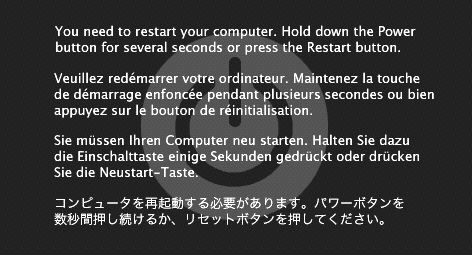
Interval Since Last Panic Report: 406759 sec
Panics Since Last Report: 2
Anonymous UUID: 78CF0864-662B-BB20-0ADA-FA9D42915365
Thu Nov 1 07:52:32 2012
panic(cpu 0 caller 0xffffff80168b7bd5): Kernel trap at 0xffffff801682da10, type 13=general protection, registers:
CR0: 0x000000008001003b, CR2: 0xffffff8089296000, CR3: 0x0000000019479000, CR4: 0x0000000000000660
RAX: 0x0000000000000001, RBX: 0xffffff8021ba3550, RCX: 0x0000000009000000, RDX: 0xffffff8083223078
RSP: 0xffffff808ea33e50, RBP: 0xffffff808ea33e80, RSI: 0xffffff8083223068, RDI: 0x0000000000000000
R8: 0xffffff8016ebec60, R9: 0xffffffffffffffff, R10: 0x00000000ffffffff, R11: 0x00000000ffffff80
R12: 0xffffff8016ebebe8, R13: 0xffffff8021ba0030, R14: 0x01ffff8021ba0000, R15: 0x0000000000000000
RFL: 0x0000000000010002, RIP: 0xffffff801682da10, CS: 0x0000000000000008, SS: 0x0000000000000000
Fault CR2: 0xffffff8089296000, Error code: 0x0000000000000000, Fault CPU: 0x0
Backtrace (CPU 0), Frame : Return Address
0xffffff808ea33af0 : 0xffffff801681d626
0xffffff808ea33b60 : 0xffffff80168b7bd5
0xffffff808ea33d30 : 0xffffff80168ce4ed
0xffffff808ea33d50 : 0xffffff801682da10
0xffffff808ea33e80 : 0xffffff8016c2e1e9
0xffffff808ea33ec0 : 0xffffff8016c2ca47
0xffffff808ea33f30 : 0xffffff8016c2d3a2
0xffffff808ea33f70 : 0xffffff8016c31e99
0xffffff808ea33fb0 : 0xffffff80168b26b7
BSD process name corresponding to current thread: kernel_task
Mac OS version:
Not yet set
Kernel version:
Darwin Kernel Version 12.2.0: Sat Aug 25 00:48:52 PDT 2012; root:xnu-2050.18.24~1/RELEASE_X86_64
Kernel UUID: 69A5853F-375A-3EF4-9247-478FD0247333
Kernel slide: 0x0000000016600000
Kernel text base: 0xffffff8016800000
System model name: MacBookAir3,2 (Mac-942C5DF58193131B)
System uptime in nanoseconds: 986209572
last loaded kext at 268302244: com.apple.driver.AppleIntelCPUPowerManagementClient 196.0.0 (addr 0xffffff7f9868f000, size 20480)
loaded kexts:
com.rim.driver.BlackBerryUSBDriverInt 0.0.74
com.apple.driver.AppleIntelCPUPowerManagementClient 196.0.0
com.apple.driver.AppleAHCIPort 2.4.1
com.apple.driver.AppleUSBEHCI 5.4.0
com.apple.driver.AirPort.Brcm4331 602.15.22
com.apple.driver.AppleEFINVRAM 1.6.1
com.apple.driver.AppleUSBOHCI 5.2.5
com.apple.driver.AppleSmartBatteryManager 161.0.0
com.apple.driver.AppleRTC 1.5
com.apple.driver.AppleHPET 1.7
com.apple.driver.AppleACPIButtons 1.6
com.apple.driver.AppleSMBIOS 1.9
com.apple.driver.AppleACPIEC 1.6
com.apple.driver.AppleAPIC 1.6
com.apple.nke.applicationfirewall 4.0.39
com.apple.security.quarantine 2
com.apple.driver.AppleIntelCPUPowerManagement 196.0.0
com.apple.iokit.IOAHCIFamily 2.2.1
com.apple.iokit.IO80211Family 500.15
com.apple.iokit.IONetworkingFamily 3.0
com.apple.driver.AppleMCP89RootPortPM 1.11
com.apple.driver.NVSMU 2.2.9
com.apple.driver.AppleEFIRuntime 1.6.1
com.apple.iokit.IOHIDFamily 1.8.0
com.apple.iokit.IOSMBusFamily 1.1
com.apple.security.sandbox 220
com.apple.kext.AppleMatch 1.0.0d1
com.apple.security.TMSafetyNet 7
com.apple.driver.DiskImages 344
com.apple.driver.AppleKeyStore 28.21
com.apple.iokit.IOUSBMassStorageClass 3.5.0
com.apple.driver.AppleUSBComposite 5.2.5
com.apple.iokit.IOSCSIBlockCommandsDevice 3.5.1
com.apple.iokit.IOStorageFamily 1.8
com.apple.iokit.IOSCSIArchitectureModelFamily 3.5.1
com.apple.iokit.IOUSBFamily 5.4.0
com.apple.driver.AppleACPIPlatform 1.6
com.apple.iokit.IOPCIFamily 2.7.2
com.apple.iokit.IOACPIFamily 1.4
com.apple.kec.corecrypto 1.0
Model: MacBookAir3,2, BootROM MBA31.0061.B07, 2 processors, Intel Core 2 Duo, 2.13 GHz, 4 GB, SMC 1.66f60
Graphics: NVIDIA GeForce 320M, NVIDIA GeForce 320M, PCI, 256 MB
Memory Module: BANK 0/DIMM0, 2 GB, DDR3, 1067 MHz, 0x80AD, 0x484D54333235533642465238412D47372020
Memory Module: BANK 1/DIMM0, 2 GB, DDR3, 1067 MHz, 0x80AD, 0x484D54333235533642465238412D47372020
AirPort: spairport_wireless_card_type_airport_extreme (0x14E4, 0xD1), Broadcom BCM43xx 1.0 (5.106.98.81.22)
Bluetooth: Version 4.0.9f33 10885, 2 service, 11 devices, 1 incoming serial ports
Network Service: AirPort, AirPort, en0
Serial ATA Device: APPLE SSD TS256C, 251 GB
USB Device: FaceTime Camera (Built-in), apple_vendor_id, 0x850a, 0x24600000 / 2
USB Device: Internal Memory Card Reader, apple_vendor_id, 0x8403, 0x26100000 / 2
USB Device: BRCM2070 Hub, 0x0a5c (Broadcom Corp.), 0x4500, 0x04500000 / 3
USB Device: Bluetooth USB Host Controller, apple_vendor_id, 0x821b, 0x04530000 / 6
USB Device: Apple Internal Keyboard / Trackpad, apple_vendor_id, 0x0240, 0x04300000 / 2
I get this message frequently i reset pram and fixed permissions and verified start up disk hope it helps
was reading in some other threats that:
I had the same issue, after much head scratching did the following which solved it:
Reboot in safe mode (hold Shift)
Head to /System/Library/Extensions
Remove 'AppleProfileFamily.kext'
Reboot and done!
does anyone know if this helps?