
|
|
#1 |
|
Best way to code this in CSS/HTML
Hey developer types, I've got something pretty simple for a site I'm building and I'm curious how you guys might approach this:
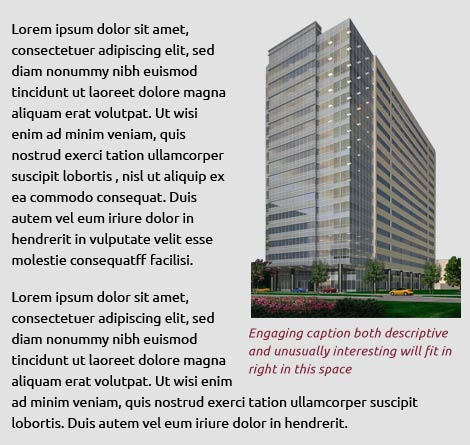
![]() There's nothing especially complicated about it and the content is already constrained to the size shown by existing CSS. I'm wondering what the best approach would be to fit both paragraphs around the image and caption, however. I've got the image fitting correctly with a simple style that just floats right and gives a bit of padding so the text flows around it, but I'm having an issue getting the caption to sit underneath the image (it keeps popping up to the top right) Any ideas? I'm currently playing with it and I'm sure I'll work out a quick and dirty way to do it, just hoping someone might have a more elegant solution for this. Thanks. |
|
|
|
0
|
|
|
#2 |
|
If you're using HTML5 you can use the <figure> and nested <figcaption> elements (put the image inside the <figure> element along with the <figcaption> and float the <figure> to the right.
If not using HTML5 just nest <div> elements to do the same.
__________________
Flash will be around a lot longer than Steve Jobs will. |
|
|
|
1
|
|
|
#3 |
|
UTclassof89 has it right, stick the image and caption in a <div> and float the div if you have 1990's nostalgia.
I try to use the latest technology, especially if it makes my job easier. Again, I'm with UTclassof89, HTML5, <fig> and <figcaption> to happiness. Something like: Code:
<figure> <img src="/images/building.png" alt="Impressive Building"> <figcaption>Engaging caption both descriptive and... where did you get this? Haha</figcaption> </figure> agreeing with the smart guy
__________________
TI-99/4A, tape cassette, 12" B&W Zenith |
|
|
|
0
|
|
|
#4 |
|
Thanks guys, not using HTML5 yet but that's my next development step. Any backwards compatibility issues to worry about?
|
|
|
|
0
|
|
|
#5 | ||
|
Quote:
Quote:
http://en.wikipedia.org/wiki/Compari...s_%28HTML_5%29
__________________
Jim Goldbloom Sr. Web Developer, owner GoldTechPro, LLC http://www.GoldTechPro.com
|
|||
|
|
0
|
|
|
#6 |
|
HTML5 is a good thing to practice, but dependent on your project you'll have to support lower browsers (unfortunately
) - mainly IE8 and lower. In which case it's simple to just use divs as we've had to do for yonks... Same heirarchy, but HTML5 elements are nicer Code:
<div class="body_img">
<img src="url_goes_here" />
<div class="caption">Lorem Ipsum</div>
</div>
http://jsfiddle.net/EFce3/
__________________
Mac Pro, MBP & MBA. iPad, iPhone & iPod Touch = All my money belongs to
|
|
|
|
0
|
|
|
#7 | ||
|
Quote:
Quote:
|
|||
|
|
0
|
|
|
#8 | |
|
Quote:
http://code.google.com/p/html5shiv/ |
||
|
|
0
|
|
|
#9 | |
|
Quote:
Yes sir, that is the way I do it, write in HTML5 and shiv it! Divitus puts me out of commission for days. cough, cough, hack, hack ( see what I did there? hack, haha, need coffee)
__________________
TI-99/4A, tape cassette, 12" B&W Zenith |
||
|
|
0
|
![]() |
|
«
Previous Thread
|
Next Thread
»
| Thread Tools | Search this Thread |
| Display Modes | |
|
|
All times are GMT -5. The time now is 06:07 PM.


Jim Goldbloom
) - mainly IE8 and lower. In which case it's simple to just use divs as we've had to do for yonks... Same heirarchy, but HTML5 elements are nicer


Linear Mode
