Looking to add some more USB ports to my Mac Mini and was hoping someone would have a good suggestion. I would like it to be powered so I could charge my iPhone, iPad etc. I see Belkin makes one that sits underneath the Mini but I'm not sure how compatible it is with a 2012 Mini.

Got a tip for us?
Let us know
Become a MacRumors Supporter for $50/year with no ads, ability to filter front page stories, and private forums.
Mac Mini-styled USB hub?
- Thread starter GizmoDVD
- Start date
- Sort by reaction score
You are using an out of date browser. It may not display this or other websites correctly.
You should upgrade or use an alternative browser.
You should upgrade or use an alternative browser.

phrehdd
Contributor
Looking to add some more USB ports to my Mac Mini and was hoping someone would have a good suggestion. I would like it to be powered so I could charge my iPhone, iPad etc. I see Belkin makes one that sits underneath the Mini but I'm not sure how compatible it is with a 2012 Mini.
There are lots of USB splitters out there but I tend to like to maximize utility.
You may want to check out OWC and look at
- Macessity products
and
- Mini Stack (empty) which is an external drive unit (same size as the Mini) that has additional ports.
I had one of the Belkin units you described (older model I suppose) and it was well - lacking and inconsistent. However a friend of mine wanted it so it made a Mac pal gift.

ctyrider
macrumors 65816
Looking to add some more USB ports to my Mac Mini and was hoping someone would have a good suggestion. I would like it to be powered so I could charge my iPhone, iPad etc. I see Belkin makes one that sits underneath the Mini but I'm not sure how compatible it is with a 2012 Mini.
Here's the one I have:
http://www.satechi.net/index.php/co...-hubs/satechi-aluminum-hub-premium-4-port-usb
Perfect fit with Mac style.
Here's the one I have:
http://www.satechi.net/index.php/co...-hubs/satechi-aluminum-hub-premium-4-port-usb
Perfect fit with Mac style.
But I power to charge iPhone, iPad etc
ctyrider
macrumors 65816
But I power to charge iPhone, iPad etc
You can charge iPhone with this hub. I am not sure about iPad though.
desaturated
macrumors newbie
Here's the one I have:
http://www.satechi.net/index.php/co...-hubs/satechi-aluminum-hub-premium-4-port-usb
Perfect fit with Mac style.
nice hub. but too bad they are only usb 2.0

ant69
macrumors 6502
Here's the one I have:
http://www.satechi.net/index.php/co...-hubs/satechi-aluminum-hub-premium-4-port-usb
Perfect fit with Mac style.
Shame it's only USB 2.0. Anyone seen any similarly 3.0?
Ant
A warning about the MiniStack: it causes interference with Bluetooth and WiFi when using USB 3.0. OWC sells an optional shielding kit for the Mac Mini Bluetooth antenna but it requires disassembling the Mini to install it. There is no fix for the WiFi issue; apparently I was the first person to report it. It affects WiFi networks using 2.4GHz.
I returned the MiniStack and OWC refunded the entire purchase price without charging me the usual 15% restocking fee for an open-box return. So that is a tacit acknowledgement of a problem with the MiniStack...
I returned the MiniStack and OWC refunded the entire purchase price without charging me the usual 15% restocking fee for an open-box return. So that is a tacit acknowledgement of a problem with the MiniStack...

ActionableMango
macrumors G3
A warning about the MiniStack: it causes interference with Bluetooth and WiFi when using USB 3.0. OWC sells an optional shielding kit for the Mac Mini Bluetooth antenna but it requires disassembling the Mini to install it. There is no fix for the WiFi issue; apparently I was the first person to report it. It affects WiFi networks using 2.4GHz.
I returned the MiniStack and OWC refunded the entire purchase price without charging me the usual 15% restocking fee for an open-box return. So that is a tacit acknowledgement of a problem with the MiniStack...
This is a problem with USB 3.0 in general, not just MiniStack and the Mac Mini. Same thing happens in PCs, Mac Pro, and any external USB 3.0 hard drive.
It's not a problem with the OWC Mercury Elite Pro enclosures.
But I have a different problem: the drives will not spin-down when the Mac is powered-off. When connected via FW800 the problem goes away.
I'm working with OWC to find out if is a defective enclosure (not likely since both of my new enclosures are affected...) or something else.
But I have a different problem: the drives will not spin-down when the Mac is powered-off. When connected via FW800 the problem goes away.
I'm working with OWC to find out if is a defective enclosure (not likely since both of my new enclosures are affected...) or something else.

brand
Suspended
There are lots of USB splitters out there
There are lots of USB hubs out there. A hub is not the same thing as a splitter.
I bought this powered USB 3.0 hub from a local computer store and it works fine:
http://www.connectland.com.hk/main/product/html/product_detail.php?id=966
Since all the devices I have plugged into it are self-powered, I ended up unplugging the AC adapter and using it as a passive hub.
http://www.connectland.com.hk/main/product/html/product_detail.php?id=966
Since all the devices I have plugged into it are self-powered, I ended up unplugging the AC adapter and using it as a passive hub.

jhfenton
macrumors 65816
I've had good luck with USpeed (now Anker) USB 3.0 hubs. This one is aluminum, and much smaller than it looks in the picture. (It is nearly $50, though, because it is a 10-port.)
http://www.amazon.com/Aluminum-Uspe...qid=1359681999&sr=8-5&keywords=uspeed+usb+3.0
http://www.ianker.com/product/68UPHUB-S10U#sp
http://www.amazon.com/Aluminum-Uspe...qid=1359681999&sr=8-5&keywords=uspeed+usb+3.0
http://www.ianker.com/product/68UPHUB-S10U#sp
As an Amazon Associate, MacRumors earns a commission from qualifying purchases made through links in this post.
Didn't see the Icon Cube Hub mentioned here yet, so I'll just pitch this link in:
http://icon-global.com/Controllers_USB+Hub+/+Accessories_Cube+Hub.htm
Haven't seen any retailer near me that sells it, but there are some in Europe, for a price of about 40...
http://icon-global.com/Controllers_USB+Hub+/+Accessories_Cube+Hub.htm
Haven't seen any retailer near me that sells it, but there are some in Europe, for a price of about 40...

Giuly
macrumors 68040
While it isn't one that sits under your mini, the Belkin 3.0 SuperSpeed hub at least matches it somewhat in design.
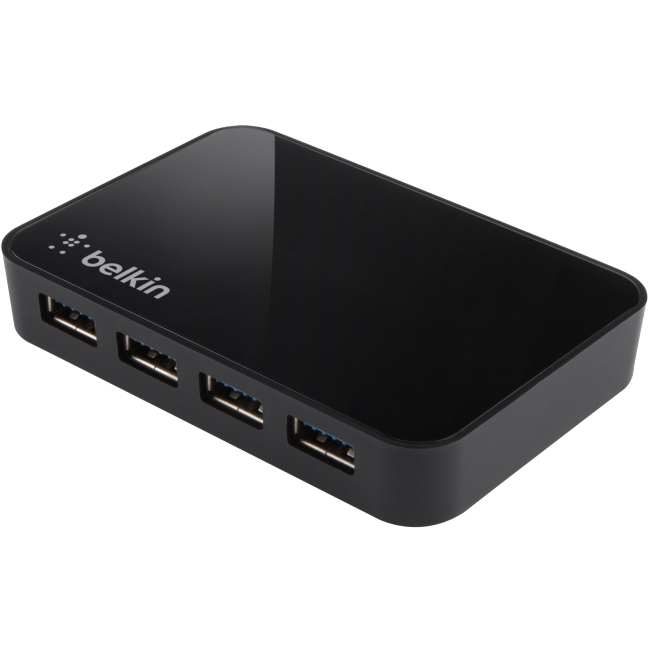
As an Amazon Associate, MacRumors earns a commission from qualifying purchases made through links in this post.
Shockwave78
macrumors 65816
Just got my mom a Mac mini and she will be back from vacation in a couple weeks. I used up all the USB ports on the mini and still need a couple more, so I'm looking for a hub. Anything else out there you guys recommend?
Also one that I think of it couldn't I use the Built in Bluetooth for wireless devices? Is this how apples wireless products work? That would free up two ports right there by not having to use the Logitech wireless adapter and another one for the mouse.
Also one that I think of it couldn't I use the Built in Bluetooth for wireless devices? Is this how apples wireless products work? That would free up two ports right there by not having to use the Logitech wireless adapter and another one for the mouse.

philipma1957
macrumors 604
Just got my mom a Mac mini and she will be back from vacation in a couple weeks. I used up all the USB ports on the mini and still need a couple more, so I'm looking for a hub. Anything else out there you guys recommend?
Also one that I think of it couldn't I use the Built in Bluetooth for wireless devices? Is this how apples wireless products work? That would free up two ports right there by not having to use the Logitech wireless adapter and another one for the mouse.
9 data ports and 1 charging port
http://www.amazon.com/gp/product/B005NGQWL2/ref=oh_details_o00_s00_i00?ie=UTF8&psc=1
same aluminum as a mini but does not charge
http://www.amazon.com/gp/product/B00A79GOYU/ref=oh_details_o02_s00_i00?ie=UTF8&psc=1
As an Amazon Associate, MacRumors earns a commission from qualifying purchases made through links in this post.
Just got my mom a Mac mini and she will be back from vacation in a couple weeks. I used up all the USB ports on the mini and still need a couple more, so I'm looking for a hub. Anything else out there you guys recommend?
Also one that I think of it couldn't I use the Built in Bluetooth for wireless devices? Is this how apples wireless products work? That would free up two ports right there by not having to use the Logitech wireless adapter and another one for the mouse.
Kanex makes USB3.0 hubs specifically for Macs (and PC).
http://www.kanexlive.com/usb3hub4x
I use this hub.
I run an Apple software Raid-1 with two 4TB 7200rpm Barracudas on it and get speeds (Black Magic) very close to the ones I get when running directly from two ports on the back of the mini. About 260MB/s on the Kanex and 270-280MB/s directly plugged into two ports on the mini.
Here's the one I have:
http://www.satechi.net/index.php/co...-hubs/satechi-aluminum-hub-premium-4-port-usb
Perfect fit with Mac style.
this is usb powered, not separate power, so it won't do an iPad. I always buy powered hubs.
I got one of these:
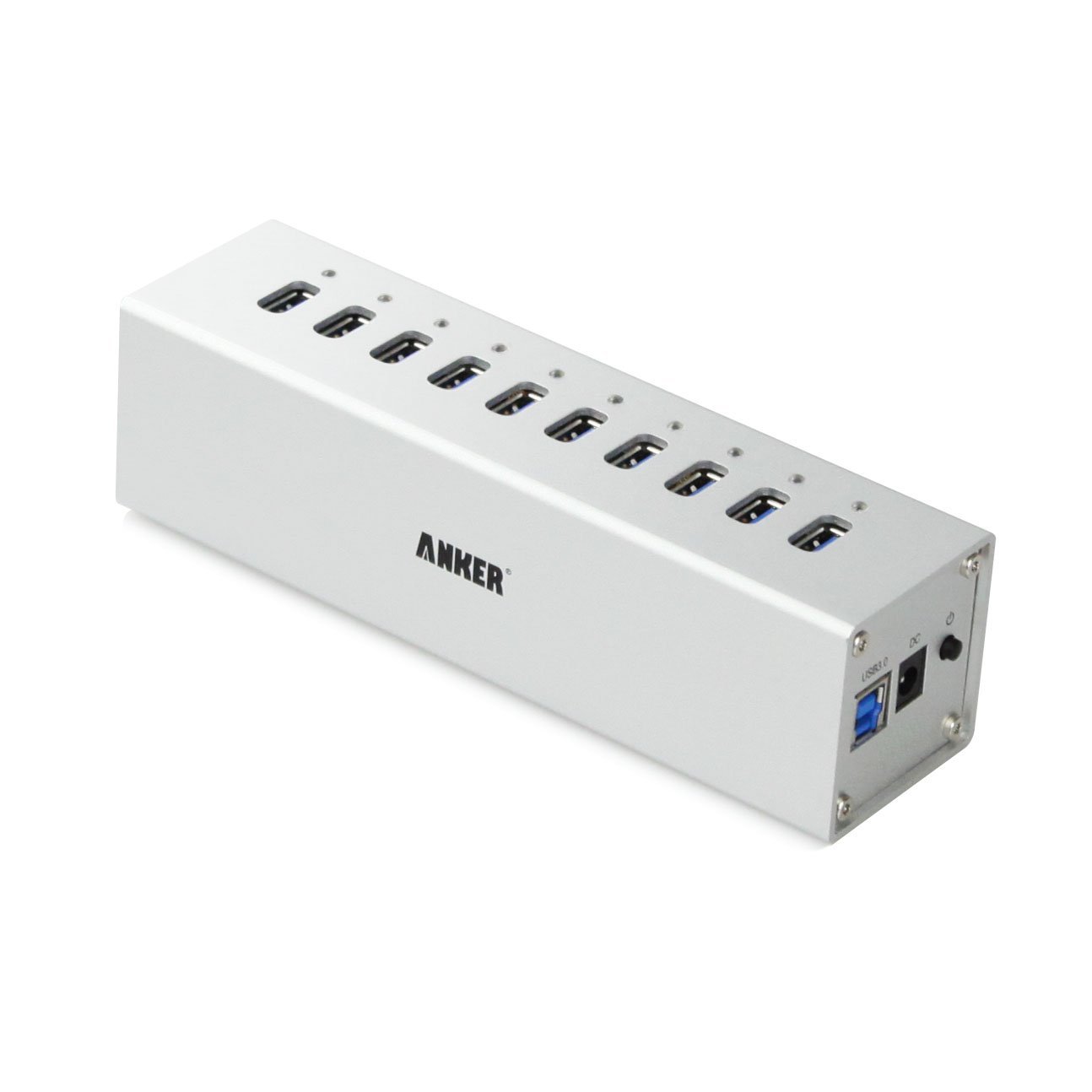
http://www.amazon.co.uk/Anker®-Uspe...UTF8&qid=1374688723&sr=8-1&keywords=anker+usb
And it's completely brilliant. VL812 chipset - so lightening fast - and it looks great and a perfect match for my iMac and Mac Mini. USB3 speed is just fast as if you directly connect devices to your Mac. And you can mix and match USB2 and USB3 devices at full speed as well. And it's rock solid. I run 7 or 8 devices on mine permanently and haven't had a solitary glitch out of it.
The only trouble is, it looks like Anker have perhaps discontinued it. I can't find it on the iAnker website, nor on Amazon.com. If you can find one, I strongly recommend it.
http://www.amazon.co.uk/Anker®-Uspe...UTF8&qid=1374688723&sr=8-1&keywords=anker+usb
And it's completely brilliant. VL812 chipset - so lightening fast - and it looks great and a perfect match for my iMac and Mac Mini. USB3 speed is just fast as if you directly connect devices to your Mac. And you can mix and match USB2 and USB3 devices at full speed as well. And it's rock solid. I run 7 or 8 devices on mine permanently and haven't had a solitary glitch out of it.
The only trouble is, it looks like Anker have perhaps discontinued it. I can't find it on the iAnker website, nor on Amazon.com. If you can find one, I strongly recommend it.
As an Amazon Associate, MacRumors earns a commission from qualifying purchases made through links in this post.
jhfenton
macrumors 65816
Yep. That's too bad. It's the one I originally referred to and linked to up (back in January) above on Amazon, but the link now takes you to new models. They do appear to have discontinued the Mac-like aluminum model.The only trouble is, it looks like Anker have perhaps discontinued it. I can't find it on the iAnker website, nor on Amazon.com. If you can find one, I strongly recommend it.
Yep. That's too bad. It's the one I originally referred to and linked to up (back in January) above on Amazon, but the link now takes you to new models. They do appear to have discontinued the Mac-like aluminum model.
Sorry, I missed your earlier link.
Funny thing is, this product is still widely available in Europe. But it is still available in the US, branded as Aitech. Here you go - $60.
http://www.amazon.com/Adapter-backw...uminum/dp/B00A79GOYU/ref=cm_cr_pr_product_top
Last edited:
As an Amazon Associate, MacRumors earns a commission from qualifying purchases made through links in this post.
I got one of these:
Image
http://www.amazon.co.uk/Anker®-Uspe...UTF8&qid=1374688723&sr=8-1&keywords=anker+usb
And it's completely brilliant. VL812 chipset - so lightening fast - and it looks great and a perfect match for my iMac and Mac Mini. USB3 speed is just fast as if you directly connect devices to your Mac. And you can mix and match USB2 and USB3 devices at full speed as well. And it's rock solid. I run 7 or 8 devices on mine permanently and haven't had a solitary glitch out of it.
The only trouble is, it looks like Anker have perhaps discontinued it. I can't find it on the iAnker website, nor on Amazon.com. If you can find one, I strongly recommend it.
It looks very "cold-war era" ish. Like something straight out of a Russian bunker. 🙂
As an Amazon Associate, MacRumors earns a commission from qualifying purchases made through links in this post.
Che Castro
macrumors 603
I bought this on eBay for $20 & free shipping
Look at this on eBay:
7 Port High Speed USB 3.0 Hub with 3A Power Adapter Windows and Mac Apple White
http://bit.ly/14ZmRhp
Is a USA seller
Ill report back with a mini review when I get it
I plan to connect 3 external drives 3.0 to it, I like it because it has 4 ports in one side & 3 in the other , plus an off/on switch
Look at this on eBay:
7 Port High Speed USB 3.0 Hub with 3A Power Adapter Windows and Mac Apple White
http://bit.ly/14ZmRhp
Is a USA seller
Ill report back with a mini review when I get it
I plan to connect 3 external drives 3.0 to it, I like it because it has 4 ports in one side & 3 in the other , plus an off/on switch