
I thought to post here my imaginary and graphical essay of Apple iBoard project. I started this project last autumn to solve, is it possible to abandon original mouse & keyboard combination, once for all.
So I came up with this idea of iBoard system with no mouse, no keyboard and no extra wires. What also came up was idea of "UID", as I call it Universal Identity Card, which would allow you (shortly) to jump between every Apple App and device.
This project was so inspiring to my self, so I decided to post my work to other people and developers to joy. So It's not very clear to me, is this right place or right forum to post this. But what a heck, here it is, anyway.
"Sketching"
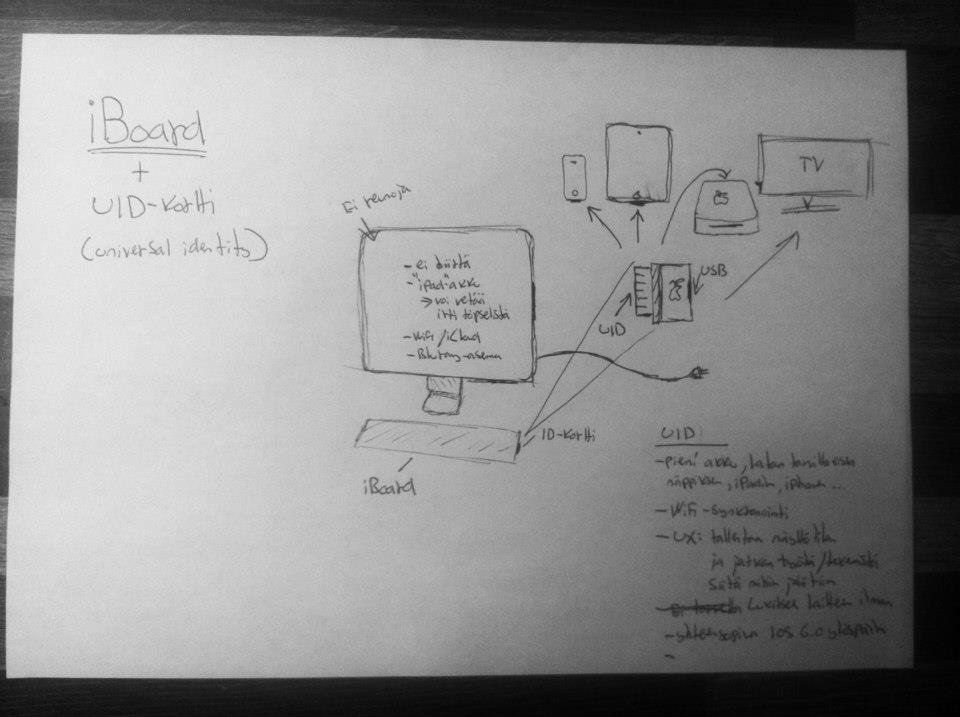
Goal of the project was to finally get rid of the traditional keyboard and mouse, which would replace the wireless iBoard. IPad and iPhone into a familiar maneuver, such as swiping and pinching to work, of course, also included to iBoard.
"Rationale"
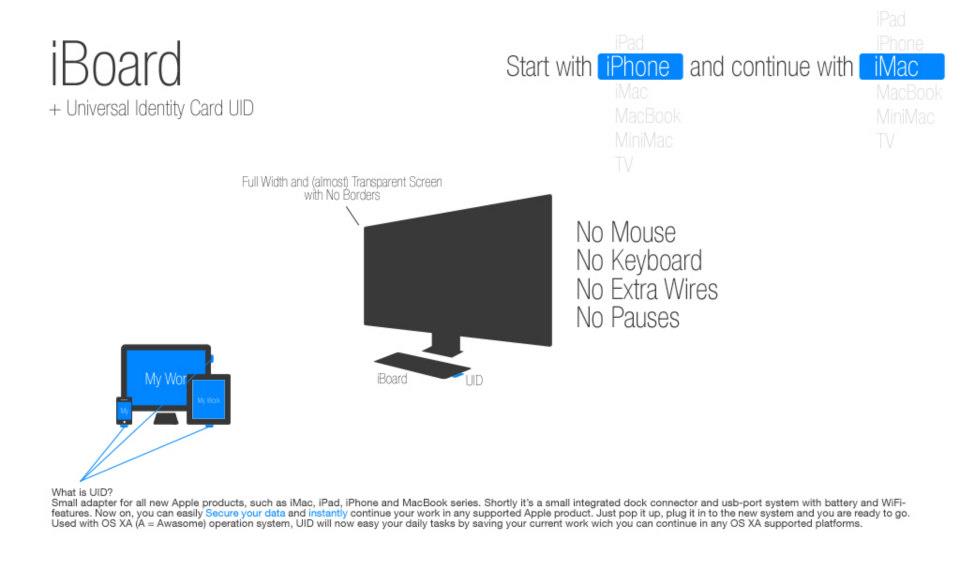
What is UID? Small adapter for all new Apple products, such as iMac, iPad, iPhone and MacBook series. Shortly it’s a small integrated dock connector and usb-port system with battery and WiFi-features. Now on, you can easily Secure your data and instantly continue your work in any supported Apple product. Just pop it up, plug it in to the new system and you are ready to go. Used with OS XA (A = Awesome) operation system, UID will now easy your daily tasks by saving your current work wich you can continue in any OS XA supported platforms.
"Keyboard"
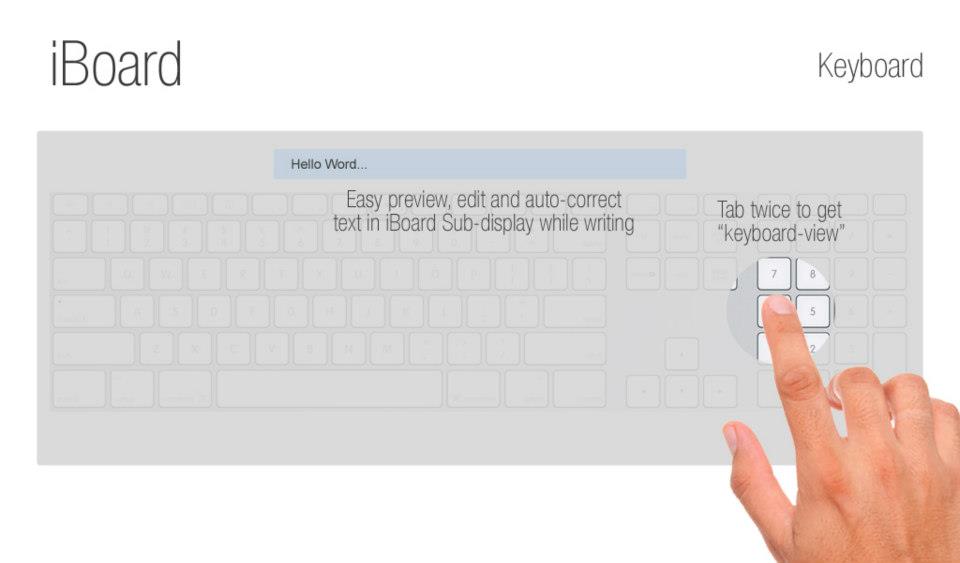
The "keyboard" is displayed by tapping the screen twice. When typing, you don't need to rise your head to screen, because you can use iBoards own screen for auto-correct and text-preview. This feature will specially facilitate the participation of older people and children in typing.
"Mouse"
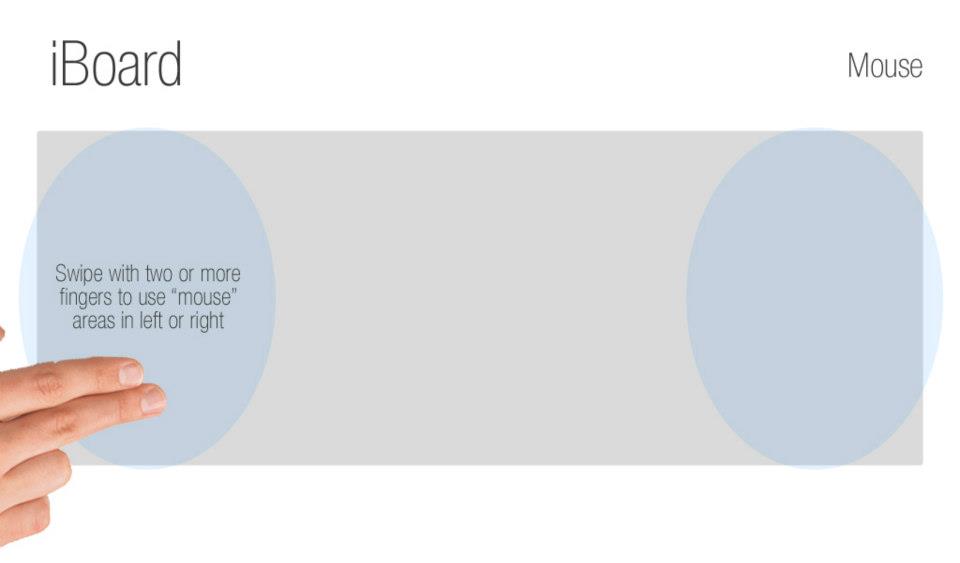
The "mouse" can be accessed by swiping two or more fingers in iBoards "active spots".
By adjusting the touch sensitivity of the board it's possible also to do precision work, such as drawing. In addition, it is no longer relevant, if you are right-or left-handed. Successful used mirrored sides, or even both hands at once.
"Dock"
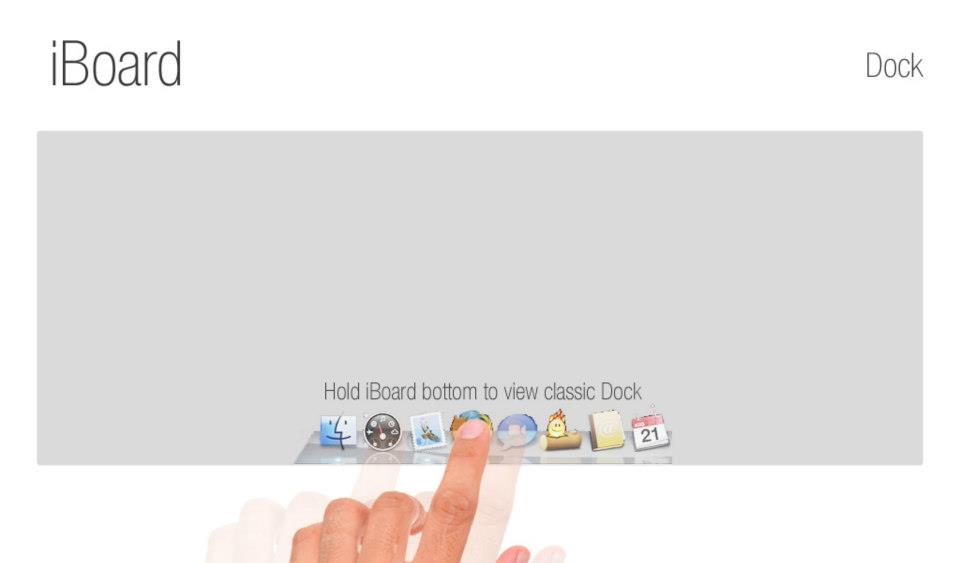
Classic Dock will appear when holding your finger in a very bottom of iBoard.
"Desktop"
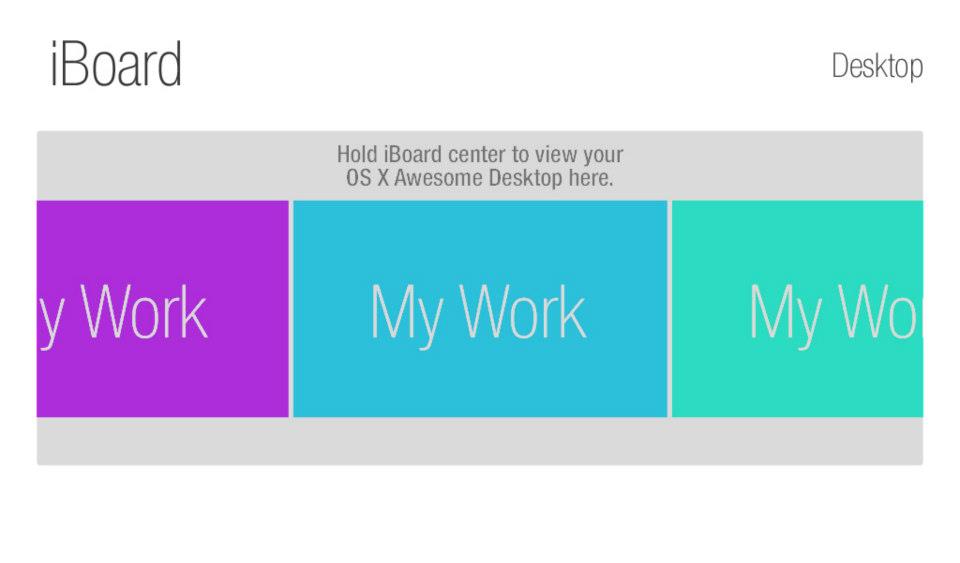
To reveal your desktop in iBoard, just hold your finger in a center of the board.
"All in one"
With iBoard it is possible to abandon original mouse & keyboard combination, once for all
The whole set of larger images can also be found on my Facebook page: http://www.facebook.com/media/set/?set=a.544929962195661.117160.492023250819666&type=3
So I came up with this idea of iBoard system with no mouse, no keyboard and no extra wires. What also came up was idea of "UID", as I call it Universal Identity Card, which would allow you (shortly) to jump between every Apple App and device.
This project was so inspiring to my self, so I decided to post my work to other people and developers to joy. So It's not very clear to me, is this right place or right forum to post this. But what a heck, here it is, anyway.
"Sketching"
Goal of the project was to finally get rid of the traditional keyboard and mouse, which would replace the wireless iBoard. IPad and iPhone into a familiar maneuver, such as swiping and pinching to work, of course, also included to iBoard.
"Rationale"
What is UID? Small adapter for all new Apple products, such as iMac, iPad, iPhone and MacBook series. Shortly it’s a small integrated dock connector and usb-port system with battery and WiFi-features. Now on, you can easily Secure your data and instantly continue your work in any supported Apple product. Just pop it up, plug it in to the new system and you are ready to go. Used with OS XA (A = Awesome) operation system, UID will now easy your daily tasks by saving your current work wich you can continue in any OS XA supported platforms.
"Keyboard"
The "keyboard" is displayed by tapping the screen twice. When typing, you don't need to rise your head to screen, because you can use iBoards own screen for auto-correct and text-preview. This feature will specially facilitate the participation of older people and children in typing.
"Mouse"
The "mouse" can be accessed by swiping two or more fingers in iBoards "active spots".
By adjusting the touch sensitivity of the board it's possible also to do precision work, such as drawing. In addition, it is no longer relevant, if you are right-or left-handed. Successful used mirrored sides, or even both hands at once.
"Dock"
Classic Dock will appear when holding your finger in a very bottom of iBoard.
"Desktop"
To reveal your desktop in iBoard, just hold your finger in a center of the board.
"All in one"
With iBoard it is possible to abandon original mouse & keyboard combination, once for all
The whole set of larger images can also be found on my Facebook page: http://www.facebook.com/media/set/?set=a.544929962195661.117160.492023250819666&type=3
Last edited:

