|
|
#1 |
|
Using Contacts with married couples
I am trying to figure out a solution to this problem, and hoping someone can help. Running Mountain Lion and using the Contacts app.
I've run into a problem for storing our contacts. When two people are married, my wife likes to keep them together as one contact (John and Jane Doe) since they live at the same address. But, if we also list a birthday for Jane Doe, it shows up on the calendar as both their names, since that is how their card reads in contacts. Not sure I want to keep a separate card for each family member though. On the other hand, it would be nice to keep everyone individual for using on our iphones. We also use icloud, so I am trying not to duplicate information if I don't have to. What does everyone else do? Is it possible to keep them separate in one view (our phones) but combined in another view (on the Mac)? |
|
|
|
0
|
|
|
#3 | |
|
Quote:
To the OP I do not think there is a graceful solution for this. I think you have gone as far as you can with integrating married couples into one contact. It would be really helpful if you could somehow link individual contacts but I don't know of a way to do that. |
||
|
|
0
|
|
|
#4 | |
|
Quote:
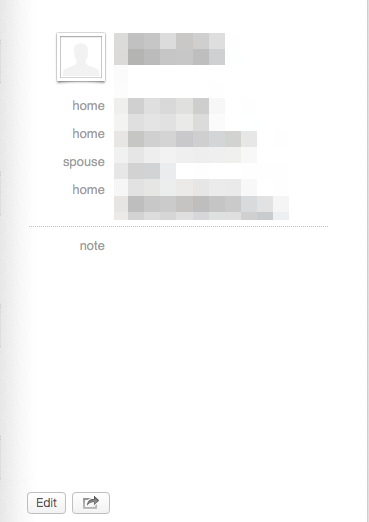
There are a few entries where I am really only friends one member of the couple, so I make a card entry for them with their birthday then just add the spouse's name in the added "spouse" field. I can't stand seeing entries with two first names like Jim and Kathy Jones. ![]()
|
||
|
|
0
|
|
|
#5 | |
|
Quote:
/Jim |
||
|
|
0
|
|
|
#6 |
|
Thanks everyone. I am sure the practice of keeping the contacts together is a hold over from paper address books, though I agree it gets to be a hassle with phones, ipads, etc where everything is designed to be individual.
I might have a discovered a workaround though, at least on the iOS side of things. I've discovered that if each person has their own info (phone number, birthday, etc.) but the same address, you can "unify" the cards. It will combine the cards BUT on the iOS calender it still shows each person's birthday individually. It will only show one person's name, but I can use the related field to add a spouse. Looks weird to only see one name and not the other though. Perhaps the ultimate answer is "live with it" and just know whose married and who isn't. They'll be next to each other anyway if I sort by last name. |
|
|
|
0
|
|
|
#7 |
|
|
0
|
|
|
#8 |
|
Great question
OP,
I think this merits input to feedback@apple. Too often, software is written for a single way of doing things that mimic a legacy mode of operation. I believe the suggestion would be a better method to allow linking of address cards and/or permitting a 2nd birthday field. Note that in iOS, you can add a 2nd date field (which on my iPad) defaults to the label 'Anniversary'. This label can be changed, for example 'birthday2'. Note that neither the custom field, nor default 'anniversary' field appear in the Birthday list in the Calendar app. At the moment, it seems that you have to choose which feature you need most; separate cards with birthdays or a joint card without. Last edited by awair; Mar 16, 2013 at 01:31 PM. |
|
|
|
0
|
|
|
#9 | |
|
Quote:
If you want to have a 3rd contact for certain purposes, such as holiday cards, you could create one for "John & Jane Doe". You can create contact groups and only sync certain groups to your iPhones, so you could have the individual contacts synced, but not the combined contact. |
||
|
|
0
|
|
|
#10 |
|
Over time, the "joint" contact (regardless of what program is used) has turned out to be awkward for me. You want to send a birthday card to one of them and print-out an envelope? You have to modify the name. I've also run into issues during conversions from one app to another (I wound up with a pile of "Jim &", "Mary &", etc. in the first name field after one conversion). Finally, when receiving calls on your iPhone, Caller ID won't tell you whether it's Jim or Mary on the line (presuming they have separate phone numbers).
While I haven't looked at all the ramifications... Have you considered putting "Jim & Mary Doe" in the Company field for both individual's contacts, and check the Company check box? That would default to their joint name for things like address labels, but each contact would stand on its own for other purposes. As to iCloud? Don't sweat it. Compared to the space occupied by one photo in your Camera Roll? If you do tick up close to that 5GB, there's almost always something bulkier and less important you can delete. |
|
|
|
0
|
|
|
#11 | |
|
Quote:
|
||
|
|
0
|
|
|
#12 |
|
funny, I thought about the same question just today. My brother, his wife and the three kids live at the same house and I have currently 5 separate addressbook entries. if they change the number of their landline i have to remember to update five entries. same applies if a married couple moves. not a very good solution.
i'm surprised that apple hasn't addressed this by allowing to link entries. |
|
|
|
0
|
|
|
#13 | |
|
Quote:
|
||
|
|
0
|
![]() |
|
«
Previous Thread
|
Next Thread
»
| Thread Tools | Search this Thread |
| Display Modes | |
|
|
All times are GMT -5. The time now is 10:20 PM.


Linear Mode