|
|
#1 |
|
The AT&T 3G MicroCell Owner's Thread
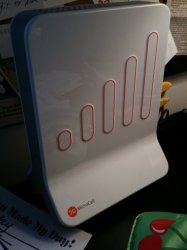
I'm fortunate enough to be in the trial market of Charlotte, NC for the new AT&T 3G MicroCell device. This afternoon I'll be picking one of these up and I'll post some thoughts and impressions. This thread will also be a great place for questions for those of us who actually have the hardware.
Here's AT&T's overview site about what 3G MicroCell is all about: http://www.wireless.att.com/learn/why/3gmicrocell/ I'll be picking it up at about 2pm, so keep a look out for thoughts and impressions. If anyone gets theirs prior to that, please feel free to go ahead and posts your thoughts and impressions as well.
__________________
2011 27" iMac, 3.1 Ghz Quad i5, 16GB RAM Black iPhone 5 32GB Black iPad Mini 16GB |
|
|
|
0
|
|
|
#2 |
|
I just picked mine up from the Pineville store at lunchtime. I'll play with it when I get home from work. I did the $150 no-commitment option using my existing minutes.
I'm looking forward to not having my phone switching between edge and 3g every 5 minutes. |
|
|
|
0
|
|
|
#3 |
|
Got one of these a few months ago as a trial participant. We did some extensive testing, its a long thread and a few trolls here and there but some good reading on what went on with the testing. Should answer pretty much all questions.
http://forums.macrumors.com/showthre...ight=microcell |
|
|
|
0
|
|
|
#5 | |
|
Quote:
![]() Picked mine up from the Huntersville store. I've got it activated and all hooked up. Unfortunately, the instructions state that it can take up to 90 minutes for activation to complete. It appears to have power cycled itself once already (likely for a software update according to the instructions). I doubt I'll have to wait the full 90 minutes. nozebleed appears to have beaten me to it, but I did take some unboxing pics that are uploading to Flickr as we speak. I'll post them as soon as they finish. I wasn't aware that the carrier wording would actually change when the device was in use. I haven't updated my iPhone to 3.1 yet (and don't plan to at the moment), so I hope that doesn't cause me any issues. EDIT: And the pics are up on Flickr. You can view the set here: http://www.flickr.com/photos/pcguru8...7622302770611/ ![]() ![]() ![]() And it's activated! ![]() Doing some testing on call quality now. I have a 10Mbit connection with Time Warner cable, and initial testing seem to indicate that when I'm downloading something (can be anything--used iTunes Store download for testing), the call quality drops severely. Might try cabling the device so that it's in front of my router. The downside there would be that I'd lose remote access to my network (which would indeed suck).
__________________
2011 27" iMac, 3.1 Ghz Quad i5, 16GB RAM Black iPhone 5 32GB Black iPad Mini 16GB Last edited by SilentPanda; Sep 22, 2009 at 10:39 PM. Reason: post merge |
||
|
|
0
|
|
|
#6 |
|
Picked mine up from the AT&T store in Blakeny this afternoon, another guy was there buying one too. My mom was pissed that we didn't get the unlimited calling free (since we have DSL + a landline) so we just got the Microcell without the unlimited calling.
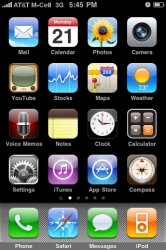
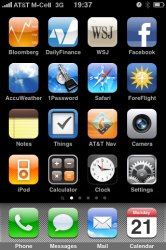
Setup and activation took less than an hour, and now I have 5 bars throughout my house where as I used to only have 1 bar of 3G. Only thing is that the iPhone's menu bar isn't symmetrical any more and I must say it bothers me... ![]() If anybody has any questions about the device I'd be happy to answer them. |
|
|
|
0
|
|
|
#7 |
|
Can anyone speak about actual call quality. That's the main thing I'm concerned about. I know we have Vonage right now and the call quality (and especially voicemail) is not that great sometimes. We have TW for our cable internet. My long term goal with this thing is, if the call quality is good enough, I plan to get rid of Vonage (which we don't use that much anyway) and transfer the home phone number to my iPhone. This would save enough in a few months to pay for the Microcell unit.
|
|
|
|
0
|
|
|
#8 | |
|
Quote:
__________________
2011 27" iMac, 3.1 Ghz Quad i5, 16GB RAM Black iPhone 5 32GB Black iPad Mini 16GB |
||
|
|
0
|
|
|
#9 | |
|
Quote:
Durring these calls my internet connection was idle. PCGURU83, have you been able to find any sort of "priority mode"? It's mentioned in the manual several times to give your calls priority over data, but I haven't found a setting anywhere for it on the website. EDIT: In case anybody cares, the Microcell outputs it's signal at the 1900mhz band, not 850 (which is fine, it works perfectly as it is, I just thought it was interesting). |
||
|
|
0
|
|
|
#10 | |
|
Quote:
Just recently started having issues, sometimes the whoever is on the microcell sounds garbled to the other caller not on the microcell. It also resets sometimes, which results in a dropped call. I'm trying to track down and pinpoint what exactly is causing this, it may occur while someone is using a bunch of bandwidth on the computer. I did a hard reset yesterday and haven't had the problem again yet. I knew about pricing and everything about a month ago, I had my own personal MicroCell rep at AT&T. We actually got into a heated discussion about how I thought it was ridiculous that they were basically renting a customer's bandwidth to bring their service up to par, and charging on top of that. I suppose the unlimited minutes may take away from charged minutes, resulting in lost revenue. just my .02 |
||
|
|
0
|
|
|
#11 | |
|
Quote:
My guess is that priority mode is simply placing your MicroCell device in front of your router. So you'd plug your cable/DSL modem directly into the MicroCell via the Ethernet port. Then from the Computer port on the MicroCell, you'd connect to your router's WAN port. I'm guessing that is Configuration C, or "Priority Mode". The problem with this is I don't believe you'll be able to access your network remotely, even with your ports forwarded properly.
__________________
2011 27" iMac, 3.1 Ghz Quad i5, 16GB RAM Black iPhone 5 32GB Black iPad Mini 16GB |
||
|
|
0
|
|
|
#12 | |
|
Quote:
I currently have it connected from my router to the Microcell to a Mac Mini and the Mac Mini's download speeds are not affected (while not on a call at least) and I can still access my external Airport HDD. As for accessing your network remotely, I don't know, but if you try it please let us all know. |
||
|
|
0
|
|
|
#13 | |
|
Quote:
There have been times when I did not show service in the status bar on my iPhone, I would go to the MicroCell and find it blinking the 3G bars with no connectivity. Internet service working fine. After a few minutes, it would reset, and be fine. Some days (2 or 3) it did this almost all morning, then was fine for weeks. I dont know if this was on AT&T side or what. |
||
|
|
0
|
|
|
#14 | |
|
Quote:
|
||
|
|
0
|
|
|
#15 | |
|
Quote:
|
||
|
|
0
|
|
|
#16 |
|
|
0
|
|
|
#17 |
|
The flashing GPS means you don't have a GPS lock. Mine acquired one in about 10 minutes. Try moving it closer to the window.
|
|
|
|
0
|
|
|
#18 |
|
Is it in near a window? It might even help just to put it right on the window sill until it activates. Then you can move it. They suggest you keep it at the window, mines about 3-4 feet away. It could take an hour or so though.
|
|
|
|
0
|
|
|
#19 |
|
OK, so here's a sample clip I left on my Vonage voicemail placed using the MicroCell. It was made while utilizing a good bit of my bandwidth by downloading an ISO of Ubuntu over HTTP. I was hoping I could find somewhere to upload it with an embedded player, but we'll just have to settle on downloading it.
![]() http://www.zshare.net/download/659264431601c6be/
__________________
2011 27" iMac, 3.1 Ghz Quad i5, 16GB RAM Black iPhone 5 32GB Black iPad Mini 16GB |
|
|
|
0
|
|
|
#20 |
|
Took about 20 minutes. I never had a flashing GPS light, it was either completely off (when it was booting up) or solid. Definitely try repositioning it so that it can acquire a better GPS signal. That's probably why your 3G light is flashing also.
__________________
2011 27" iMac, 3.1 Ghz Quad i5, 16GB RAM Black iPhone 5 32GB Black iPad Mini 16GB |
|
|
|
0
|
|
|
#21 |
|
I guess this is only for people who have a poor talk quality and poor 3g connections. My iPhone is always on all bars and the talking quality is great. I have internet wireless connection through verizon which I pay $40 a month for.
So, I guess I don't need this service, am I right? If this thing can save me money, I'll get it bit if I'm coming of the pocket more for this, I don't see why. |
|
|
|
0
|
|
|
#23 | |
|
Quote:
I've stuck it right by the window and re-wired it using option C on page 11. Now everything is solid green except the 3G. That's flashing slowly. Checking online shows "activation pending.... blah blah... may take 90 minutes....blah blah". I guess I'll have to wait a bit. |
||
|
|
0
|
|
|
#24 |
|
Yay.. it worked.
If anyone's interested, this is on a Jailbroken 3GS running 3.0. |
|
|
|
0
|
|
|
#25 | |
|
Quote:
All of Charlotte is still on 1900MHz for 3G. I wonder if in 850MHz markets the Microcell will transmit on the 850MHz frequency. |
||
|
|
0
|
![]() |
|
«
Previous Thread
|
Next Thread
»
| Thread Tools | Search this Thread |
| Display Modes | |
|
|
Similar Threads
|
||||
| thread | Thread Starter | Forum | Replies | Last Post |
| iPhone 4 and new 3G MicroCell | stangmmx | iPhone Tips, Help and Troubleshooting | 0 | May 19, 2011 06:31 PM |
| Free AT&T 3G Microcell signal booster | Buckely | iPhone | 66 | Jul 13, 2010 11:06 AM |
| AT&T 3G MicroCell Website Online Now | al256 | iPhone | 3 | Sep 21, 2009 01:08 AM |
| Any News on AT&T 3G Microcell? | pilotkid | iPhone | 3 | Mar 14, 2009 06:10 PM |
All times are GMT -5. The time now is 11:07 PM.


Linear Mode