|
|
#1 |
|
Changing icons on iPhone 4 help
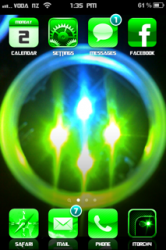
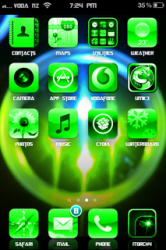
Hey guys, I've been reading a lot of threads where people are changing their icons to retina icons so that it looks a lot better, but I don't know how to that.
I was wondering if somebody could give me a guide to show me how to change specific app icons on the iPhone 4. I'm sure it would help out a lot of people like me. Thanks! |
|
|
|
0
|
|
|
#2 | |
|
Quote:
You'll need an a program to see the files on your iPhone. I use(d) DiskAid (I think you can get a free trial, if not it's $10) Here's how I do it in DiskAid: Connect phone to computer Open DiskAid Click on "Root" on the left side Then click on "User" Then below "User", click on "Applications" Each application folder will be a huge series of numbers and letters. Click on one and you'll see this (This is an example of Wolfenstein 3D game. See the circled area? That's what you'll be working with): ![]() Take the "iTunesArtwork" file (the 93.1 kb one), and right click it to copy it to your desktop. Now, click on "wolf3d.app" You want to look for "icon" (or something similar) - in this case, the icon file would be "wolf3d_icon.png" - this is the file you want to replace with the new resized one you are going to make ![]() Now, go to your desktop and right click the "iTunesArtwork" file and click "rename", and add ".png" to the end of the file name (so you actually rename it as "iTunesArtwork.png"). Now you should be able to open/edit it, and this is when you resize it. I used Paint.net to resize them. Resize them to 114x114 pixels. Once you have resized it, you want to save it as "wolf3d_icon.png", and replace the original "wolf3d_icon.png" with your new one. What I did is just right click the original "wolf3d_icon.png" file and delete it. Then take my new "wolf3d_icon.png" from the desktop and drag it right into the old one's place. Once you do that, respring your phone and enjoy your new retina display icon. If you accidentally replace the wrong file or something, just delete the app off your phone and re-download it from the AppStore |

||
|
|
0
|
|
|
#3 |
|
Good information. Note you will have to make this change again in the future if they update their app as the update will replace the icon you setup. Hopefully their updates will include updated icons and you won't have to go back in and do it but be prepared just in case.
__________________
13" Macbook Air i5 (2011) 16GB iPhone 5 (Black) 16GB iPad 2 ![]() Follow me on Twitter: http://twitter.com/anonymous6237 |
|
|
|
0
|
|
|
#4 |
|
Thanks for this!
WinSCP is a good program for doing this. |
|
|
|
0
|
|
|
#5 | |
|
Quote:
|
||
|
|
0
|
|
|
#6 |
|
now i got it to work. anyone know where the phone icon is? and the ipod icon?
|
|
|
|
0
|
|
|
#7 |
|
|
0
|
|
|
#8 |
|
great post, sorted out a few un-retinered icons using your guide
|
|
|
|
0
|
|
|
#9 |
|
anybody know how to replace the web/bookmark apps? is there even a way to?
|
|
|
|
0
|
|
|
#10 |
|
I heard about a way to change them the other, unfortunately I forget how to...but there is a way.
|
|
|
|
0
|
|
|
#11 |
|
How about the location of the folder icons? I have created several "folders" or groups of apps and I want to change from the mini icons to a custom one. ANyone know where to look for their location?
|
|
|
|
0
|
|
|
#12 |
|
great thread, subscribing.
if we could know the location of the native icons that aren't retina display would be excellent! |
|
|
|
0
|
|
|
#13 |
|
the stock apps like the phone and ipod are located by going to root and clicking on the applications folder
|
|
|
|
0
|
|
|
#14 |
|
Does anybody know of a walkthrough like this using Finder on a Mac after installing Netatalk?
|
|
|
|
0
|
|
|
#15 |
|
totally does not work for iPhone 4
as Jimmyneedles originally specified; he cannot change the icons on an iPhone 4. the replies all work for every other model of iPhone I've noticed running the same iOS, but for some reason the iPhone 4 is special and nothing I can find works to skin the icons
|
|
|
|
0
|
|
|
#16 |
|
is there in any way a danger of violating the warranty thing when we edit the icons?
because i am very bored of some of them like there a stupid flower for photos and there is a boring green phone for phone icon. so i really do want to change some of them, but if "editing such root content which is not standardly made available for users" leads to violation i don't think i should do it. i can't even begin reading the user license agreement really as it is thousands of pages and in some small sentence the answer probably lies but if anyone here already knows? i would be really happy.
|
|
|
|
0
|
|
|
#17 | |
|
Quote:
|
||
|
|
0
|
|
|
#18 |
|
I've spent a lot of time over the last few years creating tutorials teaching people how to theme.
Here's my 4.x firmware links, most info still applies to 5.x: http://www.hackthatphone.com/4x/them...nterboard.html
__________________
Writing Mac tutorials for the iPhone since June '07. http://hackthatphone.com I use the following networks/SIMs: AT&T GoPhone, H2O, SimpleMobile, T-Mobile. |
|
|
|
0
|
|
|
#19 | |
|
Quote:
I have been building a theme on my iph4 off your link, im running ios5.0.1 thats Jailbreaked via Redsn0w. I have Winterboard on it and am building my own theme. I have managed to locate all program icons and changed as i want to, however i am unable to locate the Photo - Icon2x.png file. So while all icons are changed, this one isnt. Here is a screenshot of the Home screen. If you could help that would be awesome! Been looking thru all my iphone directories files with no luck what so ever! Seems odd as I thought this would have been located in /private/var/stash/Applications where the likes of Safari/Mail are located... |
||
|
|
0
|
|
|
#20 |
|
/Applications/MobileSlideShow.app/icon@2x.png
__________________
Writing Mac tutorials for the iPhone since June '07. http://hackthatphone.com I use the following networks/SIMs: AT&T GoPhone, H2O, SimpleMobile, T-Mobile. |
|
|
|
1
|
|
|
#21 |
|
PERFECT!! Thank you! Dont know why i didn't think to look there myself!
Heres the finished look so far...Work In Progress and your Tutorials are extremely good! |
|
|
|
0
|
![]() |
|
«
Previous Thread
|
Next Thread
»
| Thread Tools | Search this Thread |
| Display Modes | |
|
|
Similar Threads
|
||||
| thread | Thread Starter | Forum | Replies | Last Post |
| SAM on Iphone 4 after hacktivated and jailbrocken with Limera1n and Ultrasn0w???? | dyurlova | Jailbreaks and iOS Hacks | 0 | Apr 15, 2011 01:52 AM |
| Rectangular "Smudge" on iPhone 4 in Glow-In-The-Dark Lighting | JoelMarcey | iPhone | 3 | Mar 7, 2011 09:31 PM |
| AirPlay and YouTube on iPhone 4 | jedivulcan | iPhone | 0 | Nov 24, 2010 10:05 AM |
| Where is the airplay button on iphone 4?? | shriksworld | iPhone | 1 | Nov 23, 2010 12:51 AM |
| How to hide scratches on Iphone 4 antenna band? | Escatech | iPhone | 8 | Nov 16, 2010 11:47 AM |
All times are GMT -5. The time now is 11:46 AM.


13" Macbook Air i5 (2011)
Linear Mode