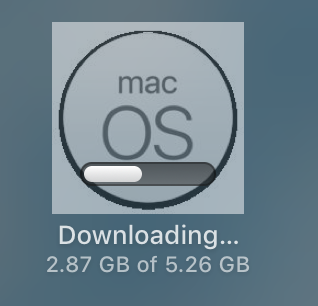
Same as any App Store app; long-press to enter "wiggle mode", then hit the X that appears on the app. You should also be able to cancel the download from the App Store under the "Purchased" tab.
I think he forgot to mention that you must click on LaunchPad, then long press on the app you want to delete....it is similar to the way on an iPad/iPhone.
I think most of us, do not use LaunchPad.... I could be wrong...I think in the past years (3 , 4, 5 etc??) years since it was introduced, I have intentional clicked it twice. It seems so unnatural, I like going to Appliations, and opening an application.....frequent apps belong on the dock....I might just be too old, and like the the Apple ][GS way.....
In case you are not aware, Launchpad (shown in the OP's screenshot) is an app first introduced in Mac OS X Lion that emulates the iOS home screen on MacOS by providing a scrolling paged view of your applications and virtual folders for organization.
This also means can enter "wiggle mode" and delete App Store apps there, as well as drag any apps around or on top of each other to create folders, just like the iOS home screen.