Become a MacRumors Supporter for $50/year with no ads, ability to filter front page stories, and private forums.

MacRumors

macrumors bot
Original poster


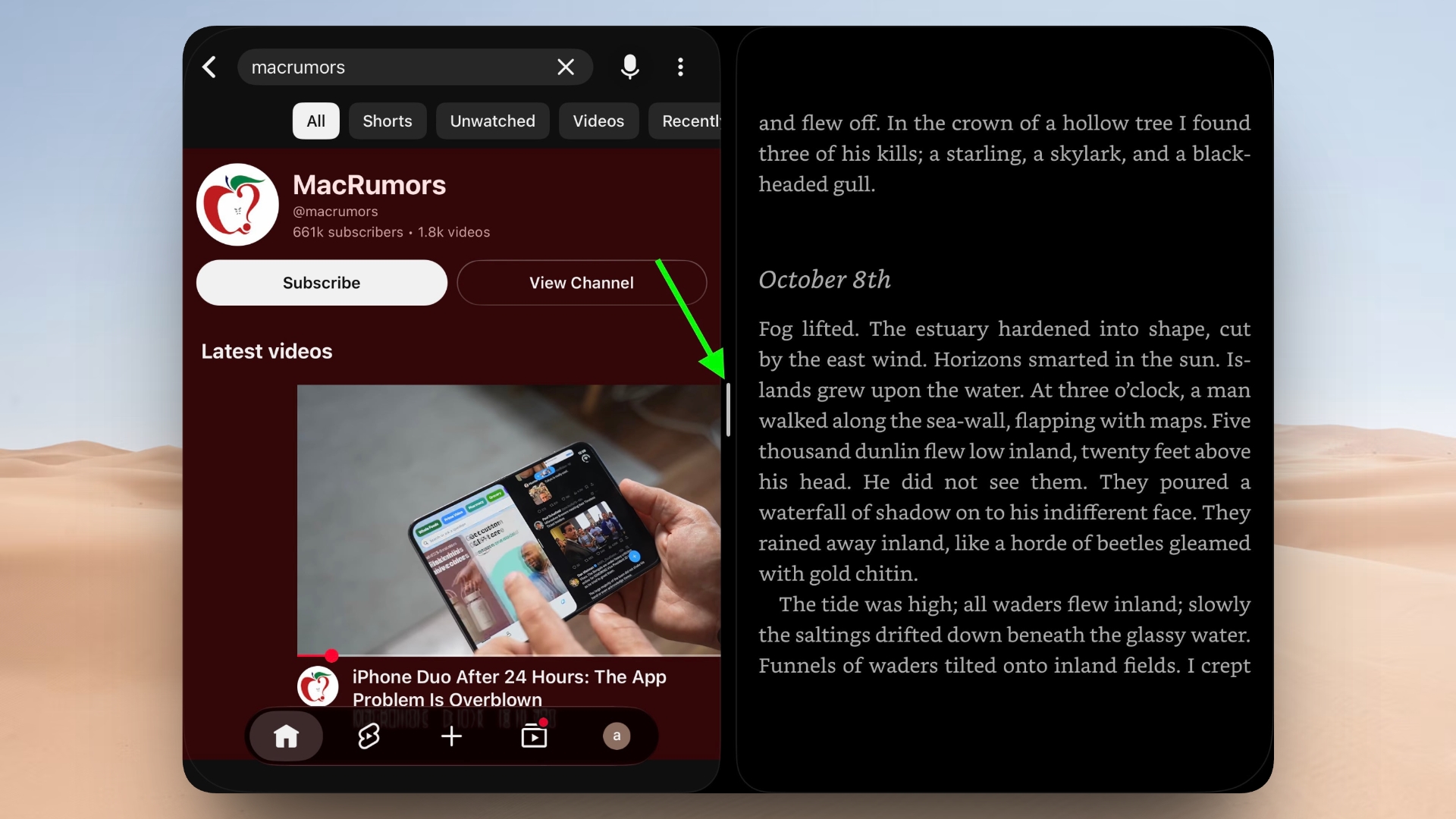
iPhone Duo is the first iPhone that can run two apps on the screen at the same time. Unfold the phone in landscape orientation, and Split View puts two apps side by side on the 7.6-inch inner display. It's especially handy for things like keeping Messages open next to Maps, or Safari next to Notes. Indeed, if there's an app combination that you use often, you can lock two together as an app pair, and they will always launch together. Here's how to do both.

iphone-duo-split-screen-scaled-e1789143118947.jpg
 
Last edited:
what happens to your pinned apps when you rotate to portrait? does it pick one to show? what if you rotate back to landscape? are they restored?
 
  • Like
Reactions: iosgino
It would be nice if the hold to jiggle the open windows that way it can be closed, replaced or restore to full screen or kept in the half screen state.
 
  • Like
Reactions: jjrtiger
I can’t deny that the iPhone Duo can be a handy and practical device, but definitely not $2k worth for me.

By the way, now that I’m seeing the video, I can tell that iPad OS 26 and its new multi-window interface was the foundation for the multi-tasking interface of the Duo.
 
I can’t deny that the iPhone Duo can be a handy and practical device, but definitely not $2k worth for me.

By the way, now that I’m seeing the video, I can tell that iPad OS 26 and its new multi-window interface was the foundation for the multi-tasking interface of the Duo.
Gruber calls the iPhone Duo's multitasking the best tablet multitasking by far -- saying it puts ALL iterations of the iPad multitasking to shame. I will be honest, I find iPad multitasking cumbersome and annoying and 99% of the time and leave it turned off. Very rarely when using the iPad Air with the Smart Keyboard (usually on vacation) I will turn on the multi-window multitasking and use my iPad kinda like a macBook. The only other iPad multitasking I ever found useful was the Split View with one app using like 1/3 of the screen and the other app taking 2/3 of the screen.
 
what happens to your pinned apps when you rotate to portrait? does it pick one to show? what if you rotate back to landscape? are they restored?
It opens the app that you are active in full size.

I hope the will let us resize the apps eventually like right now I have Safari and Instagram open but I don’t need Instagram so wide while I am trying to read something on a webpage
 
  • Like
Reactions: iosgino
Gruber calls the iPhone Duo's multitasking the best tablet multitasking by far -- saying it puts ALL iterations of the iPad multitasking to shame. I will be honest, I find iPad multitasking cumbersome and annoying and 99% of the time and leave it turned off. Very rarely when using the iPad Air with the Smart Keyboard (usually on vacation) I will turn on the multi-window multitasking and use my iPad kinda like a macBook. The only other iPad multitasking I ever found useful was the Split View with one app using like 1/3 of the screen and the other app taking 2/3 of the screen.
I wish they would bring back Split View. The new multitasking is so hard to use and a big step back.
 
Gruber calls the iPhone Duo's multitasking the best tablet multitasking by far -- saying it puts ALL iterations of the iPad multitasking to shame. I will be honest, I find iPad multitasking cumbersome and annoying and 99% of the time and leave it turned off. Very rarely when using the iPad Air with the Smart Keyboard (usually on vacation) I will turn on the multi-window multitasking and use my iPad kinda like a macBook. The only other iPad multitasking I ever found useful was the Split View with one app using like 1/3 of the screen and the other app taking 2/3 of the screen.
The traffic lights are too small.
There’s gotta be a better way.
 
  • Like
Reactions: iosgino and code-m


iPhone Duo is the first iPhone that can run two apps on the screen at the same time. Unfold the phone in landscape orientation, and Split View puts two apps side by side on the 7.6-inch inner display. It's especially handy for things like keeping Messages open next to Maps, or Safari next to Notes. Indeed, if there's an app combination that you use often, you can lock two together as an app pair, and they will always launch together. Here's how to do both.

iphone-duo-split-screen-scaled-e1789143118947.jpg


Open Two Apps in Split View

The way it currently works, Split View can be invoked on the iPhone Duo's inner display in landscape orientation. Here are the two ways to start it.

From an App You're Already Using:

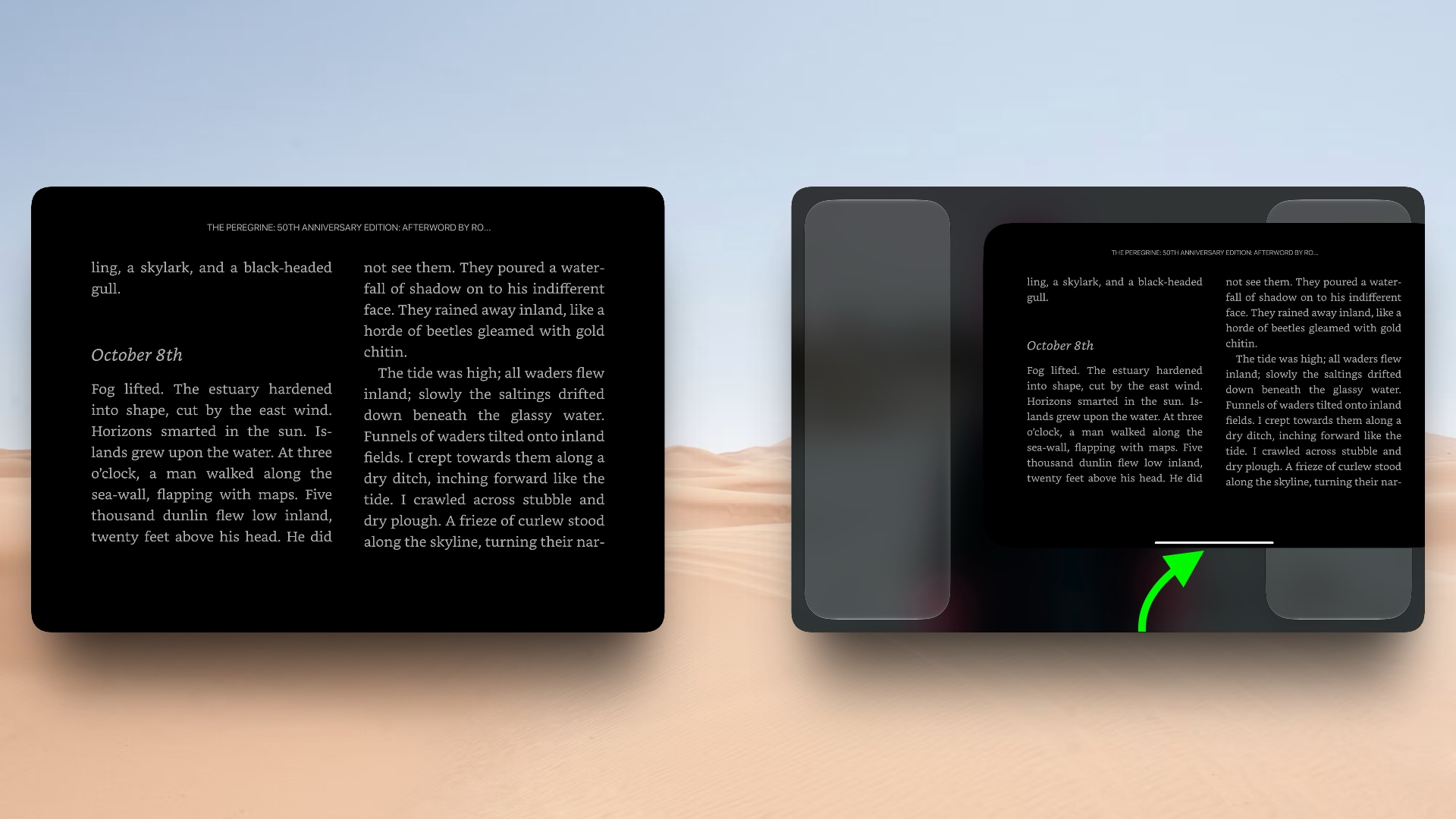
  1. Swipe up from the bottom of the screen, pause in the center, then keep dragging the app toward the left or right edge. The app will settle into that half of the screen, and the Home Screen will appear on the other half.
    split-view-home-screen-duo.jpeg


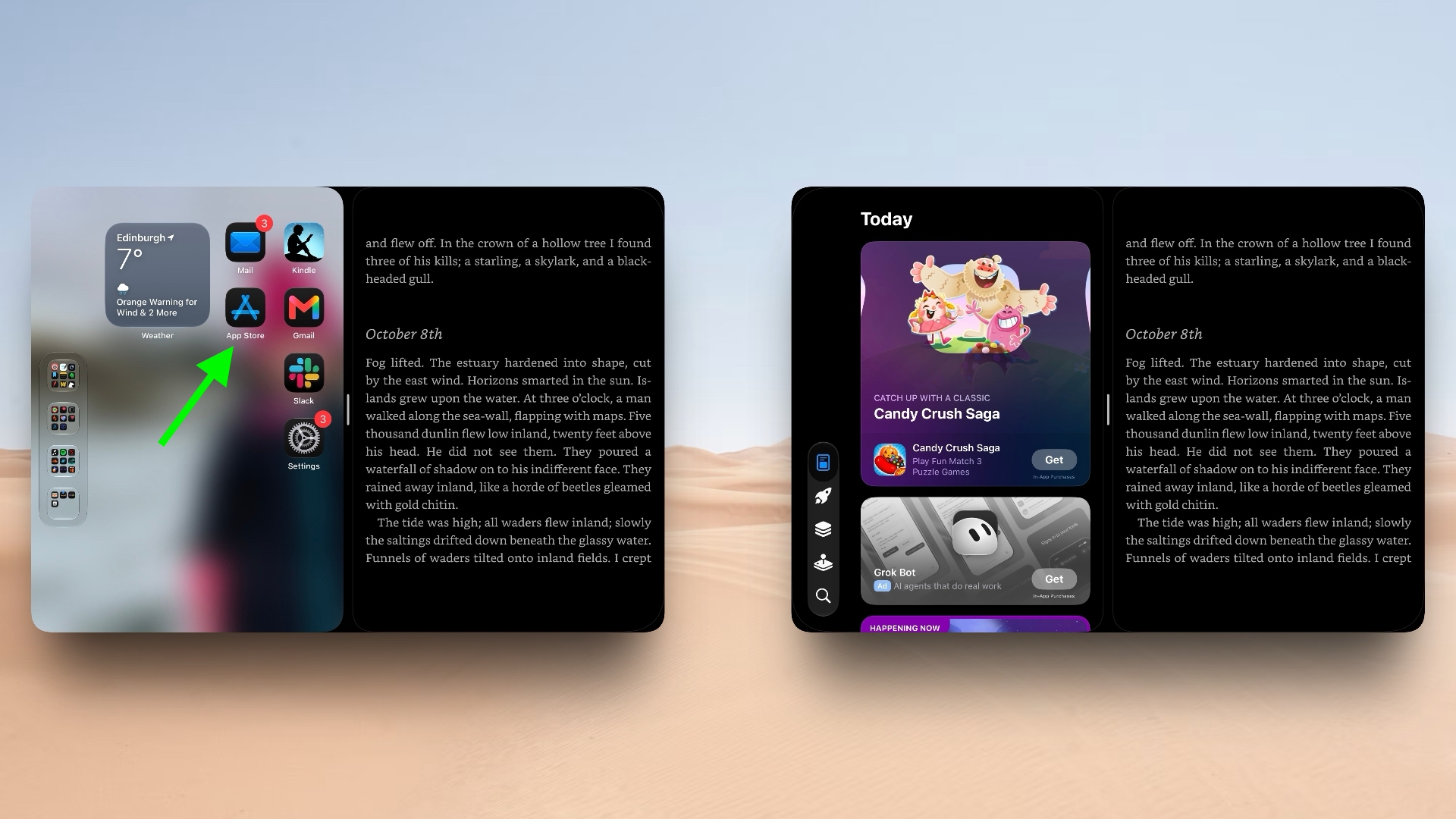
    Now select the second app you want to open. You can tap its icon from the Home Screen, swipe down to search for it, or swipe leftwards to find it in the App Library.
    Tap the second app, and it will appear alongside the first.
    split-view-home-screen-duo-2.jpeg

From the Home Screen or App Library:


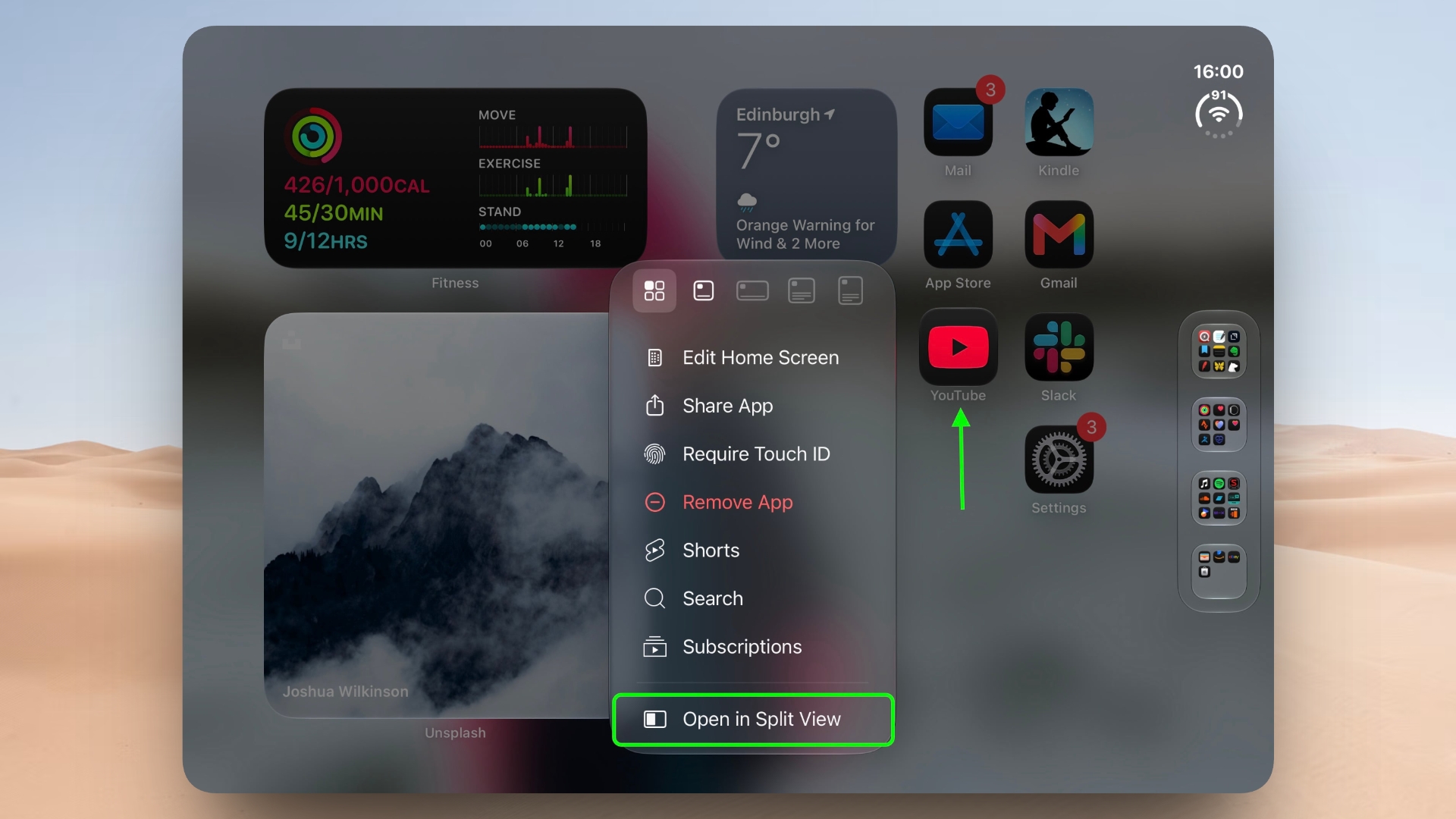
  1. Touch and hold an app icon, then tap Open in Split View.
    split-view-app-home-screen.jpeg


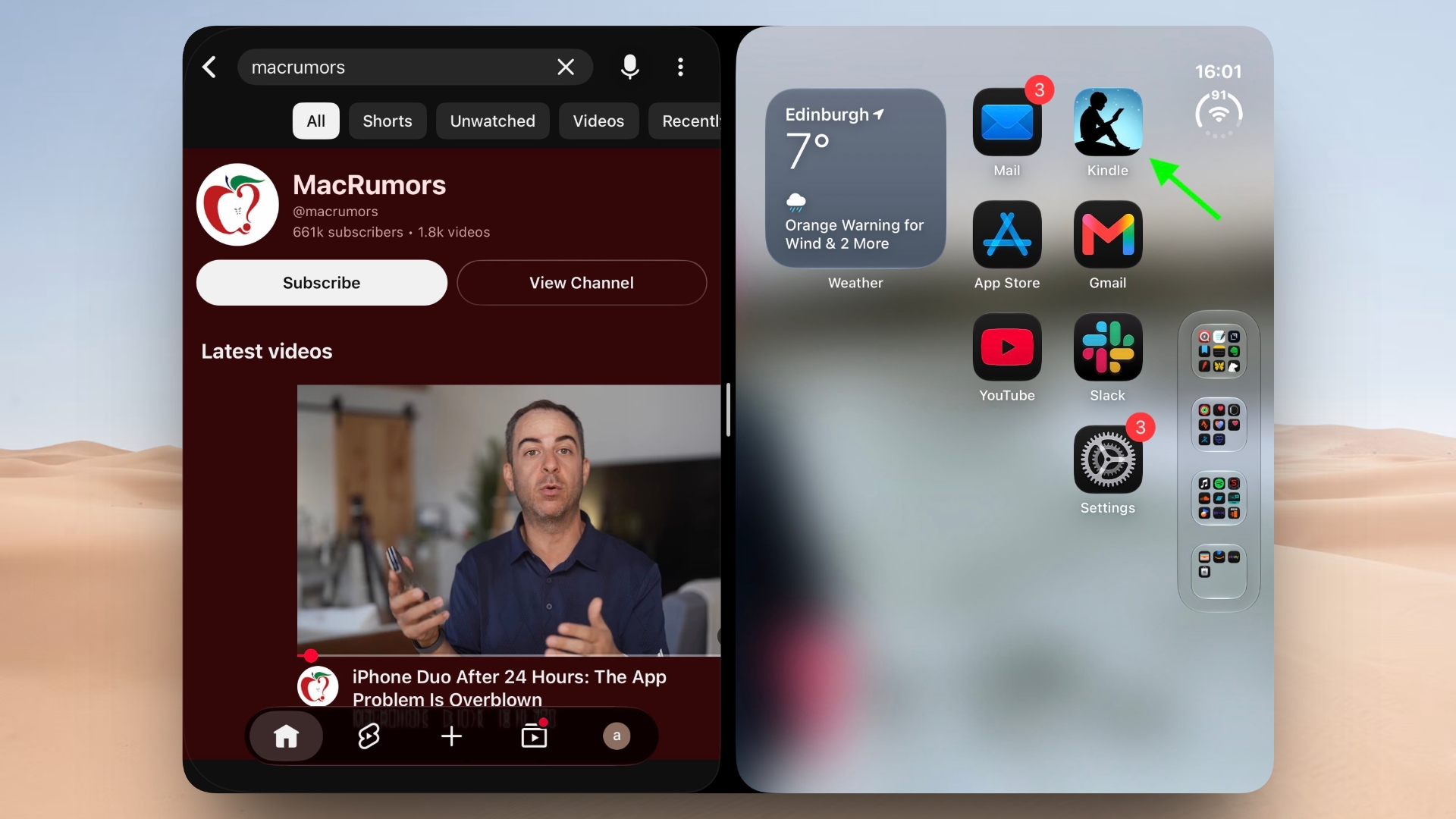
    Tap the second app you want to open alongside it from the Home Screen, or using swipe-down search or the App Library.
    second-app-split-view.jpeg

We've found that in certain cases, two windows of the same app also work. Apps that support multiple windows include Safari, Mail, Notes and Files. Simply open the app in Split View, tap its icon again on the Home Screen or in App Library, and a second window opens beside the first. This way, you can have two webpages open at once, or your inbox next to a draft. It's pretty neat.

To swap the two apps around, just swipe up from the bottom of either app, pause in the center, then drag it to the opposite side.

Lock Two Apps as an App Pair

  1. With both apps open in Split View, tap the divider between them.
    lock-app-pair-duo.jpeg


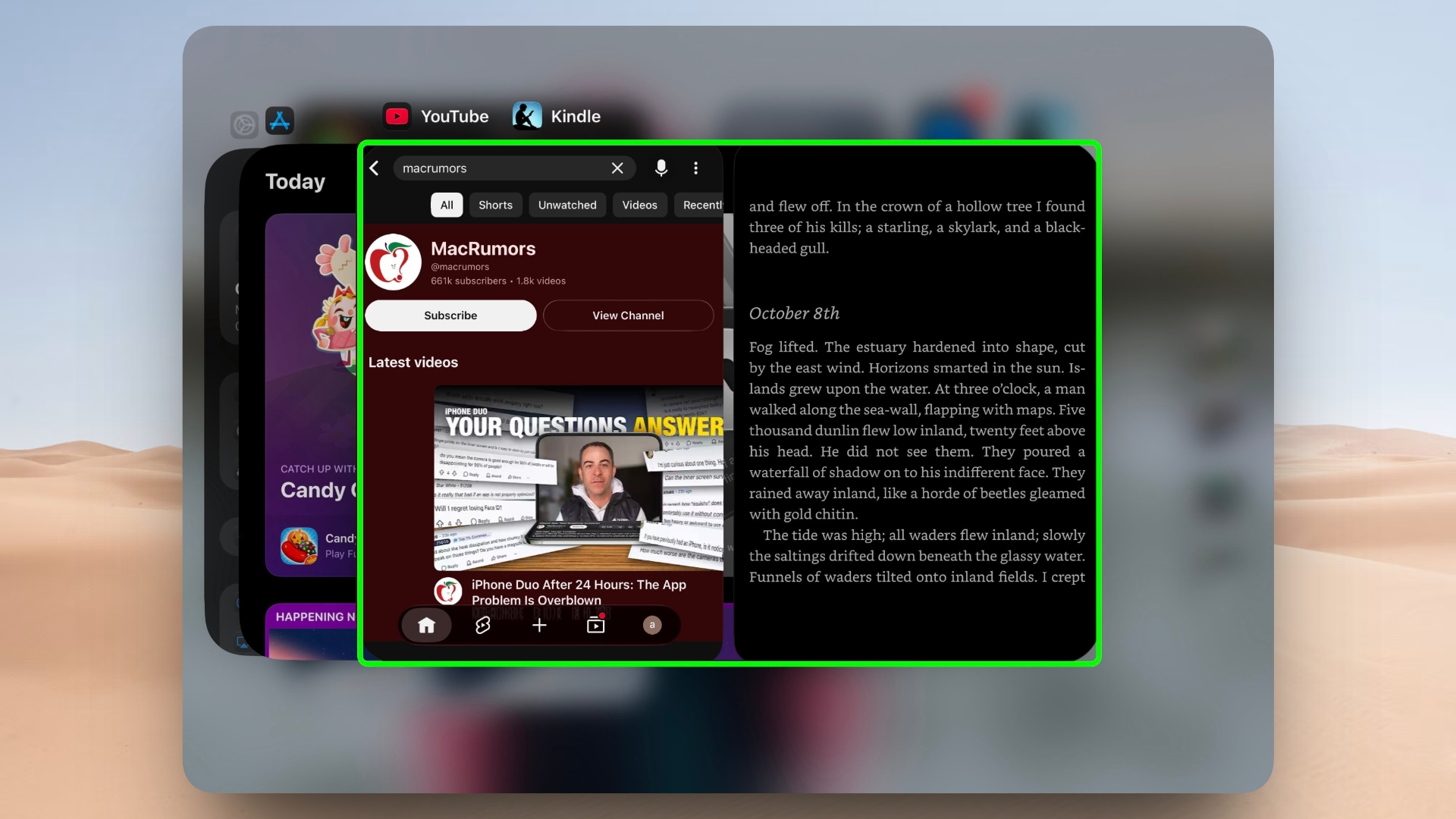
    There isn't really a second step – that's essentially it. The apps are now paired, and the next time you open either one, the other one will open with it automatically.
    locked-app-pair-duo.jpeg
To unpair them at any time, just drag the divider in the center, all the way to the left or right edge of the screen. The app you push off will close, while the other will return to full screen.

Worth Knowing

Unlike in iPadOS, the app split on iPhone Duo is fixed at 50/50. So if you're used to Split View on iPad, remember that you can't drag the divider to give one app more room. Also, only one app can play audio at a time, so it's not like you can scroll two video feeds side by side and expect to get sound from both.

Article Link: iPhone Duo: Open Two Apps Side by Side and Lock Them As an App Pair
Thank you. Love the article. It is very helpful!! I did it and love it. ❤️❤️❤️
 
Register on MacRumors! This sidebar will go away, and you'll see fewer ads.