Become a MacRumors Supporter for $50/year with no ads, ability to filter front page stories, and private forums.
Status
Not open for further replies.

contacos

macrumors 604
Original poster
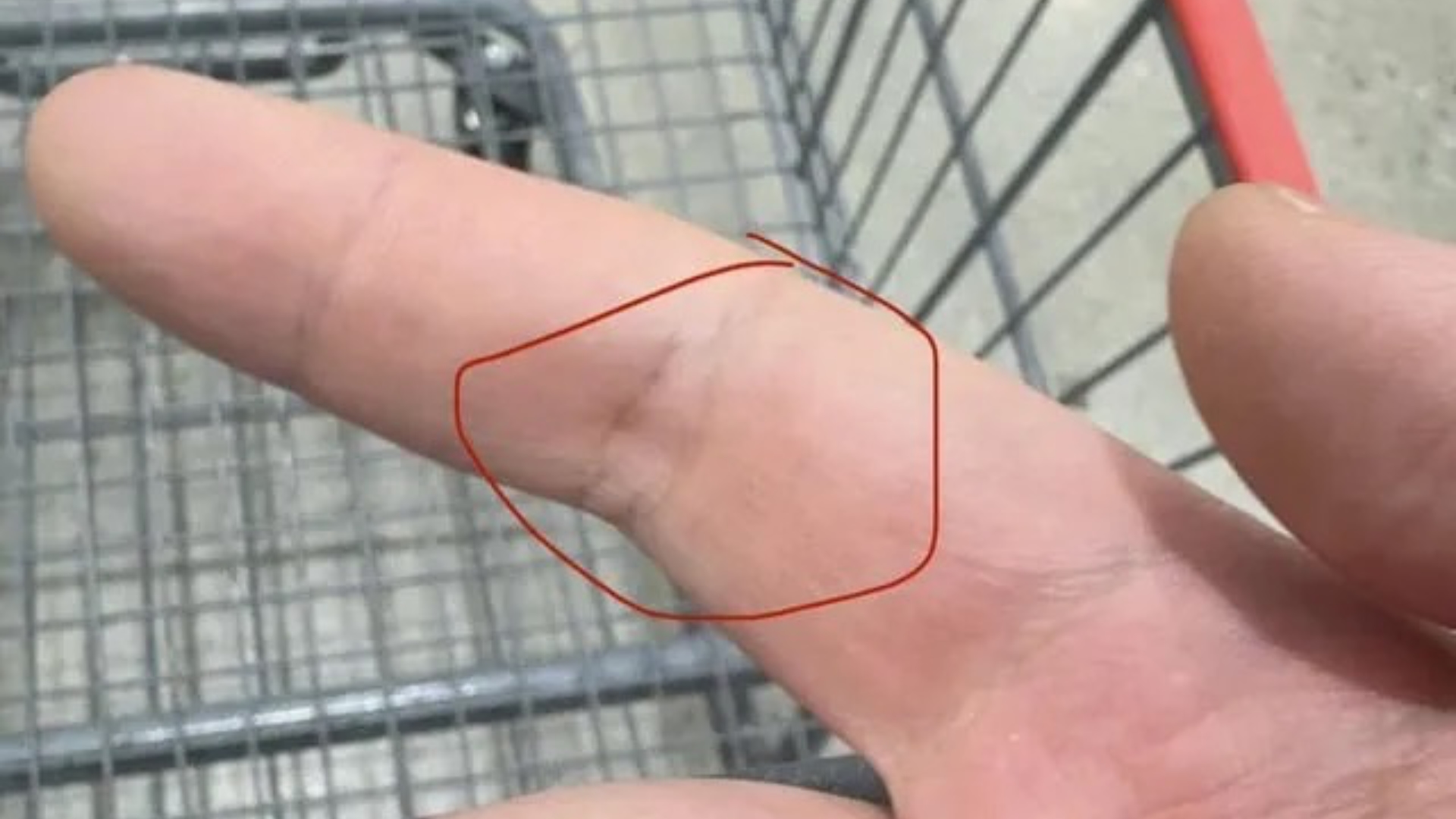
Scan the inside of your right index finger with TouchID and you can instantly unlock the phone.

Saw it on Reddit and just wanted to share as this works incredibly well.

You just grab your phone naturally when you pick it up and boom unlocked by just swiping up on the lock screen.

IMG_0030.jpeg
 
  • Like
Reactions: rsnhakan
inb4 you accidentally authorize an Apple Pay charge with this you didn’t want to actually make.

A better option is; if you have an Apple Watch, just use that to unlock your iPhone Duo. Feels nearly identical to Face ID. You can turn the feature on in Settings > Touch ID & Passcode.
 
  • Like
Reactions: gloss
Can’t think or a situation where this would happen. In fact I am actually getting annoyed by how you pay on iOS. On my Android device I just hold my phone to the reader and I don’t need to verify the transaction again if the phone was already unlocked.

Probably habit and muscle memory but double tapping AND hold is cumbersome. I always forget to double tap and my payment fails. Hope I get used to it soon
 
Can’t think or a situation where this would happen. In fact I am actually getting annoyed by how you pay on iOS. On my Android device I just hold my phone to the reader and I don’t need to verify the transaction again if the phone was already unlocked
I was thinking more in-app or website-based Apple Pay rather than at the store.
 
I was thinking more in-app or website-based Apple Pay rather than at the store.

Actually that doesn’t work cuz you need to double press to confirm a payment. Resting the inside of your index finger only works for unlocking cuz unlocking doesn’t require a double tap so no problem
 
So we are just ignoring that when holding the Duo naturally the thumb rests on the Touch ID button? Can someone please post a video of this in action so I can understand?
 
Moderation Note

Please continue the discussion in the News article.
 
Status
Not open for further replies.
Register on MacRumors! This sidebar will go away, and you'll see fewer ads.