Become a MacRumors Supporter for $50/year with no ads, ability to filter front page stories, and private forums.

MacRumors

macrumors bot
Original poster


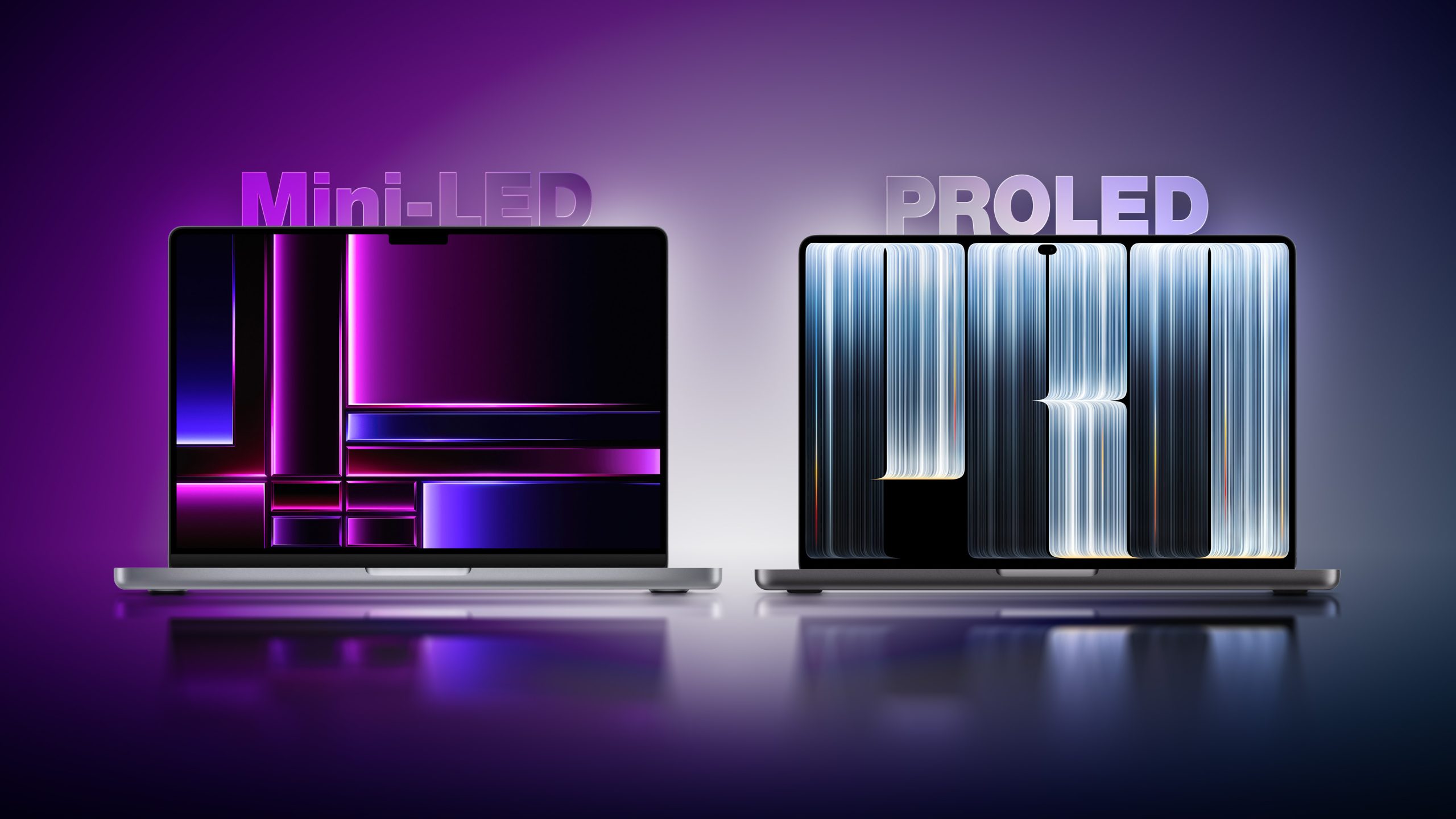
Apple's new MacBook Pro with PROLED XDR Display features tandem OLED technology, touchscreen input, the Dynamic Island, and a thinner, lighter design. It joins the existing Liquid Retina XDR models introduced in March 2026, with both versions offering the same M5 Pro and M5 Max chips.

Mini-LED-vs-PROLED-MBP-Feature-scaled.jpg
 
  • Haha
Reactions: Z-4195
I really wonder how bad burn-in will be on these OLED MacBooks after a few years. An iPad is one thing, but a MacBook is a completely different story. People spend 8 or 10 hours a day with the same static elements on screen. Final Cut Pro, Excel, menu bars, toolbars, timelines, all sitting in exactly the same place for hours every single day.

And lets not forget that OLED pixels wear out over time, which means brightness gradually drops too. Thats just how OLED technology works. And please spare me the usual “but its tandem OLED, so burn-in isnt an issue” nonsense. Tandem OLED isnt magically immune to degradation or burn-in, no matter how advanced Apple claims it is.

I’m really curious how these displays will look after 3 or 4 years of heavy daily use. Not on launch day when everything looks amazing, but after thousands of hours of actual work.
 
If an iPad Pro uses an OLED, and so does the MacBook Pro, why do they have such varying contrast ratios?

Marketing gimmick more or less. Contrast ratio on an OLED is infinite technically. This has more to do with brightness differences and users who don't know how the tech works.
 
The new medical imaging reference modes are intriguing. I wonder if that's enabled by the higher contrast and color gamut
 
I wonder if the glowing logo and dynamic island will only be on the touch screens as a way to differentiate for the future.

I dont need or want a touch screen but I would like my next MBP to have the glowing logo and no notch.
 
I use mini led + OLED all day long and I prefer Mini led over OLED.

My OLED stuff is basically just to turn on, do something, then turn off. All my mini led monitors stay running.

Even while using OLED monitors I constantly think about burn in. I hate the absolute hell out of it as an experience. But it’s money spent so nothing I can do about it.

Feel sorry for anyone who has to daily drive an OLED without a mini led or something around to reduce the pixel entropy.

For reference, here are monitors I use:
34” Innocn Mini Led ($1000)
32” Innocn J-OLED 4K ($1500)
39” Alienware OLED 5K2K ($1100)
43” Samsung G7 Neo mini LED(I have 2) ($2000)
32” TCL Mini led 32” 4K ($650)
 
I really wonder how bad burn-in will be on these OLED MacBooks after a few years. An iPad is one thing, but a MacBook is a completely different story. People spend 8 or 10 hours a day with the same static elements on screen. Final Cut Pro, Excel, menu bars, toolbars, timelines, all sitting in exactly the same place for hours every single day.

And lets not forget that OLED pixels wear out over time, which means brightness gradually drops too. Thats just how OLED technology works. And please spare me the usual “but its tandem OLED, so burn-in isnt an issue” nonsense. Tandem OLED isnt magically immune to degradation or burn-in, no matter how advanced Apple claims it is.

I’m really curious how these displays will look after 3 or 4 years of heavy daily use. Not on launch day when everything looks amazing, but after thousands of hours of actual work.
Just set a reminder to check this in 3 years. Otherwise, how would we know now?
 
I really wonder how bad burn-in will be on these OLED MacBooks after a few years. An iPad is one thing, but a MacBook is a completely different story. People spend 8 or 10 hours a day with the same static elements on screen. Final Cut Pro, Excel, menu bars, toolbars, timelines, all sitting in exactly the same place for hours every single day.

And lets not forget that OLED pixels wear out over time, which means brightness gradually drops too. Thats just how OLED technology works. And please spare me the usual “but its tandem OLED, so burn-in isnt an issue” nonsense. Tandem OLED isnt magically immune to degradation or burn-in, no matter how advanced Apple claims it is.

I’m really curious how these displays will look after 3 or 4 years of heavy daily use. Not on launch day when everything looks amazing, but after thousands of hours of actual work.

Isn't this what AppleCare is for?
 
  • Like
Reactions: aylk and zzu
Now the performance difference between mini-Led 14" M5 Max vs Oled 14" M5 Max
Lets see if the new cooling system is better otherwise its an design flaw
How different is the Mac Studio m5 max from the MacBook Pro? I suppose that defines the gap this could close
 
Happy with all the changes. No need to upgrade unless one wants a touch display. I like that the new MacBook is lighter and has OLED display along with touch, a Dynamic Island and of course the glowing logo.
 
Lowkey excited for this new release, even more than the Duo, because it's a device I can actually get work done on. The weight loss without sacrificing battery is amazing, and the Macbook Pro 14 is now closer in weight to the Macbook Air 13. The OLED screen looks amazing too. I could go either way with touch at the moment. Waiting for the M7 Pro. At that price definitely can't be buying a version with an old chip.
 
I wonder if the glowing logo and dynamic island will only be on the touch screens as a way to differentiate for the future.

I dont need or want a touch screen but I would like my next MBP to have the glowing logo and no notch.
Back when I had a MacBook Air from 2015 the glowing logo burned into the front of the screen after about 5 yrs. So you could see a faint outline of the apple logo when looking at the display. Hopefully they fixed that!
 
  • Wow
Reactions: Basic75
I bought a 16" MBP M4 ( forget the CPU, but it is the middle version) 64GB 1TB for $1800 (or less) a year ago, new.

It was on sale just before the price increase. The OLED version of this is $4400. This makes me question my memory.
 
Last edited:
That weight reduction is impressive, down from 1.60kg to 1.38kg on the 14". The 13" MacBook Air is 1.23kg, so the new 14" is closer to that in weight than it is to the old 14" MBP.
 
I bought a 16" MBP M4 ( forget the CPU but it was middle version) 64GB 1TB for $1750 a year ago, new.

It was on sale just before the price increase. The OLED version of this is $4400. This makes me question my memory.
as in you should have bought more memory a year ago? haha
 
  • Like
Reactions: AudiA4
It's weird timing to release this. Should have come out with the other M5 16" release as an option, because other than the screen there's not much of a difference. I hope they just do that going forward to keep it simple.
 
Register on MacRumors! This sidebar will go away, and you'll see fewer ads.