

macOS 27.3 adds native Markdown rendering to Quick Look, allowing users to preview .md files with their formatting applied.
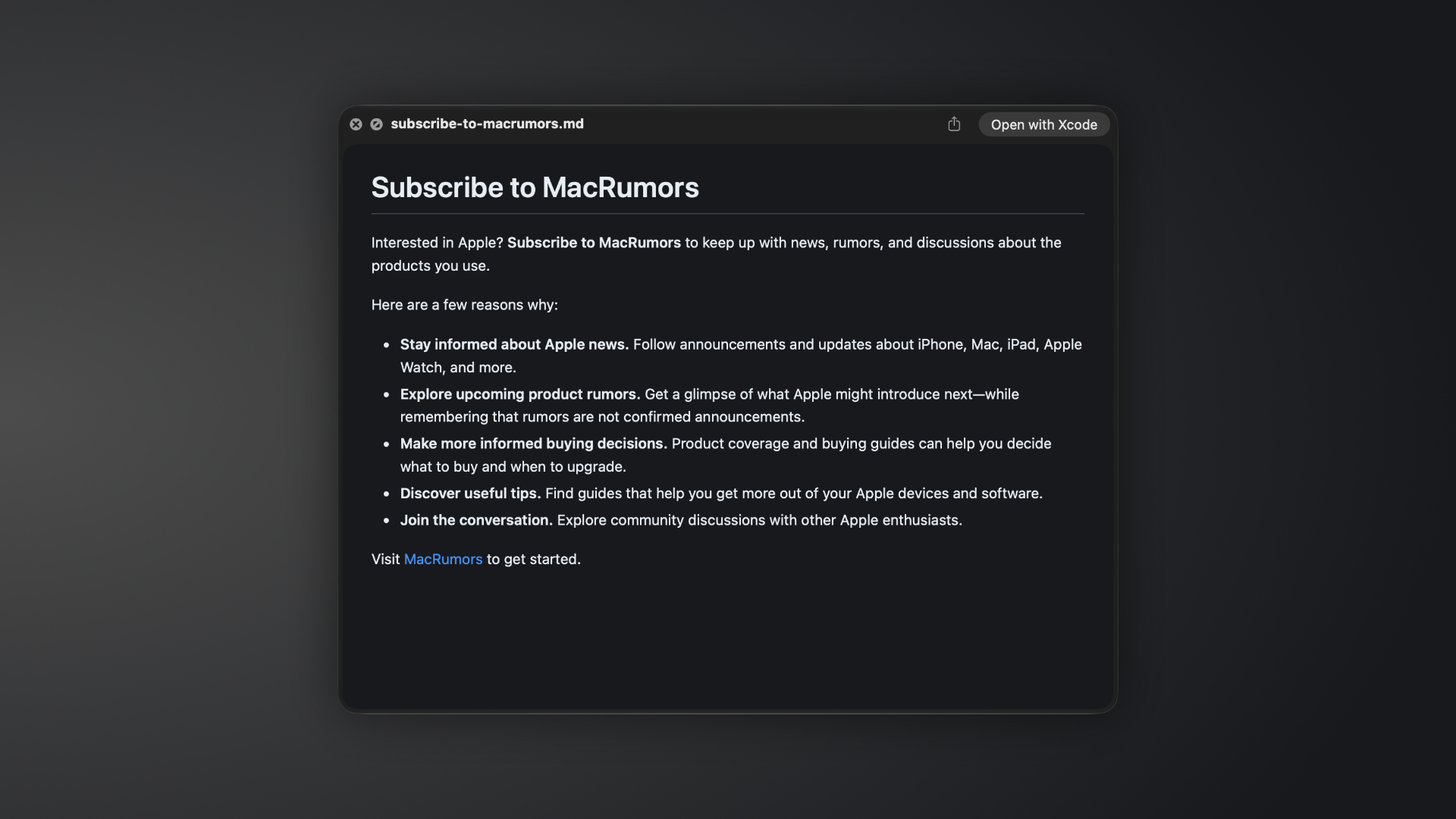
Article Link: macOS 27.3 Makes Markdown Files Easier to Read


Yeah, John Gruber is the inventor of Markdown. Been reading his work for more than a decadeHave never used Markdown and have no idea what its purpose is. Having said that, I’m delighted for John Gruber. I believe it’s his ‘baby’.
(Maybe this will signal a return to John having senior Apple executives at his annual WWDC event…or am I asking for too much?)

Yeah what the heck is Markdown? Granted probably wouldn't use it anyway.Have never used Markdown and have no idea what its purpose is. Having said that, I’m delighted for John Gruber. I believe it’s his ‘baby’.
(Maybe this will signal a return to John having senior Apple executives at his annual WWDC event…or am I asking for too much?)


Text Edit truly is the worst.Notes has always done pretty well handling markup/rich text for years, total mystery why same not applied elsewhere, Text Edit only gets it half right for instance

Software engineers like to use markdown too, because it's easy to read even if it's not being parsed - and have for at least a decade. Sort of like an .srt file for closed captioning, it's everywhere, but if you're not in the correct industry or go looking for it, you can just as easily as miss it..md files exploded in use the past couple years because its what AI agents use iirc


I'm pretty sure that they've been widely used well before "agents" and other "AI" stuff. I used to have a blog where the posts were written in Markdown and then turned into HTML. Some researchers also used it for their papers, through R Markdown, for example. Don't know how long you've been able to do slides in Markdown, but it's been a pretty long time. It's very handy..md files exploded in use the past couple years because its what AI agents use iirc

Yeah. I discovered this little gem few months ago and it’s a joy to use. Some still prefer TextEdit but, for some reason, I find CotEditor much prettier and friendlier.I've been using CotEditor for quite a while to view/edit .md and other files.
Markdown is a way to get rich-text (or more correctly HTML-like) functionality with TXT files. It has the advantage of portability, so you're never tied to a given word processor because you're using their proprietary format. It has limitations, to be sure. Among those: if you wanted chapter titles that had a style for the number and a different style for the title, you're kind of SOL. But for what it is, it's actually pretty nifty.Have never used Markdown and have no idea what its purpose is. Having said that, I’m delighted for John Gruber. I believe it’s his ‘baby’.
(Maybe this will signal a return to John having senior Apple executives at his annual WWDC event…or am I asking for too much?)
I’ve used this feature only a few times, so I’ve never experienced your issue. As a test, I’ve just made a PDF of this comments page now and it shows every part, right to the end.[oh sorry...I just realized after posting this that this is about markdown language, which is totally different from PDF markups. Oops!]
I'm not on iOS 27.3 beta, but I have found that the current and past versions of iOS or iPadOS have problems with the markup option in Safari. You know how you can turn a webpage in Safari into a PDF for markup? Very often when that happens, the PDF version cuts off early, dropping off text that is towards the bottom of the webpage. So, the PDF is incomplete. Haven't been able to solve that problem.
Anyone know what I'm talking about?
I wonder if this has been addressed in iOS/iPadOS 27.3 beta.
Try longer articles such as this one from Mother Jones:I’ve used this feature only a few times, so I’ve never experienced your issue. As a test, I’ve just made a PDF of this comments page now and it shows every part, right to the end.

 www.motherjones.com

