Become a MacRumors Supporter for $50/year with no ads, ability to filter front page stories, and private forums.

monke

macrumors 65816
Original poster
Just updated the old PeeCee to iTunes 7, and most (not all) of the video I had is now messed up.

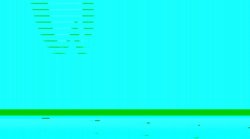
Some video podcasts too, all I get are some strange multi coloured bars, like this:
iTunes.JPG

Help?
 
monke said:
Just updated the old PeeCee to iTunes 7, and most (not all) of the video I had is now messed up.

Some video podcasts too, all I get are some strange multi coloured bars, like this:
Help?
I had the same problem. Though it seemed to affect all QT files that were local including Sorenson MOV files and all of my MP4s. Thouigh not stuff online. 😕

Ultimately I beleive the solution was to upgrade the drivers for my video card, although at around the same time I removed Quicktime and reinstalled it from the standalone installer.

So, I'd suggest: Remove QT7.1.3, Upgrade your video driver to the latest available, reinstall QT 7.1.3.

Here's the URL my QT installer was from: http://appldnld.apple.com.edgesuite....com/mcgonagail/us/win/QuickTimeInstaller.exe

B
 
I found a solution.

Hi All,

I had the same problem too. I removed and then reinstalled QT with no improvement. But then I messed with some of the QT preferences and found a solution (at least it worked for my Toshiba notebook).

1. Go to QuickTime Preferences
2. Advanced tab
3. Uncheck "Enable Direct3D video acceleration"

Man, I'm glad it worked out. I practically live off of video podcasts now.

Hope that helps.

Regards,
cktc.
www.hyperstitious.com


balamw said:
I had the same problem. Though it seemed to affect all QT files that were local including Sorenson MOV files and all of my MP4s. Thouigh not stuff online. 😕

Ultimately I beleive the solution was to upgrade the drivers for my video card, although at around the same time I removed Quicktime and reinstalled it from the standalone installer.

So, I'd suggest: Remove QT7.1.3, Upgrade your video driver to the latest available, reinstall QT 7.1.3.

Here's the URL my QT installer was from: http://appldnld.apple.com.edgesuite....com/mcgonagail/us/win/QuickTimeInstaller.exe

B
 
cktc said:
3. Uncheck "Enable Direct3D video acceleration"
I suspected it was something like that that was fixed in my case with updating the video driver... It probably had more recent Driect3D support.

B
 
Register on MacRumors! This sidebar will go away, and you'll see fewer ads.