View Full Version : Post Your Mac Setup: Past & Present (Part 6)
Mikey-
Aug 1, 2008, 11:36 AM
Mod Note: Here is a list of the previous threads
Post Your Mac Setup: Past & Present (http://forums.macrumors.com/showthread.php?t=75540)
Post Your Mac Setup: Past & Present (Part 2) (http://forums.macrumors.com/showthread.php?t=381518)
Post Your Mac Setup: Past & Present (Part 3) (http://forums.macrumors.com/showthread.php?t=407902)
Post Your Mac Setup: Past & Present (Part 4) (http://forums.macrumors.com/showthread.php?t=438428)
Post Your Mac Setup: Past & Present (Part 5) (http://forums.macrumors.com/showthread.php?t=472908)
Please refrain from quoting images. If you want to see the picture that a post is referring to, you can press this button: http://images.macrumors.com/vb/images/buttons/viewpost.gif.
For large images (over ~800 pixels wide), please use [timg] tags rather than plain old tags
We ask that everyone refrains from reposting the same image in multiple threads. That includes the "Under 18" as well as "Post Your Mac Setup" threads.
We do realize that this will still sometimes occur. If/when that happens, please report it by clicking on the "Report Post" icon ([IMG]http://images.macrumors.com/vb/images/buttons/report.gif) and include a link to both posts. Thank you.
__________________________________________________________________

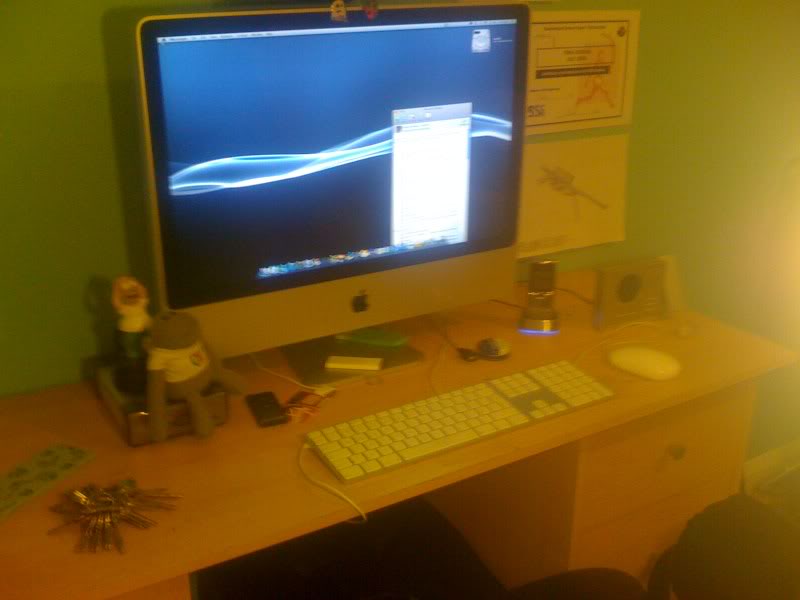
http://i288.photobucket.com/albums/ll163/mmoore94/IMGP0201.jpg
http://i288.photobucket.com/albums/ll163/mmoore94/IMGP0202.jpg
Added a 24" iMac this week for extra projects. It had a 24" external monitor that I used to use with my MBP.
http://www.degana.com/mitch/desk-360.jpg
Here's a shot of the rear of the Mac Pro:
http://www.degana.com/mitch/mac-pro-rear.jpg
The Mac Pro has 4x20" HPs, 1x30" Apple, and 1x19" ViewSonic.
tMac85
Aug 1, 2008, 12:00 PM
Added a 24" iMac this week for extra projects. It had a 24" external monitor that I used to use with my MBP.
<snip>
Here's a shot of the rear of the Mac Pro:
<snip>
The Mac Pro has 4x20" HPs, 1x30" Apple, and 1x19" ViewSonic.
good lord! What do you do for a living?
opo101
Aug 1, 2008, 12:16 PM
Few changes made to mine.
techlover828
Aug 1, 2008, 12:19 PM
I really wish IKEA hadnt discontinued the medium brown color of the GALANT. The black-brown I got is nice, but in the lighting of my room it looks black. My IKEA bedroom furniture is medium brown and that color just looks so much sharper. Tisk Tisk, IKEA
Here's a shot of the wire organization that's going on, it looks like a mess in the basket but everything is tidy and ziptied.
http://farm4.static.flickr.com/3227/2722984676_ddfe5a6729_b.jpg
Where did you get that basket, I'm looking for one
bartelby
Aug 1, 2008, 12:20 PM
Where did you get that basket, I'm looking for one
IKEA.
I can't remember the name of the item.
UMHurricanes34
Aug 1, 2008, 12:52 PM
It's called SIGNUM from IKEA. I have one under each half of the desk, really makes a huge difference not having wires hanging down.
Here's a link (http://www.ikea.com/us/en/catalog/products/50035115)
techlover828
Aug 1, 2008, 12:59 PM
It's called SIGNUM from IKEA. I have one under each half of the desk, really makes a huge difference not having wires hanging down.
Here's a link (http://www.ikea.com/us/en/catalog/products/50035115)
thanks a lot.
CalmEnvy
Aug 1, 2008, 01:14 PM
It's called SIGNUM from IKEA. I have one under each half of the desk, really makes a huge difference not having wires hanging down.
Here's a link (http://www.ikea.com/us/en/catalog/products/50035115)
Thanks for the link as well. I'll probably end up getting ones of those. This is how I have my cables now:
http://img389.imageshack.us/img389/3218/s6001108iu4.th.jpg (http://img389.imageshack.us/my.php?image=s6001108iu4.jpg)
WillJS
Aug 1, 2008, 01:26 PM
good lord! What do you do for a living?
I wonder this, too! :O
JML42691
Aug 1, 2008, 01:36 PM
Added a 24" iMac this week for extra projects. It had a 24" external monitor that I used to use with my MBP.
http://www.degana.com/mitch/desk-360.jpg
Here's a shot of the rear of the Mac Pro:
http://www.degana.com/mitch/mac-pro-rear.jpg
The Mac Pro has 4x20" HPs, 1x30" Apple, and 1x19" ViewSonic.
What exactly do your do? I'm guessing some kind of programming, and just by the number of monitors, I am assuming that the Mac Pro is maxed out with its specs, any chance we can see the specs of the Mac Pro?
Andrew Henry
Aug 1, 2008, 01:47 PM
Here's mine! Sorry about the wires, I just got back from Iraq last week and am still setting up!
http://gallery.me.com/andrew.henry/100033/DSCN0563/web.jpg
-Andrew
thebassoonist
Aug 1, 2008, 02:00 PM
Set up with new keyboard! Hidden are my two hard drives (on my desk leg) and my printer (on a shelf next to my desk).
iShade
Aug 1, 2008, 02:06 PM
http://i56.photobucket.com/albums/g198/theunbeatable/IMG_0055.jpg
PG Tips FTW.
http://i56.photobucket.com/albums/g198/theunbeatable/IMG_0056.jpg
Projector Clocks FTW.
NotFound
Aug 1, 2008, 02:14 PM
Here's mine! Sorry about the wires, I just got back from Iraq last week and am still setting up!
-Andrew
Umm, black keyboard on the macbook pro on the right? Do tell? Looks slick.
Andrew Henry
Aug 1, 2008, 02:17 PM
Umm, black keyboard on the macbook pro on the right? Do tell? Looks slick.
It's an iSkin keyboard protector, it keeps it clean and new, plus I really like the black on aluminum look! :D
buyusfear
Aug 1, 2008, 02:26 PM
It's an iSkin keyboard protector, it keeps it clean and new, plus I really like the black on aluminum look! :D
Why is the power button in a different location?
I thought it was a 17'' but the cd drive isn't up high like on current models?
What exactly do your do? I'm guessing some kind of programming, and just by the number of monitors, I am assuming that the Mac Pro is maxed out with its specs, any chance we can see the specs of the Mac Pro?
Yep, I write distributed software systems.
The Mac Pro is not totally maxed out :-). 8x2.8, 12 GB of RAM, 4 TB local storage, 3x2600 video cards. The iMac has 4 GB of RAM, same as the MBP.
I also have some test gear elsewhere in the room with a total of 12 GB of RAM (just 3 machines right now), Gigabit drops throughout the room and the rest of the house. I posted some pictures of the wiring closet in a previous version of this thread. The switches are currently just vanilla unmanaged switches, but I'm looking at changing over to some kind of cheap managed switches for VLAN support.
Andrew Henry
Aug 1, 2008, 02:48 PM
Why is the power button in a different location?
I thought it was a 17'' but the cd drive isn't up high like on current models?
It is a 17" on the right and the 15" on the left.
buyusfear
Aug 1, 2008, 02:54 PM
It is a 17" on the right and the 15" on the left.
Hmm, just looks off I guess, both looks the same size in the pic, to me. Was the cd drive positioned in a different spot on earlier 17'' models>?
ViViDboarder
Aug 1, 2008, 02:54 PM
I love computer setups. They're like command centers!!! I'm moving in a couple weeks and I can't wait to get all set up. I just wish more of it was apple :D Or that I had docks for my iPhone and iPod to make them look cooler in photos, haha.
neiltc13
Aug 1, 2008, 03:04 PM
We're only on the first page but already we have five different people using Apple's worst product ever, the Mighty Mouse. I ask of these people, do you think you'd still be using this if it didn't have Apple's logo on it?
Anyway, here's my setup as it once was:
http://farm1.static.flickr.com/55/166403690_dd4c3531e3_b.jpg
http://farm1.static.flickr.com/124/323434239_af876f78d5_o.jpg
With my (then) new Jonas desk in Oak from IKEA.
And as it is now:
http://farm3.static.flickr.com/2062/2382593119_1e6cc7c7e8_b.jpg
http://farm3.static.flickr.com/2240/2383425736_6258236681_b.jpg
joekix
Aug 1, 2008, 03:07 PM
i have a wired and wireless mighty mouse that i use on
a regular basis and i like them.
UMHurricanes34
Aug 1, 2008, 03:08 PM
Hmm, just looks off I guess, both looks the same size in the pic, to me. Was the cd drive positioned in a different spot on earlier 17'' models>?
It could just be the flash making it look different than it really it. We'd need a better picture to really be sure.
buyusfear
Aug 1, 2008, 03:13 PM
It could just be the flash making it look different than it really it. We'd need a better picture to really be sure.
I just though we had a potential leak on our hands. Must be the timing. I read Iraq, my mind though military, perhaps with some special new proto-type. Wishful thinking thats all. :)
mixmacface
Aug 1, 2008, 03:25 PM
Set up with new keyboard! Hidden are my two hard drives (on my desk leg) and my printer (on a shelf next to my desk).
awe! i like your lamp!
hahaha, totally off topic, but thought i would share. :)
thebassoonist
Aug 1, 2008, 03:29 PM
We're only on the first page but already we have five different people using Apple's worst product ever, the Mighty Mouse. I ask of these people, do you think you'd still be using this if it didn't have Apple's logo on it?
I love the wireless Mighty Mouse. It is the best mouse I have ever used. I am a trackball person but I have yet to find a Bluetooth one I like.
To mixmacface: Thank you! It was definitely one of my best purchases. :)
Mangaroo
Aug 1, 2008, 03:32 PM
I love the wireless Mighty Mouse. It is the best mouse I have ever used. I am a trackball person but I have yet to find a Bluetooth one I like.
its great when it works!
(just received 4th replacement due to no down scroll) its just nice that apple's returns are awesome in that they are free and they send you a replacement before you give your old one back so its not really much of a hassle, 10 minute phone call every 2-3 months
thebassoonist
Aug 1, 2008, 03:39 PM
its great when it works!
(just received 4th replacement due to no down scroll) its just nice that apple's returns are awesome in that they are free and they send you a replacement before you give your old one back so its not really much of a hassle, 10 minute phone call every 2-3 months
I have had mine since October and I've had no problems. Maybe I got the only good one.
neiltc13
Aug 1, 2008, 03:43 PM
I really don't like Mighty Mouse because it's a device which is really gimmicky. Apple could easily have made a mouse which worked much better, but they instead opted to go down the route of trying to make it look like it doesn't have two buttons.
So now, instead of being able to right click when you want you have to lift your fingers off the mouse completely or it gets confused when you press down on a different side. In fact, if you're resting your fingers anywhere on the front area of the mouse when you click on either side it will get confused. Same goes for the scroll ball, if you have a finger on there when you left click then it will think you want to middle click. It's infuriating and I'm not about to try to learn to lift all my fingers when I want to click.
The ball itself gets clogged up very quickly and you have to clean it. It has a horrible shape which makes it feel very inaccurate for pointing (my analogy is that it's like trying to use a normal mouse but with several pairs of mittens on).
There's this, and the fact the wireless version is £49.99. I could get five mice for this price which are infinitely better than Mighty Mouse.
I just feel extremely uncomfortable using it. If Logitech or Trust had launched this mouse then you can bet that it would have been canned a long time ago due to lack of sales because of its poor quality. As it stands, it's only still around because it has Apple's name on it and because people either don't realise that their Mac will work with any USB mouse or because their fanboy spirit prevents them from buying from another manufacturer, even if that company is doing a better job of making mice.
I hope Apple make a new mouse soon and assign the person responsible for the excellent aluminium keyboards to the project.
Wiredrawn
Aug 1, 2008, 04:39 PM
I hope Apple make a new mouse soon and assign the person responsible for the excellent aluminium keyboards to the project.
That'd be our good friend Johnny Ive.
You might be surprised that he was also responsible for the Mighty Mouse.
I guess it must have been a bad day:D
NickD
Aug 1, 2008, 09:17 PM
I posted this back in the other thread, but here it is anyway. I go back and forth between using the external monitor or just the MBP:
http://img.skitch.com/20080802-tjafdj6pcdbpunqsjjksakyq63.preview.jpg (http://skitch.com/nickdanforth/18xg/setup-w-19-monitor)
Click for full size (http://skitch.com/nickdanforth/18xg/setup-w-19-monitor) - Uploaded with plasq (http://plasq.com)'s Skitch (http://skitch.com)
http://img.skitch.com/20080802-86j4pn88w9kfk1ppersicskn6d.preview.jpg (http://skitch.com/nickdanforth/te6f/setup-w-vx-revolution)
Click for full size (http://skitch.com/nickdanforth/te6f/setup-w-vx-revolution) - Uploaded with plasq (http://plasq.com)'s Skitch (http://skitch.com)
JackArc
Aug 1, 2008, 10:37 PM
Nick which programs are you using the extra screen real estate for? I found when I had my MBP, spaces worked wonderfully.
NickD
Aug 1, 2008, 10:57 PM
I have my primary apps (usually only 2 or 3) in the main display, and then separate apps such as Twitteriffic, Adium, Skype, etc. in the secondary display.
Also, if I'm ever working, I'll often set a movie playing in my secondary display and let it run on the side to help lower my boredom level. :D
I was using Spaces, and it worked fine, but I really like being able to have everything laid out in front of me 24/7 and I definitely think I'll continue to use dual displays for a while.
dmr727
Aug 2, 2008, 01:42 AM
You guys have some sick setups. Holy crap.
The Mac Pro is not totally maxed out :-). 8x2.8, 12 GB of RAM, 4 TB local storage, 3x2600 video cards.
Is it wrong to get a bit of a chubby just reading that? Damn!
Pixellated
Aug 2, 2008, 03:16 AM
You guys have some sick setups. Holy crap.
Is it wrong to get a bit of a chubby just reading that? Damn!
HA! Sorry but that was too funny
AaronE
Aug 2, 2008, 03:33 AM
http://img175.imageshack.us/img175/7972/img0688ud1.jpg
http://img150.imageshack.us/img150/2879/img0689xa8.jpg
chaosbunny
Aug 2, 2008, 03:37 AM
I really don't like Mighty Mouse because it's a device which is really gimmicky. Apple could easily have made a mouse which worked much better, but they instead opted to go down the route of trying to make it look like it doesn't have two buttons.
So now, instead of being able to right click when you want you have to lift your fingers off the mouse completely or it gets confused when you press down on a different side. In fact, if you're resting your fingers anywhere on the front area of the mouse when you click on either side it will get confused. Same goes for the scroll ball, if you have a finger on there when you left click then it will think you want to middle click. It's infuriating and I'm not about to try to learn to lift all my fingers when I want to click.
The ball itself gets clogged up very quickly and you have to clean it. It has a horrible shape which makes it feel very inaccurate for pointing (my analogy is that it's like trying to use a normal mouse but with several pairs of mittens on).
There's this, and the fact the wireless version is £49.99. I could get five mice for this price which are infinitely better than Mighty Mouse.
I just feel extremely uncomfortable using it. If Logitech or Trust had launched this mouse then you can bet that it would have been canned a long time ago due to lack of sales because of its poor quality. As it stands, it's only still around because it has Apple's name on it and because people either don't realise that their Mac will work with any USB mouse or because their fanboy spirit prevents them from buying from another manufacturer, even if that company is doing a better job of making mice.
I hope Apple make a new mouse soon and assign the person responsible for the excellent aluminium keyboards to the project.
One question, did you ever think, maybe only for a few seconds, that just because YOU don't like it that doesn't mean it's GENERALLY crap?
You guys have some sick setups. Holy crap.
Is it wrong to get a bit of a chubby just reading that? Damn!
Here's a few more shots (click for larger):
http://www.degana.com/mitch/desk-small.jpg
http://www.degana.com/mitch/imac-medium.jpg
http://www.degana.com/mitch/monitors-early-am.jpg
http://www.degana.com/mitch/switch-detail.jpg
For those asking "what do you do", see page 1 of this thread.
Cromulent
Aug 2, 2008, 05:23 AM
I posted some pictures of the wiring closet in a previous version of this thread. The switches are currently just vanilla unmanaged switches, but I'm looking at changing over to some kind of cheap managed switches for VLAN support.
Do you have any recommendations for gigabit ethernet switches with an ADSL modem built-in at all? I preferably like one that can do the thing were you plug two ethernet leads in from the the same computer and it combines the connects into one super fast link.
No idea where to start with switches I don't know much about that side of things.
Do you have any recommendations for gigabit ethernet switches with an ADSL modem built-in at all? I preferably like one that can do the thing were you plug two ethernet leads in from the the same computer and it combines the connects into one super fast link.
No idea where to start with switches I don't know much about that side of things.
What you're talking about is 'link aggregation' or 'trunking'. Such a switch runs minimally around $800 in the US for a cheap one (NetGear) or ~$2,000 for Cisco, ~$6,000 for Nortel, etc. You won't find one with a modem built-in. If the goal is to get faster speeds from your DSL connection, I'm afraid that's not going to happen. I don't know what state of the art DSL speeds are in the UK, but even FiOS here is slower than GigE.
Hope this helps.
sebassttiann
Aug 2, 2008, 10:46 AM
Heres me
mac pro
2.66
5gb of ram
i do video editing and motion graphics. there is a desk to the right that will be my mac book pro station whenever they release an update or the day before back to school special ends
jpmittins
Aug 2, 2008, 04:11 PM
Is it wrong to get a bit of a chubby just reading that? Damn!
Uhh...I would say so. Do you also get off by watching someone plug in a USB flash drive?
NotFound
Aug 2, 2008, 04:45 PM
Heres me
mac pro
2.66
5gb of ram
i do video editing and motion graphics. there is a desk to the right that will be my mac book pro station whenever they release an update or the day before back to school special ends
pretty slick mister
passingXstorm
Aug 2, 2008, 05:07 PM
Just picked this up this morning! So happy I finally have it! :) (sorry about the mess!)
sebassttiann
Aug 2, 2008, 08:20 PM
pretty slick mister
thanks theres about 3 other mac pros in the room along with tons of beta decks and what not but its not mine but i sure as heck use it :D
toolbox
Aug 2, 2008, 08:28 PM
Here's a few more shots (click for larger):
<snip>
For those asking "what do you do", see page 1 of this thread.
OH man that is the coolest setup i have ever seen!! Nice setup, i like the switches to. Did u wire the patch panels?
PuppyLuv
Aug 2, 2008, 08:35 PM
First Mac, just got it this afternoon.
http://i21.photobucket.com/albums/b276/DrakeandJosh14/IMG_0701.jpg
http://i21.photobucket.com/albums/b276/DrakeandJosh14/IMG_0700.jpg
NotFound
Aug 2, 2008, 08:39 PM
First Mac, just got it this afternoon.
snip
snip
:] Congrats. You will enjoy it.
PuppyLuv
Aug 2, 2008, 08:40 PM
:] Congrats. You will enjoy it.
Thanks :)
Iglio
Aug 2, 2008, 09:13 PM
I'm getting an external monitor apple 23 inch in 6 months aka xmas
/Users/Adam/Desktop/untitled folder/IMG_0021.JPG
/Users/Adam/Desktop/untitled folder/IMG_0028.JPG
/Users/Adam/Desktop/untitled folder/IMG_0029.JPG
WillJS
Aug 2, 2008, 09:22 PM
I'm getting an external monitor apple 23 inch in 6 months aka xmas
/Users/Adam/Desktop/untitled folder/IMG_0021.JPG
/Users/Adam/Desktop/untitled folder/IMG_0028.JPG
/Users/Adam/Desktop/untitled folder/IMG_0029.JPG
Before posting images, you need to host them on a website (most for free), to display them here. MacRumors also provides you with the option to attach your images in your post, providing they are under the size limit. to use MR's attachment, click the http://images.macrumors.com/vb/images/editor/attach.gif.
If they are too big, I personally suggest SixPop (http://sixpop.com/). Other use Photobucket (photobucket.com) or Imageshack (imageshack.us).
NotFound
Aug 2, 2008, 09:28 PM
If they are too big, I personally suggest SixPop (http://sixpop.com/). Other use Photobucket (photobucket.com) or Imageshack (imageshack.us).
That's quite a clean interface they have, I'm switching from Photobucket! :D
WillJS
Aug 2, 2008, 09:32 PM
That's quite a clean interface they have, I'm switching from Photobucket! :D
I've been using ever since they started up. Haven't really seen them used a lot, but they don't have an image size restriction (or if they do, 5MB+ hasn't exceeded it :D)
spencers
Aug 3, 2008, 12:05 AM
borrowing a desk over the summer
http://img93.imageshack.us/img93/4481/imacfp5.jpg
OnlyMarcusCannn
Aug 3, 2008, 03:29 AM
borrowing a desk over the summer
<snip>]
It looks like you're using a napkin for a mouse pad!
:eek:
queshy
Aug 3, 2008, 04:25 AM
Link to wallpaper please?
Cromulent
Aug 3, 2008, 06:12 AM
What you're talking about is 'link aggregation' or 'trunking'. Such a switch runs minimally around $800 in the US for a cheap one (NetGear) or ~$2,000 for Cisco, ~$6,000 for Nortel, etc. You won't find one with a modem built-in. If the goal is to get faster speeds from your DSL connection, I'm afraid that's not going to happen. I don't know what state of the art DSL speeds are in the UK, but even FiOS here is slower than GigE.
Hope this helps.
Cheers mate. Yes, that was I thinking of.
Nah, the reason I want that is because I shunt a lot of media files around our LAN and I'm fed up of waiting 20 minutes for things to finish copying. The ADSL modem part was a completely separate wish :).
OH man that is the coolest setup i have ever seen!! Nice setup, i like the switches to. Did u wire the patch panels?
Thanks. I did punch down the panel and all the ports in the house. I had a lot of construction going on and had the electrician do the boxes and the drops.
My office has its own 60 amp sub-panel and 6 circuits. The three computer circuits are distributed around the room in 3 locations, a 3-gang outlet box per location (1 outlet per circuit).
Cheers mate. Yes, that was I thinking of.
Nah, the reason I want that is because I shunt a lot of media files around our LAN and I'm fed up of waiting 20 minutes for things to finish copying. The ADSL modem part was a completely separate wish :).
Gotcha. Well, the other thing to keep in mind is that, depending on your disks and files specifics, your disks are probably slower than the network. Even with good locality on large files, I would be surprised to see the disk get over 35 MB/sec with a real filesystem between the data and the disk. If you have any kind of striping on both ends, then you can definitely do better. But you'll still need striping across 4 disks to get over ~120 MB/second. If you're doing RAID 1+0, that means 8 disks. Bigger caches on the disks and NCQ support may help some but not enough to boost a single drive to GigE speeds.
Of course, some of the cheaper switches aren't really full throughput either, so the switch capacity can be the limiting factor too. In my environment, I just have el cheapo NetGears right now.
spencers
Aug 3, 2008, 10:43 AM
It looks like you're using a napkin for a mouse pad!
:eek:
It's a cloth similar to the black one that comes with the new iMacs.. Same material only thicker. The mighty mouse doesn't work too well on glass!
.mark.
Aug 3, 2008, 11:21 AM
borrowing a desk over the summer
you got a link to your wallpaper plz?
buyusfear
Aug 3, 2008, 12:25 PM
http://img.photobucket.com/albums/v679/buyusfear1/IMG_0766.jpg http://img.photobucket.com/albums/v679/buyusfear1/IMG_0772.jpg http://img.photobucket.com/albums/v679/buyusfear1/IMG_0761.jpg
NotFound
Aug 3, 2008, 12:56 PM
snip snip snip
loooooove the incase hard covers. i'd like to know too, why so many?
drewsof07
Aug 3, 2008, 01:59 PM
loooooove the incase hard covers. i'd like to know too, why so many?
"Super Club, Where Buying In Bulk Is Our God-Given Right"
LOL :p
buyusfear
Aug 3, 2008, 02:10 PM
Why so many? I'll take a few off your hands.
loooooove the incase hard covers. i'd like to know too, why so many?
"Super Club, Where Buying In Bulk Is Our God-Given Right"
LOL :p
The iMac and far left MBP are mine, self explanitory, one for home one for the road.
THe other MBP and the Macbook belong to my brother and his better half. They saw my iNcase hardshell, and had to have one, so all 3 have cases now.
Made for a good picture.
I Figured I'd have some explaining to do....
:)
neiltc13
Aug 3, 2008, 02:29 PM
I did some tidying up and cleaning in my bedroom tonight.
http://farm4.static.flickr.com/3007/2729358202_96039b96fc_b.jpg
http://farm4.static.flickr.com/3239/2729357558_6bdf149d8e_b.jpg
http://farm4.static.flickr.com/3040/2728528175_62e609b330_b.jpg
http://farm4.static.flickr.com/3212/2728527439_768d33d467_b.jpg
iFool
Aug 3, 2008, 02:42 PM
Heres mine, soon i'll have a Mac Mini, though for the first couple of months i'll have to have a 15" 1024x768 display, my bed is right next to my Desk, so i'll get one of those Keyboards with built in Trackpads and surf the internet in bed. Yay. Lazyness xD.
Anyway, for now here it is
eMac
-1.25Ghz
-512MB
-40GB HDD
-Apple Keyboard(the old one)
-Apple One Button Mouse, I know they suck, but they look so nice, with my Mac Mini I'll get a Logitech VX Revolution
-Phillips Wireless Headphone Base Station
-Sandisk sansa e260 4GB
-Pixar Style Lamp xP
http://farm4.static.flickr.com/3041/2729371462_504a186871_b.jpg
NickD
Aug 3, 2008, 02:47 PM
snip
Great setup! The eMac is still an awesome machine and it's great to see people still using them on a regular basis.
drewsof07
Aug 3, 2008, 02:54 PM
Made a couple additions:
-Bose Companion 3 Speakers (Absolutely AMAZING!!! :D)
-BT Keyboard & Wireless Mighty Mouse
http://farm4.static.flickr.com/3282/2728616747_6d348cf73c_o.jpg
I don't know what I'd do if I had to look at all those cables dangling! http://farm4.static.flickr.com/3062/2729445658_ce5d876530_o.jpg http://farm4.static.flickr.com/3267/2729446668_bfb3708ea4_o.jpg
iFool
Aug 3, 2008, 03:24 PM
Great setup! The eMac is still an awesome machine and it's great to see people still using them on a regular basis.
Thanks. Oh, and I love your show, how are you finding the VX Revolution?
NickD
Aug 3, 2008, 03:27 PM
Thanks. Oh, and I love your show, how are you finding the VX Revolution?
The VX has been great. I should be posting a review video soon enough.
iFool
Aug 3, 2008, 03:43 PM
The VX has been great. I should be posting a review video soon enough.
Cool, I'm forcing myself not to buy one until I get my Mini.
bwiissofly
Aug 3, 2008, 03:55 PM
I did some tidying up and cleaning in my bedroom tonight.
Always a pleasure.
I have been watching your post for awhile and have altered mine as well. Before I only owned a Blackbook but I took the plunge at the beginning of the summer and now I also own a 20" aluiMac and a 40" Samsung TV.
I'm not sure if you remember, but I live in the dorms so I will definitely be happy to have all my equipment set up and at school.
Cheers :)
thebassoonist
Aug 3, 2008, 07:45 PM
Heres mine, soon i'll have a Mac Mini, though for the first couple of months i'll have to have a 15" 1024x768 display, my bed is right next to my Desk, so i'll get one of those Keyboards with built in Trackpads and surf the internet in bed. Yay. Lazyness xD.
Anyway, for now here it is
eMac
-1.25Ghz
-512MB
-40GB HDD
-Apple Keyboard(the old one)
-Apple One Button Mouse, I know they suck, but they look so nice, with my Mac Mini I'll get a Logitech VX Revolution
-Phillips Wireless Headphone Base Station
-Sandisk sansa e260 4GB
-Pixar Style Lamp xP
My sister has the same computer. She loves it!
spencers
Aug 3, 2008, 08:07 PM
Link to wallpaper please?
you got a link to your wallpaper plz?
See here:
http://forums.macrumors.com/showpost.php?p=5394382&postcount=126
joekix
Aug 3, 2008, 08:28 PM
cleaned up a bit, and moved some stuff around.
http://i52.photobucket.com/albums/g2/joebiggs/PICT0138.jpg
i love this little table.
http://i52.photobucket.com/albums/g2/joebiggs/PICT0139.jpg
jpmittins
Aug 3, 2008, 09:03 PM
cleaned up a bit, and moved some stuff around.
<snip>
i love this little table.
Weird, it looks like your iMac is just a slightly floating screen with a hidden stand behind it. Very nice though.
WillJS
Aug 3, 2008, 11:01 PM
24" iMac, 2.4 GHz, 4GB RAM, 320GB HDD, brand new! :D
http://sixpop.com/files/146/DSC00543.jpg
Click for 6MB of 3,048x2,286 goodness. :P
Couple of cables.. as with a glass desk can't hide them to well. Trying to keep it at a minimum. :D (stinks Ikea is 4hrs away from my house :()
drewsof07
Aug 3, 2008, 11:25 PM
24" iMac, 2.4 GHz, 4GB RAM, 320GB HDD, brand new! :D
Couple of cables.. as with a glass desk can't hide them to well. Trying to keep it at a minimum. :D (stinks Ikea is 4hrs away from my house :()
Yes, all that gear it looks like you need a new workspace. How's the folding tray working out for ya? :p I had one and used it for my MBP for awhile during my remodel. And I feel the pain of Ikea distance. It's about 2.5hr for me, but 4... wow. Better get everything you want in one trip!
That iMac is pretty sweet looking though. I'm hoping to get a mac pro or 24" imac next year :)
WillJS
Aug 3, 2008, 11:29 PM
Yes, all that gear it looks like you need a new workspace. How's the folding tray working out for ya? :p I had one and used it for my MBP for awhile during my remodel. And I feel the pain of Ikea distance. It's about 2.5hr for me, but 4... wow. Better get everything you want in one trip!
That iMac is pretty sweet looking though. I'm hoping to get a mac pro or 24" imac next year :)
:P I do, I do. iMac is great, aside from the small cluster of stuck pixels in the corner. I can't really notice them.. and the Apple Store is a good 2 hrs away. :( But all in all I love it. :D
xxbrankxx
Aug 4, 2008, 01:35 AM
Just got my 24" iMac 7/22.
http://img.photobucket.com/albums/v626/xxbrankxx/DSC02560.jpg
iFool
Aug 4, 2008, 05:13 AM
Just got my 24" iMac 7/22.
Snippedy Snip.
Nice posters! I saw AvA live a couple of months ago.
Nice Mac too.
tr0jan
Aug 4, 2008, 07:15 AM
just a little update since my last pic..
http://thomi.apfelcouch.de/bilder/albums/macintosh/imacmbp.jpg
drewsof07
Aug 4, 2008, 08:25 AM
just a little update since my last pic..
I MUST have that wallpaper! :D
ViViDboarder
Aug 4, 2008, 09:23 AM
I don't know what I'd do if I had to look at all those cables dangling!
I don't know how I feel about a desk jockstrap... It seems like all those cables bundled up may look neat, but I worry about EMI. Anyone have any issues with that? Buzzing on speakers, shocks from aluminum casings and such?
drewsof07
Aug 4, 2008, 09:58 AM
I don't know how I feel about a desk jockstrap... It seems like all those cables bundled up may look neat, but I worry about EMI. Anyone have any issues with that? Buzzing on speakers, shocks from aluminum casings and such?
I kept my audio cables bundled separately and away from the power cables to avoid that as much as possible. I haven't had any problems so far with interference. If I do experience a little bit in the future, I think it's worth it, because unorganized cables running all different directions looks terrible to me.
If you notice, I kept the power supply to my MBP underneath the mStand for that purpose, as well as easy access. :)
ViViDboarder
Aug 4, 2008, 10:05 AM
I kept my audio cables bundled separately and away from the power cables to avoid that as much as possible. I haven't had any problems so far with interference. If I do experience a little bit in the future, I think it's worth it, because unorganized cables running all different directions looks terrible to me.
If you notice, I kept the power supply to my MBP underneath the mStand for that purpose, as well as easy access. :)
Clever, yea I'm thinking of getting something like that and wanted to make sure it'd work out well. Actually, I prefer using optical for sound anyways and it's not effected by EMI. So that's a plus. I have notices that with my Macbook Pro, if I use certain things plugged into it I get shocked by the casing... It has to do with EMI through the Cable TV and my EyeTV I think... Not sure though.
drewsof07
Aug 4, 2008, 10:11 AM
Clever, yea I'm thinking of getting something like that and wanted to make sure it'd work out well. Actually, I prefer using optical for sound anyways and it's not effected by EMI. So that's a plus. I have notices that with my Macbook Pro, if I use certain things plugged into it I get shocked by the casing... It has to do with EMI through the Cable TV and my EyeTV I think... Not sure though.
:eek::confused: I've NEVER gotten shocked?? Well not by my MBP anyway. I had an old Tibook that delivered a low volt shock to your wrists if you used the power adapter without grounding plug on a metal surface.
I think the most annoying thing about EMI comes from my cell phone. It's kind of annoying, but I really don't want to pay all the $$ for shielding and make my cables even bulkier.
ViViDboarder
Aug 4, 2008, 10:47 AM
:eek::confused: I've NEVER gotten shocked?? Well not by my MBP anyway. I had an old Tibook that delivered a low volt shock to your wrists if you used the power adapter without grounding plug on a metal surface.
I think the most annoying thing about EMI comes from my cell phone. It's kind of annoying, but I really don't want to pay all the $$ for shielding and make my cables even bulkier.
Yea, if you use PC speakers you're stuck to copper analog, but if you get a stereo for a hometheatre, optical isn't that bad and not bulky at all. PERFECT sound quality too.
The shocking... I'm beginning to think that the house I'm living in, being 100 years old, may have some electric problems...
I was browsing through some old files and found a few pictures of my old set-ups and threw up a little page. I know I had some great pictures at one point going back to 2000, but before then I didn't have a digital camera, so I doubt I have any pictures of, say, my Quadra 650 or P100. :-)
Mostly Mac set-up pictures from 2001-2008 (http://www.degana.com/mitch/oldmacs/)
drewsof07
Aug 4, 2008, 02:04 PM
Yea, if you use PC speakers you're stuck to copper analog, but if you get a stereo for a hometheatre, optical isn't that bad and not bulky at all. PERFECT sound quality too.
The shocking... I'm beginning to think that the house I'm living in, being 100 years old, may have some electric problems...
You might check your ground rod and wiring. Have you had trouble burning through surge protectors like crazy during storm season? That's a telltale sign of grounding trouble.
ViViDboarder
Aug 4, 2008, 02:15 PM
No my surge protector is fine. When I plug in the cable, I get the light for surge on... I don't think it's too good to have that happening, but everything has worked the past year and a half fine. It's like my cable has extra voltage, probably fault of some poor wiring with an amplifier or something, and then it gets to the EyeTV and gets transfered to the USB ground, and I think the MBP uses it's casing as a ground. So that's what's going on.
SimD
Aug 4, 2008, 05:33 PM
Weird, it looks like your iMac is just a slightly floating screen with a hidden stand behind it. Very nice though.
Not an iMac.. Older version of the ACD.
Looks gorgeous.
NickD
Aug 4, 2008, 05:36 PM
Not an iMac.. Older version of the ACD.
I'm pretty sure it's a G4 iMac . . .
Emulsion
Aug 4, 2008, 05:38 PM
Not an iMac.. Older version of the ACD.
Looks gorgeous.
Agreed, I like how you took the feet off.
JML42691
Aug 4, 2008, 05:38 PM
I'm pretty sure it's a G4 iMac . . .
It is, look at his sig, and I don't see what it would be hooked up to if it were an ACD.
SimD
Aug 4, 2008, 05:49 PM
It is, look at his sig, and I don't see what it would be hooked up to if it were an ACD.
You are very truly right, mate.. My apologies!
Either way, gorgeous! I love the whole glass contour..
Again, my bad.
MacBlackBook22
Aug 4, 2008, 06:06 PM
One question, did you ever think, maybe only for a few seconds, that just because YOU don't like it that doesn't mean it's GENERALLY crap?
Totally agree. I have the wireless mighty mouse for all 3 of my apple computers and haven't had a single problem with any of them. And I have tried other mice with the macbooks (before I purchased my first mighty mouse) so I can truthfully say from my point of view that I wouldn't change any of my mighty mouses except if they finally came out with a black or aluminum model as I hate the white colour.
As I tell my computer students there are no Great mice out there you just have to find the one that works best for you and is comfortable to your hand. Don't get bogged down listening to people who are adamant that only one brand is "THE ONE" you get duds in all brands. :)
jpmittins
Aug 4, 2008, 06:26 PM
I was browsing through some old files and found a few pictures of my old set-ups and threw up a little page. I know I had some great pictures at one point going back to 2000, but before then I didn't have a digital camera, so I doubt I have any pictures of, say, my Quadra 650 or P100. :-)
Mostly Mac set-up pictures from 2001-2008 (http://www.degana.com/mitch/oldmacs/)
Wow, that is nice. Really cool to see it evolve, I love the first Mac Pro pics (with the bookshelf) and the final remodeled picture.
UMHurricanes34
Aug 4, 2008, 07:11 PM
http://farm4.static.flickr.com/3268/2733913680_8a774e2cf9_b.jpg
KappaH
Aug 4, 2008, 07:20 PM
http://i36.photobucket.com/albums/e46/KappaH/100_1309.jpg
http://i36.photobucket.com/albums/e46/KappaH/100_1307.jpg
Wow, that is nice. Really cool to see it evolve, I love the first Mac Pro pics (with the bookshelf) and the final remodeled picture.
Thanks, it was interesting to go back and think about those previous configurations and the projects I was working on at those times.
Chandler Adaway
Aug 4, 2008, 08:05 PM
http://farm4.static.flickr.com/3268/2733913680_8a774e2cf9_b.jpg
Looks different.
Didn't that plant used to be behind the monitor?
It's nice to see a picture of your FULL setup.
I've always liked it.
Thanks for sharing.
UMHurricanes34
Aug 4, 2008, 08:30 PM
Looks different.
Didn't that plant used to be behind the monitor?
It's nice to see a picture of your FULL setup.
I've always liked it.
Thanks for sharing.
Yea, the bamboo used to be behind the monitor but when I got the new desk setup I bought a shallower desk to open up some more space in the room. If I were to put the bamboo behind the display again it'd bring the monitor too close to me (it is teetering on being too close anyway) so I moved it to the corner.
Thanks for the compliments :D
NickD
Aug 5, 2008, 10:41 AM
Another small update. Picked up a new desk lamp at Office Depot. Everything is much easier on the eyes now.
http://img.skitch.com/20080805-f2f48g4ymt9654j49jytcq4aet.preview.jpg (http://skitch.com/nickdanforth/1umb/new-lamp)
Click for full size (http://skitch.com/nickdanforth/1umb/new-lamp) - Uploaded with plasq (http://plasq.com)'s Skitch (http://skitch.com)
And in the dark, without the flash.
http://img.skitch.com/20080805-gngb57p282yuhunn4ucwb6kj36.preview.jpg (http://skitch.com/nickdanforth/1umn/snc15875)
Click for full size (http://skitch.com/nickdanforth/1umn/snc15875) - Uploaded with plasq (http://plasq.com)'s Skitch (http://skitch.com)
AaronE
Aug 5, 2008, 10:45 AM
Added back my second monitor...
http://img134.imageshack.us/img134/5670/img0693dd6.jpg
http://img523.imageshack.us/img523/6928/img0694jc5.jpg
sharkbait006
Aug 5, 2008, 12:57 PM
http://farm4.static.flickr.com/3268/2733913680_8a774e2cf9_b.jpg
What is that text on the left side of your screen? To-do list? Code?
Love the set up! Would love to know what kind of paint you used for your walls.
UMHurricanes34
Aug 5, 2008, 01:00 PM
What is that text on the left side of your screen? To-do list? Code?
Love the set up! Would love to know what kind of paint you used for your walls.
Thanks! :)
The text is the lyrics to whatever song is playing in iTunes. The program is called DesktopLyrics and you can grab it at www.versiontracker.com.
The paint is Behr interior premium flat, the color is called "Maple Leaf"
Lemme know if I can help with anything else :)
Mike
Big_Baby_D
Aug 5, 2008, 02:05 PM
Here's my new toy... Well, it's at work, so it's for work, but you know what I mean. I love the screen on this baby! It dwarfs my 22" Gateway monitor!
Dmac77
Aug 5, 2008, 02:19 PM
128414
My 20" iMac, fuggly 8 year old dell LCD, and my 19" Samsung. (Notice the iTouch):D
Don
nappulaz
Aug 5, 2008, 02:54 PM
http://farm4.static.flickr.com/3170/2724566079_0fbea59a41.jpg
http://farm4.static.flickr.com/3139/2724566059_0bfac008f9.jpg
Dmac77
Aug 5, 2008, 02:56 PM
<snip>
Hey, could you tell me where you got that screensaver on the MBP?
Thanks!
Don
Blakely028
Aug 5, 2008, 02:59 PM
Hey what a great setup! I like they prints behind your setup, where'd you get them?
Thanks,
Dan
bartelby
Aug 5, 2008, 03:00 PM
Hey, could you tell me where you got that screensaver on the MBP?
Thanks!
Don
It's called FLIQLO (http://www.macupdate.com/info.php/id/24859)
Dmac77
Aug 5, 2008, 03:02 PM
It's called FLIQLO (http://www.macupdate.com/info.php/id/24859)
Thanks!
.mark.
Aug 5, 2008, 04:47 PM
...
hey you got a link for the wallpaper on your MBA plz
nappulaz
Aug 5, 2008, 05:06 PM
hey you got a link for the wallpaper on your MBA plz
You can download it from here. (http://interfacelift.com/wallpaper_beta/details/1597/appletv-esque.html)
UMHurricanes34
Aug 5, 2008, 05:10 PM
http://farm4.static.flickr.com/3099/2736924966_a84851f028_b.jpg
Genden
Aug 5, 2008, 05:58 PM
[snip]
I am a Miami Hurricane, I graduate this December. Nice setup btw! Much love and respect.
rkolsen
Aug 5, 2008, 06:13 PM
128414
My 20" iMac, fuggly 8 year old dell LCD, and my 19" Samsung. (Notice the iTouch):D
Don
*Passes out at the sight of Faux Noise Channel*
UMHurricanes34
Aug 5, 2008, 06:27 PM
I am a Miami Hurricane, I graduate this December. Nice setup btw! Much love and respect.
Congrats Genden! Hope you enjoyed Coral :)
Dmac77
Aug 5, 2008, 07:39 PM
*Passes out at the sight of Faux Noise Channel*
Sorry I don't get it?
Don
UMHurricanes34
Aug 5, 2008, 07:59 PM
Sorry I don't get it?
Don
Fox News Channel.
Dmac77
Aug 5, 2008, 08:01 PM
Fox News Channel.
Okay, thanks. That is pretty much all that my tv is ever on, maybe TNT or ABC occasionally. What can I say, I'm a hardline conservative and I live with democrats:D
Don
queshy
Aug 5, 2008, 08:23 PM
Snip
Cool lighting!!
Xander562
Aug 5, 2008, 08:24 PM
<snip>
I like your walls. :cool:
drewsof07
Aug 5, 2008, 08:24 PM
...
Where did you find the porche wallpaper?
Forgive me if it's not a porche, but it just appears to be.
Gracias sir :)
livingfortoday
Aug 5, 2008, 08:36 PM
Just moved, still haven't set up my PowerCenter Pro yet, and all those cables down there - yeesh.
http://farm4.static.flickr.com/3143/2736553645_0bd7f233e7.jpg
More info here (http://www.flickr.com/photos/livingfortoday/2736553645/)
NotFound
Aug 5, 2008, 08:38 PM
Just moved, still haven't set up my PowerCenter Pro yet, and all those cables down there - yeesh.
I want a drobo. :(
TonyD
Aug 5, 2008, 08:51 PM
SNIP
May I ask where you found that desk? Is it from IKEA? I've been looking for something shallow like that, but haven't had much luck.
It's a very nice setup!
drewsof07
Aug 5, 2008, 08:51 PM
Just moved, still haven't set up my PowerCenter Pro yet, and all those cables down there - yeesh.
That's a really expensive shelf ornament! :p I always liked the look of the cube. Just wish they'd kept the form factor around farther in the G4 life cycle without having to do third party processor upgrades. I guess they couldn't be too powerful though, without fans anyway. Nice little setup you have there!
KappaH
Aug 5, 2008, 08:58 PM
Where did you find the porche wallpaper?
Forgive me if it's not a porche, but it just appears to be.
Gracias sir :)
You sir are correct it is a porsche. I got it from here:http://www.porsche.com/usa/entertainment/computer/
rkolsen
Aug 5, 2008, 09:56 PM
Okay, thanks. That is pretty much all that my tv is ever on, maybe TNT or ABC occasionally. What can I say, I'm a hardline conservative and I live with democrats:D
Don
:p Liberal :p
Me1000
Aug 5, 2008, 10:18 PM
Okay, thanks. That is pretty much all that my tv is ever on, maybe TNT or ABC occasionally. What can I say, I'm a hardline conservative and I live with democrats:D
Don
There is nothing conservative about Fox Noise... They give real conservatives a bad name!
Dmac77
Aug 5, 2008, 10:32 PM
There is nothing conservative about Fox Noise... They give real conservatives a bad name!
I never said that they are conservative. I just don't think that they are as biased as CNN/MSNBC. Lets not turn this into a political debate.
Don
rkolsen
Aug 5, 2008, 10:53 PM
I never said that they are conservative. I just don't think that they are as biased as CNN/MSNBC. Lets not turn this into a political debate.
Don
I didnt mean it like that.
Dmac77
Aug 5, 2008, 10:55 PM
I didnt mean it like that.
Sorry, I hope that I didn't offend you!
Don
mxelre
Aug 5, 2008, 11:27 PM
Made a couple additions:
-Bose Companion 3 Speakers (Absolutely AMAZING!!! :D)
-BT Keyboard & Wireless Mighty Mouse
I don't know what I'd do if I had to look at all those cables dangling!
How's that Iomega External Hardrive? I've been looking for one.
queshy
Aug 5, 2008, 11:48 PM
^^ I love what you did with the ugly wires. Very insightful! I would love to do the same.
livingfortoday
Aug 5, 2008, 11:50 PM
^^ I love what you did with the ugly wires. Very insightful! I would love to do the same.
So would I, that looks great! I actually bought what I think is the same rack from IKEA for my desk, but it doesn't seem to have the right holes to mount it underneath. It's really disappointing, I'll have to find some other way to hide my hideous cable mess.
Looks great for you, though!
techlover828
Aug 6, 2008, 12:23 AM
So would I, that looks great! I actually bought what I think is the same rack from IKEA for my desk, but it doesn't seem to have the right holes to mount it underneath. It's really disappointing, I'll have to find some other way to hide my hideous cable mess.
Looks great for you, though!
I just ordered 2 of these from Iowa, can't wait to set them up and get rid of all the wires. The shipping was $20:eek:
queshy
Aug 6, 2008, 01:20 AM
I just ordered 2 of these from Iowa, can't wait to set them up and get rid of all the wires. The shipping was $20:eek:
No Ikeas in Maine?
I might just head down there tomorrow (15 minutes from my house!) and pick up two of them (if I can find them in the giant store). They also had some bamboo plants (Which they've always had) but this time arranged in a nice glass cube with cool rocks. I'll probably pick up that too :p
mac2thefuture
Aug 6, 2008, 05:15 AM
MXELRE
Dumb question here but what the hell.
Do you type with those 'covers' over the k/board or are are they just placed there whilst idling :o
cleanup
Aug 6, 2008, 07:37 AM
Although the racks move the cables off the floor and hide them from you, when you need to unplug something or fiddle with the cables it's all like *&)(@%*)(@*%FJALFJALK JT#)USHTI****(%)GRRRRR :mad:...
techlover828
Aug 6, 2008, 08:36 AM
No Ikeas in Maine?
I might just head down there tomorrow (15 minutes from my house!) and pick up two of them (if I can find them in the giant store). They also had some bamboo plants (Which they've always had) but this time arranged in a nice glass cube with cool rocks. I'll probably pick up that too :p
sadly, no. You should deffinetely pick up a few, they look sweet.
Genden
Aug 6, 2008, 08:59 AM
Congrats Genden! Hope you enjoyed Coral :)
Thanks, I actually dig my hometown (Coconut Grove, FL) a little bit better though :)
drewsof07
Aug 6, 2008, 09:02 AM
How's that Iomega External Hardrive? I've been looking for one.
It's actually really speedy. It's a 500 gig 7200rpm drive, but my only complaint was no FW800. It's great for time machine, storing large files and looks pretty sweet next to your mac :) Also it's pretty quiet, when the head parks, you barely hear it.
It was my "hush gift" from :apple: when they tried to screw me on my MBP repair.
Although the racks move the cables off the floor and hide them from you, when you need to unplug something or fiddle with the cables it's all like *&)(@%*)(@*%FJALFJALK JT#)USHTI****(%)GRRRRR :mad:...
Actually, I find that having the screw adjustments on the bottom of the rack make it easy to get to wires to remove/adjust them. Just unscrew the pins, lower and tilt the rack and you have full access to everything down there. I also bundled most of my cords with the velcro cable ties to keep them separated and taunt, so that makes it easier to identify things later.
So would I, that looks great! I actually bought what I think is the same rack from IKEA for my desk, but it doesn't seem to have the right holes to mount it underneath. It's really disappointing, I'll have to find some other way to hide my hideous cable mess.
Looks great for you, though!
You have to drill the holes in the desk yourself... I don't know if thats' what you meant or not.
Thanks for the compliments guys, I've been working really hard to get my setup together :) I'm planning on buying a Mac Pro next year and 24" LCD. Then I'll clean off all the laptop stuff and use the desk solely for desktop work. The speakers were my first purchase of the future setup so I'm saving saving saving!! :D
fivepoint
Aug 6, 2008, 09:09 AM
Here's my new setup. I built the cherry desk from scratch (http://forums.macrumors.com/showthread.php?t=468690), and put it in a living room which we're in the middle of converting into a "den." The coolest part? A hidden drawer on the back of the desk which gives me a place to put all my hard drives, iPods, iPhone, and other misc. electronics.
Loving it so far!
http://farm4.static.flickr.com/3253/2403899682_3e348b82bc.jpg?v=0
http://farm4.static.flickr.com/3093/2403907176_bba51029a1.jpg?v=0
http://farm3.static.flickr.com/2001/2403901692_29a5a9622f.jpg?v=0
http://farm3.static.flickr.com/2346/2404756751_fd718da825.jpg?v=1207918077
http://farm4.static.flickr.com/3194/2726023005_a4b09640bd.jpg?v=0
http://farm4.static.flickr.com/3279/2694026422_188f1e340a.jpg?v=0
http://farm4.static.flickr.com/3281/2694031304_1f3e1a0c98.jpg?v=0
http://farm4.static.flickr.com/3010/2726863918_fbab7ab4af.jpg?v=0
http://farm4.static.flickr.com/3197/2726865530_3c626507ff.jpg?v=0
http://farm4.static.flickr.com/3241/2726868484_95822316b1.jpg?v=0
Oh, yeah... and since the rest of my 'setup' is so well hidden... here is what it consists of:
http://farm4.static.flickr.com/3017/2686887558_94c55f384f.jpg?v=0
Blakely028
Aug 6, 2008, 09:10 AM
Great setup mate, you got the link to your thread?
Sounds interesting..... :)
techlover828
Aug 6, 2008, 09:13 AM
Here's my new setup. I built the cherry desk from scratch, and put it in a living room which we're in the middle of converting into a "den." The coolest part? A hidden drawer on the back of the desk which gives you a place to put all my hard drives, iPods, iPhone, and other misc. electronics.
Loving it so far!
nice, I'm still looking for a spot to put my noisy hard drives :mad:. But ya, nice setup, love the desk, you did a nice job. You've also inspired me to put apple stickers on my external hard drives.
ViViDboarder
Aug 6, 2008, 09:15 AM
The coolest part? A hidden drawer on the back of the desk which gives you a place to put all my hard drives, iPods, iPhone, and other misc. electronics.
http://farm4.static.flickr.com/3194/2726023005_a4b09640bd.jpg?v=0
That's an awesome idea! Just currious, how's temperature/airflow in that compartment? Harddrives or iTouch get hot?
fivepoint
Aug 6, 2008, 09:39 AM
That's an awesome idea! Just currious, how's temperature/airflow in that compartment? Harddrives or iTouch get hot?
No. I't's been perfect so far. The drawer has a 3" gap between it and the top of the desk... so there is lots of space for vertical air movement. Since hot air rises, it seems to work very well! I'm keeping my eye on it since it is so new, and I may possibly have to add more ventilation holes to the drawer in the future, but so far, it's been perfect!
ViViDboarder
Aug 6, 2008, 09:41 AM
No. I't's been perfect so far. The drawer has a 3" gap between it and the top of the desk... so there is lots of space for vertical air movement. Since hot air rises, it seems to work very well! I'm keeping my eye on it since it is so new, and I may possibly have to add more ventilation holes to the drawer in the future, but so far, it's been perfect!
Very nice then. I'll think of a similar setup idea.
livingfortoday
Aug 6, 2008, 09:45 AM
You have to drill the holes in the desk yourself... I don't know if thats' what you meant or not.
Ok, cool, I guess that's what I'll do. I was just wondering since I have a Galant desk from IKEA, and it seems to have a few holes in the metal brackets underneath where something like that could be mounted, but they're just not spaced right.
But yes! I shall pull out the ol' drill instead! Been meaning to make a rack of some sort to store those drives, too! Thanks!
November
Aug 6, 2008, 09:49 AM
Here's my new setup. I built the cherry desk from scratch (http://forums.macrumors.com/showthread.php?t=468690), and put it in a living room which we're in the middle of converting into a "den." The coolest part? A hidden drawer on the back of the desk which gives me a place to put all my hard drives, iPods, iPhone, and other misc. electronics.
Loving it so far!
No show off pic is complete with out a beer ;)
fivepoint
Aug 6, 2008, 09:55 AM
No show off pic is complete with out a beer ;)
Agreed! Take your pick... I've got Coors and Corona so far. ;)
Maybe I should keep taking pictures like this with different brands, and start a "Drunk at my Desk" photo collection.
http://farm3.static.flickr.com/2021/2541672373_3298627721.jpg?v=0
http://farm4.static.flickr.com/3241/2726868484_95822316b1.jpg?v=0
JML42691
Aug 6, 2008, 10:23 AM
Great setup mate, you got the link to your thread?
Sounds interesting..... :)
The link is in his signature, and that is a great setup fivepoint, I can't say it enough, it is a great desk and setup, now that isn't anything that you could find at ikea. Why exactly do you have the iMac off-center like that? Was it just your preference, or is there another reason for it? It just seems like it is better suited straight on.
And could I make a request that people stop quoting images, there was a mod note at the beginning of the thread asking for it, and it seems like most people are ignoring it as about 1/2 of the posts have left images in them. It is not that hard of a thing to do, all that you have to do is remove the [timg] or [IMG] code from the post in the quote, and it saves the moderators' time from having to come back and fix all of the posts.
fivepoint
Aug 6, 2008, 10:43 AM
The link is in his signature, and that is a great setup fivepoint, I can't say it enough, it is a great desk and setup, now that isn't anything that you could find at ikea. Why exactly do you have the iMac off-center like that? Was it just your preference, or is there another reason for it? It just seems like it is better suited straight on.
JML,
Thanks. I was just trying a few different things out to see how they looked/felt. When I took the finished (Corona) photos, the computer just happened to be off to the right side. Currently, I have it facing straight-forward. I think the look is cleaner, and it's really more ergonomically satisfying. Off to-the side was ok, and made more space for doing paper work (not that I really need more room since the desk is over 5 ft. across) but I am on the computer A LOT more than I am doing paper work, so I think it will stay this way for good. Very pleased with the whole setup so far.
Blakely028
Aug 6, 2008, 10:52 AM
Thanks JML42691, sorry I didn't notice. I'll go have a look now..... :)
UMHurricanes34
Aug 6, 2008, 12:47 PM
Thanks, I actually dig my hometown (Coconut Grove, FL) a little bit better though :)
Don't blame you one bit.
It's beautiful fivepoint, as always.
mxelre
Aug 6, 2008, 02:04 PM
Dumb question here but what the hell.
Do you type with those 'covers' over the k/board or are are they just placed there whilst idling :o
I'm not sure what you mean?
My crappy setup! Please notice the iPod Shuffle. :)
Also in the picture is a bunch of old classic mac software I am trying to sell. :)
This was about a month ago, I now have a iPod Mini AND the shuffle.
iChrisG
Aug 6, 2008, 06:38 PM
My crappy setup! Please notice the iPod Shuffle. :)
Also in the picture is a bunch of old classic mac software I am trying to sell. :)
This was about a month ago, I now have a iPod Mini AND the shuffle.
Nice! I like the wallpaper! I was in Tampa last week for a wedding!
NickD
Aug 6, 2008, 06:55 PM
Setup with a very temporary Griffin Elevator substitute:
http://img.skitch.com/20080806-r5icfw617c8w5y3b54fgyx3sd7.preview.jpg (http://skitch.com/nickdanforth/1aat/setup-w-ghetto-elevator)
Click for full size (http://skitch.com/nickdanforth/1aat/setup-w-ghetto-elevator) - Uploaded with plasq (http://plasq.com)'s Skitch (http://skitch.com)
http://img.skitch.com/20080806-8w1pjymwkhe6cfc4emg8sk1kqt.preview.jpg (http://skitch.com/nickdanforth/1aa1/ghetto-elevator)
Click for full size (http://skitch.com/nickdanforth/1aa1/ghetto-elevator) - Uploaded with plasq (http://plasq.com)'s Skitch (http://skitch.com)
JML42691
Aug 6, 2008, 06:58 PM
Setup with a very temporary Griffin Elevator substitute:
snip
snip
Haha, love the makeshift stand, nice setup
NickD
Aug 6, 2008, 07:03 PM
Haha, love the makeshift stand, nice setup
Thanks. As far as I'm concerned, it does what it's supposed to, and so far, the plastic hasn't melted all over the base of my MBP :D
JML42691
Aug 6, 2008, 07:31 PM
Thanks. As far as I'm concerned, it does what it's supposed to, and so far, the plastic hasn't melted all over the base of my MBP :D
Haha, those plastics tend to take a ton of heat before they melt, a lot more than the MBP could give off. It would suck though if that happened.
bc008
Aug 6, 2008, 07:38 PM
Haha, those plastics tend to take a ton of heat before they melt, a lot more than the MBP could give off. It would suck though if that happened.
yea it would be all melted on the MBP.. i bet you couldnt get the battery out!
anyways, i still love all your setups fivepoint, the desk turned out great
cherry su
Aug 8, 2008, 11:47 AM
Just moved, still haven't set up my PowerCenter Pro yet, and all those cables down there - yeesh.
<snip>
More info here (http://www.flickr.com/photos/livingfortoday/2736553645/)
nice drobo!
livingfortoday
Aug 8, 2008, 02:20 PM
nice drobo!
Thanks! Yeah, I love that little guy. Went from a dedicated file server to the Drobo... and it's just wonderful
ViViDboarder
Aug 8, 2008, 02:38 PM
Thanks! Yeah, I love that little guy. Went from a dedicated file server to the Drobo... and it's just wonderful
I had never heard of that before... just looked it up now and I want one! :D
richiepad11
Aug 9, 2008, 02:25 AM
heres my set up.. its w.e used a crappy camera, hence the bad quality picture
richiepad11
Aug 9, 2008, 02:27 AM
http://farm4.static.flickr.com/3099/2736924966_a84851f028_b.jpg
where did u get that sweet headphone stand>????
iCheddar
Aug 9, 2008, 04:03 AM
where did u get that sweet headphone stand>????
Thats not a headphone stand, its a speaker. The Altec Lansing FX602 (http://www.alteclansing.com/index.php?file=north_product_detail&iproduct_id=fx6021)1 if I'm not mistaken.
richiepad11
Aug 9, 2008, 12:53 PM
Thats not a headphone stand, its a speaker. The Altec Lansing FX602 (http://www.alteclansing.com/index.php?file=north_product_detail&iproduct_id=fx6021)1 if I'm not mistaken.
oh really, nvm them. well they make a good headphone stand..lol...
mdwsta4
Aug 9, 2008, 05:23 PM
what external HD is that on the left? is that just an apple sticker or did you cut out the apple logo in the metal?
awesome job on the desk BTW
Here's my new setup. I built the cherry desk from scratch (http://forums.macrumors.com/showthread.php?t=468690), and put it in a living room which we're in the middle of converting into a "den." The coolest part? A hidden drawer on the back of the desk which gives me a place to put all my hard drives, iPods, iPhone, and other misc. electronics.
Loving it so far!
http://farm4.static.flickr.com/3194/2726023005_a4b09640bd.jpg?v=0
queshy
Aug 9, 2008, 06:10 PM
what external HD is that on the left? is that just an apple sticker or did you cut out the apple logo in the metal?
awesome job on the desk BTW
Upon closer inspection (zooming in on my iMac) it looks like the stickers they include with iPods.
jpmittins
Aug 9, 2008, 06:49 PM
Upon closer inspection (zooming in on my iMac) it looks like the stickers they include with iPods.
It is, I believed it was established that it was a G-Tech drive (I think) with an Apple sticker on it.
fivepoint
Aug 9, 2008, 08:29 PM
what external HD is that on the left? is that just an apple sticker or did you cut out the apple logo in the metal?
awesome job on the desk BTW
Thanks for the compliment! It was a real blast to build... what an experience, and the best part is that I got to design it all myself and create the EXACT desk I had in mind. No compromises, you know?
BTW, that is an Apple sticker on a G-Drive external HD.
namethisfile
Aug 9, 2008, 10:34 PM
here's my setup at home - a 20" imac and a 12" powerbook (for the road). nothing like nice looking tools to work with. i use them to fool around w/ fce (video stuff), photoshop (photo & illustration-y stuff), soundtrack and garageband (for laying down music). as well as, your everyday use of browsing the net and stuff. i also figured b&w would make these computers look even more beautiful and powerful than it already is. lol!
http://i166.photobucket.com/albums/u90/yellowcaution/mymacs.jpg
richiepad11
Aug 10, 2008, 03:20 AM
cleaned up a bit, and moved some stuff around.
i love this little table.
I have the same allsop mousepad as you. I love it!
smogsy
Aug 10, 2008, 09:31 AM
my rooms has changed a bit. sitting waiting on MWSF09 For the New Mac Pro and Hopefully new Apple Display To Lauch
http://i227.photobucket.com/albums/dd267/smogsy/computers/IMG_0424.jpg
http://i227.photobucket.com/albums/dd267/smogsy/computers/IMG_0425.jpg
http://i227.photobucket.com/albums/dd267/smogsy/computers/IMG_0426.jpg
large versions can be found here
http://i227.photobucket.com/albums/dd267/smogsy/computers/IMG_0424.jpg
http://i227.photobucket.com/albums/dd267/smogsy/computers/IMG_0425.jpg
http://i227.photobucket.com/albums/dd267/smogsy/computers/IMG_0426.jpg
techlover828
Aug 10, 2008, 09:55 AM
please use timg tags and don't quote images
corporation
Aug 10, 2008, 10:36 AM
my macbook. it runs my dj/production setup.
http://i279.photobucket.com/albums/kk150/corp0ration/PICT0162-1.jpg
http://i279.photobucket.com/albums/kk150/corp0ration/PICT0171-1.jpg
sk8mash
Aug 10, 2008, 10:39 AM
I have the same allsop mousepad as you. I love it!
I have the mouse pad to! Matches the mighty mouse and keyboard well!
viniciusc
Aug 10, 2008, 10:41 AM
my macbook. it runs my dj/production setup.
Black keys? Nice...
NotFound
Aug 10, 2008, 10:42 AM
please use timg tags and don't quote images
I wish people would read...
alibis
Aug 10, 2008, 10:44 AM
my rooms has changed a bit. sitting waiting on MWSF09 For the New Mac Pro and Hopefully new Apple Display To Lauch
large versions can be found here
http://i227.photobucket.com/albums/dd267/smogsy/computers/IMG_0424.jpg
http://i227.photobucket.com/albums/dd267/smogsy/computers/IMG_0425.jpg
http://i227.photobucket.com/albums/dd267/smogsy/computers/IMG_0426.jpg
Awesome setup. Where'd you get the times square picture? I'm looking for something like that for my place.
ipodtoucher
Aug 10, 2008, 10:44 AM
my macbook. it runs my dj/production setup.
http://i279.photobucket.com/albums/kk150/corp0ration/PICT0162-1.jpg
Is that a Lightning Dime Razor I see?!?!?!!?! :eek: I want one!!! Really cool setup! how did you take the first picture, or is it Post process?
techlover828
Aug 10, 2008, 10:45 AM
Black keys? Nice...
ya, those are sweet.
spencers
Aug 10, 2008, 11:03 AM
my macbook. it runs my dj/production setup.
(snip!)
I love how the Nintendo DS is open and just chilling there. Inspiration? :D
techlover828
Aug 10, 2008, 11:48 AM
I wish people would read...
I do too.
smogsy
Aug 10, 2008, 11:55 AM
Awesome setup. Where'd you get the times square picture? I'm looking for something like that for my place.
got whilst shopping in a random picture shop in england
but rest are from henri silberman
backsidetailsli
Aug 10, 2008, 12:31 PM
Is that a Lightning Dime Razor I see?!?!?!!?! :eek: I want one!!!
dont thos come cheap in beginner bundles?
corporation
Aug 10, 2008, 12:39 PM
Is that a Lightning Dime Razor I see?!?!?!!?! :eek: I want one!!! Really cool setup! how did you take the first picture, or is it Post process?
just a cheap panoramic lens on my digital camera.
I love how the Nintendo DS is open and just chilling there. Inspiration? :D
nah, i run DS-10, Jam Sesions, and Electroplankton in the production setup.
dont thos come cheap in beginner bundles?
yup. that's where i got it, it's the mini version.
drewsof07
Aug 10, 2008, 01:21 PM
my macbook. it runs my dj/production setup.
HAHA, another great setup that has one of those TV trays :D lol
diotav
Aug 10, 2008, 01:54 PM
http://www.upicpocket.com/images/11331100808-1.jpg
http://www.upicpocket.com/images/80087100808-2.jpg
Aperture
Aug 10, 2008, 02:20 PM
http://www.upicpocket.com/images/80087100808-2.jpg
Awesome setup. I still believe those speakers were made to go with the cinema displays. :)
neiltc13
Aug 10, 2008, 02:32 PM
It would look a lot nicer if the Mac Pro was under the desk. Probably be a bit quieter too.
.mark.
Aug 10, 2008, 02:33 PM
...
are they the altec fx6021 speakers? how do you find them? they caught my eye but I was put of by some bad reviews about them constantly humming?
NotFound
Aug 10, 2008, 02:50 PM
http://i264.photobucket.com/albums/ii182/andrewxps/IMG00164.jpg
Currently moving. All my toys are boxed away!
iGary
Aug 10, 2008, 03:55 PM
Messy! (For me).
NotFound
Aug 10, 2008, 04:00 PM
Messy! (For me).
snip
where....is.....that....ipod....poster from!? :eek:
QCassidy352
Aug 10, 2008, 05:55 PM
pictured:
20" iMac 2.66
8 GB iphone 2G
1 GB shuffle
nike+ sportband
canon powershot SD300
not pictured:
blackbook 2.2 (being repaired)
airport extreme base station (n)
seagate freeagent pro 320 GB (connected to aforementioned AEBS)
20" ACD (connected to gf's imac)
HP PSC 4480 (connected to gf's imac)
I'll post another shot with the rest of it once the blackbook comes back from apple.
I'm absolutely loving the iMac. I can't believe how much faster it is than my macbook. I don't know if it's the 3.5" HD, the faster processor, or the dedicated graphics, but the difference is way bigger than I expected.
max1018
Aug 10, 2008, 06:06 PM
Had the Mac Pro for a few weeks now.
toolbox
Aug 10, 2008, 06:09 PM
I'm absolutely loving the iMac. I can't believe how much faster it is than my macbook. I don't know if it's the 3.5" HD, the faster processor, or the dedicated graphics, but the difference is way bigger than I expected.
it's nice and quick possibly because of the CPU and the 2.5 HD's that are in the macbooks spin at only 5400 RPM the ones in the iMAC would be spinning at at least 7200 RPM. You can Get i believe 7200 RPM drives in the 2.5 form factor.
jesses
Aug 10, 2008, 08:23 PM
http://i115.photobucket.com/albums/n299/steezandcrackers/22.jpg
New desk. Ikea :D
drewsof07
Aug 10, 2008, 08:27 PM
New desk. Ikea :D
I LOVE the color of your walls! :) What is the texture??
Saikou
Aug 10, 2008, 09:02 PM
There are a real lot of nice setups so far in part 6. Keep posting em! I just got a few new goodies, I'll update shortly.
richard.mac
Aug 10, 2008, 09:19 PM
Messy! (For me).
whats the iSight picture and light quality like? i have an ACD too but im seriously considering the QuickCam Vision Pro (http://www.logitech.com/index.cfm/webcam_communications/webcams/devices/4528&cl=us,en)… but it has no Apple factor ;)
also is that a UPS under your desk? what make?
iParis
Aug 10, 2008, 09:25 PM
here's my setup at home - a 20" imac and a 12" powerbook (for the road). nothing like nice looking tools to work with. i use them to fool around w/ fce (video stuff), photoshop (photo & illustration-y stuff), soundtrack and garageband (for laying down music). as well as, your everyday use of browsing the net and stuff. i also figured b&w would make these computers look even more beautiful and powerful than it already is. lol!
[/IMG]
I like how you have the 2G iPod, NICE.
iParis
Aug 10, 2008, 09:32 PM
http://www.upicpocket.com/images/80087100808-2.jpg
Your set up is EPIC!
i<3 it!
techlover828
Aug 10, 2008, 09:36 PM
iparis, use the multiquote and do not quote large images.
come on guys, you're making so much work for the mods and it's annoying to see the same picture 4 times
JML42691
Aug 10, 2008, 09:50 PM
Mod Note:...
Please refrain from quoting images. If you want to see the picture that a post is referring to, you can press this button: http://images.macrumors.com/vb/images/buttons/viewpost.gif.
For large images (over ~800 pixels wide), please use [timg] tags rather than plain old tags
We ask that everyone refrains from reposting the same image in multiple threads. That includes the "Under 18" as well as "Post Your Mac Setup" threads...
...[i]And could I make a request that people stop quoting images, there was a mod note at the beginning of the thread asking for it, and it seems like most people are ignoring it as about 1/2 of the posts have left images in them. It is not that hard of a thing to do, all that you have to do is remove the [timg] or [IMG] code from the post in the quote, and it saves the moderators' time from having to come back and fix all of the posts.
please use timg tags and don't quote images
please use timg tags and don't quote imagesI wish people would read...
iparis, use the multiquote and do not quote large images.
come on guys, you're making so much work for the mods and it's annoying to see the same picture 4 times
Come on guys, how many times do people need to be asked, these are just quotes from this thread alone, and I am not even sure if I got them all. Is it that hard to use [timg] tags and remove images from quotes? It takes two seconds to do those things, and saves the user time from reporting your post to the mods, and the mods having to spend time correcting it.
iParis
Aug 10, 2008, 09:50 PM
iparis, use the multiquote and do not quote large images.
come on guys, you're making so much work for the mods and it's annoying to see the same picture 4 times
Ok, sorry.
I normally do I just didn't see the other post until like 5 minutes after I posted the first one.
I deleted the img quote in my first post since it was really big.
dukebound85
Aug 10, 2008, 10:31 PM
here is my setup. sorry my room is unusually messy :o
the left is my setup head on, the right is off to my side
my hackintosh powers both of my large monitors but the mb is also able to use the middle monitor if i change the source on it
suits me well
November
Aug 11, 2008, 05:36 AM
I'm so jealous of all the people with winter sports gear in their rooms.
I want to live at the snow again :(
namethisfile
Aug 11, 2008, 09:23 AM
Had the Mac Pro for a few weeks now.
i like this setup. although, i am always baffled as to why people put their mac pro towers on top of desks. can someone please explain this? you could save so much more desk space by putting them on the floor as someone here already suggested. having them on the desk like that makes these mac pros look unsettled. as if, they're only there temporarily.
ViViDboarder
Aug 11, 2008, 09:35 AM
i like this setup. although, i am always baffled as to why people put their mac pro towers on top of desks. can someone please explain this? you could save so much more desk space by putting them on the floor as someone here already suggested. having them on the desk like that makes these mac pros look unsettled. as if, they're only there temporarily.
You can't show them off as well under the desk. Sheesh
namethisfile
Aug 11, 2008, 11:59 AM
You can't show them off as well under the desk. Sheesh
oh, duh! it makes sense to me, now. thanks!
fivepoint
Aug 11, 2008, 12:10 PM
here is my setup. sorry my room is unusually messy :o
the left is my setup head on, the right is off to my side
my hackintosh powers both of my large monitors but the mb is also able to use the middle monitor if i change the source on it
suits me well
I think you should post those pictures, here:
http://forums.macrumors.com/showthread.php?t=494187
;)
raymondkerr
Aug 11, 2008, 04:16 PM
I just got my new desk yesterday from Ikea, the Mikeal Range I think it was. Here is the first pic
http://i284.photobucket.com/albums/ll4/raymondkerr/IMGP1898.jpg
http://i284.photobucket.com/albums/ll4/raymondkerr/IMGP1897.jpg
JustinW
Aug 11, 2008, 06:27 PM
Jesses, I love your Strat. Any more info on that bad mamajama?
benthewraith
Aug 11, 2008, 06:58 PM
Changed room a little bit.
Current setup.
http://img106.imageshack.us/img106/9397/img0026dx8.jpg
drewsof07
Aug 11, 2008, 08:14 PM
Changed room a little bit.
Current setup.
That's really different, having the desk at the end of the bed. I would probably knock something over in the middle of the night! lol
mikelong622
Aug 11, 2008, 09:22 PM
Here's my current set up. :D
WillJS
Aug 11, 2008, 09:26 PM
Excuse the flash, I'm not the most professional photographer. :p
http://sixpop.com/files/146/Desk_Aug_11.JPG
And where my MacBook resides, charging and waiting for portable use. :)
http://sixpop.com/files/146/MacBook_Lair_Aug_11.JPG
techlover828
Aug 11, 2008, 09:29 PM
Excuse the flash, I'm not the most professional photographer. :p
http://sixpop.com/files/146/Desk_Aug_11.JPG
And where my MacBook resides, charging and waiting for portable use. :)
http://sixpop.com/files/146/MacBook_Lair_Aug_11.JPG
really like the setup! the keyboard drawer seems to match apple styling.
WillJS
Aug 11, 2008, 09:40 PM
really like the setup! the keyboard drawer seems to match apple styling.
And to think, I got this desk before I knew what Apple was! :eek:
Thanks for the compliment, ;). Not as clean and minimalistic as I'd like.. still need a trip to Ikea. :D
geekindisguise
Aug 11, 2008, 09:45 PM
That's really different, having the desk at the end of the bed. I would probably knock something over in the middle of the night! lol
When I first put my Desk at the End of my Bed I was afraid I would knock something over, but instead I ended up knocking my iPod Dock/Clock onto the Floor, and it was on my Side Table!! (By my HEAD!!)
I sleep pretty Crazy sometimes.:)
When I had a Bunk Bed, I fell off the top Bunk and never woke up, and I my Dad apparently asked me if I was alright and I said something to him,
only finding this out after I asked my Mom when I realized I woke up on the Bottom Bed.
Yeah I Sleep Walk!!
drewsof07
Aug 11, 2008, 09:59 PM
Excuse the flash, I'm not the most professional photographer. :p
Op! I see another folding table tray in the top pic! they're showing up everywhere :p
bc008
Aug 11, 2008, 10:35 PM
Changed room a little bit.
Current setup.
http://img106.imageshack.us/img106/9397/img0026dx8.jpg
how do you like those scent stick things?
i always see them in the store and want to get them but i dunno..
JML42691
Aug 11, 2008, 10:45 PM
Excuse the flash, I'm not the most professional photographer. :p
http://sixpop.com/files/146/Desk_Aug_11.JPG
And where my MacBook resides, charging and waiting for portable use. :)
http://sixpop.com/files/146/MacBook_Lair_Aug_11.JPG
Nice setup, what exactly is the MacBook sitting on when it is on the bottom of that table with the charger? Is it a stand of some sort or is it just an assortment of random stuff? And I thought I was having a little Deja Vu with your setup, until I realized you posted it in both threads.
Wiredrawn
Aug 12, 2008, 03:36 AM
Nice setup, what exactly is the MacBook sitting on when it is on the bottom of that table with the charger? Is it a stand of some sort or is it just an assortment of random stuff? And I thought I was having a little Deja Vu with your setup, until I realized you posted it in both threads.
Looks like a Griffin Elevator (http://www.griffintechnology.com/products/elevator).
max1018
Aug 12, 2008, 01:51 PM
i like this setup. although, i am always baffled as to why people put their mac pro towers on top of desks. can someone please explain this? you could save so much more desk space by putting them on the floor as someone here already suggested. having them on the desk like that makes these mac pros look unsettled. as if, they're only there temporarily.
A few reasons really. One is because my room is always quite dusty so I wanted to keep it of the floor, another reason is because it is much easier to access the drive and ports, and move it when I need to install something.
Third reason is... well... look at the thing! It is a work of art!
EDIT: Plus there is loads of room on the top I don't use :D
WillJS
Aug 12, 2008, 04:42 PM
Nice setup, what exactly is the MacBook sitting on when it is on the bottom of that table with the charger? Is it a stand of some sort or is it just an assortment of random stuff? And I thought I was having a little Deja Vu with your setup, until I realized you posted it in both threads.
Looks like a Griffin Elevator (http://www.griffintechnology.com/products/elevator).
That's correct. :)
BryanLyle
Aug 13, 2008, 11:28 AM
http://www.upicpocket.com/images/11331100808-1.jpg
http://www.upicpocket.com/images/80087100808-2.jpg
Really wish Ikea hadn't gotten rid of that color for that desk. Looks great.
Chokladkakan
Aug 13, 2008, 01:47 PM
I'm not sure if the image I attached will work properly, but we'll see!
JML42691
Aug 13, 2008, 01:51 PM
^^I can see the images fine, nice setup, and before anybody asks, that is the FLIQLO screensaver (there is a link to download it on the post that is linked to in my signature).
Chokladkakan
Aug 13, 2008, 01:57 PM
Thank you! Haha, good thing that you pointed the screensaver out, people tend to ask for it!
I by the way got the Dell UltraSharp 2408 monitor this very day!
ViViDboarder
Aug 13, 2008, 02:03 PM
I love the Dell monitors. The are so nice! I use a 22" widescreen LG for my TV too, so I really like that the Dells have component in. :p Just a little pricy for me.
CharlieKirk
Aug 13, 2008, 02:32 PM
I need to make my setup look more beautiful
Thinking about this (http://www.bush-furniture-online.com/bush_COR003-am.html).
What do you guys think? What color? :)
fleshman03
Aug 13, 2008, 03:20 PM
I need to make my setup look more beautiful
Thinking about this (http://www.bush-furniture-online.com/bush_COR003-am.html).
What do you guys think? What color? :)
Nice. Expensive, but nice.
max1018
Aug 13, 2008, 03:21 PM
I need to make my setup look more beautiful
Thinking about this (http://www.bush-furniture-online.com/bush_COR003-am.html).
What do you guys think? What color? :)
You don't happen to watch Chris Pirillo do you :D? Definately a nice desk.. do you really need it though ;)?
Chokladkakan
Aug 13, 2008, 03:24 PM
The monitor is indeed quite pricy, but since I worked part time over the summer I got enough money for it, as well as Dell had a 25% discount!
iMacdude313
Aug 13, 2008, 03:34 PM
My Setup!!! BTW I'm 15 and payed for everything but the stereo (boosted from my sister) and Macbook (my dad's)! :) Just picked up the Z-Line Gemini from Staples. I plan to move the Vizio more into the center, and place my future iMac or MacPro on the left side.
http://i199.photobucket.com/albums/aa43/TheLostCause69/_MG_9119.jpg
http://i199.photobucket.com/albums/aa43/TheLostCause69/_MG_9116.jpg
http://i199.photobucket.com/albums/aa43/TheLostCause69/_MG_9115.jpg
ViViDboarder
Aug 13, 2008, 03:47 PM
My Setup!!! BTW I'm 15 and payed for everything but the stereo (boosted from my sister) and Macbook (my dad's)! :) Just picked up the Z-Line Gemini from Staples. I plan to move the Vizio more into the center, and place my future iMac or MacPro on the left side.
Looks like a nice setup!
One of my peevs though. No need to shout out how old you are and that you paid for everything yourself. It's mostly irrelivant and I realize that a lot of kids "pay for it themselves" when the money was given to them by their parents in the form of allowances and or birthday money aculmulated. If you worked hard for your money by going to school and working an afterschool job, then yea. You paid for it by yourself.
But it doesn't really matter. If you have a nice setup, you got a nice setup! :D
richiepad11
Aug 13, 2008, 03:48 PM
upgrade.....
ram to 4 gigs
griffin elevator stand
bluetooth aluminum mac keyboard
and re-aranged desk set up
I bought the elevator specifically for my dorm, giving that i will be moving soon. I read that this set up( elevator and wireless KB) creates loads of working space so i took the advice. Here is my home set up......
Chokladkakan
Aug 13, 2008, 03:48 PM
Nice setup with the MacBook there, clean and all!
vBulletin® v3.8.6, Copyright ©2000-2012, Jelsoft Enterprises Ltd.