

Got a tip for us?
Let us know
Become a MacRumors Supporter for $50/year with no ads, ability to filter front page stories, and private forums.
Post your Windows desktop
- Thread starter B777Forevar
- Start date
- Sort by reaction score
You are using an out of date browser. It may not display this or other websites correctly.
You should upgrade or use an alternative browser.
You should upgrade or use an alternative browser.


triptolemus
macrumors 6502a
I don't want to hijack the other desktop threads since those are filled with macs.
This actually isn't a bad thread... in fact, I have a question for you... how did you achieve the minimalistic taskbar? I run Win7 in a VM, primarily for Quicken and for radio programming. Win 7 is pretty much always up on a secondary monitor. If it's gonna be up, it may as well look... better.
I really dig the taskbar in your screenshot... I'd love to do that... How?
Kitty pic is also great, btw...
And for topic, a default Win desktop...
Attachments

I really dig the taskbar in your screenshot... I'd love to do that... How?
To put the icons to the center? Make a random folder in your document file. on your taskbar deselect the "lock the task bar option"
Then on tastkbar again click and select "new folder" and and find the empty folder you made, then drag it around til your icons are in the center. then select the folder and click hide icon and name.
then click on the taskbar again and click "lock the taskbar"
hope that makes sense
Also, the theme is called appows if you are wondering.
Destroysall
macrumors 65816
To put the icons to the center? Make a random folder in your document file. on your taskbar deselect the "lock the task bar option"
Then on tastkbar again click and select "new folder" and and find the empty folder you made, then drag it around til your icons are in the center. then select the folder and click hide icon and name.
then click on the taskbar again and click "lock the taskbar"
hope that makes sense
Also, the theme is called appows if you are wondering.
Been wanting to learn how to that for a while. Here is my desktop as it stand right now. 🙂
Attachments


trekkie604
macrumors 68000





Destroysall
macrumors 65816

I don't want to hijack the other desktop threads since those are filled with macs.
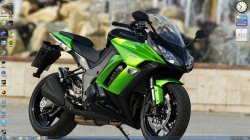
I absolutely LOVE your wallpaper. Can I have a copy?
I absolutely LOVE your wallpaper. Can I have a copy?
here ya go
Attachments


hatersgonnahate
macrumors 6502a
Been wanting to learn how to that for a while. Here is my desktop as it stand right now. 🙂
that's a weird resoultion. what resolution are u running?
Destroysall
macrumors 65816
that's a weird resoultion. what resolution are u running?
It is. Its an old HP 17" LCD that I'm using. The resolution is 1280x1024. Here is my setup as of now. Was taken with my phone, so apologies for small size, grain, or any other issue.
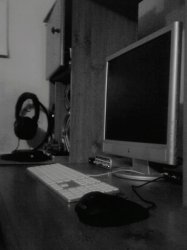
I plan on upgrading to the Dell U2410 sometime in the near future.


Destroysall
macrumors 65816
Here's mine. Vanilla 64 bit Win 7 on a POS desktop. 🙂
Very nice! Made me want to go back to that sort of "old-school" Windows theme.
Attachments


sk1wbw
Suspended
Very nice! Made me want to go back to that sort of "old-school" Windows theme.
I prefer the old Windows theme instead of the Aero crap. I don't get all giddy on special effects. 🙂

Starfighter
macrumors 6502a

Destroysall
macrumors 65816
I prefer the old Windows theme instead of the Aero crap. I don't get all giddy on special effects. 🙂
It doesn't essentially bother me in any way, but I can see what you mean. Plus this theme is starting to grow on me already. I love it!😀

mlovergaard
macrumors 6502

Destroysall
macrumors 65816


xAnthony
macrumors 65816
To put the icons to the center? Make a random folder in your document file. on your taskbar deselect the "lock the task bar option"
Then on tastkbar again click and select "new folder" and and find the empty folder you made, then drag it around til your icons are in the center. then select the folder and click hide icon and name.
then click on the taskbar again and click "lock the taskbar"
hope that makes sense
Also, the theme is called appows if you are wondering.
Could you please re-explain this or could someone else re-explain it in a different way? I can't seem to figure out how to get it to work.
Destroysall
macrumors 65816
All you have to do is right click your taskbar and make sure to unlock it. When right clicked, look for the 'toolbar' menu. Within that it should say something relevant to 'browse more...'. From there your documents folder will open. Just make a new folder and select it. Then it should appear in your taskbar reading 'new folder'. Just drag it around until you are happy with result. To remove it from saying 'new folder' just right-click it and uncheck the two options checked. Should be good then. Hopefully that helps.
This is my main Windows desktop!
I love the background, may I have the link?
Thanks!