

|
|||||||
![]() |
|
|
Thread Tools | Search this Thread | Display Modes |
|
|
#1 | |
|
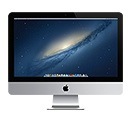
Apple Releases 'Mac Wi-Fi Update 1.0' to Fix 5GHz Wi-Fi Issue
![]() Mac Wi-Fi Update 1.0 can be downloaded from Apple's support site or through the Mac App Store on affected Macs. Quote:
|
||
|
|
0
|
|
|
#2 |
|
Is this retina as well? I'm having horrible speeds on mine
__________________
32 GB iPhone 5; 2011 Mac Mini 2.5 i5 |
|
|
|
0
|
|
|
#3 |
|
Not showing for 15" rbmp...
|
|
|
|
0
|
|
|
#4 |
|
Update shows up for my 13" rMPB.
|
|
|
|
0
|
|
|
#5 |
|
Definitely noticed some weird issues with the 15" rMBP, but I don't see the update.
|
|
|
|
0
|
|
|
#6 |
|
This update is for late-2012 Mac systems...
Considering the 15" rMBP was released in mid-2012, I doubt you'll see it.
__________________
15.4" Retina MacBook Pro, 2.6GHz i7, 16GB RAM, 512GB, GT 650M ; iPhone 5 ; iPad 4th-gen ; Apple TV (x2) ; Time Capsule (2TB) ; Other various Apple devices/old laptops. Developer |
|
|
|
2
|
|
|
#7 |
|
What about the rest of us?
I've been getting VERY poor speeds, if it will even stay connected at all.. I'm on a mid 2010 MBP 2.66 GHz i7.. I've been thinking it was my ISP, but after much testing, it's just my MBP..
|
|
|
|
0
|
|
|
#8 |
|
What about the 2011 models, Apple? My iMac can't stay connected to a 5GHz network for more than a few minutes and then can't even find them.
|
|
|
|
1
|
|
|
#9 |
|
haha just got trolled after reading this.
Opens MAC see 1 update, thinking wtf did you guys say it was late 2012 mac's??? click over, just HardwareGrowler |
|
|
|
0
|
|
|
#10 |
|
my late-2009 iMac has serious WiFi issues as well.... always cannot find WiFi at home, even though my late-2011 MBP finds it just fine even if right beside it
|
|
|
|
0
|
|
|
#11 |
|
My late 2009 iMac had problems as well. It didn't have problems until I bought the first Airport Express to feature 802.11n about a year and a half ago. Then I moved and bought a new, up to date most recent model Airport Express and now the speeds are fine and no drops. I think there's some issues with certain past Airport Express units. Chipsets or something. I don't know.
__________________
20" iMac 3.06GHz Intel Core 2 Duo, 4GB RAM, 500GB HD; iPod Touch 16GB 2nd Gen; iPhone 4 16GB, iPad 2 16GB. |
|
|
|
0
|
|
|
#12 |
|
Need an update for my 2011 imac's wifi. It's been garbage with mountain lion!
|
|
|
|
1
|
|
|
#13 |
|
FESTIVUS is for the Rest of Us!
__________________
It's ready, when it's ready ! "Any fool can criticize, condemn and complain and most fools do." — Benjamin Franklin |
|
|
|
0
|
|
|
#14 |
|
__________________
VariousAppleStuff |
|
|
|
0
|
|
|
#15 |
|
Finally... this was much needed...
|
|
|
|
0
|
|
|
#16 |
|
We've been having terrible trouble since updating one of our iMacs and our Mac Pro to mountain lion with Wifi drop outs continuous throughout the day, bordering on the frustratingly annoying.
I have done every single solution found on the Internet and posted in forums to solve it but nothing has done so. The same macs work perfectly when in Bootcamp so clearly its a software issue. Judging by the amount of similar posts I've found on here and Apple's support site, its clear ML does some funky 5h1t to wifi. Therefore I was really hopeful when I saw they had released a wifi update and then left with sore nuts after seeing it was for 2012 macs only. Apples support and attitude for older machines is starting to become very poor. Especially considering I paid over €4k at the time for my MacPro setup, and can't even get software with working wifi from Apple in 2012 ![]() As Jim from the Royle Family would say 'professional, my ar5e'....
__________________
A gentleman is one who never hurts anyone's feelings unintentionally. MacRumor:User
Microsoft MVP : Macintosh |
|
|
|
0
|
|
|
#17 |
|
I have a 2012 MacBook Air with frequent wireless drops on both 2.4 and especially on the 5GHz bands. It's annoying, and this update feels a bit like I'm being excluded.
|
|
|
|
0
|
|
|
#18 |
|
I'm so glad they finally put this out I kept having this problem.
|
|
|
|
0
|
|
|
#19 | |
|
Quote:
Remember all those problems Dual band n stations caused Tiger users ( https://discussions.apple.com/thread...readID=2248347 )? Guess what: Still no fix, just a workaround. RGDS,
__________________
MP 3,1 Octo MBP 13" 2,66 C2D, 8GB, 160SSD MDD, 1Ghz DP, 2GB, 4.25 TB (Leopard Server)
|
||
|
|
0
|
![]() |
|
«
Previous Thread
|
Next Thread
»
| Thread Tools | Search this Thread |
| Display Modes | |
|
|
All times are GMT -5. The time now is 04:00 PM.


MP 3,1 Octo
Linear Mode
