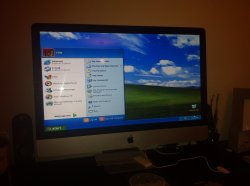
|
|
#1 |
|
Uploading photos from iOS 6 to forums
So
I think I have this set up so you can upload photos from the mobile forums on MacRumors. There is an "edit attachment" link when you are posting. If you are using the desktop version, you can use the normal Manage Attachments. It seems you can't upload more than one photo. Also iPhone photos tend to be big, so it will take a long time to upload on a slow connection. Give it a test. For my first photo, fried mozerella sandwich: |
|
|
|
1
|
|
|
#2 |
|
Awesome!
__________________
MacBook Pro w/ Retina Display, iPhone 5, iPad 3 |
|
|
|
1
|
|
|
#3 |
|
Next photo: clean plate
|
|
|
|
0
|
|
|
#4 |
|
Obligatory cat photo.
|
|
|
|
2
|
|
|
#5 |
|
Test
|
|
|
|
0
|
|
|
#6 |
|
As mesmerizing data center picture:
Edit: wow, that was a simple process. Nice work Arn. |
|
|
|
0
|
|
|
#7 |
|
I can confirm it doesn't work with iOS 5.
|
|
|
|
1
|
|
|
#8 |
|
Lord Stanley!
|
|
|
|
0
|
|
|
#9 |
|
I'm in
|
|
|
|
0
|
|
|
#10 |
|
Mine took about 10 seconds to upload on AT&T 4G. This is awesome.
I just noticed I was able to upload pics on another site too. I finally get a favorite JB tweak in iOS6.
__________________
| Colt 6920 | P226 | P228 | G19 | S&W 422 | Last edited by TSX; Sep 27, 2012 at 01:56 PM. |
|
|
|
0
|
|
|
#11 |
|
Not sure if it's a forum bug, your thumbnail is sideway but when you open it it's in the right position.
Edit: in safari --> preview sideway, when you open it it's ok. Chrome --> Sideway in both case
__________________
27' iMac late 2012, 3,2GHz + GTX 680, 16GB, Intel 320 SSD (600GB) |
|
|
|
0
|
|
|
#12 |
|
__________________
![]() |
|
|
|
0
|
|
|
#13 |
|
I ran into the same issue trying to upload multiple images from iOS 6 for iPad using the full MR site. The manage attachments pop-up shows up as a new tab in Safari, and then I can click on 'choose file' and select a photo from my camera roll or photo stream. It will let me do that for all 5 spots, but when I upload them, and close the tab going back to the main edit window, only the first image gets attached.
|
|
|
|
0
|
|
|
#14 |
|
Just a test photo.
__________________
| Colt 6920 | P226 | P228 | G19 | S&W 422 | |
|
|
|
0
|
|
|
#15 |
|
Edit: Photo is still sideways. I wonder why it's doing this.
@francois where do you see preview sideway at in safari?
__________________
| Colt 6920 | P226 | P228 | G19 | S&W 422 | |
|
|
|
0
|
|
|
#16 |
|
Look like that, still sideways.
Must have something to do with the image orientation exif data... By preview I meant thumbnails sorry!
__________________
27' iMac late 2012, 3,2GHz + GTX 680, 16GB, Intel 320 SSD (600GB) |
|
|
|
0
|
|
|
#17 |
|
I'm uploading them from my iPhone.
__________________
| Colt 6920 | P226 | P228 | G19 | S&W 422 | |
|
|
|
0
|
|
|
#18 |
|
I know that, that's the whole point of this thread
![]() What I'm trying to say, when you take a picture with a device that support the "device orientation" feature like many camera/dslr/etc... have, whatever the orientation your device is the resulting picture will have the correct side up. In older version of windows the equivalent to osx preview would open the image in the same orientation the device was when the picture was taken, it ignored this part of the exif data, even overwriting it in some case ![]() Here, I'm just wondering if it's the browser or the forum software that display in the wrong direction... I'm guessing it's 50/50 since clicking the thumbnails open it corectly in safari, while not in chrome, and the forum (vbulletin I guess) delete those exif information when resizing for thumbnails.
__________________
27' iMac late 2012, 3,2GHz + GTX 680, 16GB, Intel 320 SSD (600GB) |
|
|
|
0
|
|
|
#19 |
|
This is Oliver.
|
|
|
|
0
|
|
|
#20 |
|
Another test.
|
|
|
|
0
|
|
|
#21 |
|
Test ...
|
|
|
|
0
|
|
|
#22 |
|
Any idea why only one image ?
It seems that the default file name is always image.jpg which could be why one one image is possible. It's a very nice enhancement; if just could be used with multiple images
|
|
|
|
0
|
![]() |
|
«
Previous Thread
|
Next Thread
»
| Thread Tools | Search this Thread |
| Display Modes | |
|
|
All times are GMT -5. The time now is 01:31 AM.


Linear Mode