|
|
#1 |
|
Screen sleep and Pro sleep issue.
Recently I have noticed that my pro isn't staying asleep for more than 5 min. The other issue is that the screens don't go to sleep when I set it in the power area. None of the power options work either. I timed it to shut screens off after 1 min and sleep the comp at 3 min and nothing happens. Now I have reset the pram and have unchecked all the wake for such and such.
The specs of the Pro are in my sig. Thanks for the help. Last edited by BigJohno; Feb 6, 2013 at 12:58 AM. |
|
|
|
0
|
|
|
#2 |
|
Do you have an aftermarket disc burner? Certain ones are known to prevent sleep by repeatedly dancing naked inside your Mac.
__________________
Wait a second... So you're telling me anything that happens in the sky is legal, and there's a giant crime-blimp flying around this place? I don't know how I missed that. |
|
|
|
0
|
|
|
#3 |
|
nope no naked dancers in my computer.
|
|
|
|
0
|
|
|
#4 |
|
How about "Wake for network access" checked in Energy Saver section of System Preferences?
__________________
Wait a second... So you're telling me anything that happens in the sky is legal, and there's a giant crime-blimp flying around this place? I don't know how I missed that. |
|
|
|
0
|
|
|
#5 |
|
All those boxes are unchecked. This only began appearing maybe 3 or 4 days ago.
|
|
|
|
0
|
|
|
#6 |
|
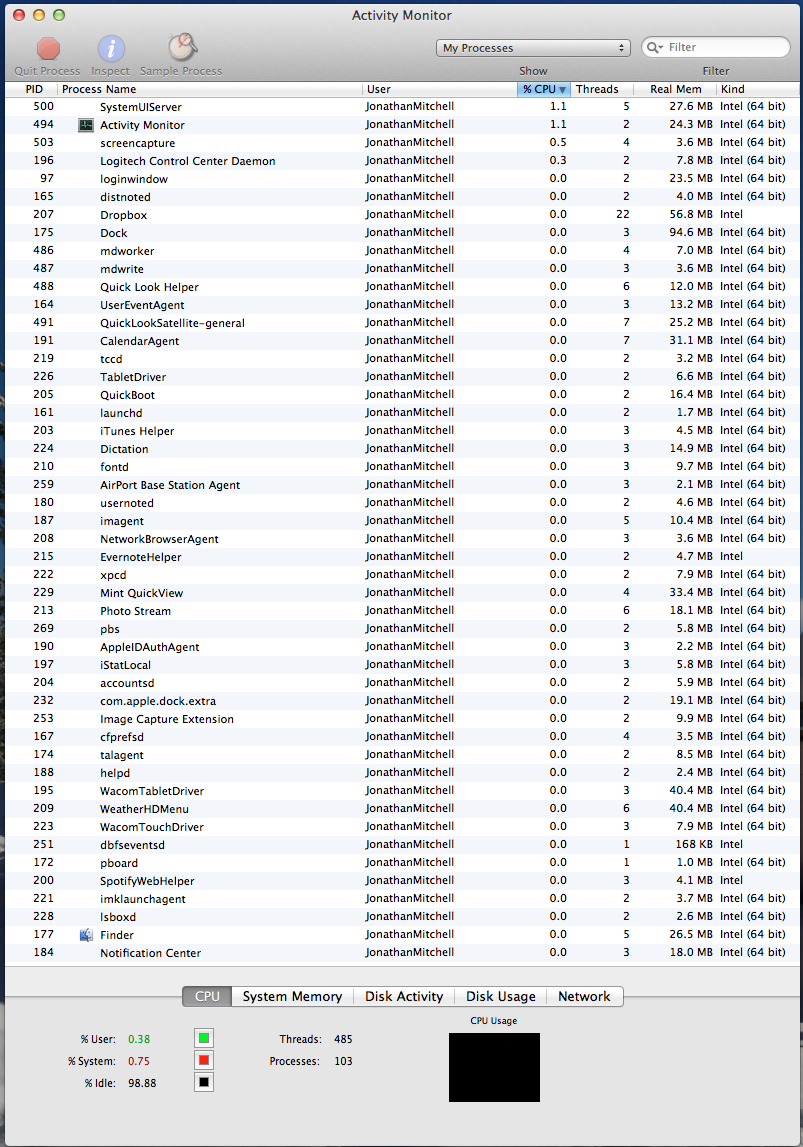
Perhaps you can find something by opening Activity Monitor, and selecting 'all processes'. Have you updated or installed anything when this began?
I'm out of ideas, as I have mine set to never sleep.
__________________
Wait a second... So you're telling me anything that happens in the sky is legal, and there's a giant crime-blimp flying around this place? I don't know how I missed that. |
|
|
|
0
|
|
|
#7 | |
|
Quote:
|
||
|
|
0
|
|
|
#11 |
|
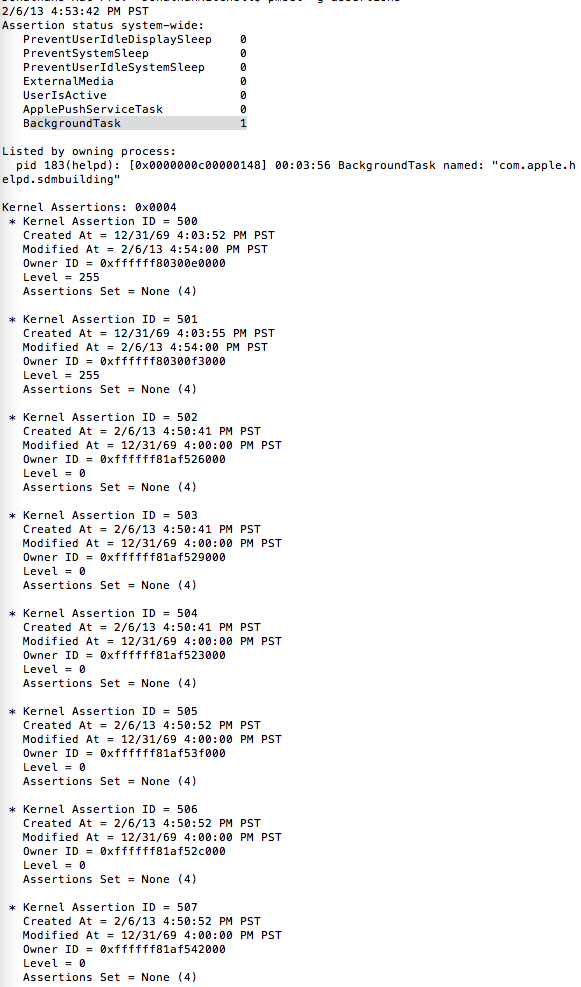
Ah, that seems to be it! I just looked it up and found this:
"sdmbuiding is to do with help data for applications, and will eventually go away once its finished building the folder. a temporary solution would be to force quit the helpd process in activity monitor, but will just rebuild upon restart. if it doesnt go away after a period of time, you can use the terminal command Code: launchctl unload -w /System/Library/LaunchAgents/com.apple.helpd.plist which should permanently stop it."
__________________
Wait a second... So you're telling me anything that happens in the sky is legal, and there's a giant crime-blimp flying around this place? I don't know how I missed that. |
|
|
|
0
|
|
|
#12 | |
|
Quote:
|
||
|
|
0
|
![]() |
|
«
Previous Thread
|
Next Thread
»
| Thread Tools | Search this Thread |
| Display Modes | |
|
|
All times are GMT -5. The time now is 10:37 AM.


Linear Mode