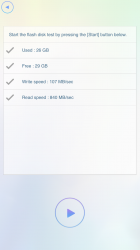
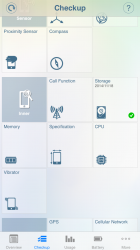
Download Phone Doctor (69p) https://itunes.apple.com/gb/app/phone-doctor-plus-check-27/id565111904?mt=8 Open the app press "checkup" and scroll down to "storage" This will check the read/write speed of the Flash storage ( If the write speed is around 100MB/s you have MLC Flash if its near the 200MB/s mark you have TLC) I hope this may help a few people
I am getting 197MB/Sec @ write speed and 354MB/sec @ read speed I assume I have TLC, which is the one that supposedly is having the issues
TLC has a higher write speed than MLC http://www.gforgames.com/gadgets/iphone-6-benchmark-tlc-vs-mlc-faster-45791/
As you can see in the OP I got 100mb/s indicating MLC flash and not TLC Well I have now confirmed I have a MLC 64GB iPhone 6 using this app http://www.pgyer.com/IOKitBrowser default-bits-per-cell = 3 is TLC default-bits-per-cell = 2 is MLC default-bits-per-cell = 1 is SLC
I concur. That's been my personal experience with the many SSD's I've installed over the years in my laptops and those of friends and family. Thanks for the link to the App, you've made a very good contribution
"Like for like" being the key words. Parallelism still is a major contributor to speed, and allows for storage devices made of TLC to be faster than devices made of MLC. This does not mean that a single MLC is faster than a single TLC.
Iphone 6+ 128gb Verizon Unlocked. Used: 35Gb Free: 78GB Write Speed: 211 mb/sec Read Speed: 440 mb/sec I killed all my background apps and got Write Speed: 247 mb/sec Read Speed: 702 mb/sec
Yeah you defiantly have TLC flash, you can prove this with the other app I posted a few comments above which will tell you the default-bits-per-cell
Apple have recognised a problem with the switch to TLC flash and will be switching back to MLC. Customers with TLC apparently are experiencing some random reboots and Apple have offered to replace any effected device. MLC does not have this problem
iPhone 6+ 128GB Used: 30GB Free: 83GB Write speed: 206MB/s Read speed: 349MB/s Not sure what this means I have? For the record, I've never had any crashing or rebooting problems (knock on wood) so this is really meaningless. If my phone keeps working and acting stable, I'm not gonna freak out over nothing. Besides, faster read/write speeds can't hurt Edit: Closed all apps and got the following: Write speed: 258MB/s Read speed: 764MB/s I also verified that I have TLC using this website. It was pretty easy to follow: http://www.techgravy.net/check-iphone-6-mlc-tlc-nand-flash-memory/
Not the news I wanted... iPhone 6, 64 GB, with crashing issue With apps in memory, ran twice. Write speed between 172 - 207 MB/sec Closed all apps from memory: 277 MB/sec Interesting, that's for sure. Edit: since I'm jailbroken with root access, I did some digging in Terminal (basically the equivalent of the second app posted above.) Sure enough, my iPhone 6 delivered from Apple directly just last week has the TLC flash storage. I'll wait a bit to see if they eventually come out with either a firmware fix or a publicly declared recall. The phone isn't unusable by any stretch in my case, and exchanging it right now seems silly; odds are, I'd just end up with another one with the same issue.
i'm with you, MLC iPhone 6 64GB Verizon model. Guess that explains why I haven't had any issues at all thus far. I've got Hynix MLC, you have Toshiba MLC. Manufacturer ID AD8260242108 = Hynix Manufacturer ID 9800014A1908 = Toshiba
I'm assuming I have the TLC due to constant reboots and other issues. How can I get my phone replaced with one that has the MLC?
My results: Write: 171MB/sec Read: 296MB/sec iPhone 6 Plus Space Grey 128GB What does it mean? Do I have TLC or MLC? (I got the app for free but this post sounds like an ad for them)
Verizon 6 + 128 GB. Of course I checked, looks like I have the TLC, but this is because I bought it in September, even before Apple decided to switch it to MLC. So far (knock on wood), I have not experienced any issue with the rebooting loop, or even crashing and my 6 Plus works perfectly fine. So I'm not that concerned about what is being used for my flash memory. It looks like 8.1.1 fixes most of this issue anyways. If it does become an issue then I will simply go and get it replaced but otherwise my phone is working as it is meant to.
I'm getting an iPhone tomorrow and I just wanted to confirm the following: 1. Does this issue only affect 64gb and 128gb models or are the 16gb models also affected? I've been hearing conflicting reports on this. Some places say all iPhone models with TCL are having reboot issues while others say it only affects the larger storage models. 2. Is this an issue than can be fixed through firmware or does this absolutely require a replacement?
MLC Is used in all 16GB models, 64GB seem to use both MLC and TLC Im not sure if the 128GB version uses MLC at all