|
|
#1 |
|
New iMac Getting SPOD
I've been loving my new iMac, and haven't looked back since switching from PC. However, over the last few days I've been getting the Spinning Pinwheel Of Death, seemingly at random times. It's REALLY annoying because the only way I know to resolve it is hard boot the computer.
Any help to permanently resolve this issue would be much appreciated!
__________________
27' iMac, 3.4GHz i7, 8GB RAM, 1TB Fusion HD
|
|
|
|
0
|
|
|
#2 |
|
When you're getting beachballs, follow every step of the following instructions precisely. Do not skip any steps.
|
|
|
|
0
|
|
|
#3 |
|
Open Activity Monitor and go to the System Memory* tab and look for Page Outs and Swap used and report back.
Using Activity Monitor to show you CPU and RAM usage * Mac OS X: Reading system memory usage in Activity Monitor
__________________
This is not
|
|
|
|
0
|
|
|
#4 |
|
Whenever this happens, the computer is completely frozen, so I won't be able to do that...
__________________
27' iMac, 3.4GHz i7, 8GB RAM, 1TB Fusion HD
|
|
|
|
0
|
|
|
#5 | |
|
Quote:
|
||
|
|
0
|
|
|
#6 |
|
This is actually one of the reasons I switched back from Mac to PC. OS X is simply incredibly slow, buggy, and just not performant.
Go look at the articles posted at macperformanceguide.com to get an idea. My Windows install blazes... Good luck with your computer (no sarcasm). |
|
|
|
0
|
|
|
#7 |
|
Ugh, that would suck...
__________________
27' iMac, 3.4GHz i7, 8GB RAM, 1TB Fusion HD
|
|
|
|
0
|
|
|
#8 | |
|
Quote:
__________________
13" 2012 MBA/i7/8GB/256GB 24" 2008 iMac/2.8GHz/6GB/240GB SSD & 2TB FW800 HDD "Fused" 2GB TC; ATV 3; 32GB iPad 4; iPhone 5 Nikon D300 / Nikkor 35mm f/1.8, 50mm f/1.8, 70-300mm VR / Sigma 10-20mm |
||
|
|
5
|
|
|
#9 |
|
Then do the System Memory part afterwards.
__________________
This is not
|
|
|
|
0
|
|
|
#10 | |
|
Quote:
|
||
|
|
0
|
|
|
#11 |
|
|
|
|
|
0
|
|
|
#12 |
|
1) open system pref's and put your hard drive in spotlight exclusions. This will wipe away your .DS_Store files.
2) Reboot and go into recovery. Repair your HD and then repair permissions 3) Reboot again and remove your hard drive from spotlight exclusions. Now wait while your drive is reindexed. You can work on it but don't mess with spotlight until it is finished. This should help if mds is really going wild. |
|
|
|
0
|
|
|
#13 | |
|
Quote:
Hopefully this will resolve the problem!
__________________
27' iMac, 3.4GHz i7, 8GB RAM, 1TB Fusion HD
|
||
|
|
0
|
|
|
#14 |
|
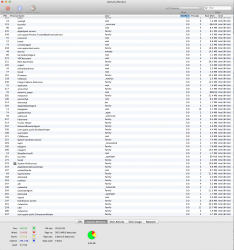
mds = hard drive indexing for Spotlight. Look at the top right of the screen, there should be a dot in the loupe. Click it and it'll tell you when it's done. A full indexing only takes place when you attach a new volume.
Ah, you've figured that out already. Last edited by Giuly; Feb 22, 2013 at 02:08 AM. |
|
|
|
0
|
|
|
#15 | |
|
.DS_Store files are not part of the problem and deleting them only means the system will recreate them.
Quote:
About NVRAM and PRAMIf a drive is constantly active or your CPU utilization is high (possibly with increased temps and fan speed) when you're not running any major apps, you can check to see if Spotlight is indexing by looking at the Menu Bar icon: When it's indexing, you may also see increased CPU and RAM usage by the mds and mdworker processes in Activity Monitor. To re-index your drive: Spotlight: How to re-index folders or volumesIf that fails to index, enter the following command in Terminal: sudo mdutil -i on "/Volumes/your drive name" |
||
|
|
0
|
|
|
#16 | |
|
Quote:
|
||
|
|
0
|
|
|
#17 |
|
Hmmm ... thinking this might be my issue ... seems like the dotted icon for spotlight is constantly popping up despite no real change day to day ...
Might do the procedure myself now |
|
|
|
0
|
|
|
#18 |
|
|
0
|
|
|
#19 |
|
It happened again this morning, so I ended up re-installing OSX in recovery. I did the re-indexing procedure last night and it didn't seem to help.
|
|
|
|
0
|
|
|
#20 |
|
Just be aware that the initial indexing process could take several hours, so let it finish. After it's done, maintaining the index will be done in the background and you likely won't even notice it.
|
|
|
|
0
|
|
|
#21 |
|
I went ahead and did the re-indexing procedure after the OSX recovery, just for good measure. I'm leaving it run while I go run errands.
__________________
27' iMac, 3.4GHz i7, 8GB RAM, 1TB Fusion HD
|
|
|
|
0
|
|
|
#22 | |
|
Quote:
I'm glad it seems as though this is fixed now. I was really starting to worry... |
||
|
|
0
|
|
|
#23 |
|
After I reinstalled OSX, it ran good for a while, then after I loaded back up my programs, it started SPOD'ing worse than before. I broke down and called Apple Support, since it's still within the first 90 days of my purchase. They helped me clean out the start-up programs, which solved the issue.
Upon starting them up one by one, I found out that CrashPlan's software was causing the issue! It's a shame, because the software has worked well for backing up my iMac until I can cough up the dough for a Time Capsule. I'm going to contact CrashPlan about it and see what they say. |
|
|
|
0
|
|
|
#24 |
|
Let us know what they say. I was thinking of using CrashPlan to supplement my local TC backup, so it would be good to hear what they say.
__________________
64 GB iPad (3rd gen) | Macbook Pro (Mid 2012) 2.7GHz, 16GB RAM, 768GB Flash Storage | 32GB iPhone 5 | I have ordered my first iMac
|
|
|
|
0
|
|
|
#25 | |
|
Quote:
A) fight a problem, to the death B) and win !!
__________________
MacMini (1,1), 20" Display, MacBook (5,1) iPhone 3GS & 4S, ATV ( 1st & 3rd Gen ), iPod Nano (1st & 5th Gen), Apple Hi-Fi, iPad 2 Wi-Fi, AirPort Extreme (3rd Gen) |
||
|
|
0
|
![]() |
|
«
Previous Thread
|
Next Thread
»
| Thread Tools | Search this Thread |
| Display Modes | |
|
|
All times are GMT -5. The time now is 02:56 AM.


27' iMac, 3.4GHz i7, 8GB RAM, 1TB Fusion HD 


Linear Mode