This is something of a PPCMC7 successor/alternative. Alot of the planned features for that have been realized in Portable YouTube Ripper, such as:
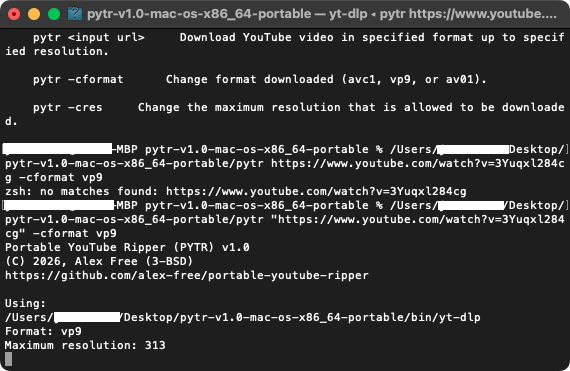
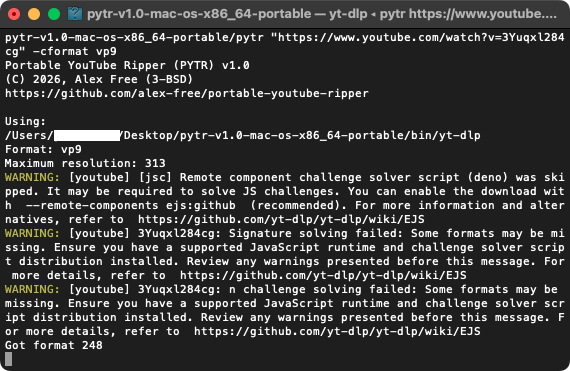
* Set your maximum resolution as a preference. Videos will be downloaded at this resolution, or if it is not available (say you have your preference at 1080p, but the video was only uploaded in 720p 15 years ago) then it will automatically detect this and get you the 720p download.
* Set your video codec. Want to play it back on a PowerPC Mac and or have compatibility with legacy video players like QuickTime 7? Pick AVC1. Want to watch 4k on your Late 2012 Mac mini with an active display port to HDMI 4k/60hz adapter? Stick with the default VP9. Need the best compression and quality with no compromises for you super powerful Mac Pro? Pick AV01.
v1.0 is available for Mac OS 10.12 and above. With lower Mac OS X versions planned. There is also Linux releases that work just as well for you non-mac computers , or if you have a dual/triple boot with Linux like I do on most my Macs you can use it that way as well. Linux releases are available in distro-agnostic portable self contained release, as well as .deb and .rpm package files that works with your package manager.

 github.com
* Set your maximum resolution as a preference. Videos will be downloaded at this resolution, or if it is not available (say you have your preference at 1080p, but the video was only uploaded in 720p 15 years ago) then it will automatically detect this and get you the 720p download.
* Set your video codec. Want to play it back on a PowerPC Mac and or have compatibility with legacy video players like QuickTime 7? Pick AVC1. Want to watch 4k on your Late 2012 Mac mini with an active display port to HDMI 4k/60hz adapter? Stick with the default VP9. Need the best compression and quality with no compromises for you super powerful Mac Pro? Pick AV01.
v1.0 is available for Mac OS 10.12 and above. With lower Mac OS X versions planned. There is also Linux releases that work just as well for you non-mac computers , or if you have a dual/triple boot with Linux like I do on most my Macs you can use it that way as well. Linux releases are available in distro-agnostic portable self contained release, as well as .deb and .rpm package files that works with your package manager.
GitHub - alex-free/portable-youtube-ripper: YOU select you desired video and audio codecs. YOU select your desired maximum resolution. YOU get YouTube how you want it, archived forever.
YOU select you desired video and audio codecs. YOU select your desired maximum resolution. YOU get YouTube how you want it, archived forever. - alex-free/portable-youtube-ripper
github.com