
Got a tip for us?
Let us know
Become a MacRumors Supporter for $50/year with no ads, ability to filter front page stories, and private forums.
Definitely September Desktops.
- Thread starter Chundles
- Start date
- Sort by reaction score
You are using an out of date browser. It may not display this or other websites correctly.
You should upgrade or use an alternative browser.
You should upgrade or use an alternative browser.

gauchogolfer
macrumors 603
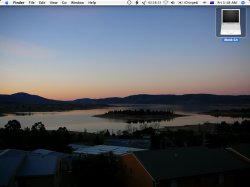
I'm going to wait 5:35 more till it's September here in France, as penance for posting my desktop in the first September thread.


2nyRiggz
macrumors 603
Chundles said:Photo is my own.
LIES!....🙂 that pic and the other one in the pre september🙄 thread are nice...I wonder who took em😉
Bless

2nyRiggz said:LIES!....🙂 that pic and the other one in the pre september🙄 thread are nice...I wonder who took em😉
Bless
Lies? It is you who lie!!
Want the original? It's 2560x1920. No, can't have it because you're a meany.

timnosenzo
macrumors 6502a
2nyRiggz
macrumors 603
Chundles said:Lies? It is you who lie!!
Want the original? It's 2560x1920. No, can't have it because you're a meany.
I only lie on weekends and to friends and on MR..........so can I have both of em😀
Bless

BakedBeans
macrumors 68040



backsidetailsli
macrumors 65816


epochblue
macrumors 68000
iVersa said:lol cool dock epochblue!
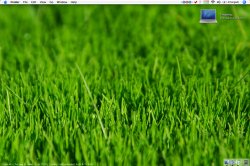
😀 Thanks! When I have nothing open, it's really just the Finder and the Trash.
With a post in the "Post Your Dock" thread as inspiration, I thought it might be a good way for me to really force myself to start using Quicksilver more. We'll see how long that lasts 🙂
C
CompUser
Guest


quicksilver77
macrumors 6502

backsidetailsli
macrumors 65816
niccccccceeeeeee 🙂 😀quicksilver77 said:With chilly weather coming I thought I might try and warm up😎



gadgetgirl85
macrumors 68040
backsidetailsli
macrumors 65816
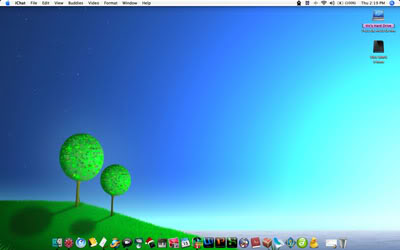
screenshot is apple+shift+3 there is also a crosshair selection kind apple+shift+3. they will make a file on your desktop.

wbread5
macrumors member
backsidetailsli
macrumors 65816
k i posted how to do the screen, let me try to remember the clipboard one.wbread5 said:Both, I guess.
edit: copy to clipboard as in printscreen is apple+control+shift+3. the one with the crosshair is apple+control+shift+4. then you can paste where you need

AlexH
macrumors 68020

Here's the original if anyone is interested. I'm no professional photographer, but I think it's a neat image. First time I've ever captured an insect in a shot. 😉
wbread5
macrumors member
backsidetailsli said:copy to clipboard as in printscreen is apple+control+shift+3.
the one with the crosshair is apple+control+shift+4. then you can paste where you need
Thanks!