
Got a tip for us?
Let us know
Become a MacRumors Supporter for $50/year with no ads, ability to filter front page stories, and private forums.
iPhone Post your iPhone's wallpaper!!! (some mild NSFW)
- Thread starter PhaserFuzz
- Start date
- Sort by reaction score
You are using an out of date browser. It may not display this or other websites correctly.
You should upgrade or use an alternative browser.
You should upgrade or use an alternative browser.
- Status
- Not open for further replies.

interesting
macrumors member



Patrickool93
macrumors member
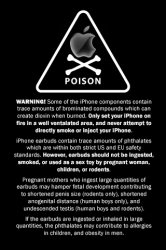
This is my schools logo, circa 1957-1958 when it opened. It's a cleaned up scan from a sticker my grandpa got when he graduated from there the first year it opened.


Minimoose 360
macrumors 65816



Left to right:
A little classic nostalgia with a new-tone style. (main one)
A little 18 year old iPhone owner humor 😎
What can I say, I love Daft Punk.
byron_hinson
macrumors 6502
What is the easiest way of getting these on the iphone to use
Put them in a folder and in the photos tab in iTunes (with iPhone plugged in) tell it to sync that folder.

TurboSC
macrumors 65816
Download wallpapers directly from your iPhone / iPod touch...
we just launched our mobile platform... it's basically our Sciphone site ( over 4800+ wallpapers ) but optimized for the iPhone / iPod touch, you can browse and download wallpapers directly to your device if you're running the 2.0 firmware.
Just point your device to : http://www.sciphone.net
- Sunny
here's a few more, ones kinda like minimoose posted:


What is the easiest way of getting these on the iphone to use
we just launched our mobile platform... it's basically our Sciphone site ( over 4800+ wallpapers ) but optimized for the iPhone / iPod touch, you can browse and download wallpapers directly to your device if you're running the 2.0 firmware.
Just point your device to : http://www.sciphone.net
- Sunny
here's a few more, ones kinda like minimoose posted:


lakaiordie
macrumors 65816
How to save a picture in Safari
I haven't got my iPhone yet so don't quote me on this. Try finding the picture you want then hold your finger on it for a few seconds. Then, a few options should come up- something like save to phone, email picture and something else.
Give it a try.
Watch this video- got it from here http://www.apple.com/uk/iphone/guidedtour/
I haven't got my iPhone yet so don't quote me on this. Try finding the picture you want then hold your finger on it for a few seconds. Then, a few options should come up- something like save to phone, email picture and something else.
Give it a try.
Watch this video- got it from here http://www.apple.com/uk/iphone/guidedtour/
lakaiordie
macrumors 65816

byron_hinson
macrumors 6502
we just launched our mobile platform... it's basically our Sciphone site ( over 4800+ wallpapers ) but optimized for the iPhone / iPod touch, you can browse and download wallpapers directly to your device if you're running the 2.0 firmware.
Just point your device to : http://www.sciphone.net
- Sunny
here's a few more, ones kinda like minimoose posted:
Worked great - excellent site
sidewalkscenes
macrumors newbie
i saved a couple pictures from that website. when i tried to use some as the wallpaper, they came up kind of blurry or pixelated (sp?). is it just my phone?

Saving images 'sidewalkscenes'
Hi again,
Well since I haven't got my iPhone I don't really know but I think I can work out what the problem is...If you are getting them off the website above make sure you click on the image a second time so it loads up bigger, then when you use it as a wallpaper it should be spread out more and less pixelated.
Hope this helps.
i saved a couple pictures from that website. when i tried to use some as the wallpaper, they came up kind of blurry or pixelated (sp?). is it just my phone?
Hi again,
Well since I haven't got my iPhone I don't really know but I think I can work out what the problem is...If you are getting them off the website above make sure you click on the image a second time so it loads up bigger, then when you use it as a wallpaper it should be spread out more and less pixelated.
Hope this helps.

Eminemdrdre00
macrumors 6502a
Thx for the info...been looking for great sites for wallpaper...any more?
I get all mine from the Flickr iPhone Wallpaper group! They've got 1000's of great wallpapers there
http://www.flickr.com/groups/iphonewallpapers/






- Status
- Not open for further replies.