

Got a tip for us?
Let us know
Become a MacRumors Supporter for $50/year with no ads, ability to filter front page stories, and private forums.
June Desktops
- Thread starter musicpyrite
- Start date
- Sort by reaction score
You are using an out of date browser. It may not display this or other websites correctly.
You should upgrade or use an alternative browser.
You should upgrade or use an alternative browser.
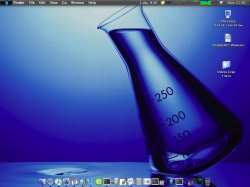


King Cobra
macrumors 603
I felt encouraged by a combination of the Panther desktop and the Longhorn desktop to design something along the trend of "softcore blue."
Click preview for full screen image: 2400 x 1800 (about 310KB)

Click preview for full screen image: 2400 x 1800 (about 310KB)


abhishekit
macrumors 65816


blue&whiteman
macrumors 65816


edesignuk
Moderator emeritus


suraj
macrumors member
blue&whiteman said:simple is best for me
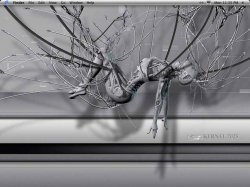
that wallpaper....... 😱
just amazing. photo?


abhishekit
macrumors 65816
in the activity monitor menu, under monitor-dock icon, you can choose any thing to be displayed in the dock.virividox said:how do i get my network activity to show on the tool bar like i see on many of your screenshots?
cheers
blue&whiteman
macrumors 65816
suraj said:that wallpaper....... 😱
just amazing. photo?
thanks. I found it on some random site while hunting down new dtp.

virividox
macrumors 601
abhishekit said:in the activity monitor menu, under monitor-dock icon, you can choose any thing to be displayed in the dock.
cheers
sorry i wasnt clear, i meant in the top tool bar (near the time, volume, airport, blue tooth icons) etc
check the 1st post of this thread, its in the right portion of the tool bar
thanks
blue&whiteman
macrumors 65816
virividox said:sorry i wasnt clear, i meant in the top tool bar (near the time, volume, airport, blue tooth icons) etc
check the 1st post of this thread, its in the right portion of the tool bar
thanks
you need menumeters
virividox said:sorry i wasnt clear, i meant in the top tool bar (near the time, volume, airport, blue tooth icons) etc
check the 1st post of this thread, its in the right portion of the tool bar
thanks
A nifty little program called MenuMeters . You can display CPU, disk, memory, and network usage.
Edit: Blue&Whitman, you beat me to it.


Calvinatir
macrumors 6502

virividox
macrumors 601


edesignuk
Moderator emeritus
Yup! Love it, so much nicer than iChat IMO, I like how you can customize it so much.Benjamin said:btw edesignuk you are using adium on your second monitor for OS X right?