Become a MacRumors Supporter for $50/year with no ads, ability to filter front page stories, and private forums.

MacRumors

macrumors bot
Original poster
Apr 12, 2001
70,334
41,939


Apple today released iPadOS 26.2, the second major update to the iPadOS 26 operating system released in September. iPadOS 26.2 comes a month after iPadOS 26.1.
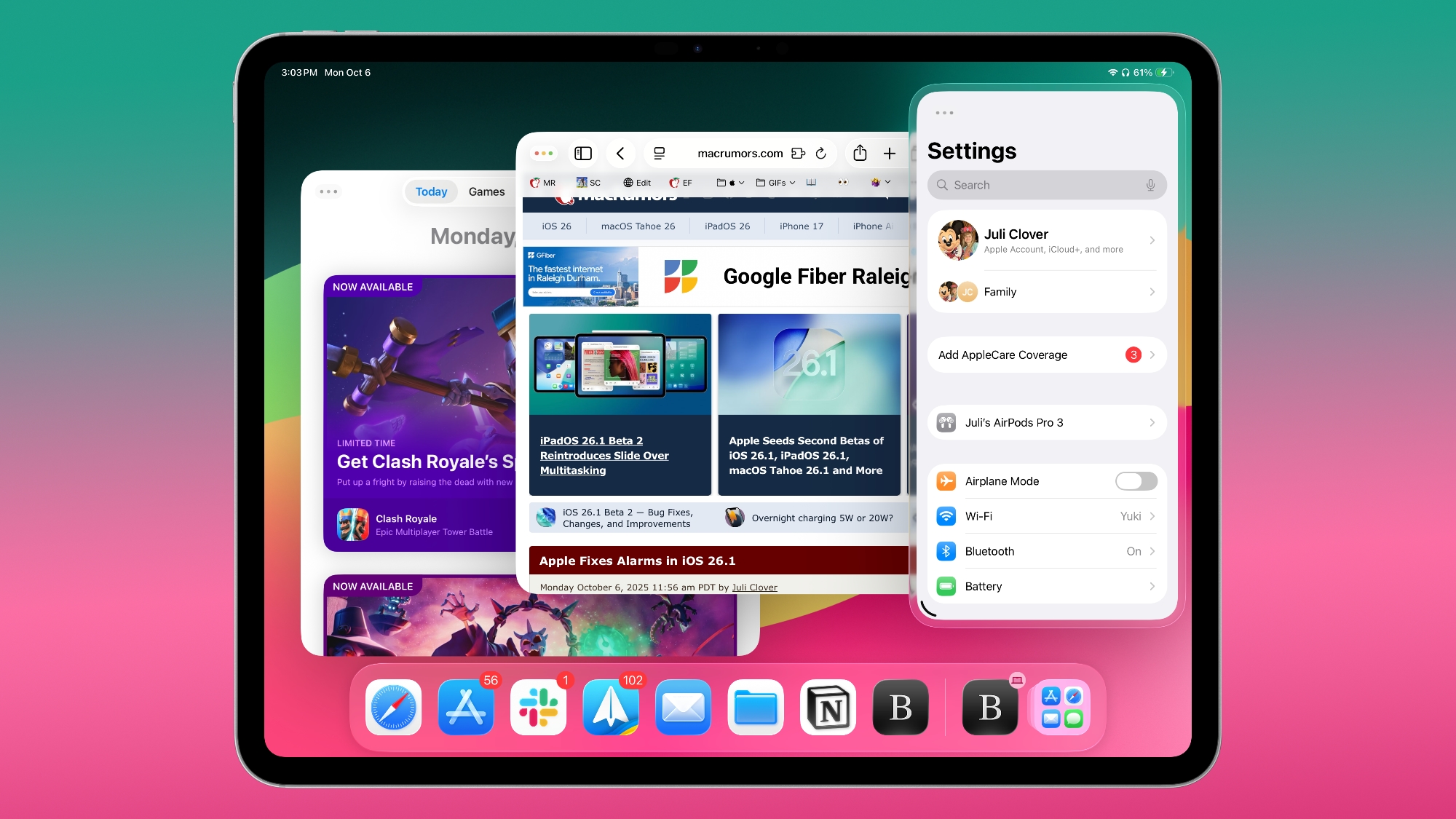
ipados-26-1-slide-over.jpg

The new software can be downloaded on eligible iPads over-the-air by going to Settings > General > Software Update.

iPadOS 26.2 continues with the multitasking improvements that were added with iPadOS 26.1. You can now drag and drop apps from the Dock, Spotlight Search, or the App Library to different multitasking views, including Slide Over.

Apps can be dragged to the far left or far right to enter Slide Over mode, or to the left or right to enter a tiled view. There's also an option to drag an app to the middle to open up a larger or smaller window, with visual indicators to make it simple. It's an easier way to manipulate apps than the prior controls accessible through the window buttons. Apple's release notes for the update are below.
Multitasking
- Multitasking gestures to quickly tile windows or place an app in Slide Over by dragging app icons from the Dock

Apple Music
- Favorite Songs playlist appears in Top Picks on the home tab
- Offline lyrics for downloaded songs so you can view them without an internet connection

Podcasts
- Automatically generated chapters make it easier to navigate episodes
- Links to mentioned podcasts let you see and follow other podcasts mentioned in the episode you’re listening to directly from the player and transcript

Games
- Filters in the Games library let you find games by category, size, and more
- In-game challenge score banners provide real-time updates when someone new has taken the lead
- Improved support for connected controllers such as Backbone and Razer

This update also includes the following enhancements and bug fixes:
- Additional Lock Screen time customization option lets you further adjust its appearance, giving the Liquid Glass material more or less opacity
- Alarms for Reminders help you stay on top of urgent tasks, and provide snooze and Live Activity support if you’re not ready to check the reminder off
- AirDrop codes offer an additional layer of verification when using AirDrop with unknown contacts by providing a code on the receiver’s device that the sender must enter to complete the transfer
- Apple News Section links in the sidebar of the News app offer easy navigation to popular topics like Sports, Politics, Business, and Food
- Multipack accessory pairing in the Home app lets you use the same setup code to easily enroll multiple accessories when sold together
- Flash for alerts in Accessibility Settings offers the additional option to have the device screen flash when you receive a notification
- Tables in Freeform can hold text, images, documents, and drawings, with cells that intelligently resize to fit, bringing structure to the infinite canvas
- Fixes an issue where pre-release albums in the Apple Music library were not immediately playable at their release time
- Fixes an issue where a Privacy and Security setting may incorrectly be marked as managed by an enterprise organization.

More info on iPadOS 26 is available in our roundup.

Article Link: Apple Releases iPadOS 26.2 With Multitasking Improvements
 
Last edited:
I’ve been enjoying the visual changes in iPad OS 26 for the most part, but what the h—- is this new animation in 26.2 when exiting the App Library? Who thought that was a good idea?

Edit: see my subsequent post #8.
 
Last edited:
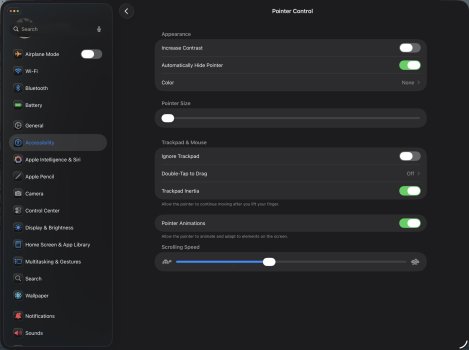
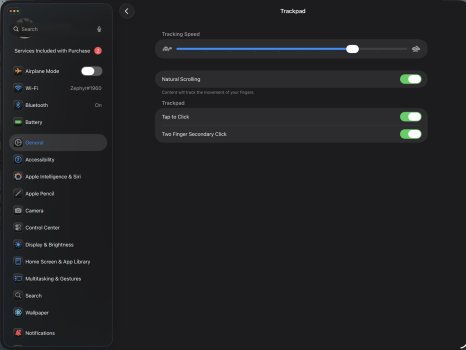
This is what is in Settings>Accessibility & under Settings>General>Trackpad (I’m not using a mouse):
 

Attachments

  • IMG_8353.jpeg
    IMG_8353.jpeg
    153.5 KB · Views: 1
  • IMG_8354.jpeg
    IMG_8354.jpeg
    132.1 KB · Views: 1
Last edited:
  • Like
Reactions: JeffNT326
So in playing around with the funky App Library animation I referenced a couple of posts ago, it appears to be a bug associated with not having the App Library folder in the Dock. If you have the App Library icon in the Dock, when you exit the Library it minimizes to the icon in the Dock. What I was seeing without the Icon being present in the Dock was the same closing animation, except instead of going to the Dock it went to a random spot on the TOP of the HomeScreen, paused there briefly, and then slid off the top of the screen. Annoying and weird.
 
What are you referring to?
If you don’t have the App Library icon in the dock, when you swipe out of the App Library, all the App Library folders collapse into a heap in the top left corner that momentarily glitches over to the top right of the Home Screen.
 
If you don’t have the App Library icon in the dock, when you swipe out of the App Library, all the App Library folders collapse into a heap in the top left corner that momentarily glitches over to the top right of the Home Screen.
That's a little weird looking but I've honestly never noticed before, and I wonder if it isn't somehow by design. When you swipe into the App Library, the folder appear to enter and spread out from the top left corner. So when you swipe out they collapse and disappear into the top right corner. There is some logic to it. Someone must have thought it cute. I can't say that I like it, but I'm not going to obsess over it.
 
I'm glad I wasn't the only one who thought that App Library animation was bad. I don't have mine in the dock, and the folders flying in and out to the top of the screen looks bad to me, and it adds lag.
 
  • Like
Reactions: Paul Cordingley
Might finally update now. I use Slideover and Split View all the time so I've been sticking to OS18.

Does anyone know if you can drag an app that is currently open and have it snap into a slideover window? Similar to dragging from the ... at the top of the window in iPadOS18 - I guess it would be dragging from the traffic lights in iPadOS26?
 
Last edited:
Might finally update now. I use Slideover and Split View all the time so I've been sticking to OS18.

Does anyone know if you can drag an app that is currently open and have it snap into a slideover window? Similar to dragging from the ... at the top of the window in iPadOS18 - I guess it would be dragging from the traffic lights in iPadOS26?
 
Register on MacRumors! This sidebar will go away, and you'll see fewer ads.