Become a MacRumors Supporter for $50/year with no ads, ability to filter front page stories, and private forums.

hamiltonDSi

macrumors 68000
Original poster
Jul 29, 2012
1,617
294
Romania
Hi there,

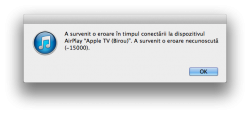
For a couple of days I get an Unknown Error (-15000) when I try to play music via AirPlay from my Mac (OS X 10.8.4 / iTunes 11.0.5) to my Apple TVs 3 (both on 5.3).
How can I fix this ?
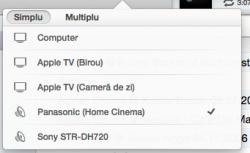
The error appears to be related only to my Apple TVs because playing music with AirTunes (via AirPort Express) to my Home Cinema works.
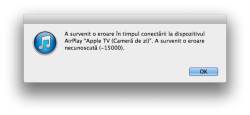
 

Attachments

  • Captur? de ecran 2013-08-23 la 13.25.18.png
    Captur? de ecran 2013-08-23 la 13.25.18.png
    48.6 KB · Views: 317
  • Captur? de ecran 2013-08-23 la 13.28.39.png
    Captur? de ecran 2013-08-23 la 13.28.39.png
    47.7 KB · Views: 204
  • Captur? de ecran 2013-08-23 la 13.29.10.png
    Captur? de ecran 2013-08-23 la 13.29.10.png
    48.5 KB · Views: 784
try rebooting your router, and if that doesn't work, reboot the mac and aTV

you can also google your router model and "airplay" see if there are any settings that can help.

my router was crashing when i tried to airplay to one device, others were fine, changing the WMM setting helped.
 

Yes, I have rebooted my Mac and Apple TVs numerous times and I keep getting the error.
I am not an idiot. Thanks for nothing.

----------

try rebooting your router, and if that doesn't work, reboot the mac and aTV

you can also google your router model and "airplay" see if there are any settings that can help.

my router was crashing when i tried to airplay to one device, others were fine, changing the WMM setting helped.

My Router(s) are fine. :)
It would be hilarious if my routers could not handle AirPlay because they are all the latest-gen AirPorts.
I have a WiFi network with two AirPorts Express (2nd gen) and one AirPort Extreme 802.11ac.
 
Yes, I have rebooted my Mac and Apple TVs numerous times and I keep getting the error.
I am not an idiot. Thanks for nothing.
.


Hey now, you are the one that came here looking for help but didn't specify what you had done. All you did is tell us you have had a problem X for several days. How are we to know what you did or didn't do? Frankly, attitudes like that will get you no where in life and won't get you a lot of help from these forums....

To quote Ice Cube: "You better check yo self before you wreck yo self"
 
Hey now, you are the one that came here looking for help but didn't specify what you had done. All you did is tell us you have had a problem X for several days. How are we to know what you did or didn't do? Frankly, attitudes like that will get you no where in life and won't get you a lot of help from these forums....

To quote Ice Cube: "You better check yo self before you wreck yo self"

I am sorry but I took your question like an insult because you replied with that picture.
 
I have exactly the same problem with my mac mini and Apple TV. I resetted everything multiple times, even created a new account on the mac for testing, reinstalled Mountain Lion, but nothing changes that. So I would be interested how many other are affected and if somebody has a solution.
 
Register on MacRumors! This sidebar will go away, and you'll see fewer ads.