
Got a tip for us?
Let us know
Become a MacRumors Supporter for $50/year with no ads, ability to filter front page stories, and private forums.
MacRumors Forums
Hi,
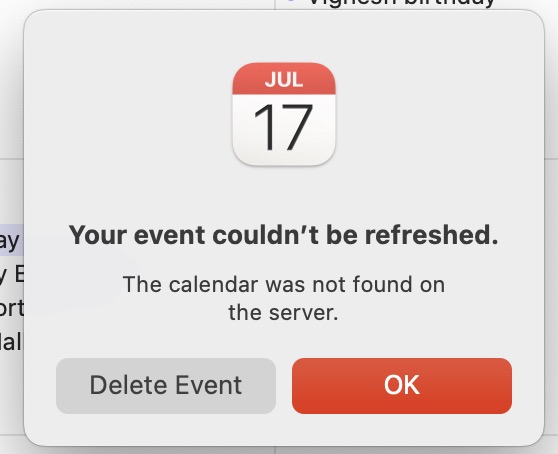
Calendar throws an error after adding a new google calendar item. Clicking on the error triangle gives you "Your event couldn’t be refreshed. The calendar was not found on the server". Screenshot below.
Though the calendar will remain in the app, it will not get added to google calendar and hence won't show up on other devices including iPhone or another Mac or even the google calendar on web.
Issue happening on my Apple M1 Pro, Mac OS Ventura Updated to 13.4 and Google workspace which is provider for the organisation.
On the other hand if I add the same calendar in google calendar via a browser window, it shows up fine on the Mac Calendar app.
Same calendar invite works fine with the older MacBook Air running Monterey.
Tried toggling the calendar button On Off with restart. Deleting account and adding it back with restart. Nothing has helped. This has been the case since last few months when I realised the issue.
Please help since it is annoying to go back to browser for every calendar invite to be added!
Thanks in advance.
Calendar throws an error after adding a new google calendar item. Clicking on the error triangle gives you "Your event couldn’t be refreshed. The calendar was not found on the server". Screenshot below.
Though the calendar will remain in the app, it will not get added to google calendar and hence won't show up on other devices including iPhone or another Mac or even the google calendar on web.
Issue happening on my Apple M1 Pro, Mac OS Ventura Updated to 13.4 and Google workspace which is provider for the organisation.
On the other hand if I add the same calendar in google calendar via a browser window, it shows up fine on the Mac Calendar app.
Same calendar invite works fine with the older MacBook Air running Monterey.
Tried toggling the calendar button On Off with restart. Deleting account and adding it back with restart. Nothing has helped. This has been the case since last few months when I realised the issue.
Please help since it is annoying to go back to browser for every calendar invite to be added!
Thanks in advance.