


Become a MacRumors Supporter for $50/year with no ads, ability to filter front page stories, and private forums.

MacRumors

macrumors bot
Original poster
Apr 12, 2001
70,783
42,708


Satechi today announced its first Thunderbolt 5 product, a dock that has an included SSD enclosure for adding storage. The Thunderbolt 5 CubeDock with SSD Enclosure supports high-resolution multiple display setups, offering 80Gb/s bi-directional bandwidth with 120Gb/s Bandwidth Boost.
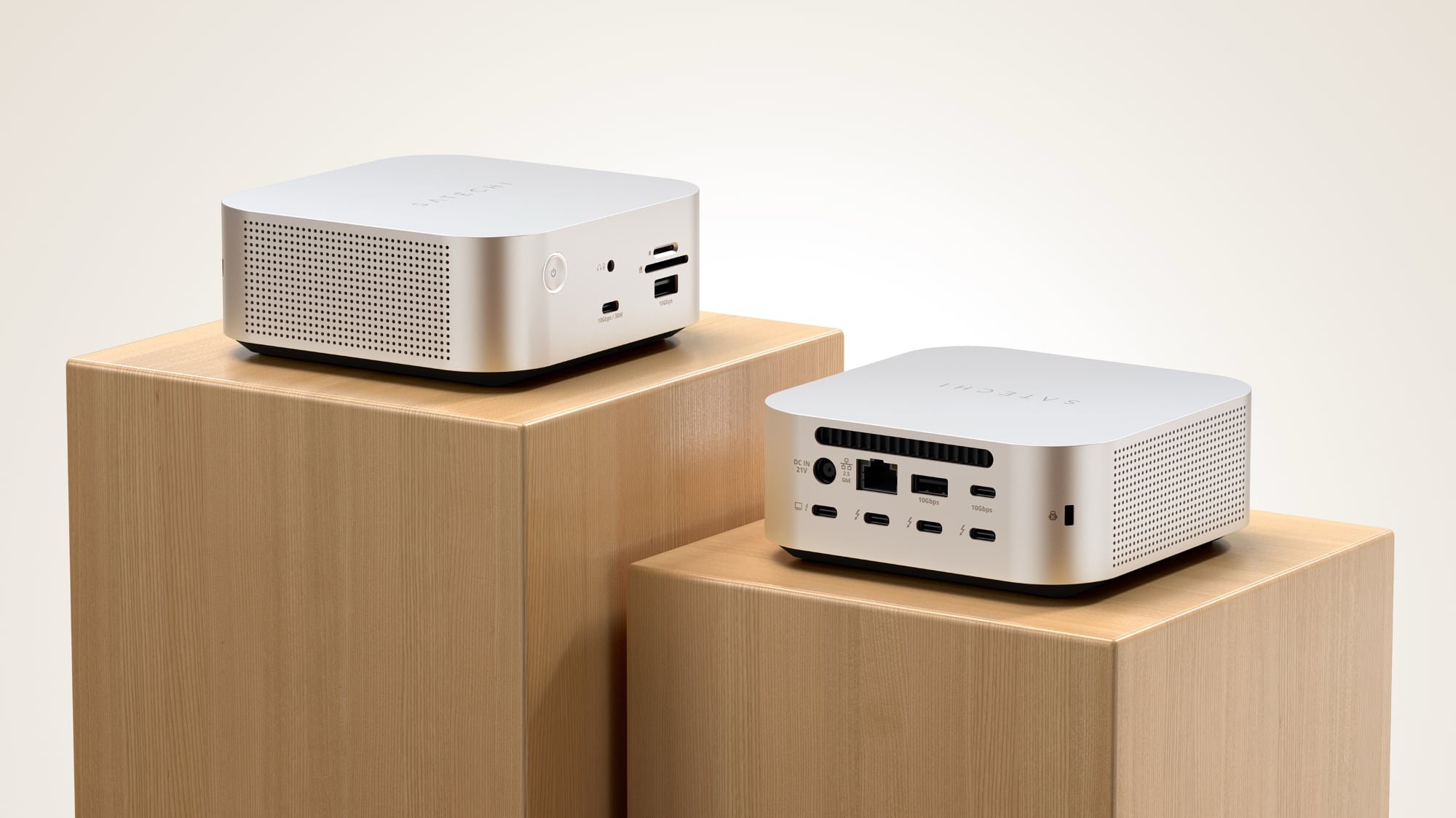
satechi-cubedock-1.jpg

The Thunderbolt 5 CubeDock has a 5x5x2-inch form factor, and it is designed from aluminum to match Apple devices. It includes a 180W power supply with 140W host charging, so it is able to work with Apple's largest laptops. It also includes 30W PD power for smartphones and tablets.

At the front of the CubeDock, there's a 30W/10Gb/s USB-C port, a headphone jack, a 10Gb/s USB-A port, an SD card slot, and a microSD card slot. The back features three downstream Thunderbolt 5 ports, a port for the power supply, a Thunderbolt 5 port to connect to a computer, a 10Gb/s USB-C port, a 10Gb/s USB-A port, and a 2.5Gb Ethernet port.
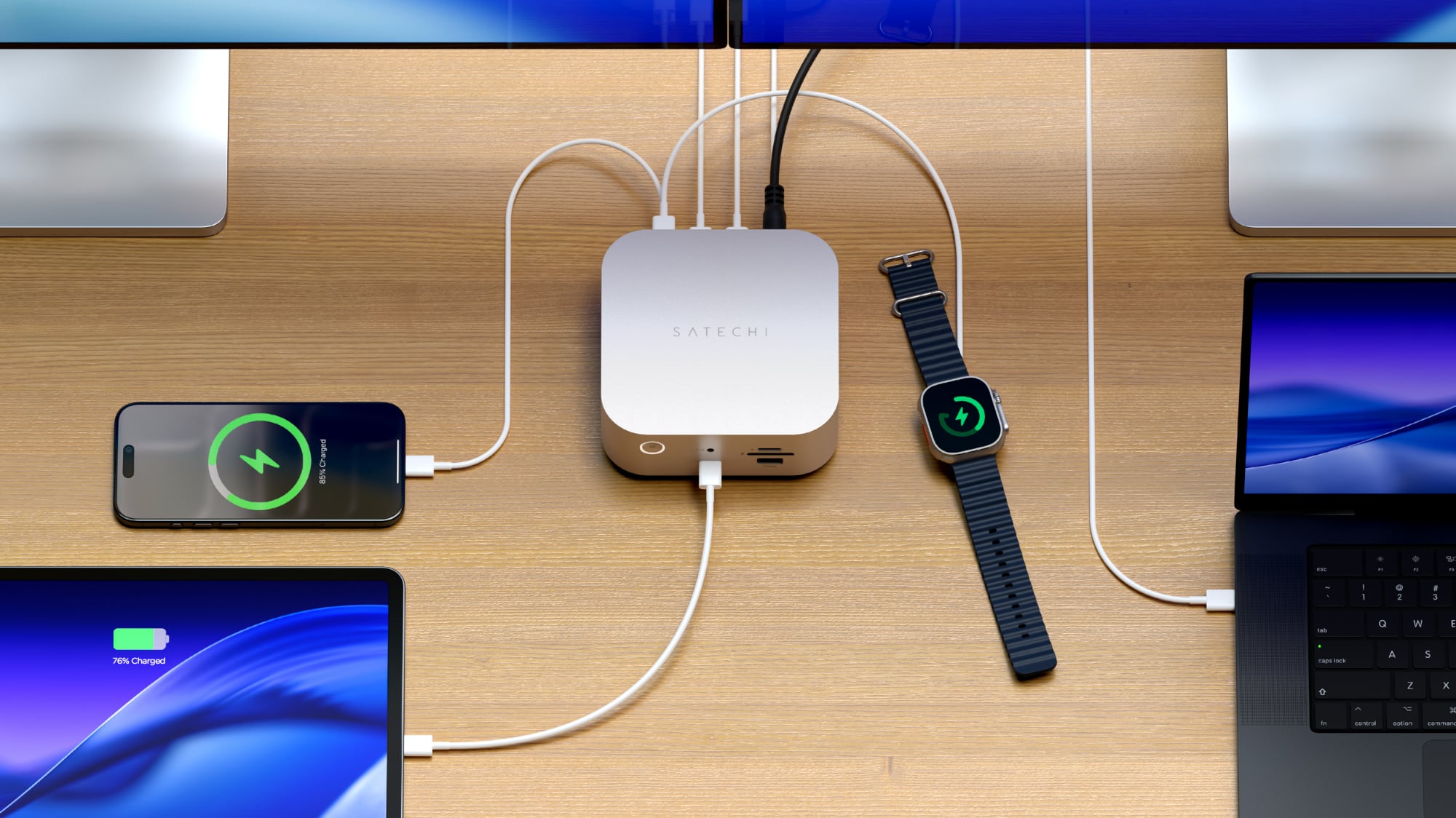
satechi-cubedock-2.jpg

There is an integrated NVMe SSD enclosure that supports up to 8TB at 6000MB/s. There is an active cooling system that Satechi says is "whisper quiet" for optimal performance during heavy workloads.

The CubeDock supports up to three 8K displays with 60Hz refresh rates on Windows PCs, or two 6K 60Hz displays on Macs. Multiple 4K displays with high refresh rates are supported as well.

Satechi is also debuting a new Thunderbolt 5 Pro cable that supports 80Gb/s bidirectional data transfer, 240W power delivery, and dual 8K 60Hz displays.

The Thunderbolt 5 CubeDock can be pre-ordered from Satechi for $400, and it is set to ship in the first quarter of 2026. The Thunderbolt 5 Pro Cable is available now for $40.

Article Link: CES 2026: Satechi Launches Thunderbolt 5 CubeDock
 
  • Like
Reactions: drrich2
I like the idea of an internal drive, but I connect my dock to both my personal MacBook and my work-provided Laptop. I don't want it trying to mount on the work computer. Hmm
 
Last edited:
I agree with the others that not including 10gbps Ethernet is a weakness of this dock. Granted, most people don't need that, but it's where things are going. I can get 5gbps fiber at my house and prefer wired for certain devices. Otherwise, it looks great.
 
I like the idea of an internal drive, but I connect my dock to both my personal MacBook and my work-provided Laptop. I don't want it trying to mount on the work computer. Hmm
You could have it not automatically connect to your work device.
 
For once I’d like to see a dock that supports two SSDs. Doesn’t have to be RAID. I just like the idea of redundancy in a single enclosure.
 
  • Like
Reactions: rbramseyjr
I agree with the others that not including 10gbps Ethernet is a weakness of this dock. Granted, most people don't need that, but it's where things are going. I can get 5gbps fiber at my house and prefer wired for certain devices. Otherwise, it looks great.
most people don't need a TB5 dock either tbh. They can be well served with a TB3 dock from the previous decade.
 
Nicely done, Satechi, although I agree that the 2.5Gb should have been 10Gb, and I'd LOVE to see an integrated CF Express card slot (although I don't know anyone that makes a dock with this integrated). I believe Satechi is offering 20% off during CES. I'd also like to see real-world transfer speeds of the SSD. I'm still using an external spinning drive for direct-attached storage, and it's definitely showing its age.
 
I don't have admin access to my work computer.

It's moot anyway, I have a Dell TB4 monitor that works well.
You wouldn't need to have admin access to you work computer. You would connect the dock with drive in to your Mac, format with password so only your Mac would be able to read it. All other devices would need the password to access.
 
I like the idea of an internal drive, but I connect my dock to both my personal MacBook and my work-provided Laptop. I don't want it trying to mount on the work computer. Hmm

Just add the following to your /etc/fstab on your work computer
LABEL=YOURDRIVENAME /Volumes/YOURDRIVENAME autofs noauto

This prevents it from trying to mount drive automatically.
 
  • Like
Reactions: sos47 and iPay
Just add the following to your /etc/fstab on your work computer
LABEL=YOURDRIVENAME /Volumes/YOURDRIVENAME autofs noauto

This prevents it from trying to mount drive automatically.

It's a Windows computer.

You wouldn't need to have admin access to you work computer. You would connect the dock with drive in to your Mac, format with password so only your Mac would be able to read it. All other devices would need the password to access.

Does that work with ExFAT? We're a mixed Mac/Windows household so I like to keep my drives universally accessible, but I guess since it's a dock that only I would use, it doesn't matter.
 
Last edited:
The Mac Mini M4 was on sale for $399.00, so you can get a 2nd Mac Mini for that much.
 
Does that work with ExFAT? We're a mixed Mac/Windows household so I like to keep my drives universally accessible.
No, exFAT doesn't have password protection. Unless the Satechi has hardware protection (very unlikely) you won't be able to the SSD universally accessible to both Windows and Mac devices and be password protected as far as I'm aware. If would be fine if all Macs (and I guess all Windows devices if you use an alternative filesystem format).
 
  • Like
Reactions: WarmWinterHat
Cool, now show a photo of the included external power supply..
Too big and ugly to be included in the product shots I guess.
 
  • Like
Reactions: dlondon
I'll be keen to find out how quiet these devices really are in real life. I just bought the IVANKY FusionDock Max 2 and the fan is on constantly which is a bit too loud for me (especially when continually running).

BTW, it doesn't mention it in the article, but the Satechi website has 20% off items launched at CES (US power supply is the only option available though).
 
  • Like
Reactions: drrich2
Register on MacRumors! This sidebar will go away, and you'll see fewer ads.