

Become a MacRumors Supporter for $50/year with no ads, ability to filter front page stories, and private forums.

macwhor

macrumors newbie
Original poster
Apr 20, 2011
8
0
Hello all,

I have a 27" iMac and I've been making extensive use of the CTRL + SHIFT + EJECT shortcut to turn off the screen. Today, that shortcut stopped working. When I press those keys, the screen goes black, but after a few seconds, it's turned back on.

Does anyone know where this problem comes from? I tried cutting off airport, mouse and keyboard, I tried restarting, but none solved the problem.

Thanks.
 
Usually that's a symptom of some background application waking the computer up; I've had it happen myself, occasionally. If a restart didn't resolve it, can you think of any utilities or system tweaks you installed recently?

The other possibility is hardware--either a twitchy mouse or faulty USB device--but it sounds like you already tried disconnecting your mouse and keyboard (except... how did you try hitting that key combination without the keyboard attached? Unplugging any USB device will prod the computer fully awake).
 
I tested the keyboard by disconnecting my wireless keyboard and connecting a USB keyboard, thinking it might haves something to do with this particular keyboard. But I'm pretty sure it's something else. When I hit the shortcut, the screen immediately goes black but I can hear a distinct whirring sound from the hard disk till the screen lights back up. Grr... Very annoying.

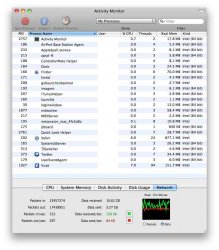
Below is my activity monitor screenshot. (I blacked out the user column.)
 

Attachments

  • 1.jpeg
    1.jpeg
    59.4 KB · Views: 345
Do you have an external HDD for Time Machine? I occasionally have the same problem the HDD does't spin down.
 
Nope, I completely turned off Time Machine long before I started having this trouble. I have external hard drives but they're disconnected when I'm not using them.
 
Register on MacRumors! This sidebar will go away, and you'll see fewer ads.