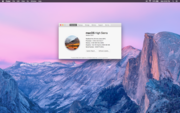
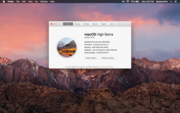
I upgraded both my older Macbook Pro's to High Sierra and the 15" looks fantastic, but the 13" looks like it is in old man mode. Everything is larger than it should be (IMO). I remember when I used to be able to use a modifier key in Snow Leopard to rescale the web pages when I scrolled up and down with the modifier key. No such luck in High Sierra. My web pages are pretty big and my screen shot below shows how large the about this Mac screen is on the 13" compared to the 15". Yes, I know the 15" resolution is much higher...... I am running 1280 x 800 on the 13" and I'm looking to scale down the zoom somehow like I used to do in Snow Leopard. I looked in accessibility and didn't find any helpful settings.
I admit I am used to looking at my 2015 retina MBP, but I feel I should be able to scale the screen size smaller. I don't ever remember the web pages and about this Mac screen being quite so large on this MBP.
If all else fails can I use an unsupported resolution via software?
![]()
![]()
I admit I am used to looking at my 2015 retina MBP, but I feel I should be able to scale the screen size smaller. I don't ever remember the web pages and about this Mac screen being quite so large on this MBP.
If all else fails can I use an unsupported resolution via software?