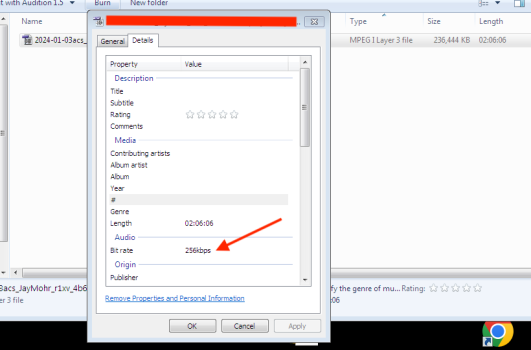
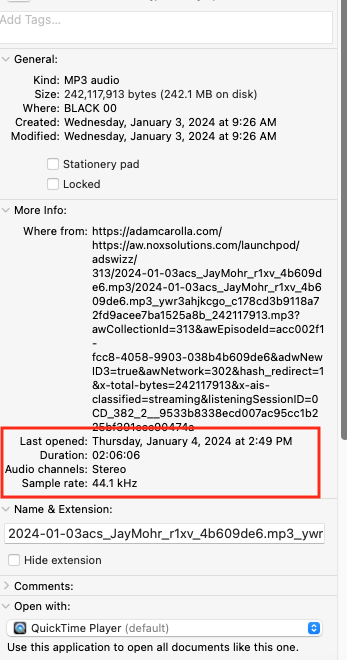
When I'm curious about the bit rate of a given MP3, I can't find it on Mac. It's easy to find in Windows: Properties > Details (screen shot) but on Mac Comand>Info only shows the 'Sample rate' which is not the same. (2nd and 3rd screenshots)

I use Scoop! to view metadata of all video and audio files. Knows all the formats and containers I have come across.
It is a front end to the same analyser library as MediaInfo.
Try both.
Spotlight does index the Audio Bit Rate. Hence the data is available to Get Info, but it doesn't display it. You can do Finder searches with Audio Bit Rate:
But Finder does not display audio bit rate as a column. You need HoudahSpot to search for audio bit rate and/or to display it as a column.
Well, if I use those to get the bit rate for my mp3 file, it yields 9600. But Finder/"Get Info" says that sample rate is 48 kHz for that file. So that would suggest a bit depth of 5 which is oddly small. But I think the trick is the mp3 files are lossy and compressed, so there is no formal bit depth. So that question wasn't really a valid one. Thank you!