Become a MacRumors Supporter for $50/year with no ads, ability to filter front page stories, and private forums.

rkearbey

macrumors newbie
Original poster
Oct 2, 2007
9
0
I encoded a movie using handbrake on my pc laptop.

First I encoded it using Mpeg 4 and AAC audio. When it was 100% done, Itunes wouldn't see it and import it.

So, I deleted that file and did it again but encoded it using H.264 (iPod) and AAC audio. iTunes still doesn't see it.

What am I doing wrong?
 
I say iTunes for win is crappy, how about try to reinstall iTunes?
 
I say iTunes for win is crappy, how about try to reinstall iTunes?

Think it will help? I just installed it this afternoon. I bought a tv show and video from iTunes and they xfered fine.
 
How are you expecting iTunes to see it.

Are you double clicking on the file Handbrake sees? Dragging it into iTunes? What?

Handbrake doesn't update the library for you.

(Note too that there is a setting in HB to save as M4V, which iTunes prefers).

B
 
Think it will help? I just installed it this afternoon. I bought a tv show and video from iTunes and they xfered fine.
I have no clue, apple's windows version apps are always has this or that problems, reinstall is easy, so you can try it b4 other suggestion come up......
 
How are you expecting iTunes to see it.

Are you double clicking on the file Handbrake sees? Dragging it into iTunes? What?

Handbrake doesn't update the library for you.

(Note too that there is a setting in HB to save as M4V, which iTunes prefers).

B

I open itunes...click on movies on the left, then file and import on top menu. I navigate to the file and it doesn't see it.
 
Same thing happened with me. I use Videora iPod Touch convertor, it has worked for everything (works beautifully for my xbox, too) except for Batman Begins. It is already an .mp4 file and it is the right dimensions, audio rate, etc. for the iPod, but it doesn't work. I tried converting it, doesn't work. iTunes conversion even failed, all it did was make a 130MB audio track :eek:
 
I open itunes...click on movies on the left, then file and import on top menu. I navigate to the file and it doesn't see it.

Try simply dragging the file into iTunes.

Also try opening it in QT. You can have any file QT supports,including .MPG and .MOV and .AVI files in your iTunes library even if you can't sync them to an iPod.

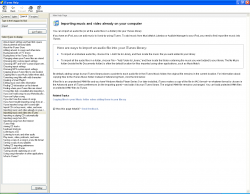
EDIT: I see what you are doing wrong. File -> Import is to import an existing iTunes library file (in XML format) what you want to do is File -> Add File to Library

untitled1.png


B
 
Register on MacRumors! This sidebar will go away, and you'll see fewer ads.