pruppert macrumors 6502 Original poster Jan 30, 2008 430 84 Feb 27, 2014 #1 Title says it all. Any ideas? Thanks.
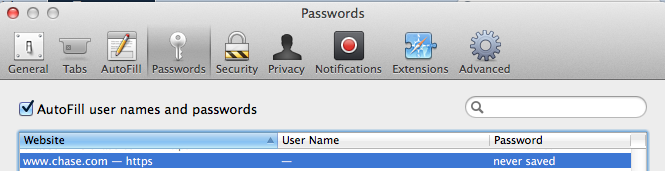
Weaselboy Moderator Staff member Jan 23, 2005 35,244 17,756 California Feb 27, 2014 #2 Open Safari preferences and go to this screen and remove the entry. It should say "never saved" like my Chase.com entry there. After you remove the entry go back to the website and reenter the PW and you should be prompted to save it.
Open Safari preferences and go to this screen and remove the entry. It should say "never saved" like my Chase.com entry there. After you remove the entry go back to the website and reenter the PW and you should be prompted to save it.