Become a MacRumors Supporter for $50/year with no ads, ability to filter front page stories, and private forums.

calyxman

macrumors 6502a
Original poster
Apr 17, 2005
610
0
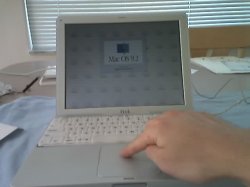
Well I got my new Seagate HD from Newegg today and I just got done putting my machine all back together. All three problems have been fixed:

  • Fixed the dim backlight. Now the display is fully bright at any angle.
  • Swapped out noisy Toshiba 15 GB 4200 rpm HD for a quiet 20 GB 5400 rpm Seagate drive
  • Trackpad is working again, woohoo

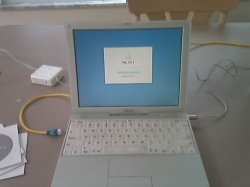
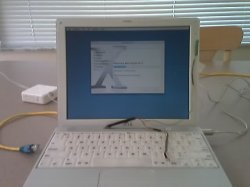
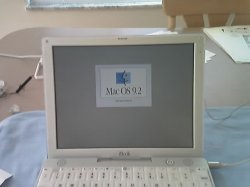
Here's some pics of the final result:
 

Attachments

  • 05-12-05_1207.jpg
    05-12-05_1207.jpg
    22.2 KB · Views: 225
Trackpad works, amen!
 

Attachments

  • 05-12-05_1208.jpg
    05-12-05_1208.jpg
    23.7 KB · Views: 169
calyxman said:
Well I got my new Seagate HD from Newegg today and I just got done putting my machine all back together. All three problems have been fixed:

  • Fixed the dim backlight. Now the display is fully bright at any angle.
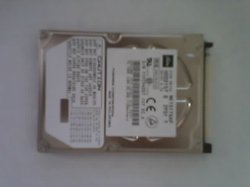
  • Swapped out noisy Toshiba 15 GB 4200 rpm HD for a quiet 20 GB 5400 rpm Seagate drive
  • Trackpad is working again, woohoo

Here's some pics of the final result:
Nice job - that was quite a pull-apart mess you had there for a while.
 
Of course I'm also running OS X...
 

Attachments

  • 05-12-05_1318.jpg
    05-12-05_1318.jpg
    20.3 KB · Views: 190
Just to give an idea of where the cabling was that I had to swap out (it wasn't an easy task, I can tell you that)
 

Attachments

  • 05-12-05_1334.jpg
    05-12-05_1334.jpg
    25.8 KB · Views: 241
Crap Toshiba HD

And that's basically it. So let this be an example for those of you who fear cracking open the little iBook. It's possible, it takes a lot of patience and the right tutorial. If you're out of warranty and you've got to fix it one way or another, you've got nothing to lose.

Now time to reinstall all the updates....bummer.. :p
 

Attachments

  • 05-12-05_1338.jpg
    05-12-05_1338.jpg
    15.5 KB · Views: 136
i'm wondering why you replaced the 15gb for a little faster 20gb HD? with all the work involved, maybe you should have put in a 60, 80gb drive? not that there's anything wrong with a 20...but when i replaced my HD, i knew i wasn't going to do it again and i put in an 80gb drive.

anyway, congrats on getting everything working...
 
kugino said:
i'm wondering why you replaced the 15gb for a little faster 20gb HD? with all the work involved, maybe you should have put in a 60, 80gb drive? not that there's anything wrong with a 20...but when i replaced my HD, i knew i wasn't going to do it again and i put in an 80gb drive.

anyway, congrats on getting everything working...

True, but I never even exceeded the 15 gig capacity of my previous hard drive. Plus I've got an external Firewire 60 GB drive that contains all my backup, music, etc. I was more concerned with getting a 5400 rpm drive, and I just so happened to get a Seagate w/ 20 GB capacity for $65 from newegg. All that with a 5 year warranty too.

I mean, this is a G3 iBook so I don't expect to run every app out there. I plan on reinstalling Office, Acrobat, VPC 6, and a slew of other applications. I use my HP for most of my work and the 40 gig HD on that is already halved with all the junk I've got on that machine.

Oh, btw I'm typing this post on my little G3. Feels great to be using it again.
 
I'd say if you know follow the tutorials that you find at PBfixit.com and other places on the net, it should take no more than an hour. In fact I think you can go even faster than that, but that's only if you've been experienced at cracking apart these little machines. It's better to take your time as you want to track your progress, because putting these back together can be an even bigger nightmare than taking them apart.
 
calyxman said:
I'd say if you know follow the tutorials that you find at PBfixit.com and other places on the net, it should take no more than an hour. In fact I think you can go even faster than that, but that's only if you've been experienced at cracking apart these little machines. It's better to take your time as you want to track your progress, because putting these back together can be an even bigger nightmare than taking them apart.
Couldn't agree more because I somehow always end up with extra screws and such, which is never a good thing. Unless Apple's just not as efficient as I am at assembling them.
 
sw1tcher said:
Couldn't agree more because I somehow always end up with extra screws and such, which is never a good thing. Unless Apple's just not as efficient as I am at assembling them.

Here's a tip that I used: print out the tutorials, and have a roll of scotch tape handy. For each step in the process, tape the screws to the exact spot in it's respective picture in the tutorial. Then when you put everything back together, it's just a matter of going backwards.

It saves you a lot of grief and you'll be covering your tracks. Make sure to take diligent notes on the printouts as well, because as good as the instructions are, there are a few minor steps unmentioned such as unscrewing the ghost light from the cover.
 
Wow, congratulations! I just replaced the reed switch on my iBook G3, but, uh, now it won't turn on at all.

*cough*

I'm gonna have to take it apart again...

Good job on yours, though!
 
Hey thanks, keep us posted on your notebook. If you need help on anything just let us know or PM me.
 
Register on MacRumors! This sidebar will go away, and you'll see fewer ads.